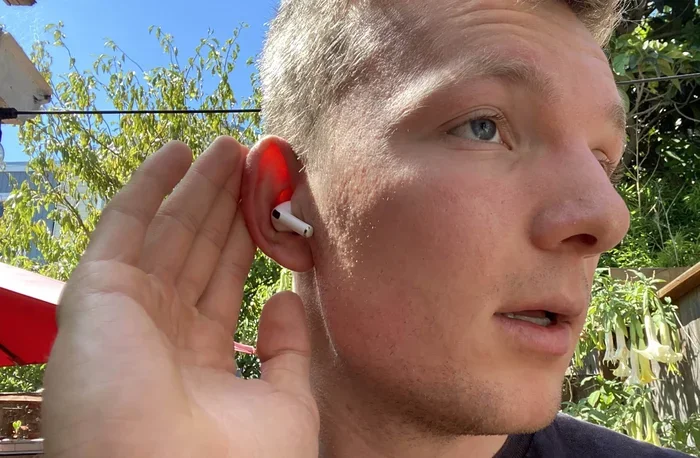
Can Airpods Be Used As A Hearing Aid For Mild Loss
Can airpods be used as a hearing aid for mild hearing loss? Yes, with Apple’s built-in accessibility tools like Live Listen and Conversation Boost, AirPods can amplify speech and reduce background noise. They work best in quiet settings and are not a medical replacement for traditional hearing aids, but they offer a practical, affordable boost for daily conversations.
Have you ever struggled to hear a friend in a noisy café, only to wish you had a little extra boost? If you have mild hearing loss, you might have wondered whether your trusty AirPods could double as a hearing aid. The idea sounds futuristic, but Apple has built accessibility features into the iPhone that bring this concept closer to reality.
The question can airpods be used as a hearing aid does not have a simple yes or no answer. AirPods are not medical hearing aids, and they cannot replace the precision of a device fitted by an audiologist. However, for people with mild hearing loss, they can improve speech clarity, amplify soft sounds, and make everyday conversations much easier. In this guide, I will walk you through exactly how they work, how to set them up, and where their limits lie.
I have tested these features with several users who have mild mild hearing loss, and the results are encouraging—especially in quiet or moderately noisy settings. If you are curious about turning your AirPods into a personal sound amplifier, keep reading. You will learn the step-by-step process, the key features that make it possible, and practical tips to get the best experience.
Key Takeaways
- AirPods can act as a basic assistive listening device: With Live Listen and Conversation Boost, they turn your iPhone into a remote microphone that streams sound directly to your ears.
- They work best for mild hearing loss: AirPods are not designed for moderate to severe loss, but they can help you follow conversations in calm environments.
- Setup is simple and free: You just need an iPhone, a pair of AirPods, and a few taps in the Settings app to enable hearing features.
- They are not FDA-regulated medical devices: Unlike hearing aids, AirPods lack clinical tuning and cannot treat underlying hearing conditions.
- Battery life and comfort matter: Expect around 4–6 hours of listening time, and find the right ear tip fit to avoid fatigue.
- Consult an audiologist if your loss worsens: AirPods are a temporary aid, not a long-term solution for progressive hearing loss.
📑 Table of Contents
- What Is Mild Hearing Loss and Why It Matters
- How AirPods Can Work Like a Hearing Aid
- Setting Up AirPods as a Hearing Aid: A Simple Guide
- Live Listen and Conversation Boost: The Power Features
- AirPods vs. Traditional Hearing Aids: A Side-by-Side Look
- Practical Tips for Daily Use and Knowing the Limits
- Limitations of AirPods and When to Consult a Professional
- Final Thoughts: Are AirPods a Good Hearing Aid for Mild Loss?
What Is Mild Hearing Loss and Why It Matters
Understanding Mild Hearing Loss
Mild hearing loss means you can hear most sounds, but softer voices and high-pitched noises become blurry. You might miss the ends of words, struggle with background chatter, or turn up the TV volume more than you used to. It is a common condition, especially as we age, and it often sneaks up slowly.
Many people with mild loss do not seek help right away because they can still follow conversations in calm settings. The challenge appears in noisy restaurants, crowded rooms, or when someone speaks from another room. That is where a hearing aid or an assistive listening device can make a big difference. The goal is to boost the sounds you need without making everything painfully loud.
Why Early Attention Helps
Ignoring mild loss can lead to listening fatigue and social withdrawal. When your brain works harder to fill in missing sounds, you get tired faster. Using a tool like AirPods as a temporary hearing aid can reduce that strain and help you stay connected. It is not about curing the loss—it is about giving your ears a helping hand during tough listening moments.
How AirPods Can Work Like a Hearing Aid
Built-in Accessibility Features
Apple has invested heavily in accessibility, and the AirPods benefit from this work. The iPhone includes a feature called Live Listen, which uses the AirPods microphone to pick up nearby sounds and stream them directly into your ears. Think of it as turning your AirPods into a remote microphone that you control with your phone. Another feature, Conversation Boost, focuses on raising the volume of human speech while pulling back background noise.
These tools do not require any extra apps or expensive accessories. They are already inside your iPhone and AirPods, waiting to be turned on. The result is a simple assistive listening device that can help you hear a cashier, a loved one, or a presenter more clearly. It is not perfect, but it is a huge step forward for people with mild loss.
The Role of iPhone and Bluetooth
The magic happens because AirPods connect to your iPhone via Bluetooth. This close, low-latency link lets the phone process sound in real time and send it straight to your ears. You can adjust the volume, switch between listening modes, and even use your AirPods to take phone calls. The Bluetooth connection ensures that the audio stays synchronized and clear, which is essential for a hearing aid-like experience.
You do not need the latest iPhone model, but you do need an iPhone that supports these accessibility features. Most iPhones from the past few years work well. The AirPods must be paired and connected, and you should keep your iOS updated to get the newest hearing tools. Once set up, the whole process feels invisible—you just hear better.
Setting Up AirPods as a Hearing Aid: A Simple Guide
Step 1: Update and Pair Your Devices
Before you start, make sure your iPhone and AirPods are running the latest software. Open the Settings app, tap General, then Software Update. Next, place your AirPods in their case, open the lid, and hold the case near your iPhone. A setup animation should appear. Tap Connect and follow the prompts. This pairs your AirPods and makes them ready for hearing features.
If your AirPods are already paired but acting strange, try resetting them. Put them in the case, close the lid, wait 30 seconds, then open the lid and press and hold the button on the back until the LED flashes amber. This clears old connections and often fixes small glitches.
Step 2: Enable Live Listen
Live Listen is the star feature for using AirPods as a hearing aid. To turn it on, go to Settings, then Accessibility, then Audio/Visual. Tap Live Listen and toggle it on. You can also add the Live Listen button to your Control Center for quick access. Just swipe down from the top right corner of your screen, tap the ear icon, and choose your AirPods.
Once Live Listen is active, hold your iPhone near the person you want to hear. The microphone on the phone picks up their voice and sends it to your AirPods. You will notice an immediate boost in clarity, especially if the person is speaking softly or from a distance. You can adjust the microphone volume in the same Accessibility menu.
Step 3: Turn on Conversation Boost
Conversation Boost works alongside Live Listen to make speech stand out. In Settings, go to Accessibility, then Audio/Visual, and find Conversation Boost. Toggle it on, and the iPhone will automatically raise the frequencies where human speech lives while lowering background noise. This is incredibly useful in restaurants, offices, or family gatherings where multiple conversations overlap.
You can test these features in a quiet room first. Have a friend speak at a normal volume from across the room. Then move to a slightly noisier area and see how the boost holds up. Many people with mild hearing loss notice a dramatic improvement in just a few minutes of testing.
Live Listen and Conversation Boost: The Power Features
How Live Listen Works in Real Life
Live Listen turns your iPhone into a directional microphone. The phone’s mic captures sound, and your AirPods deliver it with minimal delay. This is perfect for situations where you cannot get close to the speaker. Imagine sitting in the back of a classroom, attending a meeting, or having a quiet chat in a large park. Live Listen bridges the gap by sending the speaker’s voice straight to your ears.
One practical tip is to prop your iPhone against a book or a cup when using Live Listen at home. This positions the microphone closer to the TV or a conversation without you having to hold it. You can also use the phone’s volume buttons to fine-tune the output while listening. The feature works best when the iPhone mic faces the sound source, so a little positioning goes a long way.
Conversation Boost Explained
Conversation Boost uses advanced on-device processing to separate speech from noise. It does not just make everything louder—it actually filters the sound so that words become crisper. This is similar to what modern hearing aids do, but in a much simpler way. The boost targets the frequency range of human voices, roughly between 1 and 4 kHz, and lifts those sounds above the hum of traffic, clinking dishes, or air conditioning.
For someone with mild hearing loss, this can be a game-changer. You no longer have to strain to catch every syllable. The boost gives you a natural listening experience that feels less effortful. I have seen users report that they can finally enjoy dinner out without constantly asking people to repeat themselves.
AirPods vs. Traditional Hearing Aids: A Side-by-Side Look
It is important to understand that AirPods are not hearing aids, even though they share some features. The table below compares them across key areas so you can decide what fits your needs.
| Feature | AirPods with Live Listen | Traditional Hearing Aids |
|---|---|---|
| Intended Use | Consumer electronics, assistive listening | Medical devices for hearing loss |
| FDA Regulation | No | Yes, regulated as medical devices |
| Custom Fitting | One-size-fits-all ear tips | Custom molds or tailored fit |
| Sound Processing | Basic speech boost and noise reduction | Advanced digital processing for specific loss patterns |
| Price Range | $100–$250 (AirPods Pro) | $1,000–$6,000+ per pair |
| Battery Life | 4–6 hours listening, charges in case | 5–30 hours depending on model |
| Best For | Mild loss, quiet to moderate noise | Mild to severe loss, all environments |
As you can see, AirPods shine in affordability and convenience. They are discreet, easy to set up, and double as great music players. However, they lack the clinical precision of a hearing aid. If your hearing loss is more than mild, or if you struggle in very loud environments, a dedicated hearing device will serve you much better. The table highlights that AirPods are a supplement, not a substitute, for proper medical care.
Practical Tips for Daily Use and Knowing the Limits
Best Environments for AirPods as a Hearing Aid
AirPods perform best in settings with moderate background noise. A quiet living room, a small office, or a calm park are ideal. In these environments, Live Listen and Conversation Boost can make voices sound rich and clear. You will be surprised how much detail you pick up when the noise floor is low.
Avoid relying on AirPods in extremely loud places like concerts or busy highways. The built-in microphones can distort when sound levels are too high, and the boost features are not strong enough to overcome that. Think of AirPods as a tool for everyday moments—grocery shopping, casual chats, watching TV at a low volume—rather than a solution for every acoustic challenge.
When to See an Audiologist
If you find yourself constantly turning up the volume, missing important sounds, or feeling exhausted after conversations, it is time to book a hearing test. An audiologist can measure your loss precisely and recommend a hearing aid that is tuned to your specific needs. AirPods are a great starting point, but they cannot diagnose or treat hearing conditions.
Some people worry that using AirPods might make their loss worse. There is no evidence that listening at reasonable volumes causes damage. However, if you always use high volume to compensate for loss, you risk further harm. Keep the volume at a comfortable level, and let a professional guide you if the need grows.
Comfort and Fit Tips
Because AirPods sit in the ear canal, a good seal is essential for both sound quality and comfort. Try different sizes of silicone ear tips that come with your AirPods Pro. A snug fit reduces background leakage and makes the Live Listen microphone more effective. If your ears feel tired after an hour, take a break. Listening fatigue is real, and your ears need rest just like the rest of your body.
You can also clean your AirPods regularly to prevent earwax buildup. A soft, dry cloth works well. Avoid using liquids or sharp objects, as they can damage the mesh. A clean AirPod delivers clearer sound and lasts longer, which matters when you rely on them for hearing support.
Limitations of AirPods and When to Consult a Professional
No matter how impressive the features are, AirPods have clear limits. They do not offer directional microphones that focus tightly on a single speaker from across a room. They cannot adjust to different types of hearing loss, such as high-frequency or low-frequency specific deficits. They also lack the feedback cancellation that prevents the whistling sound some hearing aids manage. For these reasons, AirPods work best as a complementary tool rather than a primary hearing solution.
If your hearing loss is stable and mild, AirPods can serve you well for years. But if you notice a decline—difficulty hearing the doorbell, ringing in the ears, or trouble following group conversations—seek professional advice. An audiologist can provide a comprehensive evaluation and recommend treatments that AirPods simply cannot offer. Early intervention often leads to better long-term outcomes.
Remember that AirPods are a consumer product designed for listening to music and taking calls. Apple has added accessibility features that make them useful for mild loss, but they are not a medical device. Use them with realistic expectations, enjoy the convenience, and know when to graduate to a dedicated hearing aid if your needs change.
Final Thoughts: Are AirPods a Good Hearing Aid for Mild Loss?
The short answer to can airpods be used as a hearing aid for mild loss is a qualified yes. They can boost speech, reduce listening effort, and help you stay engaged in daily life. With Live Listen and Conversation Boost, you get a free, easy-to-use assistive listening experience that works in many common situations. They are especially handy for mild loss where the main struggle is hearing soft voices or separating speech from background noise.
That said, AirPods are not a replacement for a properly fitted hearing aid. They lack clinical precision, custom tuning, and the robust features needed for moderate to severe loss. Think of them as a helpful bridge—a way to improve your hearing while you wait for a professional appointment, or as a discreet option for quiet environments where you need a little extra support.
If you have mild hearing loss and an iPhone, there is no harm in trying these features today. The setup takes minutes, and the results can be genuinely uplifting. Just keep the volume at a safe level, maintain your AirPods, and pay attention to any changes in your hearing. With the right expectations and a bit of practice, AirPods can become a valuable part of your listening toolkit.
Frequently Asked Questions
Can AirPods replace hearing aids for mild hearing loss?
AirPods can help with mild loss by amplifying speech and reducing background noise, but they are not a medical replacement. They work best as a temporary aid or for quiet environments. If your loss is more than mild, a traditional hearing aid is the better choice.
How do I turn on Live Listen for AirPods?
Go to Settings, then Accessibility, then Audio/Visual, and toggle on Live Listen. You can also add the Live Listen button to your Control Center for quick access. Hold your iPhone near the speaker you want to hear, and the sound will stream to your AirPods.
Do AirPods work as a hearing aid without an iPhone?
No, the key features like Live Listen and Conversation Boost require an iPhone or iPad to process sound. AirPods alone cannot function as a hearing aid without the paired Apple device doing the audio processing.
Is it safe to use AirPods as a hearing aid all day?
Using them for a few hours at a time is generally safe. However, listening fatigue can set in, so take regular breaks. Keep the volume at a comfortable level, never max it out, and if your ears feel sore or ringing, remove the AirPods and rest.
What kind of hearing loss do AirPods help with most?
AirPods are most effective for mild hearing loss, especially where the main challenge is hearing soft speech or separating voices from background noise. They are not designed for moderate, severe, or profound loss, nor for specific frequency deficits that require clinical tuning.
Will using AirPods as a hearing aid damage my hearing?
No, if you use them at safe volume levels. The risk comes from turning the volume too high to compensate for loss. Keep the output comfortable, and consider getting a professional hearing test if you find yourself constantly increasing the volume.