Can A Laptop Be A Pc And Everything You Need To Know
Yes, a laptop can absolutely be a PC. A laptop is a portable personal computer that runs the same operating systems, software, and tasks as any desktop setup. Whether you need a machine for work, school, gaming, or creative projects, a laptop can fully replace a traditional desktop PC and give you the freedom to work from anywhere.
Key Takeaways
- A laptop IS a PC: By definition, a laptop is a personal computer that fits on your lap and runs the same software as a desktop.
- Full functionality: Laptops can run Windows, macOS, or Linux, handle office tasks, gaming, video editing, and programming just like desktops.
- Portability is the key advantage: You get the power of a personal computer in a compact, mobile package.
- Some limitations exist: Upgrades are more restricted, and cooling can be a challenge under heavy workloads.
- The right laptop depends on your needs: Gaming, business, and creative laptops each serve different purposes as a full PC replacement.
- Accessories bridge the gap: With a monitor, keyboard, and mouse, a laptop can feel and function exactly like a desktop PC.
📑 Table of Contents
- Can A Laptop Be A Pc And What Does That Even Mean?
- How A Laptop Functions As A Personal Computer
- Laptop Vs Desktop: What Is The Real Difference
- Can You Upgrade A Laptop Like A Pc
- Which Laptops Work Best As A Full Pc Replacement
- Common Mistakes People Make When Using A Laptop As A Pc
- Final Thoughts: Is A Laptop All The Pc You Need
Can A Laptop Be A Pc And What Does That Even Mean?
Let us clear this up right away. Can a laptop be a PC? The short answer is yes. A laptop is a personal computer. Full stop. It has a screen, a keyboard, a trackpad, a processor, memory, and storage. It runs the same operating systems and software that any desktop PC runs. So when you ask whether a laptop qualifies as a PC, the answer is a definitive yes.
But here is where things get interesting. People ask this question because they want to understand if a laptop can truly replace a desktop computer for everyday use. Can it handle the same tasks? Can it match the same performance? Can it grow with your needs over time? Those are fair questions, and this guide will answer every single one of them.
Whether you are a student, a remote worker, a gamer, or someone who just wants a reliable machine for browsing and streaming, understanding how a laptop functions as a full PC helps you make smarter buying decisions. You will learn what makes a laptop tick, where it falls short, and how to pick the right one for your lifestyle.
The world of computing has changed a lot in the last decade. Laptops are no longer weak, bulky machines that you carry around as a backup. Today’s portable computers are powerful, sleek, and capable of handling demanding tasks. Let us dive into how a laptop works as a personal computer and why it might be all you need.
How A Laptop Functions As A Personal Computer
The Core Components That Make It a Pc
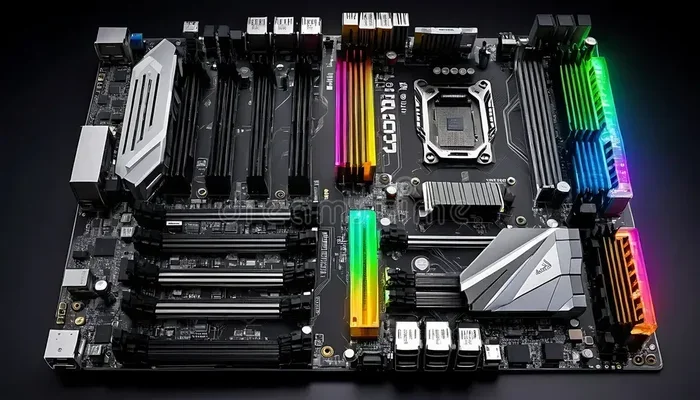
A laptop and a desktop PC share the same basic building blocks. Both have a central processing unit (CPU) that acts as the brain. Both have random access memory (RAM) for multitasking. Both have a storage drive for saving files and applications. And both run an operating system like Windows, macOS, or Linux.
Here is a quick look at what makes a laptop tick:
- Processor (CPU): This is the heart of any laptop or desktop. Brands like Intel and AMD power most machines on the market today.
- Memory (RAM): Most laptops come with 8GB to 32GB of RAM, which is plenty for everyday computing and even heavy workloads.
- Storage: Solid-state drives (SSDs) are standard now. They are fast, reliable, and come in sizes up to 2TB or more.
- Graphics (GPU): Many laptops have integrated graphics built into the CPU. Gaming and creative laptops also feature dedicated graphics cards.
- Display: Laptop screens range from 13 inches to 17 inches and can handle 4K resolution for sharp, vibrant visuals.
- Battery: This is what sets a laptop apart. The battery lets you use your personal computer without being plugged into a wall outlet.
These components work together just like they do in a desktop. When you open a web browser, edit a spreadsheet, or play a game, the same processes happen inside a laptop as inside a desktop PC. The hardware might be smaller, but the computing power is very real.
Operating Systems And Software Compatibility
One of the biggest concerns people have is whether a laptop can run the same software as a desktop. The answer is yes. A laptop running Windows can run the exact same programs as a Windows desktop. A MacBook runs macOS and supports the same apps. Linux laptops work just like Linux desktops.
You can install Microsoft Office, Adobe Creative Suite, programming tools, video editors, and even virtual machine software on a laptop. The experience is nearly identical to using a desktop. The only difference is the screen size and the input method.
Quick Tip: If you need a bigger screen, just plug your laptop into an external monitor. You instantly have a full desktop setup with all the power of a portable computer.
Laptop Vs Desktop: What Is The Real Difference
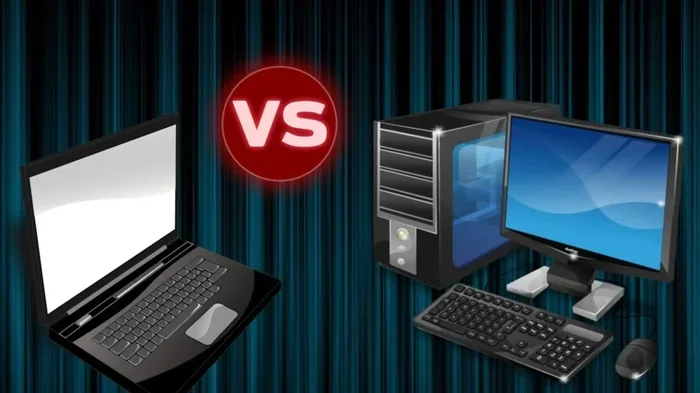
So if a laptop is a PC, how does it compare to a desktop? Let us break down the real differences between these two types of personal computers.
Performance And Power
Desktops still hold an edge in raw performance. They have bigger processors, better cooling systems, and more powerful graphics cards. A high-end desktop will always outperform a high-end laptop in the same price range. But the gap has narrowed a lot over the years.
Today’s top laptops, especially gaming laptops and workstation laptops, can handle demanding tasks like 3D rendering, video editing, and software development with ease. For most users, a laptop provides more than enough power for daily tasks.
Portability And Convenience
This is where laptops shine. You can carry a laptop to the coffee shop, to a meeting, to a library, or on a trip. A desktop stays in one place. For many people, the ability to work from anywhere is worth more than a few extra percentage points of performance.
A laptop as a desktop replacement works best when you combine it with a few accessories. A docking station, an external keyboard, and a mouse turn your portable computer into a full workstation. You get the best of both worlds.
Upgradeability And Lifespan
Desktops are easier to upgrade. You can swap out the graphics card, add more RAM, or install a bigger hard drive without much effort. Laptops are more limited. Most laptops let you add RAM or replace the storage drive, but that is usually the extent of it.
That said, many modern laptops are designed with upgradeable components in mind. Brands like Dell, Lenovo, and Framework even make laptops where you can swap out parts easily. Always check what can be upgraded before you buy.
Price And Value
Desktops often offer better value for raw performance. You get more power per dollar. But laptops offer something desktops cannot: mobility. When you factor in the cost of a desk, a chair, a monitor, and other peripherals for a desktop setup, the price difference shrinks.
Expert Insight: If you need a machine that works everywhere and anywhere, a laptop is the better investment. If you sit at a desk all day and want maximum performance for the lowest price, a desktop wins.
Can You Upgrade A Laptop Like A Pc
One of the most common questions about using a laptop as a PC is whether you can upgrade it. The short answer is: it depends. Some laptops allow upgrades, while others do not. Let us look at what you can and cannot change.
Most laptops let you upgrade the RAM and the storage drive. These are the two easiest upgrades and they make a noticeable difference in performance. Adding more RAM helps with multitasking. Swapping to a faster SSD makes the whole system feel snappier.
Some gaming laptops let you upgrade the GPU, but this is rare and usually limited to specific models. The CPU is almost always soldered onto the motherboard, so it cannot be replaced.
Here is a quick comparison of what you can upgrade in different types of laptops:
- Business laptops: Often allow RAM and storage upgrades. Some models also let you swap the battery.
- Gaming laptops: Usually allow RAM and storage upgrades. GPU upgrades are rare but exist in a few models.
- Ultrabooks and thin laptops: Often have soldered RAM and storage. Upgrades are very limited or impossible.
- Workstation laptops: May allow more upgrades depending on the model. These are designed for professionals who need flexibility.
Common Mistake: Do not buy a laptop assuming you can upgrade it later. Always check the specifications before you purchase. If upgradeability matters to you, look for models with accessible RAM slots and replaceable storage drives.
Which Laptops Work Best As A Full Pc Replacement
Not all laptops are created equal. Some are built for portability, some for power, and some for a balance of both. Here are the best types of laptops to use as a full PC replacement.
Best For Everyday Use
If you need a laptop for browsing, email, streaming, and office work, a standard ultrabook or thin-and-light laptop is perfect. These machines are lightweight, have great battery life, and handle everyday tasks with ease. Look for at least 8GB of RAM and a solid-state drive for the best experience.
Best For Gaming
Gaming laptops are powerful portable computers that can run the latest games and demanding software. They come with dedicated graphics cards, high-refresh-rate screens, and powerful processors. If you want a laptop that doubles as a gaming PC, look for models with an NVIDIA or AMD dedicated GPU.
Best For Creative Work
Video editors, graphic designers, and music producers need machines with strong processors and lots of RAM. A laptop with at least 16GB of RAM and a dedicated graphics card will handle creative workloads well. A bright, color-accurate display is also important for design work.
Best For Business And Productivity
Business laptops focus on reliability, security, and battery life. They may not be the most powerful machines, but they get work done efficiently. Look for models with solid build quality, long battery life, and good connectivity options.
Quick Tip: When choosing a laptop as a PC replacement, think about what you actually need. Do not pay for features you will not use. A mid-range laptop with 16GB of RAM and a 512GB SSD covers most users perfectly.
Common Mistakes People Make When Using A Laptop As A Pc
Even though a laptop is a full PC, many people make mistakes that hurt their experience. Here are the most common ones to avoid.
Skipping the right accessories. Using a laptop on its small built-in screen for hours is tiring. A laptop stand, an external monitor, and an ergonomic keyboard make a huge difference. Your laptop becomes a desktop PC when you add these peripherals.
Ignoring battery health. Laptops run on batteries, and batteries wear out over time. Keep your battery between 20% and 80% charge to extend its lifespan. If you always use your laptop plugged in, consider removing the battery if your model allows it.
Overheating the machine. Laptops have smaller cooling systems than desktops. Using your laptop on a soft surface like a bed or a couch can block the vents and cause overheating. Always use your laptop on a hard, flat surface or invest in a cooling pad.
Not backing up data. A laptop is a personal computer, and like any PC, it can fail. Use cloud storage or an external drive to back up your important files regularly.
Buying the cheapest option. A very cheap laptop might seem like a good deal, but it will likely be slow and frustrating. Invest in a machine with at least 8GB of RAM and an SSD. Your future self will thank you.
Final Thoughts: Is A Laptop All The Pc You Need
So, can a laptop be a PC? Absolutely. A laptop is a personal computer that can do everything a desktop can do. It runs the same software, handles the same tasks, and delivers the same results. The only difference is the form factor and the added benefit of portability.
Whether you are a student writing papers, a professional working from home, a gamer chasing the latest titles, or a creative building the next big project, a laptop can be your primary PC. The key is to choose the right model for your needs and to set it up properly with the right accessories.
Do not let anyone tell you that a laptop is not a “real” PC. That outdated thinking belongs in the past. Modern laptops are powerful, versatile, and capable machines that can handle just about anything you throw at them. A laptop is a PC, and it might just be all the PC you need.
Take the time to understand what you need, pick the right machine, and enjoy the freedom of having a full personal computer that goes wherever you do.
Frequently Asked Questions
Is a laptop considered a PC or a separate device?
A laptop is absolutely a PC. The term “PC” stands for personal computer, and a laptop fits that definition perfectly. It has all the same components and runs the same software as any desktop computer.
Can a laptop replace a desktop PC for work?
Yes, a laptop can fully replace a desktop PC for work. Most modern laptops have enough processing power, memory, and storage to handle office tasks, video calls, and productivity software with ease.
What is the difference between a laptop and a PC?
The main difference is portability. A laptop is a PC that includes a built-in screen, keyboard, trackpad, and battery, making it portable. A desktop PC is a stationary setup that requires separate peripherals.
Can you use a laptop as a desktop by connecting it to a monitor?
Yes, you can. When you connect a laptop to an external monitor, keyboard, and mouse, it functions exactly like a desktop PC. Many laptops even support docking stations for a seamless transition.
Do laptops have the same lifespan as desktop PCs?
Laptops and desktops can last a similar amount of time, typically 4 to 7 years with proper care. Laptops may have a shorter lifespan due to battery degradation and limited upgrade options, but they can still serve you well for many years.
Is a gaming laptop good enough as a PC for gaming?
A gaming laptop is a powerful portable PC that can handle modern games at high settings. While it may not match a high-end desktop in every scenario, a gaming laptop delivers an excellent gaming experience and is a great choice for gamers who need portability.