How Do I Add Bluetooth To My Sound System Step by Step
Adding Bluetooth to your sound system is easier than you think. You can use a Bluetooth receiver, adapter, or even a smart speaker to get wireless audio flowing. This guide walks you through every step with clear instructions and practical tips.
Adding Bluetooth to your sound system opens up a world of wireless convenience. You no longer need to deal with tangled cables or limited connectivity options. Whether you have a vintage stereo or a modern home theater setup, you can make it Bluetooth-ready with the right approach.
Many people think they need to buy a brand new sound system to enjoy wireless audio. That is simply not true. With a few affordable accessories, you can upgrade your current setup and start streaming music from any device. This guide will show you exactly how to do it.
The process is simpler than most people expect. You do not need to be tech-savvy or have special skills. Follow along and you will have wireless audio flowing through your speakers in no time.
Key Takeaways
- Bluetooth adapters are the simplest way to add wireless capability to any existing sound system without replacing your gear.
- You have several options including Bluetooth receivers, transmitters, and smart speakers that work as intermediaries.
- Compatibility matters — check your system’s inputs before buying any Bluetooth accessory.
- Pairing is quick once you have the right device, usually taking less than two minutes.
- Audio quality depends on the codec and your setup, so choose devices that support aptX or similar standards.
- Troubleshooting is straightforward for most common Bluetooth connection issues.
📑 Table of Contents
- Why Add Bluetooth to Your Sound System?
- Understanding Your Sound System Options
- Method 1: Using a Bluetooth Receiver
- Method 2: Using a Bluetooth Transmitter
- Method 3: Using a Smart Speaker as a Bridge
- Method 4: Upgrading to a Bluetooth-Enabled System
- Troubleshooting Common Bluetooth Issues
- Comparing Bluetooth Audio Solutions
- Maximizing Your Wireless Audio Experience
Why Add Bluetooth to Your Sound System?
Bluetooth technology has changed the way we listen to music. It lets you stream audio from your phone, tablet, or laptop without any wires. This means more freedom to move around your room while your favorite playlist keeps playing.
Most modern devices rely on wireless connections. Your phone probably does not even have a headphone jack anymore. Adding Bluetooth to your sound system bridges the gap between your wireless devices and your existing speakers. It is a smart and cost-effective upgrade.
Here are some key benefits of making your sound system wireless:
- Convenience — Stream music from any room without plugging in cables.
- Compatibility — Connect phones, tablets, laptops, and smart devices easily.
- Multi-device support — Switch between devices without unplugging anything.
- Future-proofing — Make your current system ready for newer devices.
- Cost savings — Avoid buying a whole new sound system.
Wireless audio also means less wear and tear on your equipment. Fewer cables plugged in means fewer ports getting worn out over time. Your sound system stays cleaner and lasts longer.
Understanding Your Sound System Options
Before you buy anything, you need to understand what kind of sound system you have. Different systems require different approaches for adding Bluetooth. Let us break down the most common setups.
Older Stereo Systems
Older stereo systems often have RCA inputs or a 3.5mm aux port. These are the most straightforward to upgrade. You simply need a Bluetooth receiver that plugs into one of these inputs. The receiver picks up the Bluetooth signal from your phone and sends it to your speakers through a cable.
If your system has RCA inputs, you can find adapters that convert Bluetooth to RCA. These are widely available and affordable. You connect the adapter to the Bluetooth receiver and then plug the RCA cables into your stereo. It is a simple plug-and-play solution.
Modern Home Theater Systems
Modern systems often have optical audio inputs, HDMI ports, or even built-in Bluetooth. If your system already has Bluetooth, you just need to pair your device and you are good to go. Check your user manual or look for a Bluetooth symbol on the unit.
For systems with optical or HDMI inputs, you can use a Bluetooth transmitter that connects to those ports. The transmitter sends audio wirelessly to your Bluetooth-enabled device or receives Bluetooth signals if you are using a receiver setup.
Computer or PC Speakers
If you use a PC with external speakers, adding Bluetooth is also possible. You can use a USB Bluetooth adapter or a 3.5mm Bluetooth receiver. Some users also explore options like using a Bluetooth headset as a mic for voice applications, which shows the versatility of Bluetooth technology across audio devices.
The approach depends on how your speakers connect to your computer. USB speakers may need a different solution than speakers that plug into a headphone jack. Always check your connections first.
Method 1: Using a Bluetooth Receiver
A Bluetooth receiver is the most popular way to add wireless capability to any sound system. It is a small device that connects to your system and picks up Bluetooth signals from your phone or other device.
Here is what you need to do:
- Check your sound system inputs. Look for RCA, 3.5mm aux, or optical ports on the back of your unit.
- Buy a compatible Bluetooth receiver. Make sure it matches your system’s input type. Most receivers support multiple input options.
- Connect the receiver to your sound system. Plug in the appropriate cable — RCA, aux, or optical — depending on your setup.
- Power on the receiver. Most receivers use USB or a wall adapter for power.
- Put the receiver in pairing mode. Usually, you hold down a button until a light starts blinking.
- Pair your phone or device. Go to your device’s Bluetooth settings and select the receiver from the list.
- Start playing music. Your sound should now flow wirelessly through your speakers.
This method works great for almost any sound system. It is affordable, typically costing between $15 and $50. The quality of wireless audio depends on the receiver’s Bluetooth codec support. Look for receivers that support aptX or aptX HD for the best sound quality.
Quick Tips for Bluetooth Receivers
- Keep your phone within 30 feet of the receiver for the best connection.
- Remove obstacles between your phone and the receiver to reduce interference.
- Update the firmware of your receiver if your manufacturer provides updates.
- Choose a receiver with a rechargeable battery if you want portability.
Method 2: Using a Bluetooth Transmitter
A Bluetooth transmitter works in the opposite direction. Instead of receiving Bluetooth signals, it sends audio from your sound system to wireless headphones or speakers. This is useful if you want to share audio wirelessly or connect wireless earbuds to your sound system.
You would use a transmitter when your sound system does not have Bluetooth output but you want to send audio to a wireless device. For example, if you want to listen to your stereo system through Bluetooth headphones, a transmitter connects to your stereo’s output and streams the audio wirelessly.
The setup process is similar to the receiver method:
- Connect the transmitter to your sound system output. Use an RCA, 3.5mm, or optical cable depending on available ports.
- Power on the transmitter. Most use USB or battery power.
- Put the transmitter in pairing mode.
- Pair your wireless headphones or speaker.
- Enjoy wireless audio.
Transmitters are especially popular for late-night listening. You can enjoy your stereo system without disturbing anyone else in the house. They also work well for gaming setups where you want wireless audio without lag.
Method 3: Using a Smart Speaker as a Bridge
Another clever way to add Bluetooth to your sound system is by using a smart speaker as a bridge. Devices like Amazon Echo or Google Nest can connect to your sound system and act as a wireless intermediary. You stream music to the smart speaker using Bluetooth, and the smart speaker sends the audio to your sound system through a cable or another connection.
This method is particularly useful if you already own a smart speaker. It adds Bluetooth functionality without buying a dedicated adapter. You can also use your smart speaker for voice control, which adds another layer of convenience.
For example, you can say “Hey Google, play jazz on Spotify” and the music flows through your sound system. This is a great option for people who want both wireless streaming and high-quality audio output. If you are curious about using smart speakers in different settings, you might find it helpful to read about using smart speakers in your car as it covers similar bridging concepts.
Here is how to set it up:
- Connect your smart speaker to your sound system. Use an aux cable, RCA cable, or 3.5mm connection depending on available ports.
- Enable Bluetooth on the smart speaker. Most smart speakers have Bluetooth built in.
- Pair your phone with the smart speaker.
- Play music from your phone. The audio will route through the smart speaker and into your sound system.
The audio quality depends on both the smart speaker and the cable connection. Using a wired connection from the smart speaker to your sound system generally produces better results than relying on the smart speaker’s built-in speakers.
Method 4: Upgrading to a Bluetooth-Enabled System
If your current sound system is old and has no useful inputs, you might consider upgrading to a Bluetooth-enabled system. This does not mean throwing away your old speakers. Many speaker brands offer Bluetooth receiver modules that you can add to compatible systems.
Some modern soundbars and bookshelf speakers come with Bluetooth built in. If you are in the market for new audio equipment, this is the easiest route. You get wireless audio from day one without any extra accessories.
For those who want to keep their current setup, you can also explore making your old stereo Bluetooth-ready. There are specific products designed for this purpose, and some older stereos can be modified with aftermarket Bluetooth kits. Check out our guide on making your old stereo Bluetooth for detailed instructions on this approach.
When choosing a new Bluetooth sound system, consider these factors:
- Bluetooth version — Look for Bluetooth 5.0 or newer for better range and stability.
- Codec support — aptX, LDAC, or AAC codecs provide better audio quality.
- Input options — More inputs mean more flexibility for connecting different devices.
- Power output — Make sure the system can fill your room with clear sound.
- Price — Bluetooth-enabled systems range from budget-friendly to premium.
Troubleshooting Common Bluetooth Issues
Even with the right setup, you might run into some issues. Bluetooth connections can sometimes be finicky. Here are the most common problems and how to fix them.
Bluetooth Won’t Connect
If your device will not pair with your receiver or transmitter, try these steps:
- Make sure both devices are in pairing mode.
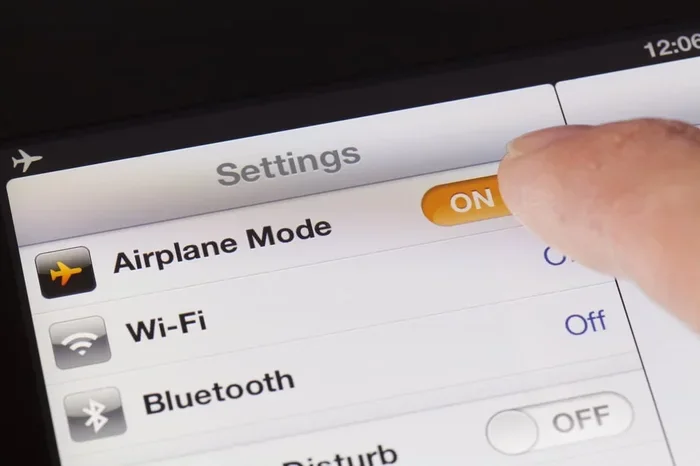
- Turn Bluetooth off and on again on your phone.
- Remove the receiver from your phone’s Bluetooth memory and try pairing again.
- Move closer to the receiver to rule out range issues.
- Restart both devices and try again.
Poor Audio Quality
If your audio sounds crackly or distorted, the issue is usually signal interference or codec mismatch. Try moving closer to the receiver. Also, make sure your phone and receiver support the same Bluetooth codec for the best quality.
Audio Delay or Lag
Some Bluetooth setups have a slight delay between the video and audio. This is common with wireless connections. Using a receiver that supports aptX Low Latency can reduce this problem significantly. For setups where timing matters, such as watching videos, this is an important consideration.
Connection Keeps Dropping
Interference from other wireless devices can cause dropouts. Wi-Fi routers, microwaves, and even USB 3.0 ports can interfere with Bluetooth signals. Move your router away from your audio setup and see if that helps.
Comparing Bluetooth Audio Solutions
Not sure which method is right for you? Here is a quick comparison of the four main approaches:
| Method | Cost | Ease of Setup | Audio Quality | Best For |
|---|---|---|---|---|
| Bluetooth Receiver | $15-$50 | Very Easy | Good to Excellent | Upgrading existing systems |
| Bluetooth Transmitter | $15-$40 | Very Easy | Good to Excellent | Wireless headphones or speakers |
| Smart Speaker Bridge | $30-$100 | Easy | Good | Voice control + wireless streaming |
| New Bluetooth System | $100+ | Very Easy | Excellent | Complete system replacement |
Each method has its strengths. The Bluetooth receiver offers the best value for most people. It is cheap, easy to set up, and works with almost any system. The smart speaker bridge is great if you already own one and want extra features like voice control.
If you are looking for a versatile solution, consider a device that can both receive and transmit Bluetooth. These all-in-one adapters give you flexibility to switch between use cases. Some models also support HDMI audio over Bluetooth, which opens up even more possibilities for your setup.
Maximizing Your Wireless Audio Experience
Once you have Bluetooth working with your sound system, there are a few things you can do to get the best experience. These tips help you squeeze every bit of quality and convenience from your wireless setup.
First, keep your devices updated. Bluetooth technology improves with firmware updates. Check for updates from your receiver or transmitter manufacturer regularly. Updated firmware often includes better codec support and improved stability.
Second, position your Bluetooth receiver or transmitter in a central location. Walls and furniture can weaken the Bluetooth signal. Placing the device in an open area helps maintain a strong and stable connection.
Third, invest in quality cables for the wired parts of your setup. Even though Bluetooth handles the wireless part, the cable connecting the receiver to your speakers still matters. Good cables ensure clean audio from the receiver to your sound system.
Fourth, consider your Bluetooth codec. If both your phone and receiver support aptX or LDAC, enable these in your settings. These codecs deliver significantly better audio quality than the standard SBC codec. Music lovers will notice a real difference in sound clarity and detail.
Finally, do not be afraid to experiment. Try different positions for your receiver. Test different Bluetooth codecs. Play with your EQ settings on your phone or streaming app. Small adjustments can make a big difference in your listening experience.
If you are interested in exploring more Bluetooth audio options, you might also enjoy reading about using a Bluetooth speaker to amplify your voice or learning about using HDMI for video and Bluetooth for audio in hybrid setups.
Adding Bluetooth to your sound system is one of the best upgrades you can make. It costs little, takes minutes to set up, and transforms how you listen to music. You get the freedom of wireless streaming without sacrificing the quality of your existing speakers.
Whether you choose a Bluetooth receiver, a transmitter, a smart speaker bridge, or a full system upgrade, the key is finding the right solution for your setup. Consider your budget, your current equipment, and what you want from your audio experience. With the right approach, you will be enjoying wireless audio in no time.
The beauty of Bluetooth technology is its simplicity. You do not need to be an audio expert to make it work. Follow the steps in this guide, and you will have your sound system streaming wirelessly before you know it. Now go ahead and enjoy your music the wireless way.
Frequently Asked Questions
What is the easiest way to add Bluetooth to any sound system?
The easiest way is to use a Bluetooth receiver. It plugs directly into your sound system’s input and pairs with your phone in seconds. Most receivers cost under $50 and work with almost any audio setup.
Do I need any special equipment to make my sound system Bluetooth-enabled?
You need a Bluetooth receiver or transmitter depending on your setup. A receiver picks up Bluetooth signals and sends them to your speakers. A transmitter does the opposite — it sends audio from your system to wireless headphones or speakers. Both are affordable and easy to find online.
Will adding Bluetooth reduce my sound quality?
Not necessarily. Modern Bluetooth codecs like aptX and aptX HD deliver excellent audio quality. The quality depends on your receiver and your phone’s capabilities. Most people will not notice a significant difference in everyday listening.
How far can my phone be from the Bluetooth receiver?
Most Bluetooth devices work within a 30-foot range. Walls and obstacles can reduce this distance. For best results, keep your phone in the same room as your sound system and within line of sight of the receiver.
Can I add Bluetooth to a vintage stereo system?
Yes, you can. Vintage stereos with RCA or aux inputs work perfectly with Bluetooth receivers. Simply connect the receiver to your stereo’s input, pair your phone, and you are ready to stream. This is a great way to bring new life to old audio equipment.
Why does my Bluetooth audio have a delay or lag?
Audio delay, also called latency, is common with Bluetooth connections. It happens because Bluetooth processes audio data before sending it. Using a receiver that supports aptX Low Latency can significantly reduce this delay. For video watching, this makes a noticeable difference in sync.