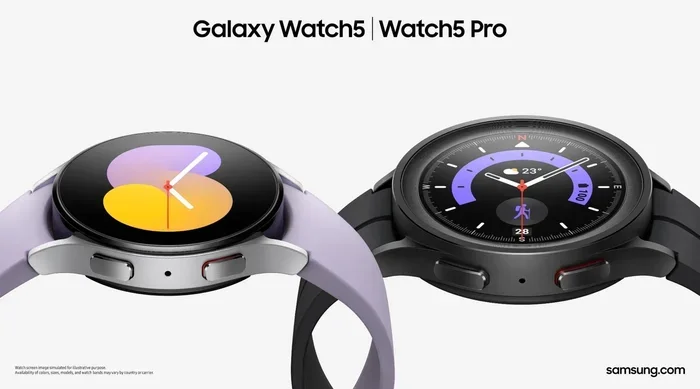
Does Galaxy Watch 5 Bluetooth Have Gps Tracking Built In
The Galaxy Watch 5 does include GPS tracking built in, and it works independently of your phone. This smartwatch uses a dedicated GPS module to track your location, distance, and pace during outdoor activities. You can also connect it to your phone via Bluetooth for additional features and data syncing. Does Galaxy Watch 5 Bluetooth Have Gps tracking? Yes, it does, and it works great for fitness enthusiasts and outdoor adventurers.
The Galaxy Watch 5 is one of Samsung’s most popular smartwatches right now. People love it for its sleek design and powerful features. One question many users ask is about GPS and Bluetooth capabilities. Specifically, they want to know: does Galaxy Watch 5 Bluetooth have GPS tracking built in? The short answer is yes. This watch comes with a built-in GPS module that works on its own. You do not need your phone nearby to track your location. In this article, we will explore everything about the GPS and Bluetooth features of the Galaxy Watch 5. You will learn how they work, what they can do, and how to get the best performance.
The Samsung Galaxy Watch 5 is a wearable fitness tracker that does a lot more than just tell time. It has health sensors, a bright display, and strong wireless connectivity. The Bluetooth connectivity lets you pair the watch with your phone and other devices. The GPS feature lets you track your outdoor activities without carrying your phone. Together, these two technologies make the Galaxy Watch 5 a powerful tool for fitness and everyday use. Whether you are a runner, a hiker, or just someone who wants a smarter watch, the Galaxy Watch 5 delivers.
If you are thinking about buying this watch or already own one, understanding its GPS and Bluetooth features is important. This guide covers everything you need to know. We will look at how GPS works on the watch, how Bluetooth pairing happens, and what you can expect in real-world use. Let us dive in.
Key Takeaways
- GPS Is Built In: The Galaxy Watch 5 has a dedicated GPS module that works without your phone nearby.
- Bluetooth Connects You Seamlessly: Bluetooth pairing lets you sync data, receive notifications, and stream audio to your watch.
- Standalone Tracking Works: You can leave your phone behind and still record your runs, hikes, and rides with accurate GPS data.
- GPS Accuracy Is Solid: The watch uses multiple satellite systems for reliable location tracking in most conditions.
- Fitness Tracking Gets Better With GPS: Combining GPS with heart rate monitoring gives you detailed workout insights.
- Battery Life Matters: Using GPS continuously drains the battery faster, so plan your charges for long outdoor sessions.
📑 Table of Contents
- How Does the Galaxy Watch 5 Handle GPS and Bluetooth?
- Can You Use GPS on the Galaxy Watch 5 Without a Phone?
- Bluetooth Pairing and Connectivity on the Galaxy Watch 5
- GPS Accuracy and Performance in Real-World Use
- Fitness Tracking Features That Use GPS
- Who Should Choose the Galaxy Watch 5 With GPS?
- Battery Life and GPS Usage
- Setting Up GPS and Bluetooth on Your Galaxy Watch 5
- Common Mistakes to Avoid With Galaxy Watch 5 GPS
- Final Thoughts
How Does the Galaxy Watch 5 Handle GPS and Bluetooth?
The Galaxy Watch 5 handles both GPS and Bluetooth very well. These two technologies work together to give you a smooth experience. The GPS module tracks your location outdoors. The Bluetooth connection keeps you linked to your phone and other devices. Understanding how each one works helps you get the most out of your watch.
Understanding the GPS Module
The Galaxy Watch 5 has a built-in GPS module inside the watch body. This small chip connects to satellites orbiting Earth. It receives signals from multiple satellite systems at once. These systems include GPS, GLONASS, Galileo, and BeiDou. By using several systems, the watch gets better location data. The GPS antenna inside the watch picks up these signals clearly. This means your location tracking is accurate whether you are running in a city or hiking in the mountains.
The GPS module works independently of Bluetooth. You can turn on GPS without connecting to your phone. The watch will record your route, distance, and pace all by itself. This is great news for people who like to go for a run without carrying their phone. The satellite positioning technology inside the Galaxy Watch 5 is the same type found in modern smartphones. Samsung has optimized it for wearable use. This means it balances accuracy with battery life.
How Bluetooth Connectivity Works on the Watch
The Bluetooth connectivity on the Galaxy Watch 5 uses the latest Bluetooth standard. This allows for fast and stable connections to your phone. When you pair the watch with your phone, it syncs data automatically. Your workout stats, notifications, and music controls all flow through this connection. The Bluetooth range is about 30 feet in open space. Walls and obstacles can reduce this range. But in everyday use, the connection stays strong.
The watch also supports Bluetooth audio streaming. You can connect wireless earbuds to the watch and listen to music during your workout. This works great for Bluetooth headphones that support audio streaming. If you enjoy using Bluetooth devices for other activities, the watch handles them well. For example, if you have ever wondered Can I Use Bluetooth Headphones For Gaming, the same Bluetooth technology applies here. The Galaxy Watch 5 uses Bluetooth to connect to various devices smoothly and reliably.
Can You Use GPS on the Galaxy Watch 5 Without a Phone?
Standalone GPS Tracking
Yes, you can use GPS on the Galaxy Watch 5 without your phone. This is one of the best features of this smartwatch. When you start an outdoor workout, the watch uses its GPS tracking to record your route. It does not need a phone connection to do this. The watch connects directly to satellites and logs your location data.
This standalone tracking works for running, cycling, and hiking. You can leave your phone at home and still get accurate distance and pace data. After your workout, the watch stores all the data locally. When you get back near your phone, it syncs everything. This makes the Galaxy Watch 5 a great fitness tracker GPS device for people who want freedom during workouts. You do not need to worry about carrying extra weight on your wrist or in your pocket.
The watch also stores your route maps internally. You can review your paths after each workout. This feature is especially helpful if you want to track your progress over time. Seeing your routes on a map gives you a sense of accomplishment. It also helps you plan better routes for future workouts.
Offline GPS and Navigation Features
The Galaxy Watch 5 also offers offline GPS capabilities. You can download maps to the watch ahead of time. When you are on a trail or in an area with no cell service, the watch can still guide you. The GPS module works without any internet connection. It relies on satellite signals, not Wi-Fi or cell towers.
This is very useful for hikers and travelers. You do not need to worry about losing your phone signal in remote areas. The watch will keep tracking your location accurately. When you return to an area with service, it uploads your route data. This makes the Galaxy Watch 5 a reliable companion for outdoor adventures. You can explore new trails with confidence knowing your watch has you covered.
Bluetooth Pairing and Connectivity on the Galaxy Watch 5
How to Pair the Watch with Your Phone
Setting up Bluetooth pairing on the Galaxy Watch 5 is simple. You open the Galaxy Wearable app on your phone. The app searches for the watch nearby. Once it finds the watch, you tap to connect. The pairing process takes less than a minute. After that, the watch and phone stay connected automatically.
If you have ever dealt with Bluetooth devices before, this process will feel familiar. It is similar to how Does Jbl Pair With Iphone or how you connect any Bluetooth device. The Galaxy Watch 5 follows the same standard Bluetooth protocols. This means it works with both Android and iOS phones. The pairing experience is smooth and reliable. You will not need to repeat the process often once the initial setup is done.
Bluetooth Range and Connection Stability
The Bluetooth connection between the watch and phone works well within about 30 feet. In open spaces, you might get a bit more range. But walls, furniture, and your body can block the Bluetooth signal. This is normal for all Bluetooth devices. The Galaxy Watch 5 handles these drops gracefully. It reconnects automatically when you come back into range.
If you want to use the watch for audio, you can connect Bluetooth earbuds directly. The watch can stream music to your headphones without your phone nearby. This is handy for gym workouts where you leave your phone in a locker. Just make sure your earbuds are charged and paired ahead of time. The watch also remembers previously paired devices, so switching between them is easy.
Many users also ask about using Bluetooth for other devices. If you are curious about converting older audio gear, you might wonder Can I Turn Regular Speakers Into Bluetooth. The Galaxy Watch 5 connects to Bluetooth speakers too, so you can play music from your wrist at gatherings or workouts.
GPS Accuracy and Performance in Real-World Use
How Accurate Is the GPS on the Galaxy Watch 5?
The GPS on the Galaxy Watch 5 is quite accurate for a smartwatch. In open areas, it tracks your location within a few meters. This is good enough for most fitness activities. When you go for a run in a park, the route map looks very precise. The watch uses multiple satellite systems to improve accuracy. This means it works well even in areas where one system has weak coverage.
However, GPS accuracy can vary based on your environment. Tall buildings, dense forests, and deep canyons can weaken the signal. In these situations, the watch may show a slightly offset route. But for everyday use, the accuracy is more than enough. Most users are happy with how well the GPS tracking performs. Samsung has done a great job with the GPS hardware and software on this watch.
Compared to dedicated GPS watches, the Galaxy Watch 5 is slightly less precise. But for the average user, the difference is barely noticeable. The convenience of having GPS on a smartwatch that also handles notifications and health tracking is a big plus.
Factors That Affect GPS Signal Quality
Several things can affect the GPS signal on your watch. Trees and foliage can block satellite signals. Tall buildings in cities can cause signal reflections. Weather conditions like heavy rain or thick clouds may slightly reduce accuracy. Even your wrist position during a run can impact signal strength.
To get the best results, wear the watch on your upper wrist. Keep it snug but comfortable. Start your workout in an open area to let the watch lock onto satellites faster. If you are doing navigation tracking in a new area, give the watch a minute to get a strong signal before you start moving. These small tips can make a big difference in GPS performance. Taking a moment to let the watch connect to satellites can save you from incomplete or inaccurate route data.
Fitness Tracking Features That Use GPS
Running, Cycling, and Hiking with GPS
The Galaxy Watch 5 tracks many outdoor activities using GPS. When you start a run, the watch records your route on a map. It measures distance, pace, and elevation gain. After your workout, you can review the route and see where you went fastest. This data is very helpful for training and improvement.
Cyclists also benefit from the GPS features. The watch tracks your speed and distance accurately. Hikers can use it to map trails and measure elevation. The watch supports many activity types, and each one uses the GPS module when needed. This makes the Galaxy Watch 5 a versatile tool for many sports and outdoor activities. Whether you are a casual walker or a serious athlete, the GPS features add real value to your workouts.
The watch also tracks your workout history. You can see trends over weeks and months. This helps you understand your progress and set new goals. The combination of GPS data and workout stats gives you a complete picture of your fitness journey.
Combining GPS with Heart Rate Monitoring
One of the best things about the Galaxy Watch 5 is its heart rate sensor. When you combine GPS data with heart rate data, you get powerful insights. The watch shows you your heart rate zones during a run. It tells you when you are in the fat burn zone or the cardio zone. This helps you train smarter and avoid overdoing it.
The fitness tracking experience is much richer when GPS and heart rate work together. You can see how your heart rate responds to different paces. Over time, this data helps you understand your fitness level better. Many users say this combination is what makes the Galaxy Watch 5 stand out from other wearable fitness tracker devices. The ability to see both your route and your heart rate on one screen is incredibly useful.
Who Should Choose the Galaxy Watch 5 With GPS?
Athletes and Outdoor Enthusiasts
If you run, cycle, or hike regularly, the Galaxy Watch 5 is a great choice. The built-in GPS means you do not need to carry your phone. The watch handles all the tracking on its own. It is lightweight and comfortable enough for long workouts. The GPS accuracy is good enough for serious training.
Athletes who want detailed workout data will appreciate this watch. It records splits, pace changes, and elevation profiles. You can review your performance after each session and see areas for improvement. The Bluetooth connectivity also lets you stream music to your earbuds during workouts. This makes the Galaxy Watch 5 a complete fitness companion. You get everything you need in one device on your wrist.
Everyday Users Who Want Location Features
Even if you are not an athlete, the GPS features are useful. You can use the watch for walking your dog, exploring new neighborhoods, or commuting on foot. The location tracking feature works quietly in the background. It can help you remember routes you have taken before. Some users also use GPS for safety, knowing they can track their location if needed.
For people who want a smartwatch with strong connectivity, the Galaxy Watch 5 delivers. The Bluetooth connectivity keeps you linked to your phone and other devices. If you are curious about other Bluetooth devices and their capabilities, you might also wonder Can I Pair Bluetooth Headphones To Xbox One. The Galaxy Watch 5 handles Bluetooth connections with ease across many different use cases. It is a versatile watch that fits into many lifestyles.
Battery Life and GPS Usage
Using GPS on the Galaxy Watch 5 does affect battery life. The GPS module uses extra power to stay connected to satellites. If you turn on GPS for a long workout, your battery will drain faster. A typical GPS workout session can use about 10 to 15 percent of your battery. For shorter workouts, the drain is minimal.
Samsung has optimized the battery management on the Galaxy Watch 5. The watch balances GPS usage with power saving. You can also turn off GPS when you do not need it. This helps extend your battery life for everyday use. If you plan a long hike or race, consider charging your watch fully beforehand. A full charge typically lasts about 30 to 40 hours with normal use. With heavy GPS use, expect closer to 20 to 25 hours.
To get the best battery life, turn off Bluetooth when you do not need it. Disable always-on display if you want to save power. These small adjustments can add hours to your battery life. Planning ahead helps you make the most of your watch during long outdoor activities.
Setting Up GPS and Bluetooth on Your Galaxy Watch 5
Getting started with GPS and Bluetooth on your Galaxy Watch 5 is easy. First, make sure your watch is charged and turned on. Open the Galaxy Wearable app on your phone. Follow the on-screen steps to pair the watch via Bluetooth. Once paired, your phone and watch will sync automatically.
To turn on GPS, go to the watch settings. Look for the location or GPS option. Toggle it on. The watch will start searching for satellite signals. This usually takes less than a minute. Once connected, you can start any activity and the watch will track your location.
You can also manage which apps have access to GPS. Go to the app settings on the watch. This gives you control over privacy and battery usage. Keeping GPS on only for the apps you need helps save battery. It also keeps your data organized and easy to review.
Common Mistakes to Avoid With Galaxy Watch 5 GPS
Many users make a few common mistakes with GPS on the Galaxy Watch 5. One mistake is starting a workout without letting the watch find satellites first. Always wait for the GPS signal to lock in. Another mistake is wearing the watch too loosely. A snug fit improves signal reception. Some users also forget to update the watch software. Updates often improve GPS performance and fix bugs.
Do not rely on GPS alone in unfamiliar areas. Always bring a map or tell someone your route. GPS is a helpful tool, but it is not perfect. Being prepared keeps you safe during outdoor adventures. Taking these simple precautions ensures you get the best experience from your watch.
Final Thoughts
The Galaxy Watch 5 is a strong smartwatch with excellent GPS and Bluetooth features. The built-in GPS lets you track your outdoor activities without your phone. The Bluetooth connectivity keeps you connected to your phone and other devices. Together, these features make the watch a versatile tool for fitness and daily life.
If you have been asking yourself, does Galaxy Watch 5 Bluetooth have GPS tracking built in, the answer is a clear yes. The watch handles GPS tracking, Bluetooth pairing, and fitness monitoring all in one device. It is a great choice for runners, hikers, cyclists, and anyone who wants a reliable smartwatch. The combination of accurate GPS, strong Bluetooth, and useful fitness features makes the Galaxy Watch 5 a top pick in the smartwatch market.
We hope this guide has helped you understand the GPS and Bluetooth features of the Galaxy Watch 5. Whether you are a fitness enthusiast or just looking for a better smartwatch, this watch delivers. Consider giving it a try and see how it fits into your daily routine. The Galaxy Watch 5 is a smart investment for anyone who values connectivity and fitness tracking.
Frequently Asked Questions
Does the Galaxy Watch 5 Have GPS Without Bluetooth?
Yes, the Galaxy Watch 5 has a standalone GPS module that works independently of Bluetooth. You can track your location and outdoor activities without ever connecting to your phone or enabling Bluetooth. The GPS uses satellite signals directly from the watch itself.
How Accurate Is the GPS on the Galaxy Watch 5?
The GPS on the Galaxy Watch 5 is accurate within a few meters in open areas. It uses multiple satellite systems including GPS, GLONASS, Galileo, and BeiDou for better precision. In dense urban areas or heavy forests, accuracy may decrease slightly due to signal interference.
Can I Use the Galaxy Watch 5 GPS While Swimming?
Yes, the Galaxy Watch 5 is water resistant and can track GPS during swimming. However, GPS signals do not work well underwater since they rely on satellite signals from the sky. The watch will record your swim session, but the GPS tracking will pause or be less accurate while you are submerged.
Does GPS on the Galaxy Watch 5 Drain the Battery Fast?
Using GPS does drain the battery faster than normal use. A typical GPS workout session uses about 10 to 15 percent of your battery. To extend battery life, turn off GPS when you are not using it and manage your Bluetooth connections wisely.
Can I Share My GPS Route From the Galaxy Watch 5?
Yes, you can share your GPS routes from the Galaxy Watch 5. The watch syncs route data with the Samsung Health app on your phone. From there, you can export or share your routes with friends or on social media platforms.
Do I Need a Phone to Use GPS on the Galaxy Watch 5?
No, you do not need a phone to use GPS on the Galaxy Watch 5. The watch has its own built-in GPS module that connects to satellites independently. You can leave your phone at home and still track your location, distance, and pace during outdoor activities.