Do Projectors Have Speakers Here Is Everything You Need
Do projectors have speakers? The answer depends on the model and brand. Many modern projectors come with built-in audio, but the sound quality often falls short for serious movie watchers and gamers. External speakers or soundbars can dramatically improve your projector audio output and overall experience.
Do projectors have speakers? It is a simple question, but the answer is more layered than you might think. Whether you are setting up a home theater, giving a presentation, or hosting a movie night in the backyard, projector audio plays a huge role in how much you enjoy the experience.
Many people assume that all projectors come with decent built-in sound. That is not always true. Some projectors have surprisingly good built-in speakers, while others produce audio so weak that you will strain to hear dialogue. This guide covers everything you need to know about projector speakers, from built-in audio to external options and how to get the best sound possible.
We will walk you through the types of projector audio, how to connect external speakers, and what to look for when shopping for a projector with great sound. By the end, you will know exactly what to expect and how to set up your system for the best audio output.
Key Takeaways
- Built-in speakers are common: Most projectors today include some form of built-in audio, but quality varies widely.
- External speakers make a big difference: Adding Bluetooth speakers or a soundbar can transform your viewing experience.
- Connectivity matters: Check for HDMI ARC, Bluetooth, and AUX options before buying a projector.
- Portability affects audio: Smaller portable projectors often have weaker speakers than larger home theater models.
- Speaker pairing is an option: You can pair two speakers together for stereo or surround sound with many projector setups.
📑 Table of Contents
- Do Projectors Have Built-In Speakers?
- Types of Projectors and Their Audio Capabilities
- How to Connect External Speakers to a Projector
- Projector Audio vs. Soundbar: Which Is Better?
- Common Projector Audio Problems and How to Fix Them
- What to Look for When Buying a Projector with Good Speakers
- Expert Tips for the Best Projector Audio Setup
- Frequently Asked Questions
- Final Thoughts
Do Projectors Have Built-In Speakers?
The short answer is yes, most projectors do have some form of built-in speakers. But the quality and power of those speakers can vary a lot from one model to the next. Let us break down what you can expect.
How Common Are Built-In Speakers in Projectors?
Almost every projector on the market today includes at least one small speaker. This is true for budget models, mid-range units, and even high-end home theater projectors. The built-in speaker serves as a basic audio solution so you can use the projector right out of the box without any extra equipment.
However, having a speaker does not mean having good audio. Many projectors use tiny, low-power drivers that produce thin, tinny sound. These speakers are designed to be functional, not impressive. They work fine for business presentations where you just need to hear a voiceover. But for watching movies or playing games, they usually fall short.
What to Expect from Projector Built-In Audio
Here is what you can typically expect from built-in projector speakers:
- Volume: Most built-in speakers are loud enough for a small room but struggle in larger spaces.
- Bass: Built-in speakers rarely produce meaningful bass. The sound can feel flat and lifeless.
- Clarity: Mid-range frequencies are usually okay for speech, but music and movie soundtracks lack depth.
- Stereo separation: Many projectors have a single speaker, which means no stereo effect at all.
If you want a more immersive experience, you will likely need to look beyond the built-in option. This is where external speakers come into play.
Types of Projectors and Their Audio Capabilities
Not all projectors are created equal when it comes to sound. The type of projector you choose has a big impact on the audio quality you will get.
Home Theater Projectors
These projectors are designed for movie nights and serious viewing. Higher-end home theater models sometimes include better speakers or even dual-speaker setups. Brands like Epson and BenQ often put more effort into projector audio on their premium models. Still, even these projectors usually benefit from external speakers for a truly cinematic experience.
Pico and Portable Projectors
Small portable projectors are incredibly convenient, but their audio is often the weakest part. The speakers are tiny because the whole device is compact. You will get barely adequate sound for casual use. If you plan to use a portable projector for movie nights, adding a Bluetooth speaker is almost essential.
Business and Educational Projectors
These projectors prioritize clarity of speech over audio richness. The built-in speakers are designed to deliver clear voice during presentations. Music and video content will not sound great on these units. If you are using a projector for anything beyond slideshows, consider external audio options.
How to Connect External Speakers to a Projector
If your projector speakers are not cutting it, connecting external speakers is the next step. There are several ways to do this, and the best method depends on your projector and your speaker setup.
Bluetooth Connection
Many modern projectors support Bluetooth audio. This makes it easy to connect wirelessly to a Bluetooth speaker or soundbar. Simply pair your speaker with the projector, and you are good to go. Bluetooth is convenient, but it can sometimes introduce slight audio delay. For movies, this might not be noticeable. For gaming, it could be distracting.
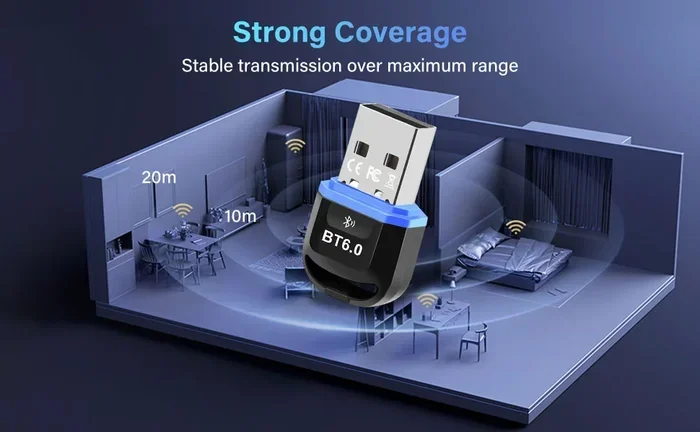
One great option is to turn regular speakers into Bluetooth using a Bluetooth adapter. This lets you use any speaker with your projector, even if the speaker does not have built-in Bluetooth. This is a simple and affordable way to upgrade your setup.
HDMI and AUX Connections
For the most reliable audio connection, use a cable. Most projectors have an AUX output or an HDMI port that carries audio. You can connect your projector directly to a soundbar, home theater system, or powered speakers using these ports.
HDMI connections are especially useful because they carry both video and audio through a single cable. If your projector supports HDMI ARC, you can connect it to a compatible soundbar and control the volume with your projector remote.
Speaker Pairing for Better Sound
Want stereo sound from your projector setup? You can pair two speakers together for a wider soundstage. Some people pair two Marshall speakers or two Doss speakers to create a makeshift stereo system. This works well when your projector only has a single audio output. You can split the signal or connect the speakers in a daisy-chain configuration if they support it.
Just make sure your speakers are compatible with each other and with your projector. Check the output type and impedance before you buy anything.
Projector Audio vs. Soundbar: Which Is Better?
When you are looking to improve projector sound, you will likely compare a soundbar to standalone speakers. Both have their pros and cons.
A soundbar is a compact, all-in-one audio solution. It usually sounds better than built-in projector speakers and is easy to set up. Many soundbars come with wireless subwoofers, which add much-needed bass to your setup. A soundbar also looks clean and fits well in a home theater environment.
Standalone speakers give you more flexibility. You can choose the exact speakers you want and position them however you like. You can also pair two speakers for stereo sound. The trade-off is that standalone speakers take up more space and may require more cables or a separate amplifier.
For most people, a soundbar is the easiest upgrade path. It balances sound quality with simplicity. If you want a more customized audio experience, standalone speakers are the way to go.
Common Projector Audio Problems and How to Fix Them
Even with the right setup, projector audio can come with its own set of challenges. Here are some common issues and how to solve them.
No Sound or Low Volume
This is the most common audio problem. First, check that the projector volume is turned up and not muted. Then check the source device. Sometimes the audio is coming from your laptop or streaming stick, not the projector itself. Make sure the volume on the source device is also turned up.
If you are using an AUX cable, make sure it is fully plugged in. A loose connection can cause no sound or very low volume. Try a different cable if the first one does not work.
Audio Lag or Delay
Audio lag happens when the sound does not match the action on screen. This is common with Bluetooth connections. If you notice a delay, try switching to a wired connection instead. An AUX cable or HDMI connection will eliminate the lag almost completely.
If you must use Bluetooth, look for projectors and speakers that support low-latency Bluetooth codecs. These are designed to reduce the delay between audio and video.
Poor Sound Quality
Thin, tinny sound usually means the built-in speaker is just not powerful enough. The fix is almost always to add external speakers. Even an affordable Bluetooth speaker will sound dramatically better than most projector built-in speakers.
Room acoustics also play a role. A bare room with hard walls can cause echo and sound harsh. Adding rugs, curtains, or soft furniture can improve the sound without any extra equipment.
What to Look for When Buying a Projector with Good Speakers
If built-in audio matters to you, here is what you should look for when shopping for a projector.
- Speaker wattage: Higher wattage generally means louder and fuller sound. Look for at least 5 watts per speaker.
- Dual speakers: Two speakers provide stereo sound, which is much better than a single speaker.
- Audio output options: Look for HDMI ARC, AUX, and Bluetooth support. These give you flexibility to connect better speakers later.
- Brand reputation: Some brands are known for better projector audio. Read reviews that specifically mention sound quality.
- Price range: You do not need to spend a fortune, but expect to pay more for projectors with quality built-in audio.
Keep in mind that a projector is primarily a visual device. Even the best built-in speakers will not match a dedicated audio setup. If sound quality is a top priority, budget for external speakers as part of your overall system.
Expert Tips for the Best Projector Audio Setup
Getting the most out of your projector sound is easier than you think. Here are some tips from audio enthusiasts and home theater experts.
Place your projector carefully. The built-in speakers are usually on the top or front of the unit. If you set the projector on a table, the sound may bounce off the surface and sound muffled. Elevating the projector slightly or mounting it on a ceiling can improve sound projection.
Use a soundbar as your primary speaker. A soundbar is the simplest upgrade that makes the biggest difference. It fills the room with rich, clear audio and takes only a few minutes to set up.
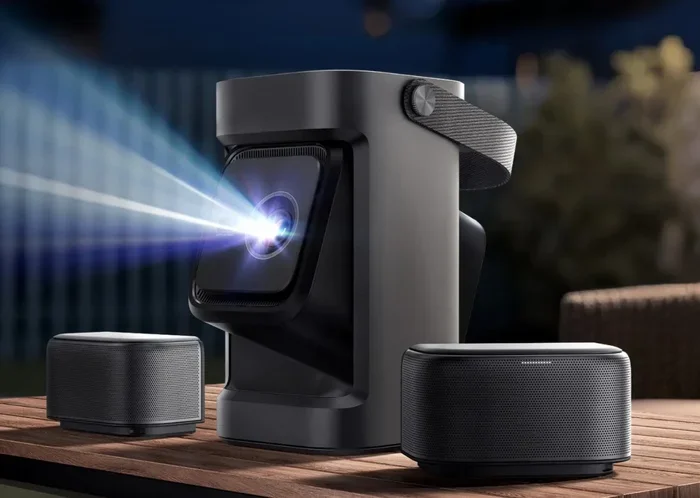
Consider a wireless speaker setup. If you want surround sound, you can use multiple wireless speakers around the room. Some projectors support multi-speaker connections through Bluetooth or proprietary apps. This creates an immersive audio environment that makes movies and games feel much more real.
Keep your firmware updated. Projector manufacturers sometimes release updates that improve audio performance and fix bugs. Check for updates regularly through your projector settings or the manufacturer website.
Test before you commit. If you are buying a projector for its audio, try it out in person if possible. Every speaker sounds different, and what works in a store may not sound the same in your room.
Frequently Asked Questions
Can I Use a Soundbar with Any Projector?
Most projectors can connect to a soundbar. Look for a projector with HDMI ARC, AUX output, or Bluetooth. These connection types make it easy to pair with almost any soundbar on the market. Just check the ports on both your projector and soundbar before buying.
Do Portable Projectors Have Good Speakers?
Generally, no. Portable projectors prioritize size and convenience over audio quality. Their built-in speakers are small and produce limited sound. For the best experience with a portable projector, connect external speakers through Bluetooth or AUX.
Can I Connect Two Speakers to My Projector for Stereo Sound?
Yes, in many cases you can. If your projector has a single audio output, you can use a splitter cable to connect two speakers. Alternatively, you can pair two Bluetooth speakers if your projector supports Bluetooth audio output. This creates a wider stereo soundstage that sounds much better than a single speaker.
Why Is My Projector Audio So Quiet?
Projector speakers are usually small and low-powered, which makes them quiet. The room size also matters. In a large room, the built-in speaker will sound even quieter. Adding external speakers or a soundbar will solve this problem almost immediately.
Does HDMI Carry Audio from a Projector?
Yes, HDMI carries both video and audio signals. If you connect a device to your projector via HDMI, the audio will travel through the same cable. You can then output that audio to external speakers using HDMI ARC or by connecting speakers directly to the source device.
Can I Improve Projector Sound Without Buying New Equipment?
Yes, you can. Try adjusting the projector settings to boost the audio output. Place the projector on a soft surface to reduce echo. You can also use your TV or phone as a temporary speaker if they are nearby. For a more permanent fix, even a low-cost Bluetooth speaker will make a noticeable difference.
Final Thoughts
Do projectors have speakers? Yes, most of them do, but the quality of that sound can range from barely acceptable to surprisingly good. The key takeaway is that built-in speakers are a convenience, not a replacement for a proper audio setup. If you want to get the most out of your projector for movies, gaming, or presentations, investing in external speakers or a soundbar is well worth it.
Your choice will depend on your budget, your room size, and how much you value audio quality. A simple Bluetooth speaker can upgrade a basic setup dramatically. A full soundbar or multi-speaker system can turn any room into a mini theater. Whatever route you choose, the goal is the same: to make the audio match the picture and create an experience you will enjoy every time you turn the projector on.
Take the time to explore your options, test different setups, and find what works best for you. Great projector audio is within reach, and once you hear the difference, you will never go back to built-in speakers alone.