Do I Need Both Wi Fi And Bluetooth For Everyday Use
Wi-Fi and Bluetooth serve different purposes in your daily tech life. Wi-Fi handles internet access and large data transfers, while Bluetooth connects devices locally without needing the web. Most people need both, but understanding when each one matters helps you simplify your setup and troubleshoot connection issues.
Do you need both Wi-Fi and Bluetooth on your devices? It is a question many people ask, especially when they are trying to simplify their tech setup or troubleshoot connection problems. The short answer is that most people benefit from having both. But the longer answer depends on what you actually do with your devices every day.
Wi-Fi and Bluetooth are both wireless technologies, but they do very different jobs. Wi-Fi connects you to the internet and lets you access online content, stream videos, and browse websites. Bluetooth connects devices to each other over short distances without needing any internet connection at all.
Think of it this way. Wi-Fi is like a highway that connects your devices to the whole world. Bluetooth is like a private road between two devices sitting right next to each other. You might not always need the highway, but you will almost always need the private road for at least a few things.
In this guide, we will break down exactly what each technology does, where they overlap, and when you can get by with just one. Whether you are setting up a new laptop, troubleshooting a connection issue, or just curious about how your devices communicate, this article covers everything you need to know.
Key Takeaways
- Wi-Fi and Bluetooth are not the same: They serve different purposes and work on different frequencies.
- Most everyday devices use both: Smartphones, tablets, and laptops rely on each technology for different tasks.
- You can use Bluetooth without Wi-Fi: For local audio streaming, file transfers, and accessory connections.
- Wi-Fi is essential for internet-dependent tasks: Streaming, browsing, video calls, and cloud services need Wi-Fi.
- Understanding the difference saves time: Knowing when each technology matters helps you troubleshoot and optimize your setup.
- Smart home devices often need both: Many gadgets use Wi-Fi for internet access and Bluetooth for initial setup or local control.
- Battery life differs between the two: Bluetooth generally uses less power than Wi-Fi for short-range connections.
📑 Table of Contents
What Does Wi-Fi Do?
Wi-Fi is a wireless networking technology that lets your devices connect to the internet through a router. It uses radio waves on specific frequencies, usually 2.4 GHz or 5 GHz, to send and receive data. Your Wi-Fi router acts as a hub that broadcasts an internet signal to all the devices in your home or office.
How Wi-Fi Connects You to the Internet
When you connect your phone or laptop to a Wi-Fi network, you are essentially tapping into a high-speed internet connection. This connection lets you do things like stream movies, download files, browse websites, and join video calls. Without Wi-Fi, most of these activities would need a mobile data plan, which can be slow or expensive depending on your carrier.
Wi-Fi is also important for wireless devices that need a constant internet connection. Smart home gadgets like security cameras, smart speakers, and streaming sticks all rely heavily on a stable Wi-Fi signal to work properly.
Wi-Fi Speed and Range
One of the biggest advantages of Wi-Fi is its range. A good router can cover an entire house with a strong signal. Wi-Fi also supports much faster data speeds than Bluetooth. This makes it ideal for activities like streaming high-definition video or downloading large files.
However, Wi-Fi uses more battery power than Bluetooth. If you are trying to conserve battery on your phone or tablet, turning off Wi-Fi when you do not need it can help. This is especially true for older devices that do not have efficient power-saving features.
What Does Bluetooth Do?
Bluetooth is a short-range wireless technology designed to connect devices directly to each other. It operates on the 2.4 GHz frequency band, just like many Wi-Fi networks, but it uses much less power and has a shorter range. Most Bluetooth devices work within about 30 feet of each other.
Common Bluetooth Uses
Bluetooth is everywhere in our daily lives. Here are some of the most common ways people use it:
- Wireless headphones and earbuds: Bluetooth lets you listen to music or take calls without any wires. You can even use Bluetooth headphones for gaming to enjoy wireless audio while playing.
- Speakers: Many portable speakers use Bluetooth to connect to phones and laptops. You can also turn regular speakers into Bluetooth speakers with a simple adapter.
- Keyboards and mice: Wireless keyboards and mice often use Bluetooth to connect to computers and tablets.
- File sharing: Bluetooth allows you to transfer files between devices without needing an internet connection.
- Smartwatches and fitness trackers: These devices use Bluetooth to sync data with your phone.
Bluetooth Without Wi-Fi
Here is something many people do not realize. You can use Bluetooth completely without Wi-Fi. For example, you can pair Bluetooth headphones to your phone and listen to music stored directly on your device. You do not need any internet connection at all. Similarly, you can connect a Bluetooth speaker to amplify your voice during a meeting or a presentation without being online.
Some people also ask, can I use a Bluetooth speaker without Bluetooth? The answer is no, by definition a Bluetooth speaker needs Bluetooth to receive audio signals. But it does not need Wi-Fi to function. This is a key distinction that many users overlook.
Where Wi-Fi and Bluetooth Overlap
While Wi-Fi and Bluetooth serve different primary purposes, they do overlap in some areas. Understanding where they intersect helps you make better decisions about your tech setup.
Audio Streaming
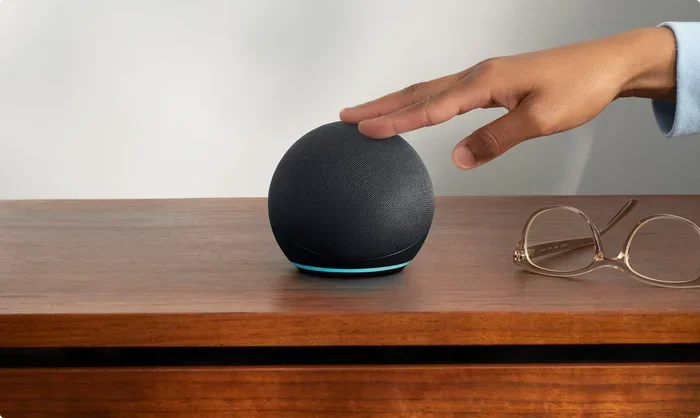
Both technologies can handle audio streaming, but they do it differently. Wi-Fi streaming, like what you use with smart speakers such as Alexa or Google Home, pulls audio from the internet. Bluetooth streaming sends audio directly from your device to the speaker or headphones.
If you want to use Alexa as a Bluetooth speaker, you can do that by pairing your phone to Alexa over Bluetooth and playing audio from your device. This works even without an active internet connection, though some Alexa features will be limited.
Smart Home Devices
Many smart home devices use both Wi-Fi and Bluetooth together. The Wi-Fi connection lets the device access the internet for remote control and cloud-based features. The Bluetooth connection is often used for initial setup or for local control when the internet goes down.
For example, a smart thermostat might use Wi-Fi to receive updates and allow you to control it from work. But it might use Bluetooth to let you adjust the temperature right from your phone when you first walk into the room. Both technologies work together to give you the best experience.
Gaming
Gamers often wonder whether they need both Wi-Fi and Bluetooth for their setup. The answer is usually yes. Wi-Fi handles the online gaming connection, letting you play multiplayer games, download updates, and access cloud gaming services. Bluetooth handles your wireless controllers, headsets, and other accessories.
If you use Bluetooth headphones for gaming, they connect directly to your console or PC via Bluetooth. The game audio travels through the Bluetooth connection, while the game itself runs over Wi-Fi or a wired ethernet connection. Both are essential for a complete wireless gaming experience.
Can You Use One Without the Other?
This is one of the most common questions people ask. The answer depends on what you want to do. Let us break it down by scenarios.
When You Need Wi-Fi but Not Bluetooth
There are situations where Wi-Fi is essential but Bluetooth is not. For example, if you are working from home and only need to browse the web, send emails, and join video calls, Wi-Fi is all you need. You do not need Bluetooth unless you want to use wireless headphones or a wireless mouse.
Similarly, if you are setting up a Wi-Fi printer for iPhone, you need Wi-Fi to send print jobs over the network. You do not need Bluetooth unless your printer specifically supports it as an alternative connection method.
When You Need Bluetooth but Not Wi-Fi
There are also situations where Bluetooth works perfectly fine without any Wi-Fi connection. Here are a few examples:
- Listening to music stored on your phone through wireless headphones
- Connecting a wireless keyboard or mouse to a laptop
- Transferring photos between two phones
- Using a Bluetooth speaker at a party or outdoor event
- Syncing a fitness tracker with your phone
In all these cases, you do not need the internet. You just need the two devices to be close enough to communicate through Bluetooth.
When You Need Both
For most everyday users, having both Wi-Fi and Bluetooth is the best approach. Here is why:
- Wi-Fi gives you internet access: You need it for streaming, browsing, and online communication.
- Bluetooth gives you device flexibility: You can connect wireless accessories and transfer files locally.
- Together they cover all scenarios: Whether you are at home, at work, or on the go, both technologies ensure your devices stay connected in different ways.
If you are wondering whether you can do everything you need on a device like a Chromebook without both technologies, the answer is that Chromebooks rely heavily on Wi-Fi for most tasks. However, Bluetooth support is still important for connecting wireless accessories like headphones and keyboards.
Quick Tips for Managing Wi-Fi and Bluetooth
Managing both wireless technologies can sometimes feel overwhelming. Here are some quick tips to keep things running smoothly.
- Turn off Bluetooth when not in use: This saves battery life, especially on phones and tablets.
- Keep your Wi-Fi router updated: Firmware updates improve speed, security, and range.
- Restart devices when connections fail: A simple reboot often fixes pairing issues with both Wi-Fi and Bluetooth.
- Keep devices close for Bluetooth: Bluetooth works best within 30 feet. Walls and obstacles reduce the range.
- Use Wi-Fi for heavy data tasks: Streaming video or downloading large files is much faster over Wi-Fi than Bluetooth.
- Check for interference: Other wireless devices, microwaves, and even baby monitors can interfere with both Wi-Fi and Bluetooth signals.
Common Mistakes People Make
Even tech-savvy people make mistakes when it comes to managing Wi-Fi and Bluetooth. Here are a few to avoid.
- Assuming Bluetooth needs Wi-Fi: Many people think Bluetooth requires an internet connection. It does not. Bluetooth works independently for local device connections.
- Leaving both always on: Keeping Wi-Fi and Bluetooth active all the time drains battery faster than necessary. Turn them off when you do not need them.
- Ignoring firmware updates: Outdated software can cause connectivity problems and security vulnerabilities for both Wi-Fi and Bluetooth devices.
- Pairing devices in crowded areas: In busy places with many wireless signals, Bluetooth pairing can fail. Move to a quieter location and try again.
- Confusing Wi-Fi calling with Bluetooth calling: Wi-Fi calling uses your internet connection to make phone calls. Bluetooth calling routes audio through wireless headphones. They are different features that serve different purposes.
Expert Insights
Technology experts generally agree that Wi-Fi and Bluetooth are complementary technologies rather than competing ones. They each fill a specific niche that the other cannot replace. Wi-Fi excels at high-speed, long-range internet access. Bluetooth excels at low-power, short-range device-to-device connections.
When setting up a new device, experts recommend checking whether it supports both technologies. Most modern smartphones, tablets, and laptops do. But some budget devices or older models may only support one. If you need both features, always verify before purchasing.
Another expert tip is to use Wi-Fi for data-heavy tasks and Bluetooth for accessory connections. This approach optimizes both performance and battery life. It also reduces network congestion, which can slow down your Wi-Fi when too many devices compete for bandwidth.
Final Thoughts
So, do you need both Wi-Fi and Bluetooth for everyday use? For most people, the answer is yes. Wi-Fi handles your internet needs, while Bluetooth handles your device connections. Together, they give you a seamless and flexible wireless experience.
You can technically live without one or the other in certain situations. But having both gives you the most freedom and functionality. Whether you are streaming a movie, connecting wireless headphones, printing a document, or syncing a smartwatch, both technologies play an important role.
The good news is that managing both is simple once you understand what each one does. Turn them on when you need them, turn them off when you do not, and keep your devices updated. With these basic habits, your wireless experience will be smooth and hassle-free.
Now that you know the difference between Wi-Fi and Bluetooth and how each one fits into your daily routine, you can make smarter choices about your devices and connections. The next time someone asks you whether they need both, you will have a clear and confident answer.
Frequently Asked Questions
Can I use Bluetooth without Wi-Fi?
Yes, absolutely. Bluetooth connects devices directly to each other without needing any internet connection. You can pair wireless headphones, speakers, and keyboards using Bluetooth alone. This makes Bluetooth perfect for offline audio streaming and local file transfers.
Do I need Wi-Fi if I have Bluetooth?
It depends on what you want to do. If you only need to connect wireless accessories like headphones or keyboards, Bluetooth alone is enough. But if you need internet access for browsing, streaming, or video calls, you will need Wi-Fi as well.
Can Wi-Fi and Bluetooth interfere with each other?
Both technologies use the 2.4 GHz frequency band, so they can sometimes interfere with each other. This is more common in crowded areas with many wireless devices. Keeping your devices close and your router updated can help reduce interference.
Does Bluetooth use less battery than Wi-Fi?
Yes, Bluetooth generally uses less battery than Wi-Fi. It operates at lower power and has a shorter range. Turning off Wi-Fi when you only need Bluetooth can help extend your device’s battery life significantly.
Can I stream music using Bluetooth without the internet?
Yes, you can. Bluetooth streams audio directly from your device to your speaker or headphones. As long as the music is stored on your device, you do not need Wi-Fi or any internet connection to play it over Bluetooth.
Which is better for smart home devices, Wi-Fi or Bluetooth?
Most smart home devices benefit from having both. Wi-Fi provides the internet connection needed for remote access and cloud features. Bluetooth is useful for initial setup and local control when the internet is unavailable. The best choice depends on the specific device and your home setup.
=== CONCLUSION ===
Wi-Fi and Bluetooth are two essential wireless technologies that serve different but complementary purposes in our everyday lives. Wi-Fi gives you access to the internet and online services, while Bluetooth connects your devices to each other over short distances without needing any web connection.
Most people need both for a complete and seamless wireless experience. Whether you are streaming a movie over Wi-Fi, connecting wireless headphones via Bluetooth, or setting up smart home devices that use both technologies, understanding how each one works helps you get the most out of your gear.
The key is to use each technology for what it does best. Rely on Wi-Fi for heavy data tasks and internet access. Rely on Bluetooth for local device connections and accessory pairing. With this approach, you will enjoy faster speeds, better battery life, and fewer connection headaches.
So the next time you wonder whether you really need both, remember that they are not competitors. They are partners. Together, they make your wireless world work smoothly and efficiently.