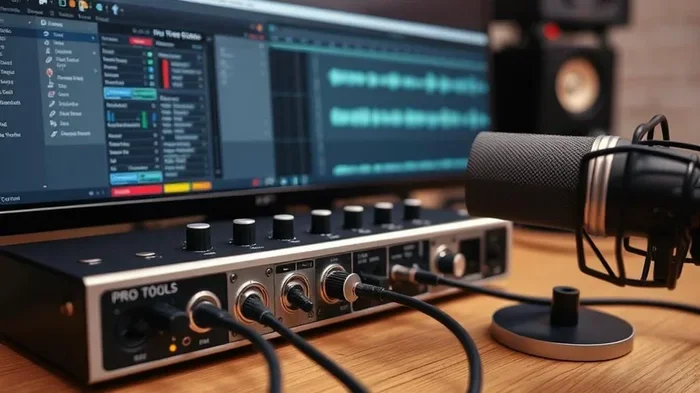
Do Audio Interfaces Really Improve Your Sound Quality
Do audio interfaces improve sound? Yes, they do. An audio interface upgrades your sound quality by converting digital signals to analog with greater precision. Whether you are recording vocals, producing music, or gaming, an external audio interface delivers cleaner audio, lower latency, and better audio fidelity than your computer’s built-in sound card.
Have you ever wondered if buying an audio interface is actually worth it? Maybe you have been recording vocals on your laptop and thinking the quality just is not quite right. Or perhaps you are a gamer who wants zero delay when monitoring through headphones. Whatever your situation, the question remains the same: do audio interfaces improve sound?
The short answer is yes. An audio interface can make a noticeable difference in your sound quality. It replaces your computer’s basic built-in sound card with dedicated hardware designed for audio conversion. But there is more to it than just a simple yes or no. Let us break down exactly how these devices work and why they matter.
In this guide, we will cover everything you need to know. We will look at how audio interfaces work, who benefits most from them, what features to look for, and whether the investment makes sense for your setup. By the end, you will have a clear answer to the question of whether an audio interface is right for you.
Key Takeaways
- Better Conversion: Audio interfaces use high-quality DACs that produce cleaner, more accurate sound than built-in options.
- Lower Latency: External interfaces reduce audio delay significantly, making recording and monitoring much smoother.
- Improved Preamps: Built-in preamps boost microphone signals without adding noise or distortion.
- More Inputs and Outputs: Audio interfaces give you flexibility to connect multiple instruments, mics, and headphones at once.
- Not Just for Pros: Even casual users and beginners notice a real difference in sound quality.
- Worth the Investment: For anyone serious about audio, an interface is one of the best upgrades you can make.
📑 Table of Contents
- What Is an Audio Interface and Why Does It Matter
- How Audio Interfaces Improve Sound Quality
- Who Actually Needs an Audio Interface
- Key Features That Make a Difference
- Common Myths About Audio Interfaces
- Quick Tips for Getting the Most From Your Audio Interface
- Final Verdict: Do Audio Interfaces Really Improve Sound
What Is an Audio Interface and Why Does It Matter
An audio interface is an external device that connects to your computer and handles all audio input and output. Think of it as a bridge between your microphones, instruments, and your digital workspace. Without one, your computer relies on its internal sound card, which is usually basic and built for everyday tasks like playing videos or running video calls.
Here is a simple way to understand it. When you record your voice, the microphone picks up sound waves. Those waves need to be converted into digital data your computer can understand. Then, when you listen back, the digital data needs to be converted back into analog sound waves your ears can hear. This process is called analog-to-digital conversion and its reverse. A good audio interface does this conversion much better than your computer’s internal hardware.
How Digital-to-Analog Conversion Affects Sound
The heart of any audio interface is its DAC, or digital-to-analog converter. This tiny chip is responsible for turning digital audio files into the analog sound that comes out of your speakers or headphones. Cheap DACs, like the ones inside most laptops, often produce audio that sounds flat or slightly distorted. A dedicated audio interface uses a higher-quality DAC that preserves more detail and produces a richer, more natural sound.
This is the main reason do audio interfaces improve sound gets such a strong yes from audio professionals. The conversion quality directly impacts what you hear. Better conversion means clearer highs, deeper lows, and a more accurate overall sound profile.
The Role of Analog-to-Digital Conversion in Recording
When you are recording, the process goes the other way. Your microphone captures analog sound, and the audio interface converts it to digital data. A low-quality conversion at this stage means your recordings capture less detail and more background noise. A quality audio interface captures the full range of your voice or instrument with much greater audio fidelity.
For example, if you are recording a singer, a good interface will pick up subtle nuances like breath sounds and vocal texture that a basic sound card might miss entirely. This is why many podcasters and musicians invest in external audio hardware early on.
How Audio Interfaces Improve Sound Quality
Now that you understand the basics, let us dive deeper into the specific ways an audio interface improves your sound quality. These improvements fall into several key areas that affect both recording and playback.
Cleaner Signal Path
One of the biggest advantages of an external audio interface is a cleaner signal path. Your computer’s motherboard generates a lot of electrical noise. This noise can leak into your audio and cause a hum or buzz, especially when using sensitive microphones. An audio interface isolates your audio signals from this interference, resulting in a cleaner, quieter recording.
Even in a quiet room, you might notice a faint background hum when using your laptop’s built-in sound card. An external interface eliminates this problem almost entirely. The difference is subtle at first, but once you hear it, you cannot unhear it.
Better Headphone Amplification
Most computers have very weak headphone amplifiers. This means your headphones do not get enough power to sound their best. An audio interface includes a dedicated headphone amp that drives your headphones properly. The result is fuller sound, better bass response, and more detail in the mix.
If you have ever wondered why your headphones sound so much better when plugged into a phone versus a laptop, this is why. The phone has a better amplifier. An audio interface takes this even further, giving you professional-grade amplification at a reasonable price.
Lower Latency for Real-Time Monitoring
Latency is the delay between when you make a sound and when you hear it through your headphones or speakers. With a built-in sound card, this delay can be frustrating, especially when you are recording yourself singing or playing an instrument. An audio interface uses better drivers and processing chips to reduce latency dramatically.
Low latency means you can monitor your recording in real time without any annoying delay. This makes a huge difference for musicians and podcasters. You stay in rhythm, stay in the zone, and produce better content overall.
Higher Sample Rates and Bit Depths
Audio interfaces support higher sample rates and bit depths than standard computer audio hardware. Sample rate refers to how many times per second the audio is measured, and bit depth refers to how much detail is captured in each measurement. Higher numbers mean more accurate sound reproduction.
Most built-in sound cards cap out at basic settings. A good audio interface can handle 24-bit recording at 96kHz or higher. This captures a much wider frequency range and produces audio that sounds more natural and detailed. For music production and professional recording, this is essential.
Who Actually Needs an Audio Interface
Not everyone needs an audio interface, but more people than you might think can benefit from one. Let us look at who gets the most out of investing in one of these devices.
Musicians and Singers
If you record music at home, an audio interface is almost a necessity. It gives you the clean inputs you need for microphones and instruments, plus the monitoring quality to hear exactly what you are recording. Whether you are laying down vocal tracks or recording a guitar, the sound quality improvement is immediate and significant.
Podcasters and Content Creators
Podcasters need clear, professional-sounding audio to keep listeners engaged. A built-in sound card often introduces background noise and lacks the preamp quality needed for broadcast-level sound. An audio interface solves both problems, giving your podcast a polished, professional feel.
Gamers and Streamers
Gamers benefit from the lower latency and better headphone amplification that audio interfaces provide. When you need to hear subtle in-game sounds like footsteps or distant gunfire, every millisecond counts. A dedicated audio device gives you the edge of real-time audio without any lag.
Home Studio Producers
If you produce music using software like Ableton, FL Studio, or Logic Pro, an audio interface is a core part of your audio workflow. It handles all your inputs and outputs, gives you multiple monitor options, and ensures your mixes translate well across different playback systems.
Key Features That Make a Difference
Not all audio interfaces are created equal. Some offer features that make a bigger difference in sound quality than others. Here are the key features to look for when choosing one.
Preamp Quality
The preamp is what boosts the signal from your microphone before it gets converted to digital. A good preamp does this cleanly, without adding noise or distortion. Cheap preamps introduce a hiss that can ruin an otherwise great recording. Look for interfaces with transparent, low-noise preamps for the best results.
Number of Inputs and Outputs
Think about how many sources you need to connect at once. A solo podcaster might only need one mic input, while a band recording together might need four or more. Similarly, if you use multiple pairs of headphones for a recording session, you need enough outputs to support them all.
Connectivity Options
Most audio interfaces connect via USB, but some use Thunderbolt or USB-C for faster data transfer. Faster connections mean lower latency and the ability to handle more audio channels simultaneously. If you are using a modern laptop, look for USB-C or Thunderbolt options for the best performance.
Compatibility with Your Devices
Before buying, make sure the interface works with your setup. Some devices pair better with certain operating systems or hardware. For example, if you use an iPhone for recording, you want to make sure the interface is compatible with mobile devices. Similarly, if you use Beats headphones, check that the interface drives them well, just like Do Beats Work Well With iPhone discusses the importance of matching audio gear for the best results.
Common Myths About Audio Interfaces
There are several misconceptions about audio interfaces that stop people from buying one. Let us clear up the most common ones.
Myth 1: Only Professionals Need Them
This is simply not true. While professionals certainly benefit, anyone who cares about sound quality can notice a difference. Even casual listeners will hear clearer, more detailed audio from a good audio interface compared to a laptop’s built-in sound card.
Myth 2: They Are Too Expensive
Entry-level audio interfaces are very affordable now. You can get a solid unit for under $100 that makes a real improvement. The price goes up as you need more inputs, better preamps, or premium build quality, but you do not need to spend a fortune to hear a difference.
Myth 3: Built-In Sound Cards Are Good Enough
For basic tasks like watching videos or joining a Zoom call, a built-in card works fine. But for anything involving recording, production, or critical listening, a dedicated audio interface is a significant upgrade. The difference in audio fidelity and noise floor is hard to ignore.
Myth 4: More Inputs Always Mean Better Sound
The number of inputs does not determine sound quality. What matters is the quality of the components inside the unit. A two-input interface with excellent preamps and a high-quality DAC will sound better than an eight-input interface with cheap components. Focus on build quality and specifications, not just the number of ports.
Quick Tips for Getting the Most From Your Audio Interface
Once you have your audio interface, here are some tips to make sure you get the best possible sound quality out of it.
- Use Quality Cables: Cheap cables can introduce noise and degrade your signal. Invest in good shielded cables for your inputs and outputs.
- Update Your Drivers: Keep your interface drivers up to date. Updated drivers reduce latency and fix bugs that can affect performance.
- Position Your Interface Properly: Keep the interface away from sources of electrical interference like power supplies and routers.
- Use the Right Sample Rate: For most recording, 44.1kHz or 48kHz at 24-bit is ideal. Higher rates use more storage and processing power without a noticeable improvement for most listeners.
- Monitor Your Levels: Keep your input levels in the green zone to avoid distortion. Clipping at the input cannot be fixed after recording.
Also, if you are connecting your interface to a TV or display for monitoring, you might run into audio output challenges. Many people face similar questions about getting audio from different connections. Understanding how to route your audio properly, much like the questions explored in Can I Get Audio Out From Hdmi, helps you avoid common setup frustrations.
Final Verdict: Do Audio Interfaces Really Improve Sound
The evidence is clear. Audio interfaces do improve sound quality in measurable and noticeable ways. They provide cleaner conversion, lower noise, better amplification, and reduced latency. Whether you are a musician, podcaster, gamer, or just someone who cares about listening to music the way it was meant to sound, an audio interface is a worthwhile investment.
The improvement is not just theoretical. Most people hear a difference the very first time they plug in a quality audio interface and listen through decent headphones. The sound quality is noticeably cleaner, more detailed, and more dynamic compared to what your computer can produce on its own.
If you are still on the fence, start with an affordable entry-level model. You do not need to spend a lot of money to hear a real improvement. As your needs grow, you can always upgrade to a more advanced unit. The important thing is to take that first step and experience the difference for yourself.
Also, keep in mind that your entire audio chain matters. A great audio interface paired with quality headphones or monitors will give you the best results. If you are using peripherals like headsets, make sure they are compatible and perform well with your setup. Devices like Do Plantronics Headsets Work With Cell Phones highlight how important it is to match your audio gear properly for the best experience.
In short, if you want better sound quality, an audio interface is one of the most effective upgrades you can make. It solves real problems, improves your recordings, and makes listening more enjoyable. The answer to do audio interfaces improve sound is a resounding yes.
Frequently Asked Questions
Can an audio interface improve playback quality for music listening?
Yes, it can. An audio interface uses a better digital-to-analog converter than most computers, which produces cleaner and more detailed sound when you listen to music. The difference is most noticeable when using good headphones or studio monitors.
Do I need an audio interface if I only do voice recording?
It depends on your goals. If you are recording casually, your built-in sound card might work fine. But if you want professional-quality voice recordings with no background noise, an audio interface makes a big difference in sound quality and clarity.
Are USB audio interfaces better than built-in sound cards?
In almost every case, yes. USB audio interfaces have dedicated components for audio conversion and amplification that far outperform the basic hardware inside a computer motherboard. The improvement in noise floor and signal clarity is significant.
Does an audio interface reduce latency when recording?
Absolutely. One of the main benefits of an external audio interface is dramatically lower latency. This means you can monitor your recording in real time without any distracting delay between your performance and what you hear.
What is the difference between an audio interface and a sound card?
A sound card is the basic audio hardware built into your computer, designed for general use. An audio interface is a dedicated external device built specifically for high-quality audio recording and playback. It offers better DACs, cleaner preamps, and lower noise levels.
Can I use an audio interface with a Chromebook or tablet?
Yes, most modern audio interfaces work with any device that supports USB audio class compliant drivers. However, always check compatibility before purchasing, especially with tablets or Chromebooks that may have limited driver support.
=== CONCLUSION ===
Do audio interfaces improve sound? The answer is a clear and definitive yes. From cleaner signal paths and better conversion to lower latency and improved audio fidelity, these devices offer real, measurable upgrades to your audio experience. Whether you are recording music, producing a podcast, or simply enjoying your favorite tracks, an audio interface unlocks a level of sound quality that your computer simply cannot match on its own.
The best part is that you do not need to spend a fortune to hear the difference. Even budget-friendly options deliver noticeable improvements over built-in sound cards. So if you have been thinking about upgrading your audio setup, an audio interface is one of the smartest investments you can make. Start with a basic model, hear the difference for yourself, and build from there as your needs grow.