Do 3d Projectors Need A Special Screen For Best Results
Yes, 3D projectors do benefit from a special screen, but the answer depends on your setup and viewing goals. A 3D projector screen enhances depth, brightness, and overall immersion compared to a standard wall or sheet. Whether you pick a passive 3D screen, an active 3D screen, or a simple ambient light rejecting model, the right choice makes a big difference in 3D image quality and your home theater setup.
Have you ever set up a 3D projector at home, only to find the image looks flat, dim, or just plain disappointing? You are not alone. Many people assume that any screen or white wall will work fine for 3D projection, but that is rarely the case. The truth is, 3D projectors do need a special screen to deliver the kind of immersive, jaw-dropping experience they are designed for.
Think of it this way. A 3D projector sends two slightly different images to each eye, creating the illusion of depth. But if the screen you use cannot handle that dual-image setup properly, the whole effect falls apart. Colors wash out, brightness drops, and the 3D depth disappears. This is exactly why choosing the right 3D projector screen matters so much.
In this guide, we will walk through everything you need to know about 3D projector screens. We will cover the different types available, whether you truly need one, how to pick the right option, and practical tips for getting the best results. By the end, you will know exactly what to look for and how to set up a stunning 3D viewing experience in your own home.
Key Takeaways
- Not all projector screens work well for 3D: You need a screen with the right gain and material to deliver a clear 3D image.
- Passive and active 3D screens serve different needs: Passive screens are more affordable, while active screens offer deeper 3D effects.
- Screen gain matters a lot: Higher gain screens boost brightness, which is essential for a convincing 3D viewing experience.
- You do not always need to spend a fortune: Budget-friendly options exist that still deliver great 3D projection results.
- Placement and room setup play a big role: Even the best 3D projector screen will underperform if your room has too much ambient light or poor positioning.
- Check 3D glasses compatibility before buying: Your screen choice should match the type of 3D glasses you plan to use.
📑 Table of Contents
- What Makes A 3D Projector Screen Different From A Regular Screen
- Types Of 3D Projector Screens
- Do You Really Need A Special Screen For 3D?
- How To Choose The Right 3D Projector Screen
- Setting Up Your 3D Projector Screen For Best Results
- Common Mistakes People Make With 3D Projector Screens
- Final Thoughts On 3D Projector Screens
What Makes A 3D Projector Screen Different From A Regular Screen
A regular projector screen and a 3D projector screen look similar at first glance. But underneath the surface, they are quite different. A standard screen is designed to reflect light evenly so a 2D image looks good from any angle. A 3D screen, on the other hand, must handle two separate image streams simultaneously without blending them together.
The Role Of Screen Gain
Screen gain is one of the most important specs to understand. It measures how much light the screen reflects back to the viewer. A standard white screen has a gain of about 1.0. For 3D projection, you typically want a screen with a gain between 1.0 and 1.3. Screens with too low a gain will look dim. Screens with too high a gain can create hot spots and narrow your viewing angle.
Here is a quick comparison to help you understand:
- Low gain (below 1.0): Great for wide viewing angles but sacrifices brightness. Not ideal for 3D.
- Medium gain (1.0 to 1.3): The sweet spot for most 3D projector setups. Balanced brightness and viewing angle.
- High gain (above 1.3): Boosts brightness significantly but narrows the viewing cone. Can work for 3D in smaller rooms.
Why 3D Images Need More From Your Screen
When you watch a 3D movie, the projector sends a slightly different image to each eye. Your 3D glasses sync with the projector to make sure each eye sees only its intended image. The screen must preserve this separation. A regular wall or basic screen can scatter light in ways that blur the two images together, killing the 3D effect. A proper 3D projection screen is engineered to maintain that separation while keeping the image sharp and bright.
Types Of 3D Projector Screens
Not all 3D projector screens are created equal. There are several types on the market, and each one serves a different purpose. Let us break them down so you can find the right fit for your setup.
Passive 3D Screens
Passive 3D screens work with polarized 3D glasses, the kind you get at most movie theaters. These screens have a special lenticular or micro-louver texture that helps direct light to each eye separately. They are generally more affordable and do not require batteries in the glasses. If you are building a home theater setup on a budget, a passive 3D ready projector screen is a solid choice.
One thing to keep in mind: passive screens can sometimes reduce overall brightness because of the polarization filter. But for most living rooms with controlled lighting, the trade-off is worth it.
Active 3D Screens
Active 3D screens are designed to work with shutter glasses that rapidly open and close each lens in sync with the projector. These screens often feature a higher gain and a special coating that helps maintain flicker-free 3D viewing. They tend to cost more than passive options but deliver a more dramatic sense of depth.
Active screens are a great pick if you want the most immersive 3D image quality possible. They work especially well in dedicated home theater rooms where you can control the lighting completely.
Ambient Light Rejecting (ALR) Screens
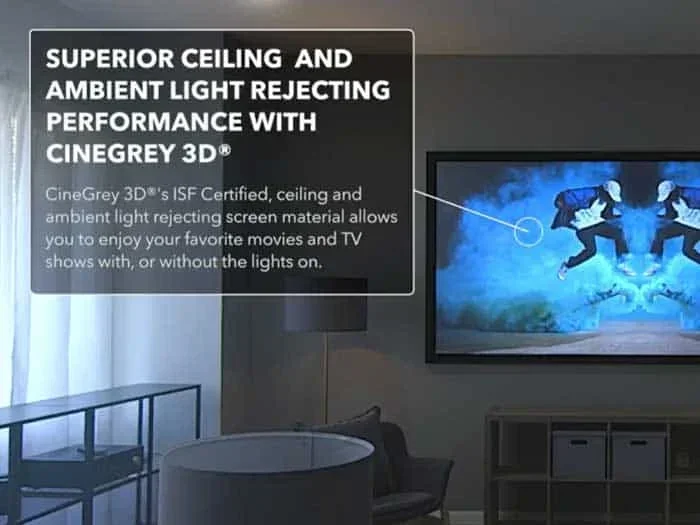
Ambient light rejecting screens, or ALR screens, are designed to reflect projector light back to the viewer while absorbing light from the surrounding environment. These screens are fantastic for rooms where you cannot fully block out daylight. Many ALR screens also work well for 3D projection, making them a versatile option.
If your home theater setup is in a bright room or a space with windows, an ALR 3D projector screen can be a game changer. Just make sure the model you choose is specifically rated for 3D use.
Do You Really Need A Special Screen For 3D?
This is the question most people want answered, and the honest answer is: it depends. You can technically project a 3D image onto a plain white wall, and it will look 3D. But the experience will not be nearly as good as it could be. A specialized screen brings sharper depth, better color accuracy, and improved brightness that makes the 3D effect truly pop.
Here are some factors to consider when deciding whether you need a dedicated 3D projector screen:
- Your viewing environment: If you watch in a dark room with no ambient light, a basic screen or even a white wall can work reasonably well.
- Your projector type: Higher-end 3D projectors benefit more from quality screens because they produce brighter, more detailed images that deserve a matching screen.
- How often you watch 3D content: If 3D is a regular part of your entertainment, investing in a proper screen makes a lot of sense. If you only watch 3D occasionally, a simpler option might suffice.
- Your expectations: If you want a true immersive viewing experience that feels like a commercial theater, a dedicated 3D screen is essential.
For comparison, let us look at using a regular screen versus a 3D projector screen:
- Regular screen or wall: Lower cost, easy to set up, but reduced brightness, weaker 3D depth, and potential image blending.
- Dedicated 3D screen: Higher upfront cost, but delivers sharper depth, better color, and a much more convincing 3D effect.
If you are curious about how projectors compare to other display options, check out our guide on Can I Use A Projector As A Tv for more context on projector screen usage.
How To Choose The Right 3D Projector Screen
Choosing the right 3D projector screen comes down to a few key decisions. Let us walk through them step by step so you can make a confident choice.
Step 1: Match The Screen To Your Projector
Not all 3D projectors work with all screens. Before you buy anything, check your projector’s manual or specs page. Look for compatibility notes about screen gain, 3D format support, and recommended screen types. Matching your projector with the right screen material ensures you get the full benefit of the 3D technology.
Step 2: Consider Your Room Size And Viewing Distance
The size of your room and how far you sit from the screen affect which screen size for 3D works best. A larger screen in a small room can feel overwhelming and reduce the 3D effect. A smaller screen in a large room may not fill your field of view enough to create a convincing sense of depth.
As a general rule, sit about 1.5 to 2 times the diagonal screen size away from the projector. This distance gives your eyes the right spacing to process the 3D projection comfortably.
Step 3: Think About Screen Material
Screen material plays a huge role in 3D image quality. White matte screens work for basic setups, but they do not do much to boost contrast or depth. For the best 3D viewing experience, look for screens with a semi-gloss or textured surface that enhances contrast and helps direct light toward the viewer.
Some popular materials for 3D projection include:
- Woven fiberglass: Durable, wrinkle-resistant, and available in various gain levels.
- Vinyl screens: Smooth surface, easy to clean, and often comes with built-in gain coatings.
- ALR fabric: Excellent for rooms with ambient light and great for maintaining 3D contrast.
Step 4: Budget Wisely
3D projector screens range from around $50 for basic models to over $500 for premium options. You do not need to spend a fortune to get good results. A mid-range screen in the $150 to $250 range will serve most home theater setups very well. Focus on gain, material quality, and 3D compatibility rather than brand names alone.
Setting Up Your 3D Projector Screen For Best Results
Once you have the right 3D projector screen, proper setup makes all the difference. Even the best screen will underperform if it is not positioned correctly.
Placement And Positioning
Place your screen in a location where it is not directly facing a light source like a window or bright lamp. Ambient light is the enemy of 3D image quality. The less stray light hits your screen, the sharper and more vivid the 3D effect will be.
If you are tight on space, you might wonder if you can place the projector on a shelf or in an unconventional spot. You can put a projector on a shelf as long as you allow enough ventilation and keep the projector stable.
Connecting Your Projector Properly
For the best 3D signal quality, use the highest quality connection you can. HDMI is the standard for most modern 3D projectors. If you need to convert older connections, you can convert VGA to HDMI with an adapter, but always try to use a direct HDMI connection whenever possible for the cleanest signal path.
Calibrating Your 3D Settings
Most 3D projectors come with calibration settings for 3D mode. Take a few minutes to go through these settings. Adjust the brightness, contrast, and 3D depth level until the image looks natural and comfortable. Too much 3D depth can cause eye strain, while too little makes the effect barely noticeable.
For content sources, a Fire Stick on a projector is a popular and affordable way to access 3D content from streaming services, though you will want to verify that the streaming service supports 3D playback.
Quick Tips For Better 3D Setup
- Dim the room: Close curtains and turn off unnecessary lights before watching.
- Use quality 3D glasses: Cheap glasses can cause flickering and reduce the 3D effect.
- Keep the screen clean: Dust and smudges scatter light and weaken the 3D image.
- Match the aspect ratio: Use a screen with the same aspect ratio as your content (usually 16:9) for the best framing.
- Check your projector’s 3D mode: Make sure the projector is set to output in 3D format, not standard 2D.
If you want to explore more about projector connectivity, our article on Can I Do Hdmi Over Ethernet covers interesting options for extending your projector setup across longer distances.
Common Mistakes People Make With 3D Projector Screens
Even experienced home theater enthusiasts sometimes make mistakes when setting up a 3D projection system. Here are the most common ones to avoid.
Using The Wrong Screen Material
This is the number one mistake. People buy a 3D projector and then project onto a standard white bedsheet or a matte white wall. The result is a flat, washed-out image with almost no 3D effect. Always choose a screen specifically designed for 3D projection to get the depth and clarity you are paying for.
Ignoring Screen Gain
As we covered earlier, screen gain directly affects brightness and viewing angle. Picking a screen with the wrong gain for your room size and projector brightness is an easy mistake that ruins the experience. Always match the gain to your specific setup.
Skipping 3D Glasses Compatibility
Not all 3D glasses work with all projectors and screens. Active shutter glasses need to match the projector’s refresh rate. Passive polarized glasses need to match the screen’s polarization type. Mixing incompatible glasses and screens leads to a poor or non-existent 3D effect.
Overlooking Room Lighting
Even the most expensive 3D projector screen will struggle in a bright room. Ambient light washes out the subtle differences between the two images that create the 3D effect. Invest in blackout curtains or choose an ambient light rejecting screen if your room gets a lot of natural light.
Final Thoughts On 3D Projector Screens
So, do 3D projectors need a special screen? The short answer is yes, if you want the best possible results. A dedicated 3D projector screen brings out the full potential of your projector by delivering sharper depth, better brightness, and a more convincing immersive experience. Without the right screen, you are leaving a lot of the 3D magic on the table.
The good news is that you do not need to break the bank. There are excellent 3D projector screens at every price point. The key is to understand your needs, match the screen to your projector and room, and set everything up correctly. With the right combination, you can enjoy a 3D viewing experience at home that rivals commercial theaters.
Take your time, do a little research, and do not be afraid to invest in a quality screen material. Your eyes will thank you every time you put on those 3D glasses and dive into a world of depth and detail that a plain wall simply cannot deliver.
Frequently Asked Questions
Can I use a regular white wall for 3D projection?
Yes, you can project a 3D image onto a white wall, but the results will be significantly worse than with a dedicated 3D projector screen. A wall lacks the proper gain, texture, and light direction needed to maintain the separation between the two images that create the 3D effect. You will likely notice reduced brightness, weaker depth, and a flatter overall image.
What is the best screen gain for 3D projection?
A screen gain between 1.0 and 1.3 is generally the best range for 3D projection. This range provides a good balance of brightness and viewing angle. Higher gain screens can work but may narrow your sweet spot, while lower gain screens can make the image too dim for convincing 3D depth.
Do passive 3D screens work with all 3D projectors?
Most passive 3D screens work with any projector that supports passive 3D output. However, you should always check compatibility before purchasing. The projector must be capable of outputting a polarized 3D signal, and the screen must be designed to handle that signal properly for the best 3D viewing experience.
Can I use my projector screen for both 2D and 3D content?
Absolutely. Most 3D projector screens work perfectly well for 2D content too. The screen material is designed to enhance overall image quality, not just 3D. You will get a bright, clear picture for regular movies, presentations, and gaming whether or not you are watching in 3D.
How much does a good 3D projector screen cost?
A decent 3D projector screen can be found in the $100 to $300 range for most home setups. Premium options with advanced ambient light rejection and higher gain can cost $400 or more. You do not need to spend the most expensive option to get excellent 3D image quality, but investing in the mid-range tier will give you the best value.
Does screen size affect the 3D experience?
Yes, screen size for 3D matters. A screen that is too large for your viewing distance can make the 3D effect uncomfortable and cause eye strain. A screen that is too small may not create enough immersion. Aim for a screen size where your viewing distance is about 1.5 to 2 times the diagonal measurement for the most comfortable and convincing 3D projection experience.
=== CONCLUSION ===
3D projectors do need a special screen for the best results, and now you know exactly why. From understanding screen gain and material types to avoiding common setup mistakes, you are fully equipped to make the right choice. Whether you go with a passive 3D screen, an active 3D screen, or an ambient light rejecting model, the key is matching the screen to your projector, your room, and your viewing habits. Take action today, upgrade your 3D projector screen, and transform your home theater setup into a truly immersive entertainment space. You deserve to experience 3D the way it was meant to be seen.