Can Bluetooth Do Stereo Sound for an Amazing Experience
Yes, Bluetooth can absolutely do stereo sound, and it has been capable of delivering rich, immersive wireless audio for years. Stereo Bluetooth works by sending separate left and right audio channels to paired speakers or earphones, creating a true surround-like experience. Whether you use Bluetooth speaker stereo pairing, true wireless earbuds, or a dual-speaker setup, the technology has evolved to support high-quality wireless stereo sound. This guide covers everything from Bluetooth codecs and stereo pairing to tips for getting the best wireless audio experience.
Have you ever wondered whether your wireless headphones or speakers can truly deliver stereo sound? The short answer is yes. Bluetooth technology has come a long way, and today it handles stereo audio with impressive clarity and depth. If you have ever listened to music through a single Bluetooth speaker and felt something was missing, stereo Bluetooth might be the fix you need.
Wireless stereo sound changes the way you experience music, movies, and games. Instead of sound coming from one direction, you get audio spread across left and right channels. This creates a more natural, immersive feel. In this article, we will explore exactly how Bluetooth stereo sound works, the different ways to set it up, and what you can do to get the best results. Let us dive in.
Key Takeaways
- Bluetooth fully supports stereo sound: Modern Bluetooth technology transmits separate left and right audio channels wirelessly for a true stereo experience.
- Stereo pairing boosts your sound: Connecting two Bluetooth speakers creates a wider soundstage and richer audio output.
- Bluetooth codecs matter: Codecs like aptX, aptX HD, and LDAC significantly improve wireless stereo audio quality and reduce latency.
- True Wireless Stereo (TWS) is the standard: Most modern Bluetooth earphones and earbuds use TWS technology for seamless stereo sound.
- Setup is simple: Pairing two devices for stereo Bluetooth takes just a few steps and works with most modern gadgets.
- Range and interference affect quality: Staying within Bluetooth range and minimizing obstacles helps maintain clear stereo sound.
📑 Table of Contents
- What Is Bluetooth Stereo Sound?
- Can You Pair Two Bluetooth Speakers for Stereo Sound?
- True Wireless Stereo and Earphones
- Setting Up Bluetooth Stereo at Home
- Limitations of Bluetooth Stereo Sound
- Expert Tips for the Best Bluetooth Stereo Experience
- Comparison: Bluetooth Stereo vs. Wired Stereo
- Conclusion
What Is Bluetooth Stereo Sound?
Bluetooth stereo sound means sending two separate audio channels, left and right, through a wireless connection. This is the same concept as wired stereo headphones or speakers, but without the cables. Your phone, laptop, or music player splits the audio into two signals, and the Bluetooth transmitter sends them to two separate devices or a stereo-capable device.
Not all Bluetooth audio is stereo by default. Early Bluetooth versions only supported mono sound, which means everything came through as one channel. But modern Bluetooth profiles, especially the Advanced Audio Distribution Profile (A2DP), were designed specifically for high-quality stereo streaming. Today, virtually all Bluetooth devices support stereo sound, from budget earphones to premium wireless speakers.
How Stereo Bluetooth Works
Here is how Bluetooth stereo actually works in simple terms. When you play a song on your phone, the audio file contains separate left and right channel information. The Bluetooth chip in your device encodes this data and transmits it wirelessly to the receiving device. The receiving device, whether it is a speaker or earphone, decodes the signal and plays back the left channel through one driver and the right channel through another.
This process happens in milliseconds. You do not notice any delay because the transmission is so fast. The result is a seamless stereo experience where instruments, vocals, and effects feel positioned in space. Bluetooth audio streaming has improved so much that many people cannot tell the difference between wired and wireless stereo sound.
The Role of Bluetooth Codecs
A Bluetooth codec is the software that compresses and decompresses audio during wireless transmission. The codec you use has a big impact on your stereo sound quality. Think of it like a language your devices speak to each other. The better the codec, the better the sound.
Here are the most common Bluetooth codecs that affect stereo audio:
- SBC: The default codec for most Bluetooth devices. It works well but does not deliver the best sound quality.
- aptX: Offers better audio quality than SBC with lower latency. Great for music and video.
- aptX HD: A high-definition version of aptX that delivers even richer stereo sound.
- aptX Adaptive: The latest aptX version that balances quality, latency, and range.
- LDAC: Developed by Sony, LDAC supports very high-resolution audio over Bluetooth.
- LC3 (used with LE Audio): The newest codec that improves efficiency and sound quality significantly.
When both your source device and receiving device support the same codec, they will automatically use the best one available. This means checking codec compatibility is one of the easiest ways to improve your wireless stereo experience.
Can You Pair Two Bluetooth Speakers for Stereo Sound?
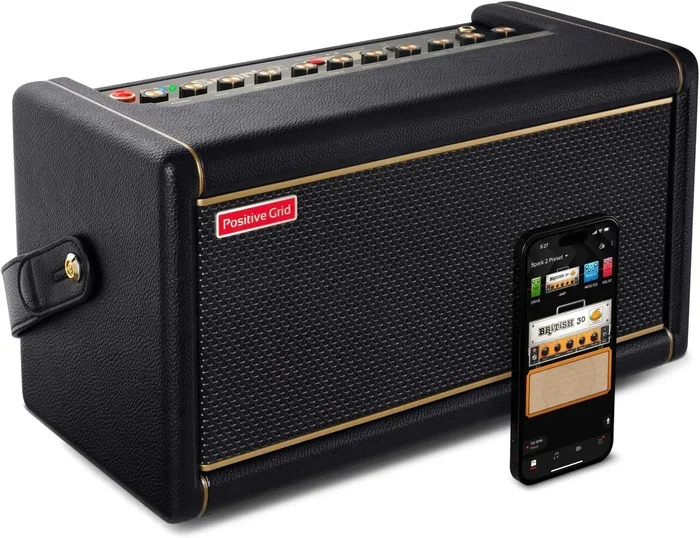
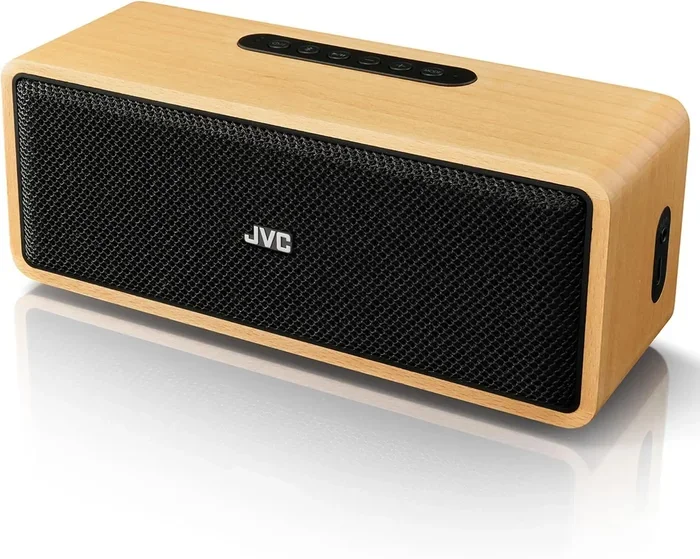
One of the most popular questions about Bluetooth stereo sound is whether you can connect two speakers together. The answer is yes, and it is called stereo pairing or dual speaker mode. This setup uses one speaker for the left channel and the other for the right channel, creating a much wider and more dynamic soundstage.
How Stereo Pairing Works
When you enable stereo pairing, your device assigns one speaker as the left channel and the other as the right channel. Some brands call this feature by different names. Sony calls it “Wireless Stereo,” JBL uses “PartyBoost Stereo,” and Bose refers to it as “Stereo Mode.” Despite the different names, the concept is the same: two speakers working together to deliver true wireless stereo.
To set up stereo pairing, you typically follow these steps:
- Turn on both Bluetooth speakers and make sure they are fully charged.
- Put both speakers in pairing mode.
- On your source device, connect to the first speaker.
- Use your speaker brand’s app or button combination to link the second speaker.
- Play music and enjoy stereo sound.
Benefits of Using Two Bluetooth Speakers
Stereo pairing offers several real advantages over using a single speaker:
- Wider soundstage: Audio feels spread out, creating a more natural listening experience.
- Better separation: You can clearly hear instruments and vocals positioned on the left and right.
- Louder volume: Two speakers working together produce more output than one alone.
- Richer bass: Dual speakers often deliver deeper, fuller low-end frequencies.
- Great for parties: Stereo paired speakers fill a room much better than a single unit.
Keep in mind that not all Bluetooth speakers support stereo pairing. Check your speaker manual or the manufacturer website to confirm compatibility. Also, both speakers should ideally be the same model for the best results.
True Wireless Stereo and Earphones
True Wireless Stereo, commonly known as TWS, is the technology behind most modern Bluetooth earphones and earbuds. With TWS, there is no wire connecting the left and right earpieces. Each earbud connects to your phone independently using Bluetooth, and each handles its own channel of stereo audio.
Why TWS Changed the Game
Before TWS technology, wireless earphones had a wire connecting the two sides. This wire was the “neckband” or “behind-the-neck” design. TWS removed that wire entirely, giving users a cleaner, more comfortable experience. The Bluetooth connectivity between each earbud and the source device is handled by a small chip inside each earpiece.
TWS earphones use Bluetooth stereo to deliver left and right audio separately. The source device sends both channels to the primary earbud, which then forwards the second channel to the other earbud. This happens so quickly that you experience seamless stereo sound without any noticeable delay.
Choosing the Best TWS Earphones for Stereo Sound
Not all Bluetooth earphones deliver the same stereo quality. Here are some factors to consider:
- Codec support: Look for earphones that support aptX or LDAC for better stereo quality.
- Driver size: Larger drivers generally produce richer, more detailed stereo sound.
- Fit and seal: A good seal in your ear canal helps bass and overall stereo separation.
- Latency: Lower latency means better sync between left and right channels, especially for video.
- Brand and price: Premium brands often invest more in stereo tuning and audio processing.
Some top brands known for excellent wireless stereo sound include Sony, Apple, Sennheiser, Jabra, and Samsung. Each offers TWS earphones with different strengths in soundstage, bass response, and overall clarity.
Setting Up Bluetooth Stereo at Home
Creating a Bluetooth stereo setup at home is easier than most people think. Whether you want to pair two speakers for a living room party or set up wireless earphones for a personal listening session, the process is straightforward.
Step-by-Step Guide for Speaker Stereo Pairing
Follow this simple guide to set up stereo Bluetooth speakers at home:
- Choose compatible speakers: Make sure both speakers support stereo pairing or dual mode.
- Place speakers correctly: Position one speaker on the left side and the other on the right side of your listening area.
- Power on both speakers: Turn them on and ensure they are within Bluetooth range of each other and your source device.
- Enter pairing mode: Press and hold the pairing button on each speaker until the indicator light flashes.
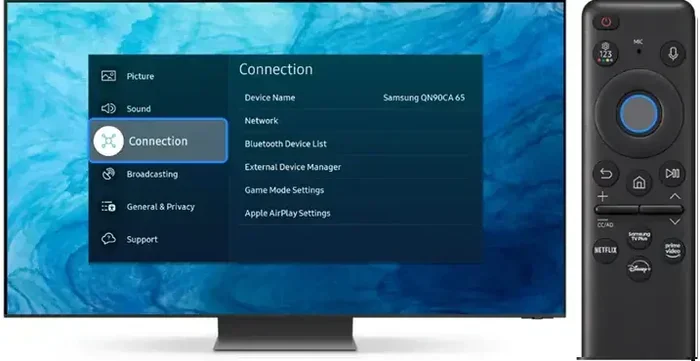
- Connect from your source: Open Bluetooth settings on your phone or computer and connect to the first speaker.
- Link the second speaker: Use the speaker brand app or a specific button combo to add the second speaker to the stereo pair.
- Test the sound: Play music and check that both speakers produce audio with clear left and right separation.
Tips for the Best Home Stereo Setup
Here are some practical tips to get the most out of your wireless stereo system:
- Keep speakers at equal distance from your listening position for balanced sound.
- Place speakers at ear level when possible for the best stereo imaging.
- Avoid walls and obstacles between the speakers and your source device.
- Use the same brand and model of speakers for matched sound quality.
- Update firmware on both speakers to ensure optimal performance and codec support.
- Experiment with placement angles to find the sweet spot for stereo width.
Limitations of Bluetooth Stereo Sound
While Bluetooth stereo is impressive, it does have some limitations worth knowing about. Understanding these helps you set realistic expectations and troubleshoot issues when they come up.
Range Limitations
Bluetooth has a limited range, typically around 30 feet (10 meters) for most devices. Walls, furniture, and other obstacles can reduce this range. If you move too far from your source device, the stereo connection may drop or sound quality may degrade. For large rooms or outdoor setups, consider using Bluetooth range extenders or choosing speakers with enhanced range capabilities.
Latency and Sync Issues
Latency is the delay between when audio is sent and when it is heard. In stereo Bluetooth, if the left and right channels arrive at slightly different times, you may notice an echo or phasing effect. This is especially noticeable when watching videos. Newer codecs like aptX Adaptive and LE Audio significantly reduce latency, but older devices may still struggle with sync issues.
Compression and Audio Quality
Bluetooth audio is compressed during transmission to fit within the wireless bandwidth. This compression can reduce audio quality compared to a wired connection. However, modern codecs like aptX HD and LDAC minimize this loss and deliver near-lossless stereo sound for most listeners. The difference is most noticeable with high-end audio equipment and trained ears.
Interference from Other Devices
Bluetooth operates on the 2.4 GHz frequency band, which is shared with Wi-Fi routers, microwaves, and other wireless devices. This can cause interference that affects stereo Bluetooth performance. If you notice crackling or dropouts, try moving closer to your source device or reducing the number of wireless devices in the area.
Expert Tips for the Best Bluetooth Stereo Experience
Getting the most out of Bluetooth stereo sound is about more than just pairing two devices. Small adjustments and smart choices can make a big difference in your listening experience.
Quick Tips for Better Stereo Sound
- Always update your device firmware. Manufacturers regularly improve Bluetooth performance through software updates.
- Use a Bluetooth 5.0 or newer source device. Newer Bluetooth versions offer better range, stability, and audio quality.
- Check codec compatibility. Make sure your source device, speaker, and earphones all support the same high-quality codec.
- Keep your devices close. Staying within range ensures a strong, consistent stereo signal.
- Use an equalizer app. Adjusting bass, mids, and treble can enhance your stereo sound significantly.
- Avoid placing speakers in corners. Corners can cause bass buildup and muddle stereo separation.
Common Mistakes to Avoid
Here are some mistakes that hurt Bluetooth stereo quality and how to avoid them:
- Mixing different speaker brands: This can cause mismatched volume levels and uneven stereo imaging.
- Ignoring firmware updates: Outdated software can leave performance improvements unused.
- Placing speakers too close together: Speakers should be spaced apart for proper stereo separation.
- Using old Bluetooth versions: Bluetooth 4.0 and older may not support the latest codecs and features.
- Overlooking battery levels: Low battery can cause audio dropouts and reduced sound quality.
Expert Insight: The Future of Bluetooth Stereo
The future of wireless stereo sound looks very promising. LE Audio, the next generation of Bluetooth audio, brings the LC3 codec, which offers better sound quality at lower bitrates. It also introduces Bluetooth Auracast, which allows multiple listeners to tune into the same stereo broadcast. These advancements will make wireless stereo sound even more accessible and high-quality in the coming years.
Bluetooth technology continues to evolve rapidly. What was considered premium stereo audio five years ago is now standard in most devices. As codecs improve and range increases, the gap between wired and wireless stereo sound will continue to shrink.
Comparison: Bluetooth Stereo vs. Wired Stereo
Many people wonder how Bluetooth stereo compares to traditional wired audio. Here is a quick comparison:
- Convenience: Bluetooth wins easily. No cables means more freedom of movement.
- Sound quality: Wired still holds a slight edge for audiophiles, but high-end Bluetooth codecs close the gap significantly.
- Portability: Bluetooth devices are more portable and easier to set up anywhere.
- Latency: Wired has zero latency. Bluetooth has some delay, though newer codecs minimize this.
- Cost: Both options are available at every price point, from budget to premium.
- Setup complexity: Bluetooth requires pairing, while wired is plug-and-play.
For most everyday listeners, Bluetooth stereo sound is more than good enough. The convenience and flexibility far outweigh the tiny quality difference for casual music listening, podcasts, and even video watching.
Conclusion
Can Bluetooth do stereo sound? Absolutely. Bluetooth stereo sound is a proven, reliable technology that delivers excellent left and right audio channels wirelessly. Whether you are using stereo paired speakers, true wireless earphones, or a single stereo-capable device, Bluetooth has you covered.
The key to great wireless stereo audio lies in understanding your devices, choosing the right codecs, and setting up your equipment properly. With the tips and insights in this guide, you are well equipped to create an amazing Bluetooth stereo experience at home or on the go. Embrace wireless stereo sound and take your listening experience to the next level today.
Frequently Asked Questions
Can any two Bluetooth speakers be paired for stereo sound?
No, not all Bluetooth speakers support stereo pairing. Both speakers need to be compatible with stereo or dual mode, and ideally they should be the same model. Check your speaker manual or the manufacturer website to confirm stereo pairing support before purchasing.
Does Bluetooth stereo sound quality match wired stereo?
Modern Bluetooth codecs like aptX HD and LDAC deliver very close to wired sound quality for most listeners. However, audiophiles may still notice a slight difference. For everyday use, Bluetooth stereo quality is more than sufficient and continues to improve with each new Bluetooth version.
What is the best Bluetooth codec for stereo sound?
The best codec depends on your devices. aptX Adaptive offers an excellent balance of quality, low latency, and range. LDAC supports high-resolution audio but requires compatible devices on both ends. LC3, used with LE Audio, is the newest codec and promises significant improvements in efficiency and sound quality.
How far apart should stereo Bluetooth speakers be placed?
For the best stereo sound, place speakers about 6 to 10 feet apart, forming a triangle with your listening position. This spacing creates a wide soundstage and clear left-right separation. Adjust the distance based on your room size and personal preference.
Can you use Bluetooth stereo for gaming?
Yes, but latency matters for gaming. Bluetooth stereo with low-latency codecs like aptX Adaptive works well for most games. However, competitive gamers who need zero delay may prefer wired connections or specialized low-latency wireless gaming headsets.
Is True Wireless Stereo the same as Bluetooth stereo?
True Wireless Stereo (TWS) is a specific type of Bluetooth stereo used in wireless earbuds where each earbud connects independently to the source device. Bluetooth stereo is the broader term that covers any Bluetooth audio setup delivering left and right channels, including paired speakers and wired earphones with Bluetooth transmitters.