Can You Use Any Headset For Xbox Here Is The Answer
Yes, you can use many headsets with Xbox, but not every headset works seamlessly. Xbox has specific compatibility requirements that differ from other consoles, and understanding them saves time and frustration. Whether you want a wireless gaming headset, Bluetooth option, or a simple wired plug-in, this guide covers everything you need to know about Xbox headset compatibility.
You just bought a shiny new headset. Maybe it was on sale. Maybe a friend gave it to you. Maybe you found it in a drawer and thought, “Hey, this could work for my Xbox.” But before you plug it in or pair it up, there is one big question hanging over your head. Can you use any headset for Xbox? The short answer is no, not every headset works with Xbox. The longer answer is much more interesting, and it could save you a lot of headache.
Xbox consoles have specific rules about what audio gear they support. Unlike PlayStation or PC, Xbox does not accept just any Bluetooth connection for audio. It does not recognize every USB headset either. So what does work? And how do you figure out if your favorite headset is Xbox-friendly? Let us break it all down in simple terms so you can get back to gaming without the guesswork.
Key Takeaways
- Xbox has specific compatibility rules: Not every headset connects to Xbox easily, especially Bluetooth models.
- Wired headsets with a 3.5mm jack work universally: Plug into the Xbox controller and you are good to go.
- Wireless headsets need Xbox-compatible adapters: Most use proprietary USB dongles for connection.
- Bluetooth headsets require a workaround: Xbox does not support direct Bluetooth audio, but you can use a transmitter.
- Xbox Wireless Headset offers the best experience: Microsoft’s own headset delivers seamless pairing and great audio.
- Check for chat and game audio balance: Many headsets let you adjust voice and game sound separately.
📑 Table of Contents
Understanding Xbox Headset Compatibility
Xbox consoles use a few different methods to connect headsets. Each method has its own rules. Understanding these methods helps you pick the right headset and avoid buying something that will not work.
How Xbox Handles Audio Connections
Xbox supports three main types of headset connections. The first is the 3.5mm audio jack on the Xbox controller. This is the most universal option. Nearly any wired headset with a standard 3.5mm plug will work here. You just plug it into the bottom of your controller, and audio starts flowing.
The second method is Xbox Wireless. This uses a proprietary wireless protocol that only works with Xbox-compatible devices. Headsets with the Xbox Wireless logo on the box connect directly to the console using a built-in wireless receiver. No dongle needed. The third method is USB audio. Some headsets come with a USB transmitter or dongle that plugs into your Xbox. These often offer surround sound and custom audio controls.
Why Bluetooth Headsets Do Not Work Directly
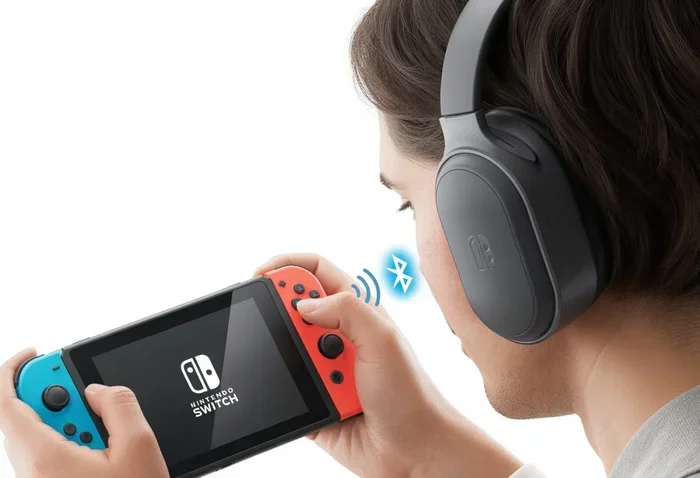
Here is where things get tricky. Xbox does not support Bluetooth audio natively. You cannot just put your favorite Bluetooth headphones in pairing mode and expect them to connect to your Xbox. This surprises a lot of people, especially those who use Bluetooth headphones for gaming on other devices. The reason is that Xbox prioritizes low-latency audio for gaming, and standard Bluetooth introduces too much delay.
That said, there are workarounds. Some gamers use a Bluetooth transmitter that plugs into the Xbox controller’s 3.5mm jack or USB port. These transmitters convert the Xbox signal to Bluetooth, allowing wireless headphones to work. But this adds extra steps and sometimes extra cost. If you want a simpler solution, look at Xbox-compatible wireless headsets instead.
Types of Headsets That Work with Xbox
Not all headsets are created equal when it comes to Xbox. Here is a breakdown of the types that do work and what you need to know about each.
Wired Headsets with 3.5mm Jack
Wired headsets are the easiest option. Almost any headset with a standard 3.5mm audio plug works with Xbox. You can even use regular earbuds if you want, though the experience will not be as immersive. Just plug the cable into the controller, and you are ready to chat and play.
The downside? You are tethered to your controller. If you like to roam around the room or stand up during intense gaming sessions, a wire can get in the way. Also, audio quality depends on the headset itself. A cheap pair of earbuds might sound fine for casual games but fall flat during competitive matches where you need crisp audio cues.
Xbox Wireless Headsets
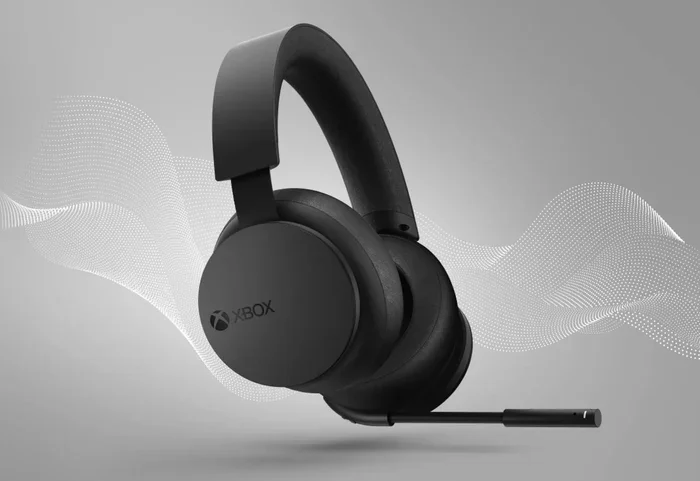
These are headsets designed specifically for Xbox. They connect using the Xbox Wireless protocol and offer the best overall experience. The Xbox Wireless Headset from Microsoft is the most popular example. It pairs directly with your console, offers surround sound, and has excellent microphone quality.
Other brands also make Xbox Wireless-compatible headsets. SteelSeries, Turtle Beach, and HyperX all have models that work with this protocol. The key thing to look for is the Xbox Wireless logo on the packaging. If you see it, the headset will connect to your Xbox without any extra adapters or dongles.
USB Wireless Headsets
Many third-party gaming headsets use a USB transmitter to connect wirelessly to Xbox. These headsets often come with their own software for customizing audio settings, equalizer profiles, and surround sound. The Turtle Beach Stealth series and SteelSeries Arctis Nova series are popular examples.
These headsets work well, but they take up a USB port on your console. They also require charging. If you are okay with those trade-offs, a USB wireless headset can offer great sound quality and freedom of movement. Just make sure the headset specifically lists Xbox compatibility on the box.
How to Connect Your Headset to Xbox
Getting your headset connected to Xbox is straightforward once you know the right steps. Here is how to do it for each connection type.
Connecting a Wired Headset
Plug the 3.5mm cable into the bottom of your Xbox controller. Go to Settings, then General, then Volume & Audio Output. Make sure the headset is selected as your audio output device. You should hear audio through the headset right away. If you do not, check that the plug is fully inserted and that the controller firmware is up to date.
Connecting an Xbox Wireless Headset
Press and hold the pairing button on the headset until the LED starts flashing. On your Xbox, go to Settings, then Devices & Connections, then Bluetooth. Wait for the headset to appear in the list and select it. The connection should be instant. Once paired, the headset will automatically reconnect whenever you turn on your Xbox.
If you are using a Bluetooth headset and wondering about the process, it works differently. Xbox does not support direct Bluetooth audio, so you would need a Bluetooth transmitter. Some gamers prefer to check if their Bluetooth headphones work with gaming setups before investing in a transmitter, since the experience can vary.
Connecting a USB Wireless Headset
Plug the USB dongle into your Xbox. Turn on the headset. The two devices should pair automatically within a few seconds. If they do not, check the headset manual for a pairing button or hold the power button for a few seconds. Once connected, you can adjust audio settings through the Xbox guide menu.
Common Problems and How to Fix Them
Even with the right headset, you might run into issues. Here are the most common problems Xbox users face and how to solve them.
No Audio Through the Headset
This is the most common complaint. If you plug in a wired headset and hear nothing, first check the controller volume. Press the Xbox button to open the guide, then go to Volume & Audio Output. Make sure the headset slider is turned up. Also check that your Xbox is not routing all audio to your TV speakers instead.
For wireless headsets, make sure the headset is fully charged. A low battery can cause audio dropouts or no sound at all. Also verify that the headset is on the correct channel if it uses channel-based pairing.
Chat Audio Sounds Muffled
Muffled chat audio usually means the microphone is not positioned correctly. Make sure the mic boom is close to your mouth but not touching it. Also check that nothing is blocking the mic port. If you are using a wired headset, try a different controller jack. Sometimes the 3.5mm port on the controller gets loose over time.
If the problem persists, go to Settings, then Volume & Audio Output, and make sure the mic is not set to mute. Some headsets also have a physical mute button on the ear cup that might have been accidentally pressed.
Headset Disconnects Randomly
Wireless headsets can lose connection if they are too far from the console or if there is interference from other wireless devices. Stay within about 30 feet of your Xbox for the best results. If you use a USB wireless headset, try a different USB port. Front ports on the console sometimes provide less stable power than rear ports.
For wired headsets, a loose cable connection can cause intermittent audio. Try gently wiggling the plug while audio is playing. If the sound cuts in and out, the cable or jack might be damaged and need replacement.
Wired vs Wireless Headsets for Xbox
Choosing between a wired and wireless headset is one of the biggest decisions Xbox gamers face. Both options have pros and cons, and the right choice depends on your gaming style and preferences.
| Feature | Wired Headset | Wireless Headset |
|---|---|---|
| Connection | 3.5mm jack or USB | Xbox Wireless or USB dongle |
| Latency | Zero lag | Very low lag |
| Mobility | Limited by cable | Full freedom of movement |
| Price | Generally cheaper | Usually more expensive |
| Battery | No charging needed | Needs regular charging |
| Setup | Plug and play | Pairing required |
| Compatibility | Works with most devices | Xbox-specific models only |
Wired headsets win on simplicity and reliability. There is nothing to charge, nothing to pair, and zero latency. They are also great if you game on multiple devices and want to use the same headset everywhere. Just plug the cable into whatever device you are using.
Wireless headsets win on convenience and immersion. You can move around your room, stand up, stretch, and even walk around during long gaming sessions. The best wireless Xbox headsets also offer superior surround sound and built-in chat mixers. If you are serious about gaming and want the full experience, a wireless headset is worth the investment.
Best Headsets to Use with Xbox
Not sure which headset to buy? Here are some top picks across different price ranges and styles.
- Xbox Wireless Headset (Microsoft): The official Xbox headset. It works flawlessly, sounds great, and charges quickly. Best for most Xbox owners.
- Turtle Beach Stealth 700 Gen 2: A popular wireless option with excellent surround sound and a comfortable fit. Great for long gaming sessions.
- SteelSeries Arctis Nova 7X: Versatile wireless headset that works with Xbox and other platforms. The dual battery system means you never run out of power mid-game.
- HyperX Cloud III: A wired option that delivers outstanding sound quality at a reasonable price. Perfect for budget-conscious gamers.
- Corsair HS80 RGB Wireless: Great audio, comfortable design, and solid wireless performance. A strong contender in the mid-range category.
Before you buy any headset, always check the packaging for Xbox compatibility. Some headsets work with PlayStation or PC but not with Xbox. This is especially true for Bluetooth headsets, which require extra steps to work with Xbox consoles.
Expert Tips for the Best Xbox Audio Experience
Want to get the most out of your headset on Xbox? Here are some tips from experienced gamers.
- Update your Xbox firmware regularly: Microsoft often releases updates that improve audio performance and fix connection issues.
- Use the Xbox app on your phone: The app lets you adjust audio settings, update your console, and even chat with friends without sitting at your TV.
- Invest in a good gaming microphone: If your headset mic is mediocre, consider a standalone microphone. Clear communication makes a huge difference in multiplayer games.
- Test different audio profiles: Many Xbox-compatible headsets come with software that lets you choose between different audio presets. Try them out to find what sounds best for your favorite games.
- Keep your headset clean: Ear pads collect sweat and dirt over time. Wipe them down regularly to maintain sound quality and hygiene.
One thing many gamers overlook is the importance of surround sound in competitive gaming. Being able to hear footsteps behind you or gunfire from the right direction can give you a real edge. If your headset supports Dolby Atmos or Windows Sonic, enable it in your Xbox settings. You will be amazed at the difference it makes.
Also, consider your gaming environment. If you share a living space with family or roommates, a headset with good noise isolation helps you stay focused. It also keeps your game audio from disturbing others. Some headsets offer active noise cancellation, which is a nice bonus if you play in a noisy household.
Finally, do not forget about comfort. If you game for hours at a stretch, an uncomfortable headset will ruin the experience fast. Look for headsets with padded ear cups, adjustable headbands, and lightweight designs. You want to forget the headset is even there so you can focus entirely on the game.
Final Thoughts
So, can you use any headset for Xbox? The answer is a qualified yes. Many headsets work, but they need to use the right connection method. A wired headset with a 3.5mm jack will almost always work. Xbox Wireless headsets offer the best seamless experience. USB wireless headsets give you great features and freedom of movement. But standard Bluetooth headsets will not connect directly without a workaround.
The key is checking compatibility before you buy. Look for the Xbox logo on the box, read the product description carefully, and make sure the headset supports the connection type you need. Taking a few minutes to research can save you from buying the wrong headset and dealing with frustration later.
Your gaming experience depends a lot on your audio setup. A good headset lets you hear every footstep, every callout, and every detail in the game world. Take the time to find the right one, set it up properly, and enjoy your Xbox gaming to the fullest.
Frequently Asked Questions
Can I use Bluetooth headphones with Xbox?
Xbox does not support direct Bluetooth audio connections. You cannot pair Bluetooth headphones to Xbox the same way you would with a phone or PC. However, you can use a Bluetooth transmitter that connects to your Xbox controller or USB port to make Bluetooth headphones work wirelessly.
What headsets are compatible with Xbox One and Xbox Series X?
Any headset with a 3.5mm jack, an Xbox Wireless connection, or a USB wireless dongle that lists Xbox compatibility will work. Microsoft’s own Xbox Wireless Headset is the safest bet, but many third-party brands like Turtle Beach, SteelSeries, and HyperX also make Xbox-compatible models.
Do I need a special headset for Xbox chat?
No, you do not need a special headset just for chat. Any headset that works with Xbox will handle both game audio and chat audio. The Xbox controller has a built-in microphone jack, and most Xbox-compatible headsets include a microphone in the headset itself.
Why does my headset not work with Xbox even though it works with other devices?
Xbox uses proprietary wireless protocols and does not support standard Bluetooth audio. Headsets designed for PlayStation, PC, or mobile devices may not connect to Xbox without the right adapter or cable. Always check the product listing for Xbox compatibility before purchasing.
Can I use a wired headset from another console on Xbox?
Yes, in most cases. If the wired headset uses a standard 3.5mm audio jack, it will work with Xbox. Just plug it into the controller’s 3.5mm port. The only exception would be headsets that use proprietary connectors or require specific software that is not available on Xbox.
Is the Xbox Wireless Headset worth the money?
For most Xbox gamers, yes. The Xbox Wireless Headset offers zero-latency wireless audio, great surround sound, and seamless pairing with your console. It is designed specifically for Xbox, which means no extra dongles or workarounds. If you want a hassle-free wireless experience, it is one of the best options available.
=== CONCLUSION ===
Using any headset for Xbox is not as simple as plugging it in or pairing it up. Xbox has specific compatibility requirements that you need to understand before making a purchase. Wired headsets with a 3.5mm jack offer universal compatibility, while Xbox Wireless headsets deliver the best overall experience. USB wireless headsets are a solid middle ground with great features and freedom of movement.
Remember that Bluetooth headsets do not connect directly to Xbox without extra equipment. If you are set on using Bluetooth, you will need a transmitter. But for the smoothest, most reliable experience, stick with Xbox-compatible headsets that match your console’s connection type.
Take a few minutes to check compatibility, read reviews, and choose a headset that fits your gaming style. The right headset transforms your Xbox experience from good to great. You will hear every detail, communicate clearly with your team, and immerse yourself in your favorite games like never before. Happy gaming!