Can You Use A Bluetooth Speaker With Alexa Right Now
Yes, you can absolutely use a Bluetooth speaker with Alexa. Connecting a Bluetooth speaker to Alexa is simple, fast, and opens up a world of better sound. Whether you want louder music, better audio quality, or portability, pairing a wireless speaker with Alexa takes just a few minutes. This guide walks you through every step, from setup to troubleshooting, so you can start enjoying your favorite tunes right away.
Key Takeaways
- Easy Setup: Connecting a Bluetooth speaker to Alexa is a quick process that takes under five minutes.
- Wide Compatibility: Most Bluetooth speakers work with Alexa, including popular brands like JBL, Sony, and Anker.
- Better Sound: Using an external speaker gives you richer, louder audio compared to built-in Alexa speakers.
- Portable Options: You can take your Alexa-enabled music anywhere with a portable Bluetooth speaker.
- Troubleshooting Is Simple: Most connection issues can be fixed with basic steps like restarting devices or checking Bluetooth settings.
📑 Table of Contents
- Can You Use a Bluetooth Speaker with Alexa?
- How to Connect a Bluetooth Speaker to Alexa
- Which Bluetooth Speakers Work Best with Alexa?
- Can You Use Any Bluetooth Speaker with Alexa?
- Common Problems When Connecting a Bluetooth Speaker to Alexa
- Tips for Getting the Best Sound from Your Bluetooth Speaker and Alexa
- Why Use a Bluetooth Speaker with Alexa Instead of a Smart Speaker?
- Can You Use a Bluetooth Speaker with Alexa for Calls?
- Quick Tips for a Smooth Bluetooth Speaker and Alexa Setup
- Final Thoughts
Can You Use a Bluetooth Speaker with Alexa?
The short answer is yes. You can use a Bluetooth speaker with Alexa and it works really well. Alexa supports Bluetooth connections, which means you can pair almost any Bluetooth speaker to your Echo device or Alexa app. This gives you the freedom to choose your speaker, upgrade your sound, or just move music around your home.
Many people already own Bluetooth speakers sitting in a drawer. Why not put them to work with Alexa? Instead of buying a new smart speaker, you can breathe life into an old wireless speaker and get the best of both worlds. You get Alexa’s voice control and the audio quality of a dedicated speaker.
Whether you are at home, in the backyard, or traveling, a Bluetooth speaker paired with Alexa gives you hands-free music control. Just say “Alexa, play music” and your favorite songs start flowing. It is one of the easiest ways to upgrade your audio setup without spending a lot of money.
In this guide, we will walk you through everything you need to know. From the initial setup to troubleshooting common problems, you will find clear, step-by-step instructions. Let us dive in and get your Bluetooth speaker talking to Alexa.
How to Connect a Bluetooth Speaker to Alexa
Setting up a Bluetooth speaker with Alexa is straightforward. You do not need any special skills or technical knowledge. Follow these simple steps and you will be listening to music in no time.
Step 1: Put Your Speaker in Pairing Mode
First, turn on your Bluetooth speaker. Most speakers have a dedicated Bluetooth button or a pairing mode you need to activate. Check your speaker’s manual if you are not sure how to do this. Usually, a flashing light indicates the speaker is ready to pair.
Once your speaker is in pairing mode, move it closer to your Alexa device. A short distance helps ensure a strong connection. Bluetooth works best within about 30 feet, so keep them in the same room if possible.
Step 2: Open the Alexa App
Next, open the Alexa app on your phone or tablet. Make sure your phone is connected to the same Wi-Fi network as your Alexa device. This is important because the app needs to communicate with your Echo device to complete the pairing.
Tap the “Devices” icon at the bottom of the screen. Then select “Echo & Alexa” and choose the Alexa device you want to connect to.
Step 3: Enable Bluetooth Pairing
Now, look for the “Bluetooth Devices” option. Tap it and then select “Pair a New Device.” Alexa will start scanning for available Bluetooth devices.
Your speaker should appear in the list of available devices. Tap on it to initiate the connection. You may hear a confirmation sound from the speaker once the pairing is successful.
Step 4: Test the Connection
After pairing, ask Alexa to play some music. Say something like “Alexa, play my playlist” or “Alexa, play jazz.” The sound should now come through your Bluetooth speaker instead of the built-in Echo speaker.
If the music plays through your speaker, you are all set. If not, do not worry. We will cover troubleshooting tips later in this guide.
Which Bluetooth Speakers Work Best with Alexa?
Not all Bluetooth speakers are created equal. Some work seamlessly with Alexa, while others may have minor quirks. Here are some of the best options that pair well with Alexa devices.
JBL Speakers
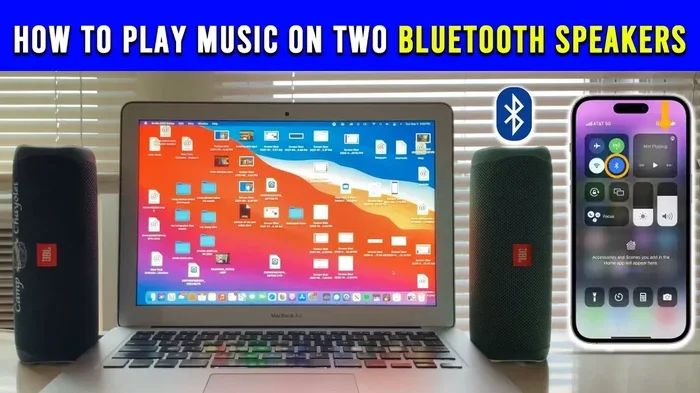
JBL is one of the most popular Bluetooth speaker brands. Models like the JBL Flip, JBL Charge, and JBL Xtreme all connect easily to Alexa. They offer great sound quality and solid Bluetooth range. JBL speakers are known for their durability, which makes them a good choice for both indoor and outdoor use.
Sony Speakers
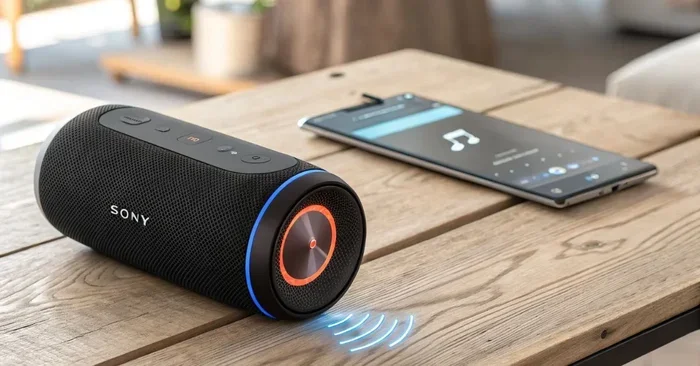
Sony makes excellent Bluetooth speakers that work well with Alexa. The Sony SRS series delivers clear, powerful sound. These speakers also support NFC pairing, which makes the connection process even faster. If you care about audio quality, Sony is a strong contender.
Anker Soundcore Speakers
Anker Soundcore offers great value for the price. Their speakers provide solid sound and long battery life. They connect to Alexa without any issues and are a popular choice for budget-conscious users. The Soundcore Motion and Flare series are especially well-liked.
Amazon Echo Input
If you want a dedicated Alexa Bluetooth adapter, the Amazon Echo Input is a great option. It is a small device that plugs into any speaker with a 3.5mm audio cable. This turns any regular speaker into an Alexa-enabled device. It is a simple and affordable way to add Alexa voice control to your existing setup. You can also check how to turn your phone into a Bluetooth speaker if you want a quick alternative.
Can You Use Any Bluetooth Speaker with Alexa?
The good news is that most Bluetooth speakers work with Alexa. Alexa supports standard Bluetooth protocols, so the vast majority of speakers will pair without any problems. However, there are a few things to keep in mind.
First, your speaker must support Bluetooth. If it only connects via Wi-Fi or a cable, it will not work with Alexa’s Bluetooth feature. Check your speaker’s specifications before you try to pair it.
Second, some older Bluetooth speakers may use older Bluetooth versions. Bluetooth 4.0 and above work fine with Alexa. If your speaker uses Bluetooth 2.1 or older, you may experience connection issues or limited range.
Third, keep in mind that Alexa can only connect to one Bluetooth device at a time in most cases. If you want to switch between speakers, you will need to disconnect one and connect the other. This is a simple process but worth knowing before you set up multiple speakers.
If you are wondering about using your old speakers, you might want to look into how to turn regular speakers into Bluetooth with a simple adapter. This opens up a lot of possibilities for using what you already own.
Common Problems When Connecting a Bluetooth Speaker to Alexa
Even though the setup process is simple, you might run into some issues. Here are the most common problems and how to fix them.
Speaker Does Not Appear in the Alexa App
If your speaker does not show up in the list of available devices, try these fixes. First, make sure your speaker is in pairing mode. A flashing light usually means it is ready. Second, move the speaker closer to your Alexa device. Third, restart both the speaker and your Alexa device. Sometimes a simple reboot solves the problem.
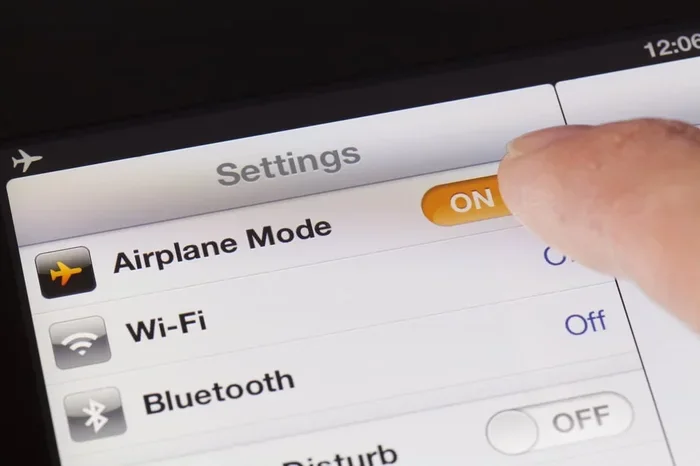
You can also try turning Bluetooth off and back on in your phone’s settings. This refreshes the connection and often resolves detection issues.
Audio Keeps Cutting Out
Intermittent audio is a common Bluetooth issue. It usually happens when the speaker is too far from the Alexa device. Walls, furniture, and other obstacles can weaken the Bluetooth signal. Try moving both devices closer together and removing physical barriers between them.
Another cause is interference from other wireless devices. Wi-Fi routers, microwaves, and even other Bluetooth devices can disrupt the signal. Moving away from these sources can improve your connection stability.
Alexa Does Not Recognize the Speaker After Pairing
Sometimes Alexa pairs with the speaker but does not route audio through it. In this case, go to the Alexa app, select your device, and check the Bluetooth settings. Make sure the correct speaker is set as the active audio output. You may need to disconnect and reconnect the speaker to refresh the audio path.
Speaker Connects but No Sound Plays
If the speaker connects but there is no sound, check the volume on both the speaker and the Alexa device. Also, make sure the speaker is not muted. Some speakers have a physical mute button that can accidentally get pressed. Try pausing and resuming playback through Alexa to reset the audio stream.
Tips for Getting the Best Sound from Your Bluetooth Speaker and Alexa
Once your Bluetooth speaker is connected to Alexa, you can take a few extra steps to improve your listening experience. These tips help you get the most out of your setup.
Place Your Speaker in an Open Space
Bluetooth speakers sound best when they are not blocked by walls or furniture. Place your speaker in an open area where sound can travel freely. Corners and closed rooms can cause muffled or echoey audio. A central location in your room usually gives the best results.
Keep Your Speaker Charged
A low battery can affect sound quality. When your speaker’s battery drops below 20%, the audio may become distorted or quiet. Keep your speaker charged, especially if you plan to use it for long listening sessions. Most Bluetooth speakers offer 8 to 15 hours of playtime on a full charge.
Use the Alexa App to Adjust Settings
The Alexa app lets you fine-tune your audio experience. You can adjust equalizer settings, set volume levels, and create voice routines. For example, you can create a routine that says “Good morning” and then plays your favorite playlist through your Bluetooth speaker. This adds a personal touch to your daily routine.
Update Your Devices Regularly
Keeping your Alexa device and Bluetooth speaker updated ensures the best performance. Manufacturers release firmware updates that fix bugs and improve connectivity. Check for updates regularly in the Alexa app and your speaker’s companion app. Staying up to date keeps everything running smoothly.
Consider a Portable Speaker for On-the-Go Use
If you like to take your music outside, a portable Bluetooth speaker is a great choice. Many portable speakers are waterproof, dustproof, and built to last. They pair easily with Alexa and let you enjoy voice-controlled music anywhere. Whether you are at the beach, in the park, or on a camping trip, a portable speaker with Alexa keeps the music playing.
For more ideas on using Alexa with different devices, check out our guide on using Alexa as a Bluetooth speaker for additional tips and tricks.
Why Use a Bluetooth Speaker with Alexa Instead of a Smart Speaker?
You might wonder why you need a Bluetooth speaker at all when Alexa devices already have built-in speakers. There are several good reasons to use an external Bluetooth speaker with Alexa.
Better Sound Quality: Most built-in Alexa speakers are small and limited in sound output. A dedicated Bluetooth speaker delivers richer bass, clearer highs, and louder volume. If you care about audio quality, an external speaker makes a big difference.
Portability: Bluetooth speakers are designed to be moved around. You can take your Alexa-powered music to the kitchen, the backyard, or on a trip. Your Echo device stays in one place, but your speaker goes wherever you go.
Cost Savings: A good Bluetooth speaker costs less than many smart speakers with Alexa built in. By pairing your existing Bluetooth speaker with Alexa, you save money while still getting voice control.
Use What You Already Own: If you already have a Bluetooth speaker, there is no need to buy a new smart speaker. Connecting it to Alexa is free and takes just a few minutes. This is the most budget-friendly way to add Alexa voice control to your music setup.
Multi-Room Audio: You can pair different Bluetooth speakers with different Alexa devices in various rooms. This lets you create a multi-room audio system without buying expensive multi-speaker setups. Each room gets its own music, all controlled by Alexa.
For those interested in audio connectivity, you might also want to learn about connecting a soundbar with HDMI without ARC for more home audio options.
Can You Use a Bluetooth Speaker with Alexa for Calls?
Yes, you can. When your Bluetooth speaker is connected to Alexa, you can use it for hands-free calling. Alexa supports voice calls and messaging through the Alexa app. You can call other Alexa users or even make regular phone calls using Alexa’s calling feature.
The sound comes through your Bluetooth speaker, making conversations louder and clearer. This is especially useful in noisy environments or when you need to talk hands-free while cooking or cleaning. Just say “Alexa, call Mom” and your voice carries through the speaker.
Keep in mind that the person you are calling will hear your voice through the speaker, and you will hear them through the speaker as well. Make sure you are in a quiet environment for the best call quality. Also, check that your speaker has a built-in microphone, as some Bluetooth speakers are output-only and cannot transmit your voice.
Quick Tips for a Smooth Bluetooth Speaker and Alexa Setup
- Restart both devices before attempting to pair if you run into issues.
- Keep your speaker within 30 feet of your Alexa device for the best connection.
- Turn off other Bluetooth devices temporarily to avoid interference during pairing.
- Check for firmware updates on both your speaker and Alexa device.
- Use the Alexa app to manage and switch between connected Bluetooth devices easily.
- Name your speaker clearly in the Alexa app so you can identify it easily when switching devices.
- Forget old pairings if your speaker has been connected to other devices before. This prevents connection conflicts.
Final Thoughts
Using a Bluetooth speaker with Alexa is one of the simplest ways to upgrade your audio setup. It gives you better sound, more flexibility, and the convenience of voice control. Whether you are using a JBL speaker, a Sony speaker, or even an old speaker you already own, the setup process is quick and easy.
Most Bluetooth speakers work with Alexa right out of the box. You just need to pair them through the Alexa app, and you are good to go. If you run into any issues, the troubleshooting tips in this guide should help you get back on track quickly.
Take some time today to connect your Bluetooth speaker to Alexa. You will be amazed at how much better your music sounds and how much more convenient it is to control your audio with just your voice. It is a small change that makes a big difference in your daily routine.
Remember, the goal is to make your life easier and your music better. A Bluetooth speaker paired with Alexa does exactly that. So go ahead, give it a try, and enjoy your favorite music the way it was meant to be heard.
Frequently Asked Questions
Can I connect multiple Bluetooth speakers to one Alexa device?
Alexa typically connects to one Bluetooth speaker at a time. However, you can switch between different speakers by disconnecting one and pairing another. Some newer Alexa devices support multi-room audio, but this works differently than standard Bluetooth pairing. For most setups, one speaker per Alexa device is the standard approach.
Why is my Bluetooth speaker not showing up in the Alexa app?
This usually happens when the speaker is not in pairing mode or is too far from the Alexa device. Make sure your speaker is actively searching for a connection. Also check that your phone’s Bluetooth is turned on and that both devices are on the same Wi-Fi network. Restarting both devices often fixes this issue.
Can I use a Bluetooth speaker with Alexa without an Echo device?
Yes, you can. The Alexa app on your phone or tablet can connect to a Bluetooth speaker directly. You do not need an Echo device to use Alexa with a Bluetooth speaker. Simply open the app, go to the Bluetooth settings, and pair your speaker. This works great for people who want Alexa voice control on the go.
Does using a Bluetooth speaker with Alexa drain the speaker’s battery faster?
Yes, streaming music through Bluetooth uses more battery than playing audio locally. However, most modern Bluetooth speakers have long battery lives that can last 8 to 15 hours on a single charge. To conserve battery, keep your speaker plugged in during long listening sessions or lower the volume when possible.
Can I use Alexa to control the volume of my Bluetooth speaker?
Absolutely. When your Bluetooth speaker is connected to Alexa, you can use voice commands to adjust the volume. Simply say “Alexa, volume up” or “Alexa, set volume to 5.” This works seamlessly and is one of the biggest advantages of using Alexa with a Bluetooth speaker.
What should I do if the audio quality is poor after connecting my Bluetooth speaker to Alexa?
Poor audio quality is often caused by distance, interference, or a low battery. Move your speaker closer to the Alexa device and away from other wireless devices. Check that your speaker is fully charged. You can also try forgetting the Bluetooth pairing and reconnecting from scratch. If the problem persists, check for firmware updates on both devices.