Can You Play Anything On A Projector Here Is What To Know
Yes, you can play a lot on a projector, from movies and TV shows to video games and presentations. A projector works with many devices like laptops, phones, gaming consoles, and streaming sticks. The key is knowing what formats and connections your projector supports. This guide covers everything you need to know about playing content on a projector and getting the best experience.
Have you ever wondered if you can just plug anything into a projector and start watching or playing content? The short answer is yes, but there is more to it than that. A projector is a flexible display device that can handle a wide range of content. But not every projector works with every source. And not every source looks great on a big screen.
In this guide, we will walk through everything you need to know about playing content on a projector. Whether you want to watch movies, play games, or stream your favorite shows, we have you covered. Let us dive in and explore what a projector can really do.
Key Takeaways
- Projectors support many content types: movies, games, streaming, and presentations
- Connection options matter: HDMI, USB, wireless, and Bluetooth all play a role
- Not all projectors are equal: resolution and brightness affect your viewing experience
- Gaming on a projector is possible: with the right setup and low input lag
- Streaming devices expand options: Fire Sticks, Chromecast, and Roku work with projectors
- Setup and placement affect quality: distance, screen type, and room lighting matter
📑 Table of Contents
- What Can You Play On A Projector
- How To Connect Devices To A Projector
- Types Of Projectors And What They Support
- What Formats And Files Work On A Projector
- Tips For The Best Projector Viewing Experience
- Common Mistakes People Make When Playing Content On A Projector
- Can You Play Anything On A Projector For Gaming Specifically
- Final Thoughts
What Can You Play On A Projector
A projector is not just for movies. It can handle many types of content. The type of content you can play depends on your projector model and the devices you connect to it. Here is a quick look at what works.
Movies and TV Shows
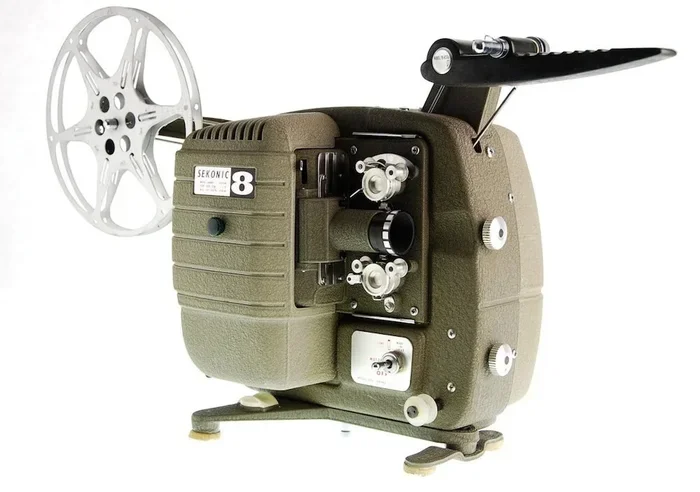
This is the most common use for a projector. You can watch Netflix, Hulu, Disney Plus, and other streaming services. You can also play DVDs, Blu-rays, and digital files from a USB drive. If you have a home theater projector, the experience can rival a real cinema screen. Many people prefer a projector over a TV for movie nights because of the bigger image size.
To watch movies, you typically need a streaming device, a laptop, or a media player connected via HDMI. Some projectors even have built-in smart features that let you stream directly without extra devices.
Video Games
Yes, you can play video games on a projector. Gaming on a big screen is a unique experience. Console gamers can connect an Xbox, PlayStation, or Nintendo Switch using an HDMI cable. PC gamers can hook up their laptop or desktop the same way.
For the best gaming experience, look for a projector with low input lag. This means the screen responds quickly to your controller inputs. A gaming projector is designed specifically for this purpose. If you are curious about playing older games on different displays, you might want to check out Can I Play Nintendo 64 On Hdtv for tips on older console setups.
Sports and Live Events
Watching sports on a projector is thrilling. The big screen makes you feel like you are in the stadium. You can stream live games through apps on a smart projector or connect a cable box. Some people even use projectors for outdoor viewing during tailgates or backyard parties.
Presentations and Work Content
Projectors are not just for fun. Many people use them for work. You can display slideshows, spreadsheets, and documents. Business projectors often come with features like keystone correction and wireless casting. These make it easy to share content from a laptop or phone during meetings.
Photos and Slideshows
You can display personal photos on a projector. This is great for weddings, birthdays, and family gatherings. Most projectors can read image files from a USB stick or through a connected phone. The result is a stunning wall-sized display of your favorite memories.
How To Connect Devices To A Projector
Knowing what you can play is only half the battle. You also need to know how to connect your devices. Different projectors offer different ports and wireless options. Here are the most common ways to connect.
HDMI Connection
HDMI is the gold standard for connecting devices to a projector. It carries both video and audio through a single cable. Most modern projectors have at least one HDMI port. You can connect laptops, gaming consoles, streaming sticks, and Blu-ray players this way.
If your device does not have HDMI, you may need an adapter. For example, some older laptops use VGA or USB-C. You can grab a simple adapter to convert the signal. This is similar to how you might convert a VGA to HDMI for older equipment.
Wireless and Screen Mirroring
Many modern projectors support wireless connections. You can mirror your phone or tablet screen without cables. Some projectors work with apps like AirPlay, Chromecast, or Miracast. This makes it easy to stream content directly from your device.
Wireless connections are convenient but can sometimes lag. For smooth video playback, a wired HDMI connection is usually more reliable. If you want to learn more about using wireless features with projectors, check out this article on connecting your phone to a projector with HDMI.
USB and Media Players
Most projectors have a USB port. You can plug in a flash drive or external hard drive loaded with movies and photos. The projector reads the files and displays them directly. Just make sure your files are in a compatible format like MP4 or JPEG.
Using A Projector As A TV
You can absolutely use a projector as a TV replacement. With the right setup, you can watch live TV, stream shows, and even play cable content. Some people prefer a projector over a TV for a more immersive feel. If you are considering this route, you might find this guide on using a projector as a TV very helpful.
Types Of Projectors And What They Support
Not all projectors are the same. Different types offer different features and levels of compatibility. Here is a breakdown of the most common types.
Home Theater Projectors
These projectors are built for movie lovers. They offer high resolution, often 1080p or 4K. They have excellent color accuracy and deep contrast. Home theater projectors work great with streaming devices, Blu-ray players, and gaming consoles.
They usually have HDMI ports and some even support HDR. This means you get brighter, more vibrant colors. If you want the best picture quality for movies and shows, this is the type to choose.
Portable Projectors
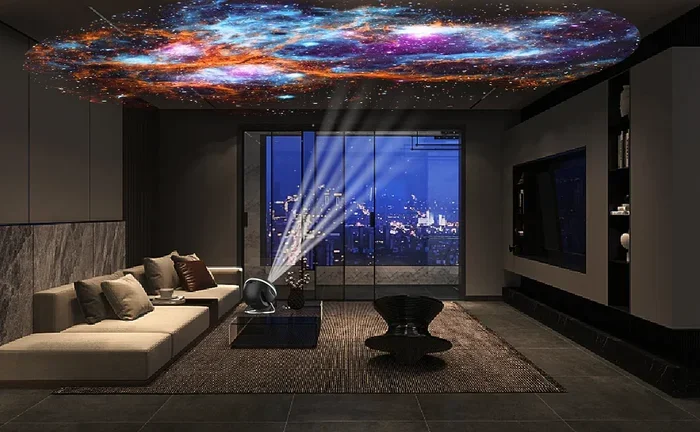
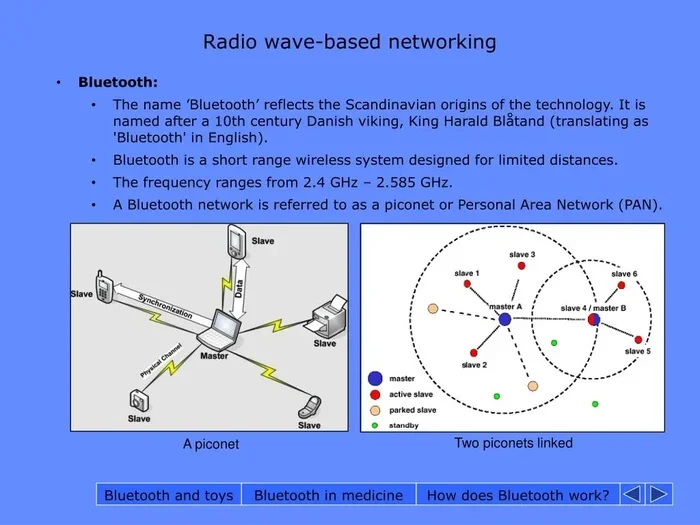
Portable projectors are small and lightweight. They are perfect for travel or outdoor movie nights. Many portable projectors have built-in batteries and speakers. They often connect via HDMI or wirelessly through Bluetooth and Wi-Fi.
The tradeoff is that they usually have lower brightness and resolution compared to home theater models. They still work well for casual viewing in dim rooms. They are great for playing casual content on the go.
Business and Education Projectors
These projectors focus on clarity and brightness. They are designed for well-lit rooms like classrooms and conference halls. They often have lower resolution but very high lumens. They work well for presentations, documents, and simple video content.
Short Throw and Ultra Short Throw Projectors
These projectors sit close to the wall or screen. They are great for small rooms where you cannot throw the image far. They still support the same content types as standard projectors. The main difference is the placement and throw distance.
What Formats And Files Work On A Projector
If you are playing files from a USB drive or media player, format matters. Not all projectors can read every file type. Here is what you need to know.
Video Formats
The most widely supported video format is MP4. It works on almost every projector. Other common formats include AVI, MKV, and MOV. Some projectors also support WMV and FLV. If your file is in an uncommon format, you may need to convert it using free software like VLC Media Player.
Audio Formats
Most projectors support MP3 and AAC audio formats. Some also handle WAV and FLAC. If your projector has a built-in speaker, the audio will play through it. For better sound, you can connect external speakers or a soundbar through the projector’s audio out port.
Image Formats
JPEG and PNG are the most common image formats supported by projectors. Some projectors also handle BMP and TIFF. For slideshows, JPEG is the safest choice.
Tips For The Best Projector Viewing Experience
Getting the most out of your projector takes a little setup know-how. Here are some practical tips to improve your experience.
Choose The Right Screen
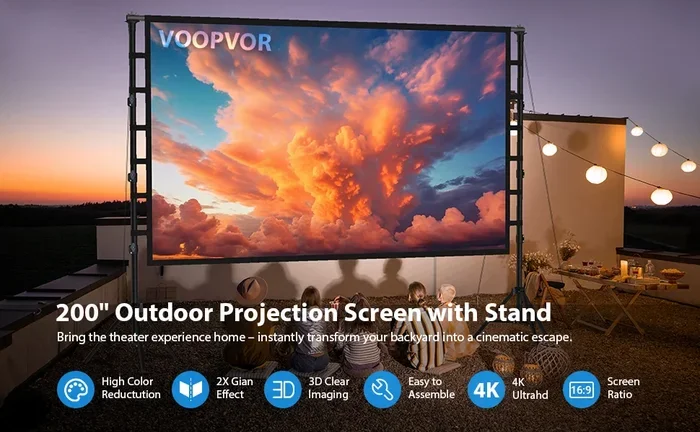
A plain white wall works, but a dedicated projector screen looks much better. A screen enhances brightness and color accuracy. You can use a pull-down screen, a fixed frame, or even a projector screen paint. Some people use a black sheet for a projector screen to boost contrast in dark rooms.
Control Room Lighting
Projectors work best in dim or dark rooms. Ambient light washes out the image and reduces contrast. If you cannot control the lighting, consider a projector with higher brightness measured in lumens. A brighter projector handles some light better.
Position The Projector Correctly
Place the projector at the right distance for your screen size. This is called the throw ratio. Most projectors come with a throw ratio chart. Some projectors are short throw, meaning they can produce a large image from a short distance. You can also put a projector on a shelf if you do not have ceiling mounting space.
Match Your Audio Setup
Built-in projector speakers are often weak. For a better experience, connect external speakers or a soundbar. You can also use a Bluetooth speaker if your projector supports it. Good audio makes a big difference in your overall enjoyment.
Keep Your Projector Clean
Dust can build up on the lens over time. This reduces image sharpness. Use a soft, dry cloth to gently clean the lens. Keep the projector in a well-ventilated area to prevent overheating.
Common Mistakes People Make When Playing Content On A Projector
Avoid these common pitfalls to get the best results from your projector setup.
- Using the wrong cable: Not all cables support high-definition video. Always use a quality HDMI cable for the best picture.
- Ignoring resolution mismatch: If your source device outputs a higher resolution than your projector supports, the image may look blurry or not fill the screen properly.
- Forgetting about audio: Many people focus only on the visual and forget that projector speakers are often weak. Plan your audio setup from the start.
- Placing the projector in a bright room: This is the fastest way to ruin your viewing experience. Dim the lights or close the curtains.
- Not checking file compatibility: Just because a file exists does not mean your projector can play it. Stick to widely supported formats like MP4 for video and JPEG for images.
Can You Play Anything On A Projector For Gaming Specifically
Gaming on a projector is a growing trend. Many gamers enjoy the immersive large-screen experience. But there are some things to keep in mind.
First, input lag is crucial. This is the delay between pressing a button and seeing the action on screen. For fast-paced games, you want input lag under 30 milliseconds. Some projectors are specifically designed for gaming with very low lag. Others are better suited for slow-paced games or movie-like experiences.
Console gaming works well with most projectors. You can connect an Xbox, PlayStation, or Switch via HDMI. PC gaming is also straightforward if your laptop or desktop has an HDMI output. For more details on connecting gaming devices, you might want to look at using a regular projector for a golf simulator which covers gaming setups in detail.
Keep in mind that some projectors have limited brightness. This can make dark game environments hard to see. A brighter projector or one with good contrast handling will serve you better for gaming.
Final Thoughts
So, can you play anything on a projector? The answer is a strong yes. From movies and TV shows to video games, sports, presentations, and personal photos, a projector can handle a wide variety of content. The key is choosing the right projector for your needs and connecting your devices properly.
Understanding the formats, ports, and connection options makes all the difference. With a little setup, you can turn any room into an entertainment hub. Whether you are building a home theater, setting up a gaming station, or just looking for a big screen for movie nights, a projector delivers.
Start with the basics. Get a quality HDMI cable. Choose a compatible streaming device or media source. Set up your screen in a dimly lit room. From there, the possibilities are wide open. Enjoy the big screen experience from the comfort of your own home.
Frequently Asked Questions
Can I play Netflix on a projector?
Yes, you can play Netflix on a projector. You need a streaming device like a Roku, Fire Stick, or Chromecast connected via HDMI. Some smart projectors have Netflix built in. Just log in and start watching on the big screen.
Can you play games on any projector?
You can play games on most projectors, but the experience varies. For fast-paced gaming, choose a projector with low input lag. Standard home theater projectors may have higher lag, which can affect gameplay. Gaming projectors are designed to minimize this delay.
What devices can I connect to a projector?
You can connect laptops, phones, tablets, gaming consoles, streaming sticks, Blu-ray players, and cable boxes. Most projectors use HDMI for wired connections. Many also support wireless screen mirroring through Wi-Fi or Bluetooth.
Can I play music through a projector?
Yes, you can play music through a projector if it has built-in speakers or an audio output. You can connect a phone, USB drive with music files, or external speakers. For the best sound quality, use external speakers or a soundbar.
Do I need a special screen to play content on a projector?
You do not need a special screen, but it helps. A white wall works in a pinch. A dedicated projector screen improves brightness, color, and overall image quality. You can also use a projector screen paint for a permanent setup.
Can I use a projector outdoors to play movies or games?
Yes, you can use a projector outdoors. You will need a portable projector with good brightness and a power source. A portable screen or a white bedsheet works as a display. Evening use in low light gives the best results.