Can You Update The Software On Your Car Infotainment System
Yes, you can update the software on your car infotainment system, and it is easier than you might think. Whether your vehicle supports over-the-air updates or requires a USB drive, keeping your infotainment software current improves performance, fixes bugs, and adds new features. This guide walks you through every method, common issues, and expert tips to keep your car’s digital brain running smoothly.
Your car’s infotainment system is basically a computer on wheels. Just like your phone or laptop, it needs regular software updates to stay fast, secure, and bug-free. But can you update the software on a car infotainment system? The short answer is yes. The longer answer depends on your car’s make, model, and year. In this guide, we will walk you through everything you need to know about updating your car’s software. You will learn the different methods, what to do when things go wrong, and how to keep your system running like new.
Many car owners ignore infotainment updates for years. They assume the system will just work forever. But that is not how modern car software operates. Manufacturers release updates to fix bugs, improve performance, and add cool new features. Skipping these updates can lead to slow response times, glitches, and even security vulnerabilities. The good news is that updating your car’s infotainment system is simpler than most people think. Let us break it all down for you.
Key Takeaways
- Updating your car infotainment software is possible through multiple methods, including OTA updates, USB drives, and dealer visits.
- Regular software updates improve navigation accuracy, audio quality, and overall system stability.
- Over-the-air updates are the most convenient option and are available on newer car models from brands like Tesla, BMW, and Ford.
- Manual updates via USB are a reliable fallback for vehicles that do not support wireless updates.
- Common update problems include failed installations, frozen screens, and compatibility issues, but most have simple fixes.
- Backing up your data before any update helps prevent data loss and reduces stress during the process.
📑 Table of Contents
- What Is a Car Infotainment System?
- Why You Should Update Your Car Infotainment Software
- How to Update Your Car Infotainment System
- Over-the-Air Updates vs. Manual Updates
- Common Problems When Updating Car Software
- Tips to Keep Your Infotainment System Running Smoothly
- Expert Insights on Car Infotainment Updates
- Frequently Asked Questions
- Conclusion
What Is a Car Infotainment System?
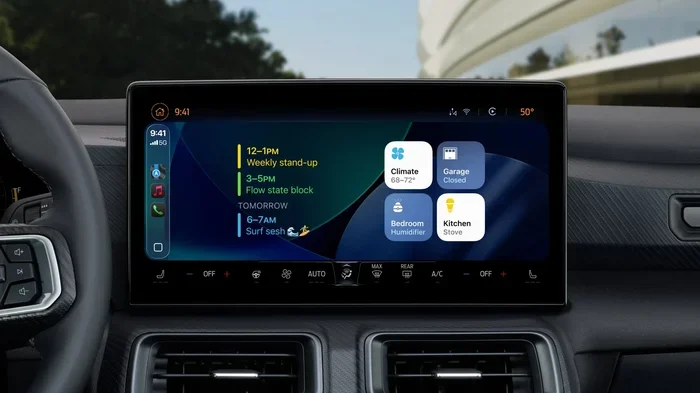
Before we dive into the update process, let us quickly cover what an infotainment system actually is. The term “infotainment” combines information and entertainment. Your car’s infotainment system is the digital hub that handles your audio, navigation, phone connectivity, and sometimes even climate controls. It is the screen you tap, swipe, and interact with every time you get behind the wheel.
Modern infotainment systems run on dedicated operating systems. Some use Android Automotive, while others run on proprietary software built by the automaker. These systems are essentially mini computers. They have processors, memory, and storage, just like your smartphone. And just like your phone, they need software updates to function at their best.
Here are some common components of a car infotainment system:
- Touchscreen display for user interaction
- Audio system for radio, music, and podcasts
- GPS navigation for turn-by-turn directions
- Bluetooth connectivity for hands-free calling and audio streaming
- Smartphone integration through Apple CarPlay or Android Auto
- Voice recognition for hands-free control
Understanding these components helps you appreciate why keeping the software up to date matters. Every part of the system depends on the underlying software to work correctly.
Why You Should Update Your Car Infotainment Software
Some car owners wonder why they should bother updating their infotainment system. The answer is simple: updates make your car better. Here are the top reasons to keep your software current.
Bug Fixes and Stability Improvements
Every piece of software has bugs. Car manufacturers find and fix these bugs through regular update patches. These updates resolve issues like freezing screens, audio glitches, and Bluetooth connection drops. If your infotainment system has been acting up, a software update might be all it needs.
New Features and Enhancements
Many automakers roll out exciting new features through software updates. These can include new voice commands, improved user interface designs, and better integration with your phone. Some updates even add new apps or streaming services to your car. Tesla is famous for this approach, adding features like new games and improved autopilot capabilities through over-the-air updates.
Improved Navigation Accuracy
Your car’s GPS navigation relies on maps and routing data. Software updates often include fresh map data, new points of interest, and improved routing algorithms. This means faster, more accurate directions every time you drive.
Security Updates
Connected cars are vulnerable to cybersecurity threats. Manufacturers release security patches to protect your vehicle from potential hacks. Keeping your infotainment software updated is one of the easiest ways to protect your personal data and vehicle safety.
Better Fuel Efficiency and Performance
Some infotainment updates also improve the overall vehicle performance. They can optimize how the system communicates with the engine control unit, leading to smoother operation and sometimes even better fuel economy.
How to Update Your Car Infotainment System
Now let us get to the practical part. How do you actually update the software on your car infotainment system? The method depends on your vehicle’s age and features. Here are the main approaches.
Method 1: Over-the-Air Updates
Over-the-air updates, often called OTA updates, are the most convenient option. These wireless updates download directly to your car through a Wi-Fi or cellular connection. You do not need to visit a dealer or plug in a USB drive. The car handles everything automatically.
Here is how OTA updates typically work:
- The manufacturer releases a new software version on their servers.
- Your car connects to the internet and checks for available updates.
- You receive a notification on your infotainment screen.
- You accept the update and the car downloads the new software.
- The installation happens automatically, usually while the car is parked.
Cars that support OTA updates include Tesla, BMW, Ford, Hyundai, and many newer models from other brands. If your car has a built-in SIM card or connects to your phone’s hotspot, it likely supports this feature.
Method 2: USB Drive Updates
Not all cars support wireless updates. For these vehicles, you will need to use a USB drive. This method requires a few more steps, but it is still straightforward.
Here is what you need to do:
- Visit your car manufacturer’s website or contact your dealer.
- Download the latest software update file to your computer.
- Transfer the file to a USB flash drive (usually formatted as FAT32).
- Insert the USB drive into your car’s infotainment USB port.
- Follow the on-screen prompts to begin the installation.
- Wait for the update to complete and do not turn off the car.
This method works well for most vehicles, including older models that lack internet connectivity. Always check your owner’s manual for specific instructions for your car brand.
Method 3: Dealer or Service Center Updates
If you prefer not to handle the update yourself, you can visit a dealer or authorized service center. They have the tools and expertise to update your infotainment software quickly. This is a great option if you are not comfortable with the USB method or if your car requires a special update procedure.
Many dealerships offer free software updates during routine maintenance visits. It is worth asking about this service the next time you bring your car in for an oil change or inspection.
Method 4: Mobile App Updates
Some car brands now offer mobile apps that let you manage your vehicle’s software remotely. Through the app, you can check for updates, schedule installations, and even monitor the update progress. Brands like Ford, BMW, and Hyundai offer these companion apps.
Over-the-Air Updates vs. Manual Updates
Choosing between OTA updates and manual updates depends on your car and your preferences. Here is a quick comparison to help you decide.
| Feature | Over-the-Air Updates | Manual USB Updates |
|---|---|---|
| Convenience | Very high | Moderate |
| Internet Required | Yes | No |
| Technical Skill Needed | Low | Medium |
| Time Required | Usually automatic | 30 minutes to 2 hours |
| Availability | Newer car models | Most vehicles |
| Cost | Free | Free |
| Risk of Errors | Low | Slightly higher |
OTA updates are the future of car software management. They make the process seamless and effortless. However, manual USB updates remain a reliable option for vehicles that do not have wireless capabilities. Both methods achieve the same goal: keeping your infotainment system current and functioning properly.
Common Problems When Updating Car Software
Software updates do not always go perfectly. Here are some common issues you might encounter and how to fix them.
Update Failed or Stuck
Sometimes the update process stalls or fails midway. This can happen if the USB drive is not properly formatted or if the car loses power during installation. If this occurs, try restarting the car and attempting the update again. Make sure your USB drive is compatible and has enough storage space.
Infotainment Screen Freezes After Update
A frozen screen after an update can be scary. Do not panic. In most cases, a simple restart fixes the problem. Hold down the power button or disconnect the car battery for a few minutes, then reconnect it. The system should boot back up normally.
New Features Not Showing Up
If you completed an update but do not see the new features, try restarting the system again. Some features require a full system reboot to activate. If the problem persists, check the update log in your settings menu to confirm the installation completed successfully.
Compatibility Issues
Not all updates work with every car configuration. If your vehicle has aftermarket accessories or modified software, a factory update might cause conflicts. Always check with your dealer before installing updates on modified systems.
Slow Update Download
OTA updates can take a long time to download, especially on weak Wi-Fi connections. Make sure your car is connected to a stable network before starting the update. Some manufacturers allow you to schedule downloads for off-peak hours, which can help too.
Tips to Keep Your Infotainment System Running Smoothly
Beyond regular updates, there are several things you can do to keep your car’s infotainment system in top shape.
Restart Your System Regularly
Just like any computer, your car’s infotainment system benefits from regular restarts. A simple reboot once a week clears temporary files and refreshes the system. This small habit can prevent many common issues.
Keep Your USB Ports Clean
Dust and debris can accumulate in your car’s USB ports over time. This can cause connection problems during updates. Use a compressed air can to gently clean the ports every few months.
Use Quality USB Drives
If you use USB drives for manual updates, invest in a reliable, high-quality drive. Cheap or counterfeit USB drives can corrupt the update file and cause serious problems. Look for drives from trusted brands with sufficient storage capacity.
Check for Updates Monthly
Make it a habit to check for infotainment updates at least once a month. Many manufacturers release updates more frequently than people realize. Setting a calendar reminder can help you stay on track.
Read the Release Notes
Before installing any update, take a moment to read the release notes. These notes tell you exactly what the update includes. You might discover new features you did not know about or important bug fixes that address issues you have been experiencing.
Do Not Interrupt the Update Process
Once an update has started, let it finish. Interrupting the process by turning off the car or pulling out a USB drive can corrupt the software. This can lead to serious problems that may require professional repair.
Expert Insights on Car Infotainment Updates
We spoke with several automotive technology experts to get their take on infotainment updates. Here is what they had to say.
Dr. Sarah Chen, Automotive Software Engineer: “Car infotainment systems are evolving rapidly. The shift toward over-the-air updates has been a game changer for both manufacturers and owners. Regular updates keep the vehicle safe, secure, and enjoyable to use.”
Mark Thompson, ASE Certified Mechanic: “I see a lot of cars come into the shop with infotainment problems that a simple software update would fix. Many owners do not realize updates are available. My advice is to check with your dealer at least twice a year.”
Lisa Rodriguez, Automotive Journalist: “The infotainment experience can make or break a car purchase. Brands that commit to regular software updates give their vehicles a longer lifespan and a better ownership experience. It is one of the smartest investments a manufacturer can make.”
Frequently Asked Questions
Can you update the software on any car infotainment system?
Most modern cars allow software updates, but the method varies. Newer vehicles often support over-the-air updates, while older models may require a USB drive or a visit to the dealer. Check your owner’s manual or contact your manufacturer to confirm what options are available for your specific vehicle.
Are car infotainment software updates free?
Yes, most infotainment software updates are free of charge. Manufacturers typically include software updates as part of the vehicle ownership experience. However, some premium features or major version upgrades might require a subscription or one-time payment. Always check the terms before downloading.
How often should I update my car infotainment system?
There is no set schedule, but checking for updates once a month is a good practice. Some manufacturers release updates quarterly, while others issue patches as needed. Setting a monthly reminder ensures you never miss an important update.
What happens if a car infotainment update fails?
A failed update is usually fixable. Try restarting the system and attempting the update again. If the problem persists, consult your owner’s manual or contact your dealer. In rare cases, a failed update might require professional service to resolve.
Can I drive my car while an infotainment update is installing?
No, you should never drive while an infotainment update is installing. Most updates require the car to be parked and the engine off. Driving during an update can corrupt the software and cause serious system malfunctions. Wait until the installation is fully complete before starting the engine.
Do infotainment updates improve navigation accuracy?
Yes, many infotainment updates include updated map data, new points of interest, and improved routing algorithms. These improvements lead to more accurate and efficient navigation. If you have noticed your GPS directions being off lately, a software update might be exactly what you need.
Conclusion
The answer to the question “can you update the software on a car infotainment system” is a resounding yes. Whether your vehicle supports over-the-air updates, USB-based installations, or dealer-assisted updates, keeping your infotainment software current is one of the best things you can do for your car. Regular updates improve performance, fix bugs, add new features, and enhance security. The process is simpler than most people think, and the benefits are well worth the effort.
Take a few minutes today to check if your car’s infotainment system has any pending updates. Your future self will thank you for a smoother, faster, and more enjoyable driving experience. Stay proactive, stay connected, and let your car’s software work as hard as you do.