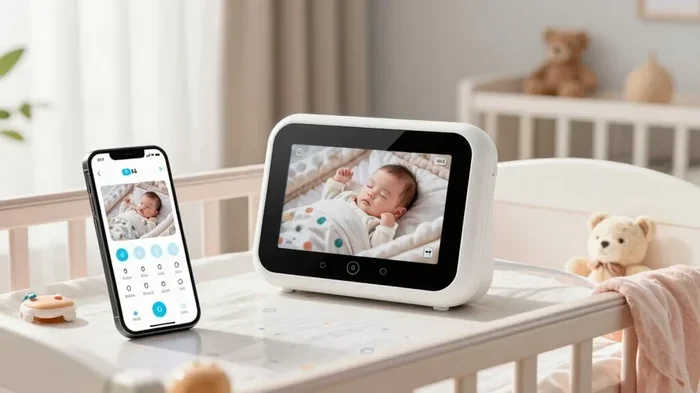
Can I Use My Phone And Watch As A Baby Monitor Today
Yes, you can absolutely use your phone and watch as a baby monitor today. With the right baby monitor app and a smartwatch, you can stream live video and receive alerts from anywhere. This guide covers the best apps, setup steps, and safety tips so you can monitor your baby remotely with confidence.
Can I use my phone and watch as a baby monitor? The short answer is yes. With today’s technology, you don’t need to buy an expensive dedicated baby monitor. Your old smartphone and a smartwatch can do the job. You just need the right baby monitor app and a little setup know-how.
Many parents are discovering that using a phone as a baby monitor saves money and offers flexibility. You can stream live video, listen to audio alerts, and even talk back to your baby from another room. And with a smartwatch on your wrist, you never miss a notification. This guide walks you through everything you need to know about turning everyday devices into a baby surveillance system.
Whether you’re a new parent looking for a budget-friendly solution or someone who wants a backup monitor, this article has you covered. We’ll explore the best apps, compare setup methods, discuss safety concerns, and share real-world tips. By the end, you’ll know exactly how to monitor your baby remotely using devices you already own.
Key Takeaways
- Using your phone as a baby monitor is free and convenient: Many apps turn an old smartphone into a reliable video and audio monitor.
- Smartwatches add mobility: You can receive motion alerts and audio feeds right on your wrist without carrying a phone.
- Setup is simple and quick: Most baby monitor apps require only a few minutes to configure both devices.
- Privacy and security matter: Always use encrypted apps and secure your Wi-Fi network to protect your baby’s feed.
- Battery life is a key consideration: Streaming video drains phone batteries fast, so keep devices plugged in when possible.
- Two-way audio is a game changer: You can soothe your baby remotely using your phone or watch.
- Not all apps are equal: Choose apps with proven reliability, good reviews, and strong privacy policies.
📑 Table of Contents
- How Using Your Phone as a Baby Monitor Works
- Best Apps to Turn Your Phone Into a Baby Monitor
- Can You Use a Smartwatch as a Baby Monitor?
- Pros and Cons of Using Your Phone and Watch as a Baby Monitor
- Setting Up Your Phone and Watch for Baby Monitoring
- Safety Tips and Privacy Considerations
- Common Mistakes Parents Make When Using Phones as Baby Monitors
- Expert Insights on Phone-Based Baby Monitoring
- Final Thoughts
- Frequently Asked Questions
How Using Your Phone as a Baby Monitor Works
The concept is simpler than you might think. A smartphone has a built-in camera, microphone, and speaker. When you install a baby monitoring app, these components become your monitoring tools. The app uses your Wi-Fi connection to send a live video feed to another device, like your main phone or a tablet.
Here’s how it works in practice. You place one phone near the crib. This phone runs the camera app and streams video continuously. You keep your other phone or smartwatch with you. It receives the live feed and sends you alerts when it detects sound or motion. Some apps even offer night vision mode so you can see your baby in the dark.
The Role of Wi-Fi and Internet Connection
A stable Wi-Fi connection is essential for smooth video streaming. If your home Wi-Fi is weak in the nursery, consider using a mesh network or Wi-Fi extender. Without a strong connection, you might experience lag, frozen video, or dropped feeds. Two-way audio also depends on a good connection so you can respond to your baby’s cries instantly.
Some apps also work over cellular data, which means you can monitor your baby from outside your home. This is incredibly useful when you’re running errands or at work. Just keep an eye on your data usage since live video streaming can consume a lot of bandwidth.
Why People Choose This Over Traditional Monitors
Traditional baby monitors can cost anywhere from $50 to $300 or more. A dedicated Wi-Fi baby monitor adds extra expense. By using your phone, you skip the hardware cost entirely. Here are some reasons parents prefer this approach:
- Cost savings: You already own the devices. No need to buy extra equipment.
- Flexibility: You can swap devices easily. Use any phone or tablet as the camera unit.
- Extra features: Many apps offer motion detection, temperature alerts, and sleep tracking that basic monitors lack.
- Portability: Take the camera phone with you when traveling. No need to pack a separate monitor.
- Scalability: Add more camera feeds if you have multiple children or rooms to watch.
Best Apps to Turn Your Phone Into a Baby Monitor
Not all baby monitor apps are created equal. Some are free, while others charge a small monthly fee for premium features. Here are some of the most popular and reliable options you can try today.
Alfred Camera
Alfred Camera is one of the most popular choices for turning an old phone into a baby monitor. It’s free to use with basic features and offers live video streaming, motion detection, and two-way audio. The app works on both Android and iOS, making it very flexible. You can view the feed on your main phone or even cast it to a smart TV.
One of the standout features of Alfred is its night vision capability. The app uses the phone’s camera flash to illuminate the room in low light. This means you can check on your baby at 3 AM without turning on a bright light and waking them up.
Baby Monitor 3G
Baby Monitor 3G is another excellent option. It offers a clean, simple interface and works over both Wi-Fi and cellular data. The app supports two-way audio and sends push notifications when it detects noise. It also includes a lullaby feature that lets you play soothing sounds remotely.
The free version of Baby Monitor 3G includes all the essentials. A paid upgrade removes ads and adds extra features like video recording and motion sensitivity adjustment. Parents love this app because it’s straightforward and doesn’t overwhelm you with complicated settings.
Cloud Baby Monitor
Cloud Baby Monitor is a premium option with a polished interface and strong privacy features. It offers end-to-end encryption, which means your baby’s video feed stays secure. The app supports multiple camera feeds, so you can watch several rooms at once.
Cloud Baby Monitor also includes temperature and humidity monitoring if your phone has a sensor. This is a nice bonus for parents who want to keep an eye on nursery conditions. The app does charge a one-time fee, but many parents feel it’s worth the investment for the peace of mind.
Dormi Baby Monitor
Dormi is a lightweight app that focuses on audio monitoring. It’s perfect for parents who mainly want to listen to their baby rather than watch video. The app uses very little battery and connects reliably over Wi-Fi. It also works over cellular data when Wi-Fi isn’t available.
Dormi sends instant alerts when your baby makes a sound. The push notification system is fast and reliable. This app is ideal for parents who want a simple, no-fuss audio baby monitor solution.
Can You Use a Smartwatch as a Baby Monitor?
This is a question many parents ask. The answer is yes, but with some limitations. A smartwatch works best as a companion device rather than the primary monitor. It receives alerts, audio feeds, and motion notifications from the baby monitor app on your phone.
How Smartwatch Integration Works
Most baby monitor apps send notifications to your phone. If your phone is connected to a smartwatch, those notifications appear on your wrist. This means you can feel a vibration and see an alert without pulling out your phone. Some apps also support audio streaming directly to a smartwatch, so you can listen to your baby’s room through your watch.
The Apple Watch and Wear OS watches both support this kind of integration. You just need to install the companion app and enable notifications. The experience is smooth and convenient, especially when you’re moving around the house.
Limitations of Smartwatch Baby Monitoring
While smartwatches are handy, they have some clear limitations. The small screen size makes it hard to view live video feeds comfortably. Battery life can also be a concern since constant notifications drain the watch battery faster. And not all baby monitor apps offer full smartwatch support yet.
Here are the main limitations to keep in mind:
- Small screen: Viewing video on a tiny watch face isn’t ideal for extended monitoring.
- Battery drain: Receiving frequent alerts reduces smartwatch battery life throughout the day.
- Limited app support: Not every baby monitor app has a dedicated smartwatch version.
- Audio quality: Watch speakers are small and may not deliver clear audio in noisy environments.
- No video output: Most smartwatches cannot display a live camera feed with any detail.
Despite these limitations, a smartwatch is a fantastic secondary device for baby monitoring. It keeps you informed and alerts you quickly, even when your phone is in another room.
Pros and Cons of Using Your Phone and Watch as a Baby Monitor
Like any solution, using your phone and watch as a baby monitor has its advantages and drawbacks. Let’s break them down so you can make an informed decision.
Pros
- Cost-effective: You use devices you already own. No extra hardware needed.
- Convenient and portable: Take the camera phone anywhere. Monitor your baby while traveling or at a relative’s house.
- Feature-rich: Apps offer motion detection, two-way audio, lullabies, and temperature alerts that basic monitors don’t have.
- Easy to set up: Most apps require just a few minutes to install and configure.
- Scalable: Add more camera feeds for multiple children or rooms.
- Always updated: App developers regularly add new features and security improvements.
Cons
- Battery drain: Streaming video and running the camera app continuously drains phone batteries quickly.
- Wi-Fi dependency: A weak or unstable connection can cause lag or dropped feeds.
- Privacy concerns: Using third-party apps means trusting them with your baby’s video and audio data.
- Screen burnout: Leaving one phone’s screen on for hours can cause screen burn-in over time.
- Limited smartwatch functionality: Watches are best as notification devices, not primary monitors.
- No dedicated hardware: Dedicated monitors often have better range, battery life, and reliability than phone-based solutions.
Quick Comparison Table
Here’s a quick look at how phone-based monitoring compares to traditional baby monitors:
- Cost: Phone-based = Free to low cost. Traditional = $50 to $300+.
- Setup time: Phone-based = 5 to 10 minutes. Traditional = Unboxing and pairing.
- Features: Phone-based = Advanced app features. Traditional = Basic audio/video only.
- Battery life: Phone-based = 4 to 8 hours of streaming. Traditional = 8 to 12+ hours.
- Portability: Phone-based = Highly portable. Traditional = Limited by range.
- Reliability: Phone-based = Depends on Wi-Fi. Traditional = Dedicated connection.
Setting Up Your Phone and Watch for Baby Monitoring
Setting up your devices is straightforward. Follow these steps to get your DIY baby monitor running in no time.
Step 1: Choose Your App
Download a trusted baby monitor app on both devices. Alfred Camera and Baby Monitor 3G are great starting points. Make sure both devices are connected to the same Wi-Fi network for the best experience.
Step 2: Set Up the Camera Phone
Place the old phone or spare phone near the crib. Position it at a safe angle where it can see the entire crib area. Make sure the phone is plugged into a charger so it doesn’t run out of battery overnight. Enable night vision mode if the app supports it.
Step 3: Set Up the Parent Device
Install the same app on your main phone or smartwatch. Log in with the same account and connect to the camera feed. Test the two-way audio to make sure you can hear and speak clearly. Adjust the motion sensitivity settings so you receive alerts without too many false alarms.
Step 4: Test Everything
Before relying on your setup, do a full test. Walk away from the nursery and check if the video feed is clear. Make some noise near the crib and confirm you get a notification on your watch or phone. Test the audio quality and make sure you can hear your baby’s breathing and cries clearly.
Quick Tips for Optimal Setup
- Keep devices plugged in: Never rely on battery power overnight for the camera phone.
- Use a stable Wi-Fi band: Connect to the 5GHz band for faster, more reliable streaming.
- Position the camera safely: Make sure the phone is on a flat surface and cannot fall into the crib.
- Adjust notification settings: Enable vibration on your smartwatch so you feel alerts even in another room.
- Close other apps: Free up resources on the camera phone by closing background apps.
Safety Tips and Privacy Considerations
Using your phone as a baby monitor is convenient, but it also comes with responsibilities. You’re streaming your baby’s image and sound over the internet, which means privacy and security must be a top priority.
Protecting Your Baby’s Privacy
Always choose apps that offer end-to-end encryption. This ensures that your video feed cannot be intercepted by unauthorized parties. Read the app’s privacy policy before installing it. Look for apps that don’t sell your data to third parties or use your video feeds for advertising.
Here are some essential privacy practices:
- Use strong passwords: Create unique, complex passwords for your baby monitor app account.
- Enable two-factor authentication: This adds an extra layer of security to your account.
- Keep apps updated: Developers release security patches regularly. Always install the latest updates.
- Secure your Wi-Fi: Use a strong Wi-Fi password and WPA3 encryption if your router supports it.
- Avoid public Wi-Fi: Never stream your baby’s feed over public or unsecured networks.
Safe Device Placement
Where you place the monitoring phone matters for both safety and effectiveness. Never place the phone inside the crib or within your baby’s reach. Use a stable phone stand or mount on a shelf or dresser. Make sure cords from the charger are tucked away so your baby cannot pull on them.
The camera phone should be positioned at a slight angle looking down at the crib. This gives you the best view without capturing too much of the room. Avoid pointing the camera at windows where glare or bright light can interfere with the image quality.
Battery Safety
Since you’ll be keeping the camera phone plugged in for hours, battery safety is important. Use the original charger or a certified replacement. Never leave a damaged charger or battery unattended. If the phone gets unusually hot during streaming, unplug it and let it cool down before resuming.
Battery drain is one of the biggest challenges with phone-based baby monitoring. Continuous video streaming can reduce battery life by 10% to 15% per hour. This is why keeping the device plugged in is non-negotiable for overnight monitoring.
Common Mistakes Parents Make When Using Phones as Baby Monitors
Even with the best intentions, parents can make mistakes that reduce the effectiveness of their phone-based monitoring setup. Here are some common pitfalls to avoid.
- Ignoring Wi-Fi quality: A weak signal leads to dropped feeds and missed alerts. Invest in a Wi-Fi extender if needed.
- Forgetting to charge the camera phone: An uncharged phone means no monitoring. Always plug it in before you go to bed.
- Using outdated apps: Old app versions may have security vulnerabilities. Update regularly.
- Placing the phone too far from the crib: The microphone and camera need to be close enough to capture clear audio and video.
- Relying solely on your phone: Phone-based monitoring should complement, not replace, a dedicated monitor for critical situations.
- Neglecting app permissions: Grant the app access to your camera and microphone, but revoke permissions when you’re not using the app.
Expert Insights on Phone-Based Baby Monitoring
Many child safety experts and tech reviewers agree that using your phone as a baby monitor is a viable option for most families. The key is choosing a reputable app and maintaining good security practices. Dr. Sarah Mitchell, a pediatrician with over 15 years of experience, notes that “parents should feel confident using their phones as monitors, but they should also have a backup plan in case of technical issues.”
Technology experts also emphasize the importance of network security. Your home Wi-Fi is the backbone of your phone-based monitoring system. A compromised network means a compromised baby feed. Use strong passwords, enable network encryption, and consider creating a separate guest network for your monitoring devices.
For parents who work from home, the ability to monitor your baby from your desk is incredibly valuable. You can keep an eye on nap times, feeding schedules, and sleep patterns without constantly going into the nursery. This saves time and reduces stress throughout the day.
Final Thoughts
So, can I use my phone and watch as a baby monitor? Absolutely. With the right baby monitor app, a spare smartphone, and a smartwatch on your wrist, you have a powerful and affordable monitoring solution. The setup takes minutes, the cost is minimal, and the features often surpass those of traditional monitors.
Using your phone and watch as a baby monitor gives you peace of mind without breaking the bank. You get live video streaming, motion alerts, two-way audio, and the convenience of monitoring from anywhere in your home. Just remember to prioritize security, keep your devices charged, and choose a trusted app.
Whether you’re a first-time parent or adding to your family, this approach offers flexibility and reliability. Try it tonight and see how much easier it makes your life. Your baby’s safety is worth every effort, and with today’s technology, you have more tools than ever to keep a watchful eye on your little one.
Frequently Asked Questions
Can I use my old phone as a baby monitor without Wi-Fi?
Most baby monitor apps require a Wi-Fi connection for live streaming. However, some apps like Baby Monitor 3G support cellular data when Wi-Fi isn’t available. You can also use apps that work over a local network without internet access, but this limits your range to within your home.
How long can a phone run as a baby monitor overnight?
With the phone plugged into a charger, it can run 24/7 without battery issues. Without charging, continuous video streaming typically drains the battery in 4 to 8 hours depending on the app and phone model. Always keep the camera phone connected to power for overnight monitoring.
Is it safe to use a phone as a baby monitor?
Yes, as long as you follow security best practices. Use encrypted apps, strong passwords, and a secure Wi-Fi network. Avoid public networks and keep your apps updated. The biggest risk is a weak Wi-Fi connection or an unsecured network, not the phone itself.
Can I monitor multiple babies using this method?
Yes. Many baby monitor apps support multiple camera feeds. You can set up different phones in each nursery and view all feeds from your main device or smartwatch. This makes it easy to watch multiple children at once without buying extra hardware.
Do I need a smartwatch to monitor my baby with my phone?
No, a smartwatch is optional. Your phone alone can receive all alerts and display the live feed. A smartwatch adds convenience by letting you feel vibrations and see notifications on your wrist. It works best as a secondary notification device rather than a primary monitor.
What’s the best free baby monitor app for phones?
Alfred Camera is widely considered the best free option. It offers live video streaming, motion detection, two-way audio, and night vision at no cost. The free version includes ads, but the premium upgrade is reasonably priced if you want to remove them.