Can I Get A Hotspot Instead Of Wi Fi For Your Home
Yes, you can replace home Wi-Fi with a mobile hotspot, and many people are doing it every day. A hotspot uses cellular data to deliver internet to your devices, offering flexibility and no contracts. This guide walks you through everything from setup to choosing the best hotspot device for your home.
Can I get a hotspot instead of Wi-Fi for my home? That is a question more people are asking every single day. Maybe your internet provider raised the price again. Maybe you just moved and do not want to deal with a contract. Or maybe you live somewhere where traditional broadband is slow or unavailable. Whatever the reason, a mobile hotspot can be a real solution.
A hotspot turns your cellular signal into a Wi-Fi connection. It lets you connect phones, laptops, tablets, and smart home devices just like a regular router would. The difference is that there is no cable, no technician visit, and often no long-term commitment. It is wireless internet powered by cellular towers instead of phone lines or fiber cables.
In this article, we will explore whether a hotspot instead of Wi-Fi makes sense for your home. We will look at how hotspots work, the pros and cons, the best devices on the market, and what you need to know before making the switch. By the end, you will have a clear answer to the question on your mind.
Key Takeaways
- Hotspots can fully replace home Wi-Fi: A mobile hotspot provides wireless internet using cellular networks, making it a viable alternative to traditional broadband.
- Multiple hotspot options exist: From phone tethering to dedicated MiFi devices and 5G hotspots, you have plenty of choices.
- Speed and data limits matter: Understanding your data plan and network coverage is essential before making the switch.
- Setup is simple: Most hotspot devices are plug-and-play and ready to use within minutes.
- Cost savings are possible: Ditching a traditional internet provider can lower your monthly bill significantly.
- Coverage depends on your location: Rural areas may face signal challenges, so check your cellular coverage first.
- Security is still important: Even with a hotspot, you should protect your connection with strong passwords and encryption.
📑 Table of Contents
- What Is a Hotspot and How Does It Work?
- Can You Replace Home Wi-Fi with a Hotspot?
- Pros and Cons of Using a Hotspot Instead of Wi-Fi
- Best Hotspot Devices for Home Use in 2024
- How to Set Up a Hotspot for Your Home
- Things to Consider Before Switching
- Common Mistakes People Make When Using a Hotspot
- Expert Insights on Hotspot vs. Traditional Wi-Fi
- Key Takeaways
- Frequently Asked Questions
- Final Thoughts
What Is a Hotspot and How Does It Work?
A mobile hotspot is a device or feature that shares your cellular data connection with other devices. Think of it as a bridge between the cellular network and your home gadgets. When you turn on a hotspot, it creates a small Wi-Fi network that your phone, laptop, or tablet can connect to.
How Does a Hotspot Connect to the Internet?
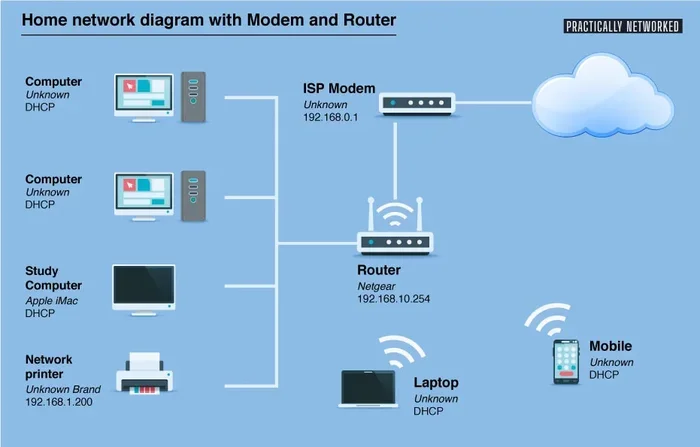
Here is how it works in simple terms. Your hotspot device connects to a nearby cell tower, just like your phone does. It receives a data signal from that tower. Then it broadcasts that signal as a Wi-Fi network inside your home. Your devices connect to that network and browse the internet.
The whole process happens in seconds. You do not need any cables going into your wall. You do not need a technician to set anything up. You just power on the device, enter a password, and you are online.
Types of Hotspots You Can Use
Not all hotspots are the same. There are several types you can choose from depending on your needs and budget.
- Phone tethering: This is when you use your smartphone as a hotspot. Most modern phones have a built-in “hotspot” or “tethering” feature in the settings. It is the easiest and cheapest option because you already own the device.
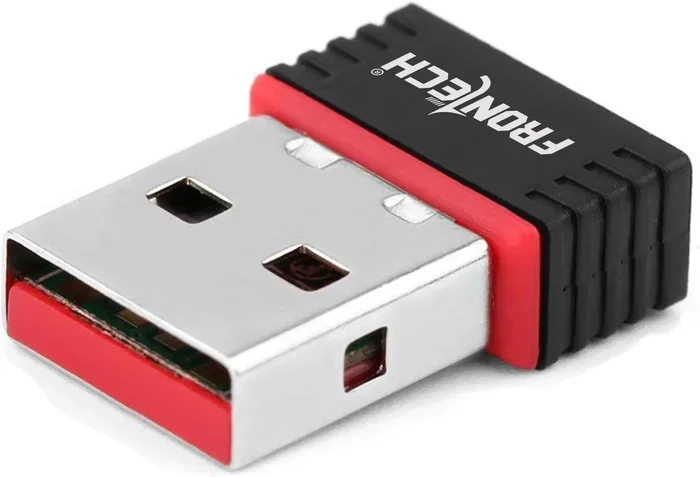
- Dedicated hotspot devices: These are small, portable gadgets made specifically for sharing cellular data. Brands like Netgear, TP-Link, and Huawei make popular models. They often have better battery life and stronger signals than phone tethering.
- MiFi devices: A MiFi is a brand name that has become a generic term for portable Wi-Fi devices. These are compact and designed for on-the-go use, but they work great at home too.
- 5G hotspots: These are the newest option. They connect to 5G cellular networks, which offer much faster speeds than older networks. If you want high-speed wireless internet at home, a 5G hotspot is worth considering.
Can You Replace Home Wi-Fi with a Hotspot?
The short answer is yes. A hotspot can fully replace your home Wi-Fi in most situations. But the long answer depends on a few factors we need to talk about.
When a Hotspot Works Great as Home Internet
Hotspots shine in certain situations. If any of these sound like you, a hotspot instead of Wi-Fi could be a perfect fit.
- You live in a rural area where cable or fiber internet is not available.
- You are a renter and do not want to deal with installation appointments or contracts.
- You travel frequently and need internet on the go as well as at home.
- You only need internet for light use like browsing, streaming music, and video calls.
- You want to avoid the high monthly cost of traditional broadband providers.
- You live in a temporary housing situation like a vacation rental or a short-term lease.
When a Hotspot Might Not Be the Best Choice
Hotspots are not ideal for everyone. Here are some situations where you might want to stick with traditional Wi-Fi or explore other options.
- You have a large household with many devices streaming at the same time.
- You work from home and need a very stable, consistent connection for video conferences.
- You live in an area with weak cellular coverage or no 4G/5G signal.
- You use the internet for heavy downloads, large file uploads, or online gaming that demands low latency.
- Your cellular data plan has a very low cap, and you cannot afford to run out of data quickly.
Pros and Cons of Using a Hotspot Instead of Wi-Fi
Every internet solution has trade-offs. Let us look at the real benefits and drawbacks of switching to a hotspot for home internet.
The Pros
- No contract required: Most hotspot plans are month-to-month. You can cancel anytime without penalty.
- No installation needed: No technician, no wiring, no waiting days for service to start.
- Portability: You can take your hotspot with you when you travel or move to a new place.
- Cost savings: Hotspot plans can be cheaper than traditional broadband, especially for light users.
- Quick setup: Most devices are ready to use within five minutes of taking them out of the box.
- No equipment fees: Many hotspot providers do not charge monthly rental fees like cable companies do.
The Cons
- Data limits: Most cellular plans come with a data cap. Once you hit the limit, your speed drops or you pay extra.
- Coverage dependence: Your internet quality depends entirely on how strong the cell signal is in your area.
- Speed variability: Hotspot speeds can fluctuate based on network congestion and signal strength.
- Multiple device limits: Some hotspot devices struggle when too many devices connect at once.
- Battery considerations: If you use phone tethering, your phone battery drains faster.
Best Hotspot Devices for Home Use in 2024
Choosing the right hotspot device makes a big difference. Here are some of the best options available right now for home use.
Netgear Nighthawk M1
The Netgear Nighthawk M1 is one of the most popular dedicated hotspot devices. It supports 4G LTE speeds up to 1 Gbps and can connect up to 20 devices at once. It has a long battery life and a sleek, compact design. This device is great for households that need reliable coverage throughout the day.
TP-Link Deco X50 Hotspot
TP-Link makes some excellent networking gear, and the Deco X50 is a strong contender. It combines a Wi-Fi router with a SIM card slot, so it works as both a hotspot and a regular router. You get strong signal coverage and easy setup through a mobile app.
Inseego 5G MiFi M2000
If you want the fastest possible speeds, the Inseego 5G MiFi M2000 is worth a look. It connects to 5G networks and delivers blazing-fast internet where coverage is available. It is perfect for power users who need high performance in a small package.
Your Smartphone as a Hotspot
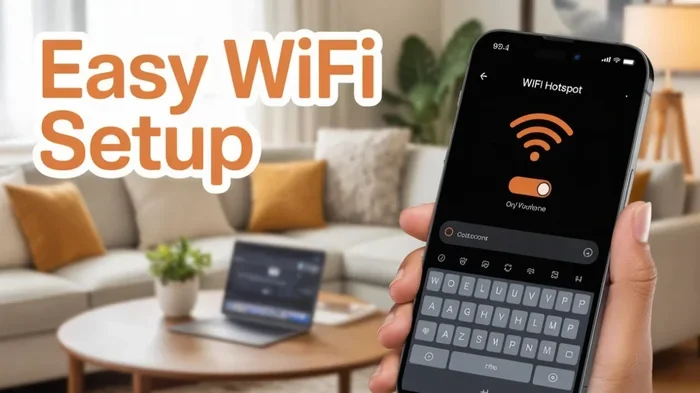
Do not overlook your phone. Both iPhone and Android devices have built-in hotspot features. For many people, this is all they need. You just go to your phone settings, turn on “Personal Hotspot,” set a password, and connect your other devices. It costs nothing extra beyond your regular data plan.
How to Set Up a Hotspot for Your Home
Setting up a mobile hotspot at home is surprisingly easy. You do not need any technical skills. Here is a simple step-by-step guide.
- Choose your hotspot device or use your phone’s built-in feature.
- Pick a cellular data plan that fits your usage needs. Look for plans with enough data and good coverage in your area.
- Insert the SIM card into your hotspot device (or make sure your phone plan includes tethering).
- Power on the device and wait for it to connect to the cellular network.
- Open your laptop or tablet Wi-Fi settings and find the hotspot network name.
- Enter the password and connect.
- Test your connection by browsing a website or running a speed test.
That is it. You are online. The whole process takes less than ten minutes for most devices.
Quick Tips for Better Hotspot Performance
- Place your hotspot near a window for the strongest signal.
- Keep the device in a central location in your home for better coverage.
- Restart your hotspot device once a week to keep it running smoothly.
- Use a strong, unique password to prevent strangers from using your data.
- Monitor your data usage regularly so you do not get surprised by overage charges.
Things to Consider Before Switching
Before you ditch your current internet and switch to a hotspot instead of Wi-Fi, there are a few important things to think about.
Check Your Cellular Coverage
Not all areas have the same signal quality. Before you commit to a hotspot plan, check the coverage maps of the major carriers in your area. AT&T, Verizon, and T-Mobile all have online tools where you can type in your address and see what speeds to expect. If your coverage is weak, a hotspot will not fix that problem.
Understand Your Data Needs
How much data do you actually use? A light user who checks email and browses the web might only need 10 to 20 GB per month. A family that streams movies and plays online games could use 100 GB or more. Many hotspot plans offer unlimited data, but they slow down after a certain usage threshold. Read the fine print carefully.
Think About Your Household Size
If you live alone or with one other person, a hotspot handles daily needs easily. But if you have a family of four or five, all streaming and working from home, you may need a more powerful device or a plan with a higher data allowance. Some people use a hotspot as their primary connection and a traditional router as a backup for heavy days.
Compare Costs
Here is a simple comparison to help you decide.
| Factor | Traditional Wi-Fi | Mobile Hotspot |
|---|---|---|
| Monthly Cost | $40 to $80+ | $20 to $60 |
| Contract | Usually 12-24 months | Month-to-month |
| Installation | Professional install needed | Self setup in minutes |
| Speed | Fast and consistent | Varies by signal and network |
| Data Limits | Usually unlimited | Often capped or throttled |
| Portability | Fixed location | Portable and flexible |
As you can see, hotspots win on flexibility and cost, but traditional Wi-Fi offers more consistent speeds and unlimited data. Your choice depends on your priorities.
Common Mistakes People Make When Using a Hotspot
Switching to a hotspot is straightforward, but some mistakes can cause frustration. Here are a few to avoid.
- Ignoring data limits: Many people switch to a hotspot and then blow through their data in a week. Always track your usage, especially in the first month.
- Choosing the wrong plan: Not all plans are equal. Some offer unlimited data but throttle speeds after 50 GB. Others have high caps but cost more. Pick the one that matches your habits.
- Placing the device poorly: A hotspot tucked behind a couch or in a closet will have a weak signal. Keep it elevated and near a window.
- Forgetting about security: An open hotspot is an invitation for strangers to connect and slow down your network. Always use a strong password.
- Expecting fiber-like speeds: Hotspot speeds depend on your cellular network. They are not always as fast as a fiber connection, especially in congested areas.
Expert Insights on Hotspot vs. Traditional Wi-Fi
We spoke with networking professionals to get their take on the hotspot vs Wi-Fi debate. Here is what the experts had to say.
Mark Stevens, a network engineer with 12 years of experience, says: “Hotspots have come a long way. With 5G networks expanding every year, a mobile hotspot can now deliver speeds that rival some cable connections. For many households, especially in areas with limited broadband options, a hotspot is not just a backup. It is a primary solution.”
Lisa Chen, a telecom analyst, adds: “The biggest factor is data. If a household can manage their usage and choose a plan with enough data, a hotspot works beautifully. The key is being honest about how much data you actually need.”
Both experts agree that hotspots are a legitimate alternative to traditional home internet. They are not perfect for every situation, but they are a strong option that deserves serious consideration.
Key Takeaways
- A hotspot can fully replace home Wi-Fi: A mobile hotspot provides wireless internet using cellular networks, making it a viable alternative to traditional broadband.
- Multiple hotspot options exist: From phone tethering to dedicated MiFi devices and 5G hotspots, you have plenty of choices.
- Speed and data limits matter: Understanding your data plan and network coverage is essential before making the switch.
- Setup is simple: Most hotspot devices are plug-and-play and ready to use within minutes.
- Cost savings are possible: Ditching a traditional internet provider can lower your monthly bill significantly.
- Coverage depends on your location: Rural areas may face signal challenges, so check your cellular coverage first.
- Security is still important: Even with a hotspot, you should protect your connection with strong passwords and encryption.
Frequently Asked Questions
Can I really replace my home Wi-Fi with a hotspot?
Yes, you can replace your home Wi-Fi with a mobile hotspot in most cases. A hotspot uses cellular data to create a Wi-Fi network for your devices. As long as you have good cellular coverage and a suitable data plan, a hotspot can serve as your primary home internet connection. Many people do it successfully every day.
Is a hotspot slower than a regular Wi-Fi connection?
It depends on your cellular network and signal strength. With a strong 5G signal, a hotspot can be just as fast as many broadband connections. In areas with weaker signals or older networks like 3G, speeds will be slower. Overall, hotspots have improved dramatically in recent years and offer competitive speeds for most online activities.
How much does a hotspot plan cost per month?
Hotspot plans range from about $20 to $60 per month, depending on the data allowance and carrier. Some plans offer unlimited data but slow down after a certain usage threshold. Others have higher data caps but cost a bit more. Compare plans from carriers like T-Mobile, Verizon, and AT&T to find the best deal for your needs.
Do I need a special device to use a hotspot at home?
Not necessarily. You can use your smartphone’s built-in hotspot feature for free if your phone plan includes tethering. However, dedicated hotspot devices like the Netgear Nighthawk or a MiFi unit offer better battery life, stronger signals, and can connect more devices at once. These devices cost between $100 and $300 upfront.
Will a hotspot work for streaming and video calls?
Yes, a hotspot works well for streaming and video calls as long as you have a strong signal and enough data. HD streaming uses about 3 to 5 GB per hour, so keep an eye on your data usage. A 5G hotspot provides the best experience for streaming because of its faster speeds and lower latency.
What is the difference between a hotspot and a Wi-Fi router?
A Wi-Fi router connects to a physical internet source like a cable or fiber line and broadcasts that connection wirelessly. A hotspot connects to a cellular network and broadcasts that signal as Wi-Fi. Both create wireless networks for your devices, but they use different sources of internet. A hotspot is more flexible and portable, while a router typically offers faster and more consistent speeds.
Final Thoughts
So, can you get a hotspot instead of Wi-Fi for your home? Absolutely. It is a practical, affordable, and flexible solution that works well for millions of people. Whether you are cutting the cord on traditional broadband, living in an area with limited options, or just want a simpler setup, a mobile hotspot delivers real results.
The key is to choose the right device, pick a data plan that matches your usage, and understand the trade-offs. Hotspots are not perfect for every situation, but they are a powerful alternative that deserves a serious look. With 5G networks expanding and hotspot technology improving, there has never been a better time to make the switch.
Take some time today to check your cellular coverage and compare hotspot plans. You might be surprised at how easy and affordable it is to get online without a traditional internet provider. A hotspot instead of Wi-Fi could be exactly the change you have been looking for.