How Do I Share Internet Between Phones With Bluetooth
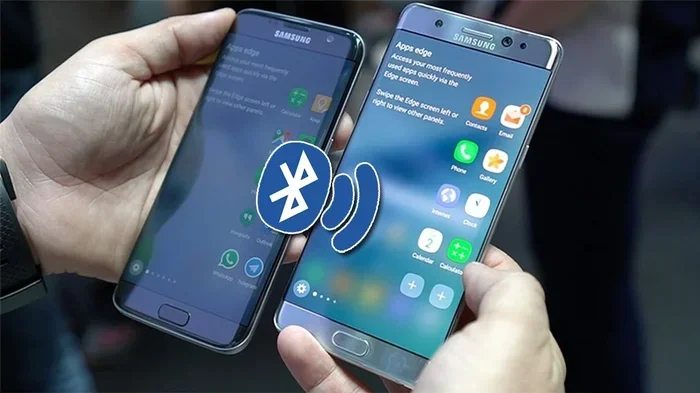
Sharing internet between phones with Bluetooth is simple, free, and works without a Wi-Fi router. Whether you have an Android or iPhone, Bluetooth tethering lets you connect one phone to another and share your mobile data instantly. This guide walks you through every step, from pairing to troubleshooting, so you can get online fast.
Have you ever been in a spot where your phone has no signal, but the person next to you has full bars? That frustrating moment is exactly why sharing internet between phones is such a useful skill. Whether you are traveling, working outdoors, or just dealing with a dead Wi-Fi connection, Bluetooth tethering can save the day.
Bluetooth internet sharing lets you use one phone’s data plan on another phone. No cables. No extra apps. Just a quick pairing process and you are good to go. In this guide, we will walk you through how to share internet between phones with Bluetooth in the simplest way possible. We will cover everything from basic pairing to speed tips and common fixes.
By the end of this article, you will know exactly how to set up Bluetooth data sharing on both Android and iPhone. You will also learn the pros and cons compared to mobile hotspot sharing, how to boost your connection speed, and how to keep your data safe while sharing. Let us dive in.
Key Takeaways
- Bluetooth tethering is a quick way to share internet between phones without needing cables or Wi-Fi hotspots.
- Both Android and iPhone devices support Bluetooth data sharing, though the steps differ slightly.
- Bluetooth tethering is slower than hotspot sharing but uses less battery and doesn’t broadcast a visible network.
- Pairing your phones correctly is the most important step for a stable connection.
- Common issues like slow speeds or connection drops can usually be fixed with simple resets or settings checks.
- Bluetooth sharing is generally safe when you use trusted devices and keep your settings updated.
📑 Table of Contents
- What Is Bluetooth Tethering and Why Share Internet Between Phones?
- How to Share Internet Between Phones With Bluetooth on Android
- How to Share Internet Between Phones With Bluetooth on iPhone
- Bluetooth Tethering vs Mobile Hotspot: Which Is Better?
- Tips to Improve Bluetooth Internet Sharing Speed
- Common Problems When Sharing Internet Between Phones With Bluetooth
- Is It Safe to Share Internet Between Phones With Bluetooth?
- Key Takeaways
- Frequently Asked Questions
- Conclusion
What Is Bluetooth Tethering and Why Share Internet Between Phones?
Understanding Bluetooth Tethering
Bluetooth tethering is the process of using Bluetooth wireless technology to share your phone’s mobile data connection with another device. Think of it like giving your second phone a temporary internet lifeline. Instead of connecting through Wi-Fi or a USB cable, the two phones communicate directly through a short-range wireless signal.
Bluetooth has been around for decades, and almost every smartphone made today supports it. This makes Bluetooth internet sharing one of the most accessible methods for connecting phone to phone. You do not need any special equipment or technical knowledge. Your phone already has everything built in.
Why Choose Bluetooth Over Other Methods?
There are several ways to share mobile data between phones. You could use a mobile hotspot, a USB cable, or even Wi-Fi Direct. So why pick Bluetooth? Here are some key reasons:
- No extra apps needed. Bluetooth tethering is built into every smartphone. You do not need to download anything from an app store.
- Low battery drain compared to hotspot. Hotspot mode uses a lot of power because it constantly broadcasts a Wi-Fi signal. Bluetooth uses much less energy.
- No visible network name. Unlike a hotspot, Bluetooth sharing does not broadcast your network to everyone nearby. This adds a layer of privacy.
- Works without Wi-Fi. You can share data even when both phones have no Wi-Fi connection at all.
- Simple pairing process. Once you pair the phones, they remember each other and reconnect easily.
That said, Bluetooth data sharing does have limitations. The speed is slower than Wi-Fi hotspot sharing. Bluetooth also has a shorter range, usually around 30 feet. But for quick, short-range data sharing, it is an excellent choice.
How to Share Internet Between Phones With Bluetooth on Android
Step-by-Step Guide for Android Devices
Sharing internet between Android phones using Bluetooth is straightforward. Follow these steps carefully and you will be connected in just a few minutes.
- Turn on Bluetooth on both phones. Go to Settings, then Bluetooth, and toggle it on. Make sure both phones are visible to each other.
- Pair the two phones. On the phone that will share data, look for the other phone in the Bluetooth device list. Tap on it and wait for the pairing request. Confirm the pairing code on both screens.
- Enable Bluetooth tethering on the host phone. Go to Settings > Network & Internet > Hotspot & Tethering > Bluetooth Tethering. Toggle it on.
- Connect the second phone to the tethering network. On the receiving phone, go to Bluetooth settings and find the paired device. Look for a tethering option and tap to connect.
- Test the connection. Open a browser on the receiving phone and try loading a webpage. If it loads, you are successfully sharing internet between phones.
Android Bluetooth Tethering Settings Explained
Android phones hide the tethering settings in different places depending on the brand and version. On Samsung phones, you might find it under Connections > Mobile Hotspot and Tethering > Bluetooth Tethering. On Google Pixel phones, it is under Network & Internet > Hotspot & Tethering. The path may vary slightly, but the options are always there.
Quick tip: If you cannot find Bluetooth tethering in your settings, try searching for “tethering” in the settings search bar. This works on most Android phones and saves you from digging through menus.
How to Share Internet Between Phones With Bluetooth on iPhone
iPhone to iPhone Bluetooth Sharing Steps
iPhone users can also share internet between phones using Bluetooth, but Apple handles it a bit differently. iPhones use a feature called Personal Hotspot, which can work over Bluetooth. Here is how to do it:
- Enable Bluetooth on both iPhones. Go to Settings > Bluetooth and turn it on. Make sure both devices are discoverable.
- Pair the iPhones. On the sharing iPhone, go to Settings > Bluetooth and tap the name of the other iPhone. Confirm the pairing request on both devices.
- Turn on Personal Hotspot. On the sharing iPhone, go to Settings > Personal Hotspot. Make sure it is turned on. Below that, you will see the option to allow connections via Bluetooth.
- Connect the second iPhone to the hotspot. On the receiving iPhone, go to Settings > Personal Hotspot and make sure Bluetooth is toggled on. It should connect to the host iPhone automatically.
- Verify the connection. Open Safari or any app that uses the internet on the receiving iPhone. If the data loads, your iPhone Bluetooth sharing is working.
Can iPhone Share Internet with Android via Bluetooth?
Unfortunately, Apple makes it difficult to share data between iPhone and Android using Bluetooth. iPhones do not support Bluetooth tethering to non-Apple devices in the same way. If you need to connect phone to phone across different operating systems, your best bet is to use a mobile hotspot or a third-party app. Some apps like PdaNet+ can help bridge this gap, but they come with limitations and may require a paid subscription.
Bluetooth Tethering vs Mobile Hotspot: Which Is Better?
Comparing the Two Methods
When you want to share internet between phones, you generally have two main options: Bluetooth tethering or mobile hotspot. Both work, but they are quite different. Let us compare them side by side.
| Feature | Bluetooth Tethering | Mobile Hotspot |
|---|---|---|
| Speed | Slower (up to 3 Mbps typically) | Faster (can reach 100+ Mbps) |
| Battery Usage | Low to moderate | High |
| Range | Up to 30 feet | Up to 50 feet |
| Security | Very secure (paired devices only) | Secure with strong password |
| Setup Difficulty | Easy | Very easy |
| Visibility | Invisible to others | Broadcasts network name |
| Number of Connections | One device at a time | Multiple devices possible |
When to Use Bluetooth Tethering
Choose Bluetooth sharing when you need a quick, low-power connection for one device. It is perfect for situations where you want to keep your data private and do not need high speeds. For example, if you are sending a few messages or checking email on a second phone, Bluetooth tethering works great.
When to Use Mobile Hotspot Instead
Use a mobile hotspot when you need faster speeds or want to connect multiple devices. If you are streaming videos, video calling, or browsing heavy websites, hotspot mode will give you a much better experience. The trade-off is higher battery drain and a visible network that others can potentially detect.
Tips to Improve Bluetooth Internet Sharing Speed
Optimize Your Bluetooth Connection
Bluetooth tethering is not known for blazing speeds, but you can still improve the connection quality with a few simple steps. These tips help you get the most out of Bluetooth data sharing between your phones.
- Keep the phones close together. Bluetooth range is limited. The closer the phones are, the stronger the signal and the faster the data transfer. Try to keep them within 10 feet for best results.
- Remove physical barriers. Walls, metal objects, and even your body can weaken the Bluetooth signal. Keep both phones in the same pocket or on the same table for optimal performance.
- Turn off unnecessary Bluetooth devices. If your phone is connected to a smartwatch, headphones, or a speaker, these connections can interfere with tethering. Temporarily disconnect them to free up bandwidth.
- Restart both phones before sharing. A fresh restart clears network caches and can resolve minor connection issues that slow down your Bluetooth tethering speed.
- Update your phone software. Manufacturers often release updates that improve Bluetooth performance. Check for the latest software version on both phones before you start sharing.
Manage Your Data Usage
Since Bluetooth sharing is slower, it is smart to manage how you use the shared connection. Avoid downloading large files or streaming high-definition videos. Instead, use the connection for lighter tasks like checking emails, browsing text-heavy websites, or sending messages. This keeps the experience smooth for both phones.
Common Problems When Sharing Internet Between Phones With Bluetooth
Connection Keeps Dropping
If your Bluetooth internet sharing connection drops frequently, the issue is usually signal interference or distance. Move the phones closer together and make sure nothing is blocking the signal. Also, try turning Bluetooth off and back on both devices. This simple reset often fixes dropped connections instantly.
Slow Speeds or Timeout Errors
Slow speeds are the most common complaint with Bluetooth tethering. As mentioned earlier, Bluetooth is inherently slower than Wi-Fi. But if the speeds are unusually bad, check a few things. First, make sure no other Bluetooth devices are connected to the host phone. Second, ensure you are not in an area with heavy Bluetooth interference, like a crowded office or airport. Third, try unpairing and re-pairing the devices for a fresh connection.
Paired but Not Connecting to Tethering
Sometimes the phones pair successfully but the data connection does not work. This usually happens because Bluetooth tethering is not enabled on the host phone. Double-check that you have turned on Bluetooth tethering in the settings. On Android, look for Hotspot & Tethering > Bluetooth Tethering. On iPhone, make sure Personal Hotspot is on and Bluetooth connections are allowed.
Phone Does Not Detect the Other Device
If one phone cannot find the other in the Bluetooth list, make sure both phones are set to “Visible” or “Discoverable” mode. On most phones, this option appears when you first open the Bluetooth settings. Also, restart Bluetooth on both devices and try again. If the problem persists, remove old paired devices from the list and start fresh.
Is It Safe to Share Internet Between Phones With Bluetooth?
Understanding Bluetooth Security
Bluetooth sharing is generally safe, especially when you are connecting two trusted devices. Bluetooth uses encrypted connections once the pairing is complete. This means your data is protected from casual eavesdroppers. However, no wireless connection is 100% immune to security risks.
- Only pair with devices you trust. Never accept pairing requests from unknown devices. This prevents unauthorized access to your data.
- Turn off Bluetooth when not in use. Leaving Bluetooth on all the time makes your phone discoverable to nearby devices you do not know. This increases the risk of unwanted connections.
- Keep your phone updated. Software updates often include security patches that fix Bluetooth vulnerabilities. Staying updated is one of the best ways to keep your internet connection sharing safe.
- Use a strong PIN for pairing. When prompted for a pairing code, use a unique number that is hard to guess. Avoid simple codes like 0000 or 1234.
Data Privacy While Tethering
When you share your mobile data through Bluetooth, the receiving phone uses your data plan. This means your data usage goes up, and any online activity on the second phone passes through your network. If you are sharing with a friend or family member, this is usually fine. But be mindful of what they access, especially if you have a limited data plan. You can always check your data usage in your phone settings to monitor consumption.
Key Takeaways
- Bluetooth tethering is a quick way to share internet between phones without needing cables or Wi-Fi hotspots.
- Both Android and iPhone devices support Bluetooth data sharing, though the steps differ slightly.
- Bluetooth tethering is slower than hotspot sharing but uses less battery and does not broadcast a visible network.
- Pairing your phones correctly is the most important step for a stable connection.
- Common issues like slow speeds or connection drops can usually be fixed with simple resets or settings checks.
- Bluetooth sharing is generally safe when you use trusted devices and keep your settings updated.
- Keep phones close and minimize interference for the best Bluetooth tethering experience.
Frequently Asked Questions
Can I share internet between two Android phones using Bluetooth?
Yes, you can easily share internet between two Android phones using Bluetooth. Both phones need Bluetooth enabled and paired. Then, on the phone sharing data, go to Settings > Hotspot & Tethering > Bluetooth Tethering and turn it on. The second phone will connect through the paired Bluetooth link and use the host phone’s mobile data.
Does Bluetooth tethering drain battery quickly?
Bluetooth tethering uses much less battery than mobile hotspot mode. Because Bluetooth operates at lower power than Wi-Fi, it is a more energy-efficient way to share data. However, any form of data sharing will use more battery than normal phone use. To conserve battery, keep the phones close and disconnect tethering when you are done.
How fast is Bluetooth internet sharing between phones?
Bluetooth tethering typically offers speeds up to about 3 Mbps, which is enough for browsing, messaging, and light streaming. It is significantly slower than Wi-Fi hotspot sharing, which can reach much higher speeds. If you need faster data transfer, consider using a mobile hotspot or USB tethering instead.
Can I share internet from iPhone to Android using Bluetooth?
Apple does not officially support Bluetooth tethering between iPhone and Android devices. iPhones limit Personal Hotspot connections to Apple devices only. To share data between iPhone and Android, your best options are using the iPhone as a Wi-Fi hotspot or using a third-party app designed for cross-platform data sharing.
Is Bluetooth internet sharing secure?
Yes, Bluetooth internet sharing is generally secure. Once two phones are paired, the connection is encrypted. This means your data is protected from most nearby threats. However, you should always pair only with trusted devices, keep your software updated, and turn off Bluetooth when you are not using it to minimize any security risks.
What is the difference between Bluetooth tethering and Wi-Fi hotspot?
The main differences are speed, battery usage, and visibility. Bluetooth tethering is slower but uses less battery and does not broadcast a network name. Wi-Fi hotspot is faster and can connect multiple devices but drains battery quickly and creates a visible network that others can see. Choose Bluetooth for quick, private, low-power sharing and hotspot for faster, multi-device connections.
Conclusion
Sharing internet between phones with Bluetooth is a simple, practical skill that everyone should know. Whether you are helping a friend stay connected, working in a remote area, or just trying to save battery, Bluetooth tethering gives you a reliable backup connection. It is built into every smartphone, requires no extra apps, and keeps your data private.
While it is not the fastest method for sharing data, Bluetooth tethering shines in situations where you need a quick, low-power, and secure connection between two phones. With the pairing steps and troubleshooting tips in this guide, you should be able to set up Bluetooth data sharing in minutes.
Remember to keep your phones close, manage your data usage wisely, and always prioritize security when connecting devices. Now that you know how easy it is to share internet between phones, the next time you or someone around you runs out of data, you will have the answer ready. Try it out and see how simple Bluetooth tethering can be.