How Do I Connect My Bluetooth Speaker To My Karaoke
Connecting your Bluetooth speaker to your karaoke machine is easier than most people think. This guide covers everything from pairing steps to troubleshooting tips so you can start singing right away. Whether you have a portable speaker or a home stereo, you will find the setup that works for your karaoke system.
There is nothing quite like a good karaoke night. Friends gathered around, lights dimmed, and everyone ready to sing their hearts out. But if your karaoke machine does not have great built-in speakers, the whole experience can fall flat. That is where a Bluetooth speaker comes in. Adding a wireless speaker to your setup can transform the sound quality and make every song sound like a live performance. In this guide, we will walk you through exactly how to connect your Bluetooth speaker to your karaoke machine. We will cover pairing steps, compatibility checks, and even some common problems you might run into. By the end, you will be ready to host the best karaoke night on the block.
Whether you are using a portable Bluetooth speaker for a backyard party or connecting a larger speaker to a home karaoke system, the process is more straightforward than you might expect. Most modern devices are designed to make wireless connections easy. Still, there are a few things you should know before you start pressing buttons. This guide will give you all the details you need. You will learn about the different types of connections, how to pair your devices, and how to get the best sound quality every time you sing. Let us get started.
Key Takeaways
- Pairing is simple: Most modern Bluetooth speakers and karaoke machines connect in just a few steps.
- Check compatibility first: Not all karaoke machines support Bluetooth output, so verify before buying.
- Use an aux cable as a backup: Wired connections offer more reliability and zero latency.
- Placement matters: Position your speaker close to the karaoke machine for the strongest signal.
- Troubleshoot common issues: Resetting both devices usually fixes most connection problems.
- Upgrade your setup: Consider using HDMI for video and Bluetooth for audio for the best experience.
📑 Table of Contents
Why Connect a Bluetooth Speaker to Your Karaoke Setup
You might wonder why you even need a Bluetooth speaker for karaoke. After all, most karaoke machines come with built-in speakers. But those internal speakers often lack the power and depth that a good wireless speaker can provide. When you are singing in a larger room or hosting a party, the built-in speakers simply cannot compete. A Bluetooth speaker fills the room with richer sound and louder volume. This makes your karaoke experience feel much more professional and enjoyable.
Another big advantage is wireless connection. You do not need to run cables across the room or worry about tripping over wires. With a Bluetooth speaker, you can place it anywhere within range of the karaoke machine. This flexibility is especially helpful when you are setting up in a tight space like a garage or a small apartment. You can also move the speaker around to find the best sound position. Plus, many modern portable speakers are battery-powered, which means you can take your karaoke setup outdoors without needing a power outlet nearby.
If you want to amplify your voice and make your singing sound amazing, a dedicated Bluetooth speaker is the way to go. The sound quality is noticeably better than most built-in options. You get clearer vocals, deeper bass, and a more immersive experience for everyone listening. It is a simple upgrade that makes a huge difference.
Understanding Your Karaoke Machine
Before you start connecting anything, it helps to understand what kind of karaoke machine you have. Some machines come with built-in Bluetooth capability. This means they can send audio wirelessly to a Bluetooth speaker without any extra cables. Other machines only have wired outputs, like an aux port or RCA connections. In those cases, you may need an adapter or a different approach to get wireless sound. Check the back or side of your karaoke machine for any Bluetooth symbols or audio output options. If you see a Bluetooth logo, you are in luck. If not, do not worry. There are still ways to make it work.
What You Need Before You Start
Getting ready to connect your devices is simple, but having the right tools makes the process smoother. Here is a quick checklist of what you will need before you begin your karaoke setup:
- A Bluetooth speaker that is fully charged or plugged in and powered on.
- A karaoke machine that supports Bluetooth output or has an aux port for a wired connection.
- A smartphone or tablet with a karaoke app installed, if your machine does not have built-in song libraries.
- Aux cables as a backup option in case Bluetooth pairing does not work.
- A flat, stable surface to place your portable speaker near the karaoke machine.
Once you have everything ready, make sure your Bluetooth speaker is within a reasonable distance of the karaoke machine. The standard Bluetooth range is about 30 feet, but walls and other obstacles can reduce that distance. For the best wireless audio experience, keep the devices within 10 to 15 feet of each other. This minimizes any potential audio latency or connection drops during your singing.
Step-by-Step: How to Pair Your Bluetooth Speaker
Now for the fun part. Pairing your Bluetooth speaker to your karaoke machine is usually a quick process. Follow these steps carefully, and you should be up and running in just a few minutes.
Step 1: Put Your Bluetooth Speaker in Pairing Mode
Turn on your Bluetooth speaker and activate pairing mode. Most speakers have a dedicated Bluetooth button or a combination of buttons you need to press. When the speaker is in pairing mode, it will usually flash a light or announce that it is ready to connect. Check your speaker’s manual if you are not sure how to do this. Each brand has a slightly different method, but the process is generally similar across devices.
Step 2: Enable Bluetooth on Your Karaoke Machine
Go to the settings menu on your karaoke machine and turn on Bluetooth. If your machine does not have a screen, look for a Bluetooth button on the control panel. Some older models may not have Bluetooth at all. In that case, you will need to use an aux cable or consider upgrading to a machine that supports wireless connection. Once Bluetooth is enabled, the machine will start searching for available devices nearby.
Step 3: Select Your Speaker from the Device List
On your karaoke machine, look for the name of your Bluetooth speaker in the list of available devices. Tap or select it to begin the pairing process. You may be asked to confirm a pairing code on both devices. Once the connection is established, you will hear a confirmation tone or see a solid light on the speaker. Your wireless audio connection is now live.
Step 4: Test the Connection
Before you start singing, play a short test sound or song to make sure everything is working. Check the speaker volume on both the karaoke machine and the Bluetooth speaker. You want the volume to be balanced so that the vocals and the music sound clear and even. If you notice any delay or echo, move the speaker closer to the karaoke machine. This reduces audio latency and improves the audio sync between the music and your voice.
Alternative: Use an Aux Cable for a Wired Connection
If your karaoke machine does not support Bluetooth, do not worry. You can still connect a portable speaker using a simple aux cable. Plug one end into the aux output on the karaoke machine and the other end into the aux input on your speaker. This wired method provides a more stable connection with zero audio latency. It is also a great backup option if the Bluetooth connection is unreliable. For those who want the best of both worlds, some setups use HDMI for video and Bluetooth for audio, giving you a seamless experience without any wires for sound.
Best Bluetooth Speakers for Karaoke
Not all Bluetooth speakers are created equal. Some are designed for casual listening, while others are built to handle the demands of karaoke. When choosing a speaker for your karaoke setup, look for these features:
- High wattage output: A speaker with at least 20 watts will provide enough volume for a small to medium room.
- Good battery life: Look for speakers that last at least 8 to 10 hours on a single charge for long karaoke sessions.
- Built-in microphone inputs: Some portable speakers come with mic ports, which is perfect for karaoke without needing a separate amplifier.
- Bluetooth 5.0 or higher: This ensures a stable wireless connection with minimal lag or dropouts.
- Water resistance: If you plan to use your karaoke setup outdoors or near drinks, a water-resistant speaker is a smart choice.
You can also make your old stereo Bluetooth using a simple Bluetooth adapter. This is a cost-effective way to upgrade an existing speaker system without buying a new one. Just plug the adapter into your stereo’s aux input, pair it with your phone or karaoke machine, and you are good to go. This trick works great for anyone who wants better sound without spending a lot of money.
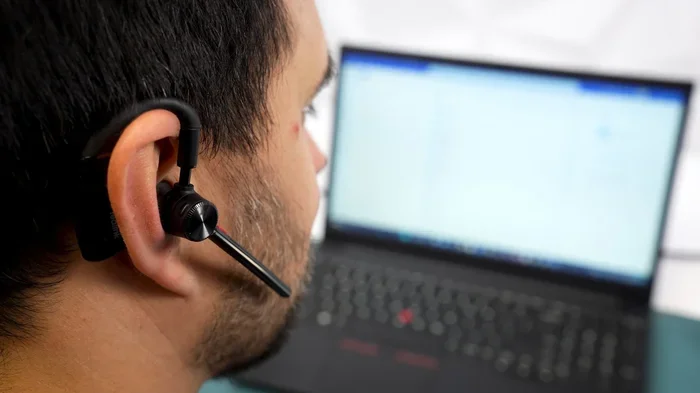
If you are looking for a versatile option, consider a speaker that can also serve as a Bluetooth amplifier. Some speakers are designed specifically to amplify your voice and music at the same time. These are ideal for karaoke because they handle both the vocal and music tracks with clarity. You can also explore whether you can use a Bluetooth headset as a mic for a more personal and private karaoke experience, especially in shared living spaces.
Common Problems and How to Fix Them
Even with the best setup, you might run into some issues when connecting your Bluetooth speaker to your karaoke machine. Here are the most common problems and how to solve them quickly.
Speaker Not Showing Up in the Device List
This is the most common issue and it usually has a simple fix. Make sure your Bluetooth speaker is in pairing mode and within close range of the karaoke machine. Turn Bluetooth off and back on both devices. If the speaker still does not appear, try resetting the Bluetooth settings on the karaoke machine. Sometimes old paired devices can interfere with new connections. Delete any old pairings and try again. Keeping your devices close together also helps, as Bluetooth range can be affected by walls and other obstacles.
Audio Delay or Lag
If you notice that the music and your voice are out of sync, you are dealing with audio latency. This happens when there is a slight delay in the wireless signal. To fix this, move the Bluetooth speaker closer to the karaoke machine. Reducing the distance between the two devices can significantly lower latency. You can also try switching to a wired aux connection, which eliminates wireless delay entirely. For a more advanced setup, you can explore options like using HDMI for video and Bluetooth for audio to get the best of both worlds.
Low Volume or Poor Sound Quality
If the sound is too quiet or sounds distorted, check the volume levels on both devices. Start with the karaoke machine volume at about 70% and then adjust the speaker volume to your liking. If the sound is still not clear, make sure your Bluetooth speaker is fully charged. Low battery can affect audio quality. You should also check that the speaker is not in a confined space where sound can get muffled. Placing the speaker on a hard, flat surface helps produce clearer and louder sound.
Connection Keeps Dropping
An unstable connection can be frustrating during a karaoke session. The most common cause is interference from other wireless devices. Keep your Bluetooth speaker and karaoke machine away from Wi-Fi routers, microwaves, and other Bluetooth devices. If the problem persists, try unpairing and re-pairing the devices. Restarting both the speaker and the karaoke machine can also help establish a more stable wireless connection. For the most reliable performance, consider using an aux cable as your primary connection method.
Tips for the Best Karaoke Sound Experience
Once your Bluetooth speaker is connected, there are a few extra steps you can take to make your karaoke night even better. These small adjustments can have a big impact on sound quality and overall enjoyment.
- Position the speaker at ear level: Place your portable speaker on a table or shelf at about head height for the best sound spread.
- Use a karaoke app with high-quality audio: Not all karaoke apps are the same. Choose one that offers high-quality audio tracks for the best karaoke experience.
- Add a dedicated karaoke microphone: A good karaoke microphone paired with your Bluetooth speaker makes a world of difference. Some speakers have built-in mic inputs, while others require a separate amplifier.
- Control the room acoustics: Soft furnishings like cushions and curtains can reduce echo and make the sound clearer. Hard surfaces tend to bounce sound around and create a muddled effect.
- Keep the firmware updated: Check for firmware updates on both your Bluetooth speaker and karaoke machine. Updates often include improvements to Bluetooth pairing and sound quality.
For those who want to take their setup to the next level, consider using multiple speakers for a surround sound effect. Some Bluetooth speakers support daisy-chaining, which lets you connect two or more speakers together for bigger, richer sound. This is especially impressive for outdoor karaoke events where you need to fill a larger space with clear audio. Just make sure both speakers are compatible with each other and your karaoke machine.
Another great tip is to use a dedicated microphone setup. If you want to use a Bluetooth headset as a mic, you can pair it with your phone or tablet running the karaoke app. This keeps the audio clean and prevents feedback issues that can happen with a speaker-based microphone setup. It is especially useful when you are singing in a smaller room where sound can bounce around easily.
Conclusion
Connecting your Bluetooth speaker to your karaoke machine opens up a whole new world of sound quality and flexibility. Whether you choose a wireless Bluetooth connection or a reliable aux cable, the steps are simple and the results are well worth the effort. You now know how to pair your devices, troubleshoot common issues, and optimize your karaoke setup for the best possible sound. With the right portable speaker and a little practice, your karaoke nights will sound better than ever before. So go ahead, grab the mic, pick your favorite song, and let the good times roll. Your friends and family are going to love the upgraded sound.
The key to a great karaoke experience is a reliable connection and good sound quality. By following the steps in this guide, you have everything you need to set up your Bluetooth speaker with confidence. Do not let technical worries hold you back from having fun. Set up your karaoke system, invite your friends, and enjoy singing your favorite songs with rich, clear sound. Happy singing.
Frequently Asked Questions
Can I connect any Bluetooth speaker to my karaoke machine?
Most Bluetooth speakers can connect to any karaoke machine that supports Bluetooth output. However, some older karaoke machines do not have Bluetooth built in. In that case, you can use an aux cable or a Bluetooth adapter to make the connection work. Always check the outputs available on your karaoke machine before purchasing a speaker.
Why is there a delay between my voice and the music when using a Bluetooth speaker?
This delay is called audio latency and it happens because wireless Bluetooth signals take a fraction of a second to transmit. The effect is more noticeable during karaoke because you are singing along in real time. Moving the speaker closer to the karaoke machine can reduce latency. For zero delay, use an aux cable instead of a wireless connection.
What is the best Bluetooth range for a karaoke setup?
The standard Bluetooth range is about 30 feet in open space. However, walls and furniture can reduce this significantly. For the best karaoke experience, keep your Bluetooth speaker within 10 to 15 feet of the karaoke machine. This ensures a strong, stable wireless connection with minimal audio dropouts or lag.
Can I use my phone as a Bluetooth speaker for karaoke?
Yes, you can turn your phone into a Bluetooth speaker using apps or built-in features. However, phones are not designed for high-volume output and may distort at higher volumes. For a better karaoke setup, a dedicated Bluetooth speaker will provide louder, clearer sound. If you do use your phone, make sure it is fully charged and in airplane mode to avoid interruptions.
How do I improve the sound quality of my Bluetooth speaker for karaoke?
To get the best sound, place your portable speaker on a hard, flat surface at ear level. Keep the speaker close to the karaoke machine for a stronger signal. Use high-quality audio tracks from a reliable karaoke app and adjust the volume balance between the music and vocals. You can also make your old stereo Bluetooth with an adapter for a more powerful sound system.
Do I need a special karaoke microphone to use with a Bluetooth speaker?
Not necessarily. Many Bluetooth speakers have built-in microphone inputs that work with standard karaoke microphones. If your speaker does not have a mic input, you can use a separate amplifier or a Bluetooth headset as a mic. The key is to make sure the microphone is compatible with your speaker or karaoke machine setup for the best karaoke experience.