How Can I Watch Cctv Cameras Anywhere Without Internet
You can absolutely watch CCTV cameras anywhere without internet by using local DVR systems, cellular hotspots, and offline viewing apps. This guide walks you through every method so you can monitor your property even when there is no Wi-Fi connection available.
Key Takeaways
- Local DVR/NVR systems let you store and view footage without any internet connection at all.
- Cellular hotspots and phone tethering can create a temporary network for remote CCTV access.
- Offline viewing apps allow you to watch recorded footage directly from your camera’s SD card or local storage.
- Hidden cameras and wireless security cameras often work without Wi-Fi using alternative connection methods.
- Portable monitors and mobile devices make it easy to check your camera feeds on the go.
- Planning your setup ahead of time ensures you have reliable surveillance even in areas with no internet coverage.
📑 Table of Contents
- How Can I Watch CCTV Cameras Anywhere Without Internet?
- Why Would You Need to Watch CCTV Without Internet?
- Method 1: Use a Local DVR or NVR System
- Method 2: Use Cellular Hotspots or Phone Tethering
- Method 3: Use Cameras with Built-In SD Card Storage
- Method 4: Use a Portable Monitor or Dedicated Viewing Device
- Method 5: Use Smartphones and Dedicated Apps for Direct Camera Connections
- Method 6: Use Pre-Recorded Footage and Scheduled Recording
- Comparing the Different Methods
- Common Mistakes to Avoid
- Expert Tips for Maximizing Offline CCTV Performance
- Final Thoughts
How Can I Watch CCTV Cameras Anywhere Without Internet?
Have you ever wanted to check your security cameras while you are away from home but found out there is no internet connection? It is a frustrating situation. The good news is that you do not always need Wi-Fi to keep an eye on your property. There are several practical ways to watch CCTV cameras anywhere without internet and still get the security you need.
Whether you are traveling, camping, or dealing with a location that simply has no internet service, you have options. Some methods use local storage and direct connections. Others rely on cellular networks or portable hotspots. This guide covers every practical approach so you can choose the one that fits your situation best.
The key is understanding what each method offers and how they work. Once you know the basics, setting up remote surveillance without internet becomes much simpler than you might think. Let us dive into the details.
Why Would You Need to Watch CCTV Without Internet?
Many people assume that security cameras only work with an active internet connection. That is not true at all. There are plenty of real-world reasons why you might need offline CCTV monitoring.
Maybe you live in a rural area where broadband is unreliable or simply not available. Perhaps you are going on a camping trip or visiting a remote cabin. Some homeowners set up temporary security cameras at construction sites or vacation properties where internet access is limited.
There is also the cost factor. Internet service can be expensive, especially if you only need cameras at a secondary location. And some people prefer not to rely on cloud storage because of privacy concerns. Whatever your reason, knowing your options gives you more control over your home security setup.
Common Situations Where Offline Viewing Is Essential
- Rural properties with no broadband infrastructure nearby.
- Vacation homes that sit empty for weeks or months.
- Construction sites where temporary security is needed.
- Camping trips or outdoor adventures where you want to monitor your campsite.
- Privacy-conscious users who do not want their footage stored in the cloud.
- Emergency situations where internet service goes down during a storm or outage.
Method 1: Use a Local DVR or NVR System
The most reliable way to watch CCTV cameras without internet is by using a local Digital Video Recorder (DVR) or Network Video Recorder (NVR). These devices store all your camera footage on-site, usually on a hard drive or SD card. You can then view the recordings directly on a connected monitor or TV.
Here is how it works. Your cameras send video signals through cables (like coaxial or Ethernet) to the recorder. The recorder saves everything to a local hard drive. When you want to review footage, you simply plug a monitor into the recorder and browse the saved files.
One major advantage of this approach is that it does not depend on any internet service. As long as your cameras have power and the recorder is running, you are good to go. This makes it ideal for offline camera viewing in locations far from any Wi-Fi signal.
What You Need for a Local DVR Setup
- A CCTV camera or set of cameras (wired or wireless).
- A DVR or NVR unit with enough storage capacity.
- Compatible cables (coaxial, Ethernet, or BNC cables).
- A monitor or TV to view the footage.
- A power source for all devices.
If you want to view footage remotely without internet, you can also take the SD card or hard drive out of the recorder and plug it directly into a laptop or computer. Some modern recorders even support USB playback, making this process very simple.
Method 2: Use Cellular Hotspots or Phone Tethering
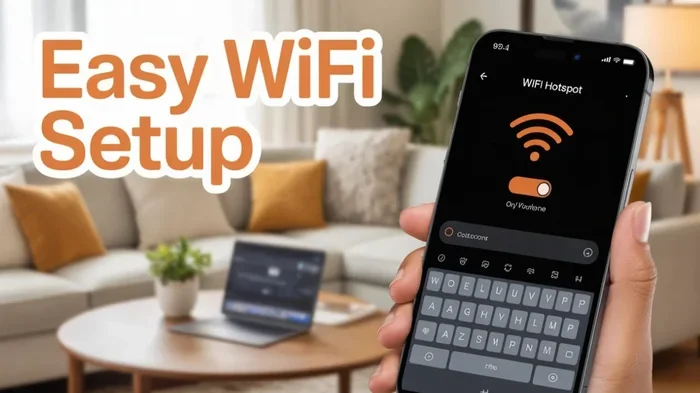
Another great option is to create your own internet connection using a cellular hotspot or by tethering your phone. This gives your cameras just enough connectivity to stream or send footage to your device, even in places with no traditional Wi-Fi.
You can use a dedicated mobile hotspot device or simply share your phone’s data connection. Many modern security cameras support camera hotspot connection features. You set up the hotspot, connect your camera to it, and then view the feed from your phone or tablet.
This method works well for temporary setups. If you are at a cabin in the woods or monitoring a construction site, a portable hotspot can give you real-time access without needing a permanent internet connection.
How to Set Up a Hotspot for Your CCTV Cameras
- Turn on your mobile hotspot or dedicated portable hotspot device.
- Connect your camera to the hotspot using the camera’s app or web interface.
- Open the camera app on your phone or tablet.
- You should now see a live feed from your camera.
- Adjust settings like resolution and frame rate to save data if needed.
Keep in mind that streaming video uses a lot of data. If you have a limited data plan, you might want to lower the video quality or set the camera to record only when motion is detected. This helps conserve data while still giving you local network monitoring capabilities.
Some users also ask about using their phone as a bridge. For example, you can share your mobile data with another phone or device to extend coverage. This is especially useful if your camera app requires a stable connection but your hotspot signal is weak.
Method 3: Use Cameras with Built-In SD Card Storage
Many modern wireless security cameras come with a built-in SD card slot. These cameras record footage directly to the card without needing the internet. You can then remove the card and view the videos on your computer, tablet, or phone.
This is one of the simplest offline CCTV system approaches. There is no recorder to buy, no cables to run, and no Wi-Fi needed. You just set up the camera, insert an SD card, and let it record.
Brands like Reolink, Blink, and Wyze offer cameras that support local storage. Some even let you view the footage directly on the camera’s built-in screen if it has one. This is perfect for quick checks without pulling out your phone.
Pros and Cons of SD Card Cameras
- Pros: Easy to set up, no internet required, affordable, portable.
- Cons: Limited storage capacity, risk of card theft or damage, no real-time remote access without a connection.
To get the most out of this method, use high-capacity SD cards (64GB or more) and format them regularly. Also, consider using a card reader that plugs directly into your phone for quick file transfers.
Method 4: Use a Portable Monitor or Dedicated Viewing Device
Sometimes the simplest solution is the best one. A portable monitor paired with a camera that has a direct output (like HDMI or USB) lets you view live footage anywhere. No internet needed, no apps required, just a direct connection.
This approach works especially well for portable monitoring situations. You can set up a camera at your back door, run a short cable to a portable monitor in your RV or truck, and check the feed anytime you want.
Some people also use tablets or laptops as their viewing device. If your camera supports USB output or has an SD card, you can plug it directly into the device and watch the footage without going through any network at all.
Best Devices for Offline CCTV Viewing
- Portable HDMI monitors: Small, lightweight, and perfect for direct camera connections.
- Tablets with OTG support: Can connect to cameras via USB or SD card readers.
- Laptops: Great for reviewing longer recordings from SD cards or external drives.
- Dedicated CCTV monitors: Often come with built-in playback features for DVR systems.
The beauty of this method is its simplicity. You do not need to configure networks, deal with apps, or worry about signal strength. Just connect and view.
Method 5: Use Smartphones and Dedicated Apps for Direct Camera Connections
Many security cameras can connect directly to your phone using Wi-Fi Direct or Bluetooth. These technologies create a peer-to-peer connection between the camera and your phone without needing a router or internet service.
Wi-Fi Direct is especially useful because it gives you a longer range than Bluetooth and supports higher-quality video. You simply enable Wi-Fi Direct on your camera, connect your phone to the camera’s network, and open the companion app to view the feed.
This method is perfect for quick checks around your home or property. It is also great for people who want a simple DIY security camera setup without dealing with routers, passwords, or internet service providers.
Tips for Getting the Best Direct Connection
- Keep your phone and camera within 50 feet of each other for the strongest signal.
- Turn off other Wi-Fi networks nearby to avoid interference.
- Use a dedicated app from the camera manufacturer for the best experience.
- Charge both devices fully before you start monitoring.
- Set the camera to record on motion detection to save battery and storage.
Some hidden cameras and compact spy cameras also use this direct connection method. If you are looking for a discreet way to monitor a specific area, these cameras can be a great choice. You can learn more about options that work without internet by checking out resources on hidden cameras that work without internet and security cameras that do not need Wi-Fi.
Method 6: Use Pre-Recorded Footage and Scheduled Recording
Another smart approach is to set your cameras to record on a schedule or on motion detection, then review the footage later when you have access to the storage device. This works hand-in-hand with the local DVR and SD card methods.
You do not need to watch a live feed at all times. Instead, you can set up your cameras to capture only the important moments. When you return home or visit your property, you simply pull the SD card or hard drive and review the footage at your convenience.
This method is especially useful for people who travel frequently. You can set your cameras to record while you are away, then check the footage when you return. It saves storage space and reduces the need for a constant connection.
How to Set Up Scheduled Recording
- Access your camera or DVR settings through a direct connection.
- Set recording to “motion detect” mode to capture only relevant events.
- Schedule recording times based on when you are typically away.
- Set video quality to a balanced level that saves space without sacrificing clarity.
- Regularly back up footage to a computer or external drive.
This approach gives you peace of mind without the need for any internet connection. You get reliable security footage access whenever you need it.
Comparing the Different Methods
Not all methods are created equal. Some work better for permanent setups, while others are ideal for temporary or on-the-go monitoring. Here is a quick comparison to help you decide.
| Method | Best For | Internet Needed? | Cost | Ease of Setup |
|---|---|---|---|---|
| Local DVR/NVR | Permanent home or business setups | No | Medium to High | Moderate |
| Cellular Hotspot | Temporary or remote locations | No (uses cellular data) | Medium | Easy |
| SD Card Cameras | Simple, affordable setups | No | Low | Very Easy |
| Portable Monitor | Direct, no-app viewing | No | Low to Medium | Very Easy |
| Wi-Fi Direct / Bluetooth | Quick, on-the-go checks | No | Low | Easy |
| Scheduled Recording | Travelers and frequent absentees | No | Low | Easy |
Each method has its strengths. For the best results, consider combining two or more approaches. For example, you could use SD card cameras for basic coverage and a cellular hotspot for real-time remote viewing when needed.
Common Mistakes to Avoid
Setting up offline CCTV viewing sounds simple, but there are a few common pitfalls that can cause frustration. Avoiding these mistakes will save you time and ensure your system works when you need it most.
Forgetting to format SD cards regularly. Over time, memory cards can become corrupted or slow. Formatting them every few weeks keeps them running smoothly and prevents data loss.
Using too much data with a hotspot. Video streaming eats up data fast. Always set your camera to lower resolution or motion-only recording when using a hotspot connection to avoid running out of data.
Not testing your setup before you need it. Do not wait until you are away from home to try your system for the first time. Set everything up, test it, and make adjustments while you are still at home.
Ignoring battery life. If you are using battery-powered cameras, they may not last as long as you expect. Keep spare batteries or a portable charger on hand, especially for extended trips.
Relying on only one method. If your hotspot fails or your SD card gets damaged, having a backup plan ensures you are never left without surveillance coverage.
Expert Tips for Maximizing Offline CCTV Performance
Getting the most out of your offline security setup takes a little planning. Here are some expert tips that make a big difference.
Use solar-powered cameras for truly off-grid setups. If you are monitoring a remote property, solar-powered cameras eliminate the need for electrical outlets. They charge during the day and record around the clock.
Invest in high-quality SD cards. Cheap SD cards fail more often and have slower write speeds. Look for cards rated for surveillance cameras, as they are designed to handle continuous writing without overheating.
Label your cameras and storage devices. If you have multiple cameras, label them clearly so you know which feed belongs to which camera when reviewing footage. This saves a lot of confusion later.
Keep a backup of important footage. Even without internet, you can transfer important recordings to an external hard drive or USB stick. This protects your footage if a camera or SD card is damaged or stolen.
Consider using a mesh network for multi-camera setups. If you have several cameras spread across a property, a mesh network can extend your local connection range without needing internet. This gives you a unified viewing experience across all cameras.
Final Thoughts
Watching CCTV cameras anywhere without internet is entirely possible with the right setup. Whether you choose a local DVR system, cellular hotspot, SD card cameras, or direct device connections, you have real options that do not depend on Wi-Fi or broadband service.
The best approach depends on your specific needs. If you want simple, affordable coverage, SD card cameras are hard to beat. For more permanent setups, a local DVR or NVR gives you professional-grade results. And if you need live remote viewing on the go, a cellular hotspot or phone tethering does the job.
Take some time to evaluate your situation and pick the methods that work best for you. With the right combination of tools and a little planning, you can have reliable offline surveillance that keeps your property safe no matter where you are or what internet situation you are dealing with.
Start small if you are new to this. Try one method, test it thoroughly, and then expand from there. The goal is to build a system that gives you confidence and peace of mind, whether you are at home or miles away.
Remember, security is all about being prepared. And now you have all the knowledge you need to set up a system that works even when the internet does not. So go ahead, set up your cameras, and enjoy the freedom of monitoring your property on your own terms.
Frequently Asked Questions
Can I watch live CCTV footage without any internet connection?
Yes, you can watch live footage using Wi-Fi Direct, Bluetooth, or a direct cable connection between your camera and a monitor or phone. These methods create a local connection that does not require any internet service at all.
What is the best camera for offline surveillance?
Cameras with built-in SD card slots and local recording capabilities are the best choice for offline use. Brands like Reolink, Blink, and Wyze offer models that record without needing Wi-Fi or an internet connection.
How much data do I need for a cellular hotspot CCTV setup?
It depends on the number of cameras and video quality. A single camera streaming at 720p uses about 1 to 2 GB of data per day. Lowering the resolution and using motion-activated recording can significantly reduce data usage.
Can I view CCTV footage from my phone without Wi-Fi?
Yes, you can view footage directly from an SD card using a card reader, or connect to your camera via Wi-Fi Direct or Bluetooth. Some apps also let you access stored files without any network connection.
Do hidden cameras work without internet?
Many hidden cameras can work without internet by recording to a local SD card or connecting directly to your phone via Wi-Fi Direct. You can learn more about options for hidden cameras without internet that fit various needs and budgets.
Is a local DVR better than cloud storage for offline viewing?
For offline viewing, a local DVR is far superior because it does not depend on any internet connection. Cloud storage requires the internet to access your footage, while a local DVR lets you view recordings anytime on-site or by removing the storage device.
=== CONCLUSION ===
Watching CCTV cameras anywhere without internet is not just possible, it is practical and affordable. You have learned about local DVR systems, cellular hotspots, SD card cameras, portable monitors, direct connections, and scheduled recording. Each method offers a reliable way to keep an eye on your property without needing Wi-Fi or broadband service.
The right choice depends on your specific needs, budget, and how you plan to use your cameras. Start with one method, test it, and build from there. With the tips and strategies in this guide, you are well on your way to setting up a secure, offline surveillance system that works exactly when you need it.
Take action today. Pick the method that fits your situation, gather the equipment you need, and start monitoring your property with confidence. You do not need internet to have great security. You just need the right setup.