How Can I Call Internationally For Free And Save Money
Calling internationally doesn’t have to drain your wallet. You can make free international calls using VoIP apps, Wi-Fi calling, and clever workarounds that most people don’t know about. This guide shows you exactly how to call anyone overseas without paying a dime.
Key Takeaways
- Use VoIP apps like WhatsApp and Skype to make free international calls over the internet
- Turn your phone into a hotspot to connect other devices for free calling
- Share your mobile data with another phone to enable free international communication
- Connect to free Wi-Fi to avoid using your cellular data when calling abroad
- Know the right international dialing codes to ensure your calls connect properly
📑 Table of Contents
- How Can I Call Internationally For Free And Keep More Money In My Pocket
- Why International Calling Used To Be So Expensive
- Best Apps For Free International Calls
- How To Use Wi-Fi Calling For Free International Calls
- Using Your Phone As A Hotspot For International Calling
- Finding Free Wi-Fi For International Calls
- Understanding International Dialing Codes
- Comparing Free International Calling Methods
- Quick Tips To Save Even More Money
- Expert Insights On Free International Calling
- Conclusion
How Can I Call Internationally For Free And Keep More Money In My Pocket
Have you ever wanted to call someone overseas but worried about the bill? International calling can be expensive, especially if you don’t have the right plan. The good news is that you can call internationally for free using tools and methods that are easier than you think.
Whether you’re keeping in touch with family abroad or talking to business partners overseas, free international calling is totally possible. You just need the right approach. In this guide, we’ll walk you through every method that actually works. No fluff. No hidden fees. Just real ways to save money and stay connected.
Most people overpay for international calls because they don’t know about the alternatives. VoIP technology has changed the game completely. You can now make crystal-clear calls to almost any country using nothing more than Wi-Fi or mobile data. Let’s dive into how it all works.
Why International Calling Used To Be So Expensive
Traditional phone companies charged high fees for international calls. These fees covered the cost of routing your call through different networks across borders. Each network operator along the way took a cut. That’s why overseas calls used to cost so much.
Today, things work very differently. Internet-based calling bypasses the old telephone networks entirely. Your voice gets converted into data packets and sent over the internet. This means no middlemen taking a cut. The result is free or very cheap international calls.
How VoIP Changed Everything
Voice over Internet Protocol, or VoIP, is the technology behind free international calling. Instead of using traditional phone lines, VoIP sends your voice through the internet. Apps like WhatsApp, Skype, and Viber use this technology every day.
The beauty of VoIP is that both people need an internet connection. If you’re both on Wi-Fi or using mobile data, the call is completely free. This is why internet-based calls have become the go-to method for overseas communication.
Best Apps For Free International Calls
Not all calling apps are created equal. Some offer voice calls only, while others include video and messaging. Here are the top apps you should consider for free international calling.
WhatsApp is one of the most popular apps worldwide. It lets you make free voice and video calls to anyone else who has the app. You just need a phone number and an internet connection. Almost everyone has it installed, which makes it super convenient.
WhatsApp calls work over both Wi-Fi and mobile data. The quality is usually excellent as long as you have a decent connection. It’s a great choice for casual calls with friends and family.
Skype
Skype has been around for a long time and remains a solid option. You can call other Skype users for free. If you need to call a landline or mobile number, Skype offers very low rates. It’s especially popular for business calls across borders.
Skype also supports group calls and video conferencing. This makes it a versatile tool for both personal and professional use. Global communication is easy when you have Skype in your toolkit.
Viber and Telegram
Viber is another great option for free calls. It works similarly to WhatsApp and supports voice and video calls. Telegram also offers free voice and video calling with good quality. Both apps are worth trying if WhatsApp doesn’t suit your needs.
How To Use Wi-Fi Calling For Free International Calls
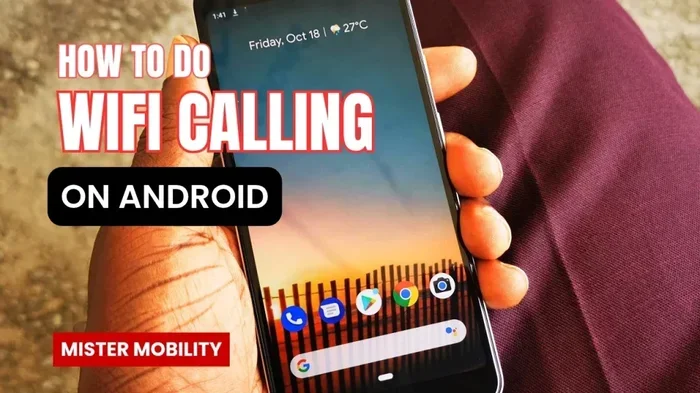
Wi-Fi calling is a built-in feature on most smartphones today. It lets you make calls over a Wi-Fi network instead of using the cellular network. This is especially useful when you’re abroad and don’t want to pay roaming charges.
Most modern phones support Wi-Fi calling out of the box. You just need to turn it on in your settings. Here’s how to get started:
- iPhone: Go to Settings, tap Phone, then tap Wi-Fi Calling. Toggle it on.
- Android: Go to Settings, tap Network and Internet, then tap Wi-Fi Calling. Enable it.
Once Wi-Fi calling is on, you can call international numbers just like you would normally. The call routes through the internet instead of the cellular network. This means no extra charges in most cases.
When Wi-Fi Calling Works Best
Wi-Fi calling works best when you have a strong and stable internet connection. If you’re at home or in a hotel with good Wi-Fi, you’ll get excellent call quality. It’s also great when you’re traveling and don’t want to buy a local SIM card.
One thing to keep in mind: not all carriers support Wi-Fi calling for international numbers. Check with your provider to make sure. Also, Wi-Fi calling may not work in all countries due to local regulations.
Using Your Phone As A Hotspot For International Calling
Did you know you can use your phone as a hotspot to enable free international calling on other devices? This is a clever trick that many people overlook. By sharing your phone’s internet connection, you can connect a tablet or laptop and use calling apps on those devices.
Can I get a hotspot instead of Wi-Fi? Absolutely. Your phone can act as a portable Wi-Fi router. You just need to set up a hotspot and connect your other device. Then you can use any calling app on that device for free.
This method is especially handy when you’re traveling. You don’t need to find a Wi-Fi network. Your phone becomes your personal internet hub. Just be mindful of your data usage, as international calling over a hotspot does use mobile data.
Sharing Mobile Data With Another Phone
If you have two phones, you can share your mobile data between them. This lets the second phone connect to the internet and make free calls using apps. Can I share my mobile data with another phone? Yes, most modern phones support this feature natively.
On iPhone, you can use Personal Hotspot. On Android, look for the Tethering or Hotspot option in your settings. This is a great way to let someone else make international calls using your data connection. It’s simple and costs nothing extra if you already have a data plan.
Finding Free Wi-Fi For International Calls
Free Wi-Fi is everywhere if you know where to look. Cafes, airports, hotels, and public libraries often offer free internet access. You can use these networks to make free international calls without touching your mobile data.
Can I get Wi-Fi without a password? In many cases, yes. Some public Wi-Fi networks are open and don’t require a password. However, always be careful when using public Wi-Fi. Avoid sharing sensitive information and use a VPN if possible for added security.
Tips For Using Public Wi-Fi Safely
- Always use a VPN when connected to public networks
- Avoid logging into bank accounts on public Wi-Fi
- Turn off auto-connect to open networks on your phone
- Use calling apps with end-to-end encryption like WhatsApp
With the right precautions, public Wi-Fi is a fantastic resource for overseas calls. You can chat with loved ones thousands of miles away without worrying about data charges.
Understanding International Dialing Codes
To make an international call, you need to know the right dialing codes. Every country has a unique code that you dial before the local number. Getting this right ensures your call connects properly.
Here’s a simple breakdown of how international dialing works:
- Dial your country’s exit code (usually 011 in the US or 00 in most other countries)
- Dial the country code of the destination
- Dial the local phone number (without the leading zero if there is one)
For example, calling a UK number from the US would look like: 011 + 44 + local number. Once you know the format, it becomes second nature. Many calling apps handle this automatically, so you don’t even need to memorize the codes.
Common Country Codes You Should Know
- UK: +44
- Canada: +1
- Australia: +61
- India: +91
- Germany: +49
- Japan: +81
- Brazil: +55
Knowing these codes is helpful even when using apps. Some apps let you save contacts with international numbers, making future calls even easier. International dialing codes are a small but important piece of the puzzle when calling abroad.
Comparing Free International Calling Methods
There are several ways to make free international calls. Each method has its own strengths. Let’s compare the most popular options so you can choose what works best for you.
| Method | Cost | Quality | Setup Difficulty |
|---|---|---|---|
| VoIP Apps (WhatsApp, Skype) | Free | Excellent with good Wi-Fi | Very Easy |
| Wi-Fi Calling | Free (usually) | Good to Excellent | Easy |
| Phone Hotspot + Apps | Free (uses data) | Excellent with strong signal | Moderate |
| Public Wi-Fi + Apps | Free | Varies by network | Very Easy |
| Data Sharing Between Phones | Free (uses data) | Excellent | Moderate |
As you can see, most methods are completely free. The main thing you need is a reliable internet connection. Whether that’s Wi-Fi or mobile data, having a strong connection makes all the difference in call quality.
Quick Tips To Save Even More Money
You’ve learned the main methods for free international calling. Here are some bonus tips to help you save even more and get the best experience.
- Download apps before you travel. Don’t wait until you’re abroad to set things up. Install WhatsApp, Skype, or Viber while you still have Wi-Fi at home.
- Check your data plan. If you’re using mobile data for calls, make sure your plan includes enough data. Some plans offer unlimited data, which is perfect for international calling.
- Use Wi-Fi whenever possible. Wi-Fi calls don’t use your cellular data at all. This keeps your data allowance safe for other things.
- Schedule calls during off-peak hours. If you’re using a hotspot, data speeds can vary. Off-peak hours often give you better connections.
- Keep your apps updated. Updated apps have better features and improved call quality. Always use the latest version.
Common Mistakes To Avoid
- Don’t assume all calling apps work everywhere. Some apps are blocked in certain countries. Check before you travel.
- Don’t forget to check the time zone. Calling someone at 3 AM their time won’t go over well. Always confirm the local time first.
- Don’t rely solely on public Wi-Fi. It’s not always available or reliable. Have a backup plan using your mobile data.
Expert Insights On Free International Calling
Global communication has never been more accessible. The tools we have today would have seemed like science fiction just a decade ago. Experts agree that VoIP and internet-based calling are the future of international communication.
The key is to find the method that fits your lifestyle. If you’re always on the go, a phone hotspot combined with a calling app gives you maximum flexibility. If you’re mostly at home or in the office, Wi-Fi calling is the simplest option. And if you’re traveling frequently, downloading multiple apps ensures you’re never stuck without a way to call home.
Can I connect to Wi-Fi without a Wi-Fi adapter? If you’re using a phone or tablet, you already have a built-in Wi-Fi adapter. For PCs, you might need a USB Wi-Fi stick if your computer doesn’t have one built in. But for most people, their phone is all they need to make free international calls.
The bottom line is clear. You don’t need to pay expensive roaming charges or buy special phone plans to stay in touch with people overseas. The technology is already in your pocket. You just need to know how to use it.
Conclusion
How can I call internationally for free? Now you know the answer. With VoIP apps, Wi-Fi calling, phone hotspots, and free public Wi-Fi, you have plenty of options to stay connected with people around the world without spending a penny. Free international calling is no longer a dream, it’s a everyday reality.
Start by picking one or two methods from this guide and test them out. You’ll be amazed at how easy and high-quality these calls can be. The days of dreading an international phone bill are over. Embrace the technology, save your money, and keep the people you care about close no matter where they are in the world.
Remember, the best approach is the one that works for you. Try different apps, test different methods, and find your perfect setup for international calling. Happy calling!
Frequently Asked Questions
Can I really make international calls for free?
Yes, absolutely. Apps like WhatsApp, Skype, and Viber let you make free voice and video calls to anyone else using the same app. As long as both people have an internet connection, the call costs nothing.
Do I need a special phone plan for free international calls?
No special plan is needed. You just need a smartphone with internet access. Wi-Fi calling and VoIP apps work with any standard phone plan. Your regular data or Wi-Fi connection handles everything.
Is Wi-Fi calling free internationally?
Wi-Fi calling is usually free, but it depends on your carrier. Most major carriers support Wi-Fi calling at no extra cost. However, some carriers may charge for international Wi-Fi calls, so always check with your provider first.
How much data do international calls use?
A voice call uses about 1 MB of data per minute. Video calls use more, around 5 to 15 MB per minute. If you’re on Wi-Fi, data usage isn’t a concern. If you’re using mobile data, keep an eye on your usage to avoid going over your limit.
What if the person I’m calling doesn’t have the same app?
You can try suggesting they download the same app. Most popular apps like WhatsApp have billions of users worldwide. If that’s not possible, Skype offers low-cost rates to call landlines and mobile numbers in most countries.
Can I use my phone hotspot for international calling?
Yes, you can turn your phone into a hotspot and connect another device to make free calls using calling apps. This works great when you’re traveling and don’t have access to Wi-Fi. Just remember that it uses your mobile data, so keep an eye on your usage.