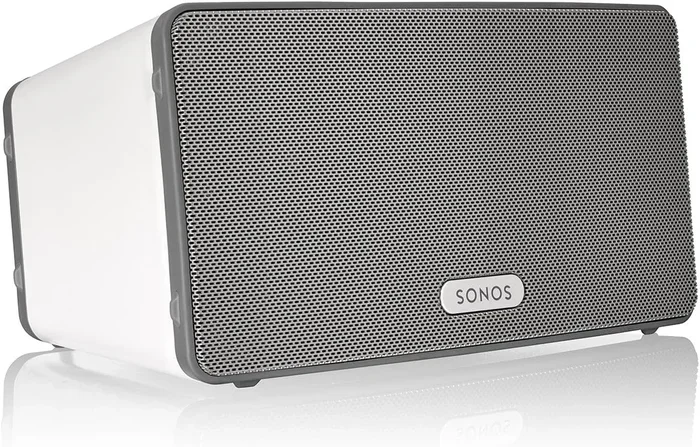
Can You Use Sonos Like A Bluetooth Speaker Right Now
Yes, you can use Sonos like a Bluetooth speaker, but it requires a few extra steps since Sonos does not have built-in Bluetooth on most models. You can connect Sonos to your phone using the Sonos app, AirPlay, or a Bluetooth audio adapter. This guide covers every method so you can stream music wirelessly from any device to your Sonos system.
Key Takeaways
- Sonos does not have native Bluetooth on most models: You need the Sonos app, AirPlay, or a Bluetooth adapter to connect wirelessly.
- Multiple connection methods exist: You can use the Sonos app, AirPlay 2, or a Bluetooth transmitter to stream audio to your Sonos speakers.
- A Bluetooth adapter is the easiest solution: Plugging a Bluetooth audio adapter into your Sonos speaker gives you true Bluetooth functionality.
- Sonos offers great audio quality: Even without Bluetooth, Sonos delivers rich, room-filling sound that beats most portable Bluetooth speakers.
- Multi-room audio is a standout feature: Sonos lets you group speakers and play the same music in multiple rooms simultaneously.
- Check your specific Sonos model: Not all Sonos speakers support the same connection methods, so verify your model first.
📑 Table of Contents
- Can You Use Sonos Like A Bluetooth Speaker Right Now?
- Why Sonos Does Not Have Built-In Bluetooth
- How To Connect Sonos Wirelessly Without Bluetooth
- Using a Bluetooth Adapter With Sonos
- Sonos vs. Traditional Bluetooth Speakers
- Common Uses For Sonos As A Bluetooth Speaker
- Tips To Get The Best Experience With Sonos
- Common Mistakes People Make With Sonos
- Expert Insight: What the Sonos Community Says
- Final Thoughts
- FAQs
Can You Use Sonos Like A Bluetooth Speaker Right Now?
Sonos is one of the most popular wireless speaker brands on the market today. People love Sonos for its rich sound, easy setup, and smart home compatibility. But here is the big question many buyers ask before purchasing: can you use Sonos like a Bluetooth speaker? The short answer is yes, but not exactly the way you might expect.
Most Sonos speakers do not come with built-in Bluetooth. This surprises a lot of people. You pick up a Sonos speaker, you expect to just pair it with your phone like any other wireless speaker. Instead, you find yourself searching for Bluetooth options that are not there. This guide will walk you through every way you can use Sonos like a Bluetooth speaker, step by step.
Whether you want to stream music from your phone, connect to a TV, or use Sonos at a party, you have options. You just need to know what they are. Let us dive into everything you need to know about using Sonos as a Bluetooth speaker right now.
Why Sonos Does Not Have Built-In Bluetooth
Sonos made a deliberate choice to skip Bluetooth on most of their speakers. They believe Wi-Fi delivers better audio quality and more stable connections. Wi-Fi also allows Sonos to offer features that Bluetooth simply cannot match, like multi-room audio and longer range.
Here is why Sonos chose Wi-Fi over Bluetooth:
- Better audio quality: Wi-Fi streams lossless audio, while Bluetooth compresses the sound.
- Longer range: Wi-Fi reaches farther than Bluetooth, which typically maxes out around 30 feet.
- Multi-room support: You can group multiple Sonos speakers together using Wi-Fi.
- Lower latency: Wi-Fi provides a more stable connection with less audio delay.
- No pairing needed: Sonos connects to your home network once and stays connected.
So while Sonos without Bluetooth might feel limiting at first, the trade-off is better sound quality and more features. But if you really need Bluetooth, do not worry. There are workarounds.
How To Connect Sonos Wirelessly Without Bluetooth
Even though Sonos lacks Bluetooth, you can still stream audio from your phone or tablet. The Sonos app is the primary way to control your speakers. You simply download the app, connect both your phone and Sonos to the same Wi-Fi network, and start playing music.
Using the Sonos App
The Sonos app is the easiest and most reliable way to play music on your speakers. Here is how it works:
- Download the Sonos app on your iPhone or Android phone.
- Connect your phone to your home Wi-Fi network.
- Open the app and follow the setup instructions.
- Your Sonos speaker will appear in the app automatically.
- Select your speaker and start playing music from any supported streaming service.
The Sonos app supports Spotify, Apple Music, Amazon Music, Tidal, and many more. You can also cast from your phone’s browser or other apps using AirPlay on Apple devices.
Using AirPlay 2
If you have an iPhone or iPad, AirPlay 2 is a fantastic option. Many newer Sonos speakers support AirPlay 2 natively. This lets you stream audio directly from your Apple device without any extra hardware.
To use AirPlay 2 with Sonos:
- Make sure your Sonos speaker and iPhone are on the same Wi-Fi network.
- Open the Control Center on your iPhone.
- Tap the AirPlay icon and select your Sonos speaker.
- Start playing music, and it will stream wirelessly.
AirPlay 2 gives you a wireless connection that feels very similar to Bluetooth. The difference is that it uses Wi-Fi, so the range is much better. You can walk around your house and your music keeps playing without interruption.
Using a Bluetooth Adapter With Sonos
If you want the true Bluetooth experience, a Bluetooth audio adapter is your best bet. This small device plugs into your Sonos speaker’s line-in port and creates a Bluetooth connection between your phone and the speaker.
What Is a Bluetooth Adapter?
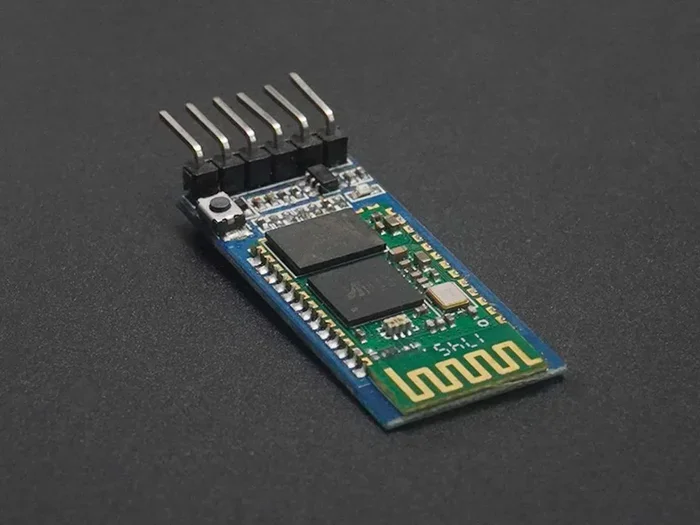
A Bluetooth adapter is a tiny transmitter and receiver. You plug it into the AUX input or line-in port on your Sonos speaker. Then you pair your phone with the adapter just like you would with any Bluetooth speaker. The adapter receives the audio signal and sends it to your Sonos speaker through a cable.
This method works with almost all Sonos speakers that have a line-in or AUX input. It is a simple, affordable solution that adds Bluetooth capability to any Sonos system.
How To Set Up a Bluetooth Adapter With Sonos
Setting up a Bluetooth adapter is straightforward. Follow these steps:
- Buy a Bluetooth audio adapter. Look for one with a 3.5mm AUX cable included.
- Plug the adapter into the line-in or AUX port on your Sonos speaker.
- Turn on the adapter and put it in pairing mode.
- On your phone, go to Bluetooth settings and find the adapter.
- Pair your phone with the adapter.
- Play music on your phone, and it will stream to your Sonos speaker.
Keep in mind that using an adapter adds a small cable between your speaker and the adapter. This is not as clean as true wireless Bluetooth, but it works great. The audio quality is also very good since the adapter sends a digital signal to the speaker.
Recommended Bluetooth Adapters for Sonos
Not all Bluetooth adapters are the same. Here are some popular options that work well with Sonos:
- 1Mii Bluetooth 5.0 Transmitter: Affordable and reliable with good range.
- Avantree Oasis Plus: Offers aptX Low Latency for minimal audio delay.
- TaoTronics Bluetooth 5.0 Transmitter: Budget-friendly and easy to set up.
- Sabrent Bluetooth 5.0 Transmitter: Compact design with solid performance.
Any of these adapters will let you use Sonos with Bluetooth in minutes. They are a great investment if you use Sonos at parties or want the flexibility of wireless streaming without Wi-Fi.
Sonos vs. Traditional Bluetooth Speakers
Now that you know how to use Sonos like a Bluetooth speaker, you might wonder how it compares to actual Bluetooth speakers. Let us look at the key differences.
| Feature | Sonos (with Wi-Fi/Adapter) | Traditional Bluetooth Speaker |
|---|---|---|
| Audio Quality | Excellent, rich and detailed | Good, but compressed over Bluetooth |
| Range | Unlimited with Wi-Fi | About 30 feet |
| Multi-Room Audio | Yes, full support | No |
| Portability | Less portable, needs power outlet | Very portable, battery-powered |
| Setup | Requires Wi-Fi network | Quick Bluetooth pairing |
| Price | Higher upfront cost | More affordable |
| Bluetooth Built-In | No (most models) | Yes |
As you can see, Sonos and traditional Bluetooth speakers serve different needs. If you want portability and simplicity, a Bluetooth speaker might be better. If you want premium sound quality and whole-home audio, Sonos is hard to beat.
One thing to note: Sonos speakers are not battery-powered. They need to stay plugged into an outlet. This means they work best in a fixed location like a living room or bedroom. If you want a speaker you can carry around the house or take outside, a Bluetooth speaker is the better choice.
Common Uses For Sonos As A Bluetooth Speaker
People use Sonos in many creative ways that go beyond just playing music at home. Here are some of the most popular use cases where you might want to use Sonos like a Bluetooth speaker.
Parties and Gatherings
Sonos is perfect for parties. You can group multiple speakers together and play the same music throughout your house. The Wi-Fi connection means no dropped audio, even with lots of people in the room. If you want to let guests add songs from their phones, you can use the Sonos app’s Party Mode or simply share control through the app.
Outdoor Use
While Sonos speakers are not designed for outdoor use, some people place them on patios or decks. Using a Bluetooth adapter can make this easier since you do not need to worry about Wi-Fi reaching the outdoor area. Just make sure the speaker is protected from moisture and direct sunlight.
TV Audio
Many people use Sonos speakers to improve their TV sound. You can connect Sonos to your TV using an optical cable or HDMI ARC. While this is not Bluetooth, it gives you wireless-quality audio from your television. If your TV supports Bluetooth, you can also use a Bluetooth adapter to stream audio from the TV to your Sonos speaker.
Gaming
Some gamers use Sonos speakers as their primary audio output. While Sonos is not a gaming speaker, the sound quality is excellent for immersive gameplay. Using a Bluetooth adapter, you can connect a gaming console or PC to Sonos without any wires.
Tips To Get The Best Experience With Sonos
Want to get the most out of your Sonos system? Here are some practical tips that will help.
- Place your router close to your Sonos speaker: A strong Wi-Fi signal means better audio streaming and fewer interruptions.
- Use an Ethernet cable when possible: Some Sonos speakers have an Ethernet port. A wired connection is more stable than Wi-Fi.
- Keep your Sonos app updated: Updates often include bug fixes and new features that improve performance.
- Use a Bluetooth adapter with the latest version: Bluetooth 5.0 adapters offer better range and sound quality than older versions.
- Group your speakers properly: Use the Sonos app to create speaker groups for multi-room audio.
- Check for Wi-Fi interference: Other devices can interfere with your Sonos connection. Keep your speaker away from microwaves and cordless phones.
Common Mistakes People Make With Sonos
Avoid these common mistakes to get the best experience with your Sonos system:
- Expecting built-in Bluetooth: Most Sonos models do not have Bluetooth. Always check your specific model before buying.
- Skipping the Sonos app setup: The Sonos app is essential for controlling your speakers. Do not try to use Sonos without it.
- Using a cheap Bluetooth adapter: A low-quality adapter can cause audio lag and poor sound. Invest in a reputable brand.
- Placing speakers too far from the router: Wi-Fi range matters for Sonos. If your speaker is too far from the router, you may experience dropouts.
- Ignoring firmware updates: Sonos regularly releases updates that improve performance and add features. Keep your speakers up to date.
Expert Insight: What the Sonos Community Says
The Sonos community is one of the most active and helpful groups of speaker enthusiasts online. Many users share their tips for getting the most out of their Sonos systems. One common theme is that Sonos sounds better than any portable Bluetooth speaker at the same price point. The Wi-Fi connection allows Sonos to deliver uncompressed audio that simply cannot match Bluetooth streaming.
Users also love the flexibility of using a Bluetooth adapter. It gives them the best of both worlds: Sonos sound quality with the convenience of Bluetooth connectivity. This is especially popular for people who host events or want to connect multiple devices throughout the day.
If you are still on the fence about Sonos, remember that Sonos is designed for people who care about audio quality. It is not a portable Bluetooth speaker. It is a premium home audio system that happens to offer wireless streaming through multiple methods. Once you set it up, you will wonder how you ever lived without it.
Final Thoughts
So, can you use Sonos like a Bluetooth speaker? Absolutely. You just need to understand that Sonos uses Wi-Fi as its primary wireless connection. You can stream music through the Sonos app, use AirPlay 2, or add a Bluetooth adapter for true Bluetooth connectivity.
Each method has its advantages. The Sonos app gives you the most control and the best sound quality. AirPlay 2 is perfect for Apple users who want a quick wireless connection. And a Bluetooth adapter is the simplest way to add Bluetooth to any Sonos speaker.
Sonos is not trying to replace your portable Bluetooth speaker. It is trying to replace your entire home audio system. The sound quality, multi-room capabilities, and smart home integration make Sonos one of the best speaker systems available today. If you are willing to set it up with Wi-Fi or a Bluetooth adapter, you will enjoy an incredible listening experience.
Start exploring your options today. Whether you already own a Sonos speaker or are thinking about buying one, knowing how to use it like a Bluetooth speaker gives you more flexibility and freedom. Stream your favorite music, connect with friends, and enjoy the rich, immersive sound that Sonos is known for.
And if you are curious about other speaker setups, check out how you can turn regular speakers into Bluetooth for more wireless options. You can also learn about using Alexa as a Bluetooth speaker if you are exploring smart speaker alternatives.
FAQs
Can I connect Sonos to my phone via Bluetooth directly?
Most Sonos speakers do not have built-in Bluetooth. You will need to use the Sonos app over Wi-Fi, AirPlay 2, or a Bluetooth audio adapter to connect your phone to Sonos wirelessly.
Which Sonos models support Bluetooth?
Very few Sonos models support Bluetooth natively. Most Sonos speakers rely on Wi-Fi for wireless connectivity. Always check the specifications of your specific Sonos model before purchasing if Bluetooth is a must-have feature for you.
Does using a Bluetooth adapter affect Sonos audio quality?
A good quality Bluetooth adapter has minimal impact on audio quality. However, Bluetooth does compress audio slightly compared to Wi-Fi streaming. For the best results, use a Bluetooth 5.0 adapter with aptX or aptX HD support.
Can I use Sonos without Wi-Fi?
Sonos requires Wi-Fi for most wireless features. However, you can use a Bluetooth adapter or a wired AUX connection to play audio without Wi-Fi. Some Sonos models also support offline playback from stored music on your device.
Is Sonos better than a portable Bluetooth speaker?
It depends on your needs. Sonos offers superior sound quality and multi-room audio, but it is not portable. Portable Bluetooth speakers are better for on-the-go use. Sonos excels as a home audio system that delivers room-filling sound.
How far can I walk away from my Sonos speaker?
With Wi-Fi, you can walk throughout your home and your Sonos speaker will keep playing without interruption. Bluetooth range is typically limited to about 30 feet. Using a Bluetooth adapter will limit your range to standard Bluetooth distance, while Wi-Fi gives you much more freedom to move around.