Can You Turn Any Usb Into A Badusb And Why It Matters
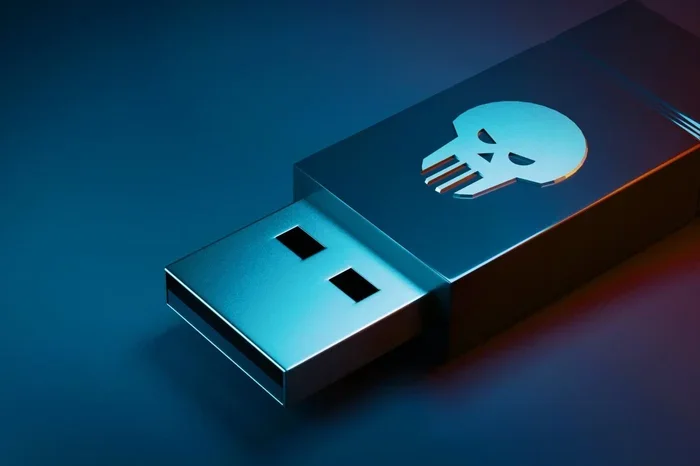
Can you turn any USB into a BadUSB? The short answer is yes, and it is a serious USB security concern that affects everyone. This guide breaks down how BadUSB attacks work, which USB devices are vulnerable, and what you can do to stay safe.
Have you ever plugged in a USB drive you found lying around? Maybe it was in a parking lot, or someone left it on a desk at work. It is tempting to plug it in and see what is on it. But doing so could expose your computer to a BadUSB attack. The question can you turn any USB into a BadUSB is not just theoretical. It is a real threat that affects millions of devices every day.
BadUSB is one of the most dangerous and least understood cybersecurity risks today. It targets the very firmware inside USB devices, turning everyday tools into weapons. In this article, we will walk through exactly how this works, which USB devices are at risk, and what you can do to protect yourself. Whether you use a simple USB flash drive or a complex USB peripheral, this matters to you.
Understanding USB security is no longer optional. Every time you connect a USB device to your computer, you are trusting that device to behave. BadUSB breaks that trust. Let us dive into the details and make sure you are informed.
Key Takeaways
- Any USB device can potentially be reprogrammed into a BadUSB threat, including flash drives and cables.
- BadUSB attacks exploit the firmware of USB peripherals, making them hard to detect.
- USB security is often overlooked, but it plays a big role in protecting your data and devices.
- Simple habits like avoiding unknown USB devices can greatly reduce your risk.
- USB device firmware can be modified to impersonate keyboards, network adapters, or storage drives.
- Office and workplace environments are especially vulnerable to USB-based threats and USB data breaches.
📑 Table of Contents
What Is BadUSB and How Does It Work?
BadUSB is a type of cyberattack that exploits the firmware inside USB devices. Firmware is the low-level software that tells a device how to function. When attackers reprogram this firmware, the device can do things its original maker never intended.
The original BadUSB research was presented at Black Hat in 2014 by security researchers Karsten Nohl and Jakob Lell. They showed that the USB protocol itself has built-in weaknesses. These weaknesses allow a device to lie about what it is. A regular USB flash drive can pretend to be a keyboard. A charging cable can pretend to be a network adapter. The possibilities are scary.
The USB Protocol Vulnerability
Here is the core problem. USB devices use something called endpoints to communicate with a computer. A USB endpoint is basically a channel for data. When you plug in a device, the computer asks, “What are you?” The device responds based on its firmware. The computer trusts that response. It does not deeply verify the device’s identity.
This means an attacker can rewrite the firmware so that the device gives a fake identity. A USB flash drive might tell the computer it is a keyboard. Once it is recognized as a keyboard, it can start “typing” commands at lightning speed. The computer has no way to know those commands did not come from a human.
Types of BadUSB Attacks
There are several common types of BadUSB attacks. Each one uses a different trick to exploit the USB protocol.
- HID Spoofing: The USB device pretends to be a human interface device, like a keyboard or mouse. It then sends keystrokes to download malware or open malicious websites. This is the most common type of attack.
- Network Redirection: The device pretends to be a network adapter. It redirects your internet traffic through an attacker-controlled server. This allows the attacker to intercept sensitive data like passwords and banking details.
- Storage Device Manipulation: The USB flash drive appears normal at first. But it also contains hidden malicious code that executes automatically when the drive is mounted.
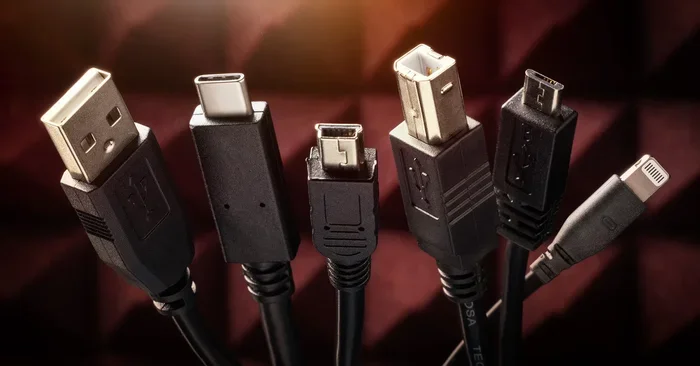
- USB Cable Attacks: Even a simple USB cable can be reprogrammed to deliver a payload. These are sometimes called “O.MG cables” and they look completely normal.
Can You Turn Any USB Into a BadUSB?
The honest answer to the question can you turn any USB into a BadUSB is yes, in most cases. The vulnerability lives in the USB protocol itself, not in any specific brand or type of device. This means USB flash drives, USB cables, USB hubs, and even USB peripherals like mice and keyboards can all be reprogrammed for malicious purposes.
The advantages and disadvantages of a computer mouse are well known to most users. But few people realize that the same USB device they trust for everyday tasks can be weaponized through firmware manipulation. A standard mouse connected via USB is just as vulnerable as any other peripheral. The attacker only needs physical access or a moment of distraction to reprogram the device.
Let us look at the specific types of USB devices that are commonly targeted.
USB Flash Drives
USB flash drives are the most common targets. They are cheap, easy to reprogram, and people plug them into computers constantly. An attacker can flash new firmware onto many popular flash drive brands in minutes. The device still works normally for storing files. But it also has a hidden malicious payload ready to execute.
USB Cables
USB cables are especially dangerous because they are so trusted. You plug a cable into your phone every day. A compromised cable can deliver an attack the moment you connect it. These cables look and feel identical to normal cables. There is no visible sign that anything is wrong.
USB Peripherals
Keyboards, mice, webcams, and speakers all use the USB protocol to communicate. Any of these USB peripherals can be reprogrammed. For example, a compromised keyboard could be programmed to type specific commands when you are not looking. It could disable security software or create a backdoor for remote access.
USB Hubs and Docks
USB hubs and docking stations sit between your computer and multiple devices. If a hub is compromised, it can intercept data from every device connected through it. This makes hubs a powerful attack vector in office environments where multiple people share the same docking station.
Why BadUSB Threats Matter
You might be thinking, “I am careful about what I plug in. Why should I worry?” The problem is that BadUSB attacks are hard to detect. Traditional antivirus software does not always catch them. The attack happens at the firmware level, which is below the operating system’s normal scanning range.
Here are some reasons why USB device security matters more than ever.
The Rise of USB-Based Threats in the Workplace
Office environments are prime targets for BadUSB attacks. People share workstations, leave devices unattended, and plug in unknown USB devices without thinking. A single compromised USB flash drive left in a parking lot can give an attacker access to an entire company network.
In many offices, employees use the same USB device to transfer files between work and home computers. If one of those devices is compromised, the attacker gains a foothold in two separate networks. This is how USB data breaches often start.
Personal Devices Are Not Safe Either
BadUSB is not just a corporate problem. Personal USB devices are equally at risk. Think about how often you plug in a USB cable to charge your phone or transfer photos. If that cable or drive has been tampered with, your personal photos, passwords, and financial data could be at risk.
Even the USB charging port on your laptop or phone can be exploited. Some USB killer devices send a high-voltage surge through the charging port to destroy hardware. These are not just theoretical threats. They are real tools that are available online.
Detection Is Extremely Difficult
Most security tools scan files and software. They do not inspect firmware. A BadUSB device can sit on your desk for months, looking completely normal. The malicious firmware inside it remains hidden. Traditional USB security tools struggle to detect these kinds of attacks because they operate at a level most software cannot reach.
How to Protect Yourself from BadUSB Attacks
The good news is that you can take practical steps to reduce your risk. No single solution is perfect, but layering your defenses makes a big difference.
1. Never Plug in Unknown USB Devices
This is the most important rule. If you find a USB flash drive or cable somewhere, do not plug it into your computer. The curiosity is not worth the risk. If you need to identify a lost device, use a dedicated hardware analysis tool instead of connecting it directly to your PC.
2. Use USB Data Blockers
A USB data blocker allows power to flow through a cable but blocks data transfer. This is useful when charging your devices in public places. It prevents a compromised USB cable from accessing your device while it charges.
3. Keep Your Software Updated
Operating system updates often include patches for USB vulnerability exploits. Keeping your system up to date reduces the attack surface. Enable automatic updates whenever possible so you do not miss critical security fixes.
4. Disable Auto-Run for USB Devices
Many computers are set to automatically run programs when a USB device is connected. Disable this feature. It prevents malicious code from executing the moment you plug something in. This simple setting can stop many BadUSB attacks in their tracks.
5. Use Endpoint Protection Tools
Advanced USB endpoint security tools can monitor USB device behavior in real time. They can detect when a device suddenly changes its identity or starts sending unusual commands. These tools are especially valuable in enterprise environments.
6. Educate Yourself and Your Team
Human error is the biggest factor in most USB security breaches. If you work in an office, make sure everyone understands the risks. A quick training session on USB device safety can prevent a costly USB data breach. Simple awareness goes a long way.
Quick Tips for Daily USB Safety
- Label your own USB devices so you never confuse them with unknown ones.
- Carry a personal USB data blocker for public charging stations.
- Scan any USB flash drive with antivirus software before opening files.
- Avoid using USB hubs from unknown manufacturers.
- Regularly check your computer’s USB device list for unfamiliar entries.
Common Mistakes People Make with USB Devices
Even security-conscious people make mistakes. Here are the most common ones to avoid.
- Plugging in found USB drives: This is the number one mistake. That cute little drive someone “found” could be loaded with malware.
- Ignoring firmware updates: Some manufacturers release firmware patches that fix known USB vulnerabilities. Check for updates regularly.
- Using the same USB drive for work and personal tasks: This cross-contaminates your devices and increases your exposure to threats.
- Trusting branded USB cables blindly: Even reputable brands can have compromised products in the supply chain. Buy from authorized sellers.
One thing many people overlook is that even everyday tasks can introduce risk. For example, if you regularly use a USB device in an office setting where files are shared across systems, a single compromised drive can spread through an entire network. Similarly, issues like a line wont delete in Microsoft Excel can sometimes be symptoms of deeper system-level problems caused by unauthorized device access or corrupted firmware interference. Always investigate unusual system behavior thoroughly.
Expert Insights on USB Security
Security researchers have been warning about BadUSB for years, but many people still do not take it seriously. The threat is real, and it is growing. Here are some expert perspectives on where USB device security is heading.
Dr. Karsten Nohl, one of the original researchers behind BadUSB, has repeatedly emphasized that the vulnerability is fundamental to the USB protocol. It is not a bug in one brand or model. It is a design flaw that affects every USB device ever made. Until the industry redesigns how USB devices authenticate, users must rely on their own caution.
Cybersecurity firms have also developed hardware-based solutions. Some companies now offer USB authentication dongles that verify a device’s identity before allowing it to connect. These tools add a physical layer of security that software alone cannot provide.
In the world of USB peripherals, awareness is growing. Manufacturers are starting to include firmware signing features that make it harder for attackers to reprogram devices. However, adoption is slow, and millions of existing devices remain vulnerable.
One often overlooked aspect is the role of the USB cable in everyday life. People use cables constantly and rarely think about them as potential attack vectors. A compromised cable can deliver a full attack in seconds. Security experts recommend treating every USB cable with the same caution as a USB flash drive.
For those who work with sensitive data, the USB device should be treated as a potential entry point for attackers. Just as you would not leave your front door unlocked, you should not leave your USB port unprotected. Simple precautions can save you from a devastating USB data breach.
Conclusion
The answer to can you turn any USB into a BadUSB is a clear and unsettling yes. Any USB device you plug into your computer can be reprogrammed to act maliciously. From USB flash drives to cables, keyboards, and hubs, no USB peripheral is safe from firmware-level attacks.
USB security is not just a concern for IT professionals. It is a concern for everyone who uses a computer. The BadUSB threat exploits fundamental weaknesses in the USB protocol, and those weaknesses are not going away anytime soon.
The good news is that protection is within your reach. By following the tips in this guide, you can significantly reduce your risk. Never plug in unknown devices, use USB data blockers, keep your software updated, and stay informed about the latest USB vulnerability developments.
Take USB device security seriously today. Your data, your identity, and your devices depend on it.
Frequently Asked Questions
What exactly is a BadUSB attack?
A BadUSB attack is a cybersecurity threat where the firmware inside a USB device is reprogrammed to behave maliciously. The device can pretend to be a keyboard, network adapter, or storage drive, and it can execute harmful commands without the user knowing.
Can any USB device be turned into a BadUSB?
In most cases, yes. The vulnerability exists in the USB protocol itself, which means USB flash drives, cables, hubs, keyboards, and other peripherals can all potentially be reprogrammed. The attacker needs physical access or a brief opportunity to modify the device.
How can I tell if a USB device has been compromised?
It is very difficult to detect a compromised USB device by looking at it. The firmware changes are invisible. The best approach is prevention: avoid unknown devices, use USB endpoint security tools, and monitor your system for unusual behavior like unexpected keystrokes or network activity.
Are USB data blockers effective against BadUSB?
Yes, USB data blockers are highly effective against data-based attacks. They allow power to pass through while blocking data transfer. This means a compromised USB cable cannot access your device when you are charging it at a public station.
What should I do if I suspect a BadUSB attack?
Disconnect the USB device immediately and run a full antivirus scan. Check your system logs for unusual activity. If you are in a workplace, report the incident to your IT department right away. Change any passwords that may have been exposed.
Do antivirus programs protect against BadUSB?
Traditional antivirus software has limited effectiveness against BadUSB attacks because the attack operates at the firmware level. Specialized USB endpoint security tools and hardware-based solutions offer better protection. Always keep your operating system updated, as patches can address known USB vulnerability exploits.
=== CONCLUSION ===
Can you turn any USB into a BadUSB? Yes, and the threat is real. Understanding how BadUSB attacks work is the first step toward protecting yourself. Use the tips and insights from this guide to make your USB device usage safer every day.