Can You Have 2 WiFi Accounts At The Same Home Address
Can You Have 2 WiFi Accounts At The Same Home Address? Yes, you absolutely can. Many households run two WiFi networks from a single address for various reasons. Whether you need a separate network for work, better coverage, or guest access, setting up a dual WiFi setup is straightforward. This guide covers everything you need to know, from ISP policies to equipment requirements. By the end, you will have a clear roadmap to get your second network up and running.
So, can you have 2 WiFi accounts at the same address? The short answer is yes. Can You Have 2 WiFi Accounts At The Same Home Address is a question many homeowners and renters ask every day. The good news is that running multiple WiFi networks from one physical address is completely doable.
Many people set up a second internet account for various reasons. Maybe you need a separate network for work. Perhaps you want better coverage throughout your home. Or you might just want to keep your guest traffic separate from your personal data. Whatever the reason, this guide will walk you through everything you need to know.
We will cover how dual WiFi networks work, what equipment you need, and how to avoid common pitfalls. By the time you finish reading, you will have a clear picture of your options. Let us dive right in.
Key Takeaways
- Yes, you can have two WiFi accounts: Running multiple internet accounts at one physical address is fully supported by most providers.
- Separate networks offer real benefits: Dual WiFi setups improve security, performance, and organization for work and personal use.
- You need the right equipment: A second modem, router, or mesh system is typically required for each account.
- ISP policies vary: Always check with your internet service provider before signing up for a second account.
- IP conflicts are manageable: Proper setup prevents most common networking issues between two accounts.
- Cost is a factor: Running two accounts means paying for two internet plans, so budget accordingly.
📑 Table of Contents
- What Does It Mean to Have Two WiFi Accounts at One Address?
- Why People Run Two WiFi Networks at the Same Home
- How to Set Up Two WiFi Accounts at the Same Address
- Equipment You Will Need for Dual WiFi Networks
- ISP Policies on Multiple Accounts at One Address
- Common Challenges and How to Solve Them
- Conclusion
What Does It Mean to Have Two WiFi Accounts at One Address?
Having two WiFi accounts at the same address means you have two separate internet service subscriptions tied to one physical location. Each account has its own modem, router, and internet plan. Both networks operate independently, even though they share the same building.
Think of it like having two separate electric accounts in one house. Each account feeds its own circuit. Similarly, each WiFi account feeds its own network. Your devices connect to one network or the other, but they do not mix.
This setup is different from having one router with multiple SSIDs. A single router can broadcast more than one network name. But that still runs on one internet account. True dual accounts mean two separate broadband connections from your internet service provider.
How Two WiFi Networks Work at the Same Address
Each WiFi account requires its own modem and active broadband line. Your provider assigns a unique IP address to each account. This keeps the two networks completely separate. Devices on Network A cannot see devices on Network B unless you set up specific rules.
For example, you might have one account on fiber internet and another on cable internet. Each connection enters your home through a different line. Each one gets its own modem. Then each modem connects to its own router or mesh system.
The two networks can run at the same time without interfering with each other. Your devices will connect to the network you choose. You can switch between them as needed.
The Difference Between One Account and Two
With one WiFi account, all your devices share the same connection. They use the same bandwidth pool. One slow device can slow down the whole network. With two accounts, you split your devices across two connections. This can improve overall performance.
Two accounts also mean two separate Wi-Fi passwords. You can give guests access to one network without sharing your main password. You can also set different security levels for each network.
Here is a quick comparison of the two setups:
| Feature | One WiFi Account | Two WiFi Accounts |
|---|---|---|
| Number of Connections | One broadband connection | Two separate broadband connections |
| Network Isolation | No isolation between devices | Full isolation between networks |
| Guest Access | Shared main password | Separate guest network |
| Cost | One monthly bill | Two monthly bills |
| Bandwidth | Shared among all devices | Split between two pools |
| Setup Complexity | Simple | Moderate |
| Equipment Needed | One modem, one router | Two modems, two routers |
Key Takeaways: Two WiFi accounts mean two separate internet subscriptions at one address. Each account runs its own modem and router. This gives you full network isolation and separate bandwidth pools. It costs more but offers better control and security.
Why People Run Two WiFi Networks at the Same Home
There are many reasons why someone would want a second WiFi account at home. Let us look at the most common ones. Each reason shows a real benefit that dual networks can provide.
Separate Networks for Work and Personal Use
Remote work has changed how we use home internet. When your work devices share a network with your personal devices, things can get messy. A work laptop might pick up a personal device that is slowing things down. Or a personal download might interfere with an important video call.
With two separate accounts, you can keep work and personal traffic completely apart. Your work devices connect to Network A. Your personal devices connect to Network B. This separation improves both security and performance.
Many IT professionals recommend this approach. It keeps your work data isolated from your home network. If a personal device gets compromised, your work devices stay safe.
Better Coverage for Larger Homes
Large homes often struggle with WiFi coverage. A single router may not reach every room. Thick walls, multiple floors, and long hallways all weaken the signal.
Adding a second WiFi account lets you run a second router in a different part of the house. You can place one router on each floor. Or one in the front and one in the back. This gives you stronger coverage throughout the home.
Some people use a mesh network system for this purpose. A mesh system uses multiple nodes to spread coverage. But a mesh system still runs on one account. A second account gives you a completely independent second network.
Guest and Security Isolation
When guests visit your home, you want to give them internet access. But you do not want them on your main network. A second WiFi account solves this problem perfectly.
You give guests the password for Network B. They can browse the web and stream content. But they cannot access your shared files, printers, or smart home devices on Network A. This adds a strong layer of network security.
Parents also use this setup to create a separate network for children’s devices. This lets them apply different parental controls and screen time rules.
Quick Tips
- Use different passwords for each network to keep them truly separate.
- Label your routers with stickers so family members know which network to use.
- Place your guest router in a common area for easy access.
- Change default admin passwords on both routers to boost security.
Key Takeaways: People run two WiFi accounts for work-personal separation, better coverage, and guest security. Each reason delivers a real, practical benefit. A dual setup gives you more control over your home network.
How to Set Up Two WiFi Accounts at the Same Address
Setting up a second WiFi account is straightforward if you follow the right steps. Here is a clear, step-by-step guide to help you through the process.
Step-by-Step Setup Process
- Check with your current ISP: Call your internet provider and ask if they allow a second account at your address. Some providers have specific rules about this.
- Choose your second provider or plan: You can either sign up for a second plan with the same ISP or switch to a different provider. Using two different providers can give you redundancy if one goes down.
- Schedule installation for the second account: A technician will need to set up a second modem at your home. This may require a second wall outlet for the internet line.
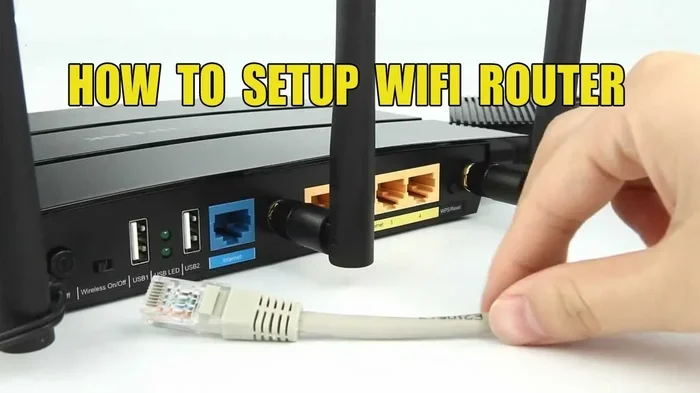
- Set up your second router: Once the modem is active, connect your second router. Configure the WiFi name and WiFi password for the new network.
- Test both networks: Run an internet speed test on both networks. Make sure each one delivers the speeds you are paying for.
- Configure your devices: Connect your devices to the appropriate network. Move work devices to one network and personal devices to the other.
Quick Tips for a Smooth Installation
- Do this during a weekend: Setup takes a few hours. Give yourself enough time to get everything right.
- Keep your ISP account numbers handy: You will need both account numbers for troubleshooting.
- Document your settings: Write down the IP addresses, passwords, and network names for both setups.
- Restart both modems after setup: A fresh restart ensures everything connects properly.
Common Mistakes to Avoid
One of the biggest mistakes is placing both routers too close together. This can cause signal interference between the two networks. Keep your routers at least 10 feet apart if possible.
Another mistake is using the same channel for both networks. If both routers broadcast on channel 6, they will interfere with each other. Use a WiFi analyzer app to find the best channel for each network.
Some people forget to update the firmware on their second router. Outdated firmware can cause security vulnerabilities and performance issues. Always check for updates during setup.
Expert Insights
Networking experts recommend using two different ISPs for true redundancy. If one provider has an outage, the other keeps your internet running. This is especially valuable for home offices where downtime costs money.
Key Takeaways: Setting up two WiFi accounts involves contacting your ISP, installing a second modem, and configuring a separate router. Avoid common mistakes like signal interference and outdated firmware. A smooth setup gives you two reliable, independent networks.
Equipment You Will Need for Dual WiFi Networks
Running two WiFi accounts requires the right equipment. You cannot just plug two networks into one router. Each account needs its own dedicated gear. Here is what you will need.
Modems and Routers for Each Account
Each WiFi account needs its own modem. The modem connects to the internet line from your provider. Most ISPs provide a modem when you sign up for service. For a second account, you will need a second modem.
Each modem then connects to its own router. The router broadcasts the WiFi signal throughout your home. You can use the same brand for both routers or mix and match. Just make sure each router supports the latest WiFi standards, like WiFi 6 or WiFi 6E.
If your ISP provides a modem-router combo unit, you will need two of those for two accounts. Some providers charge a monthly rental fee for these units. Factor that into your budget for the second account.
Mesh Systems and WiFi Extenders
For larger homes, a single router may not be enough even with two accounts. A mesh WiFi system can help. A mesh system uses multiple nodes to spread coverage evenly.
You can use a mesh system with one of your accounts. The other account can use a traditional router. Or you can run a mesh system for each account. This gives you the best coverage and performance.
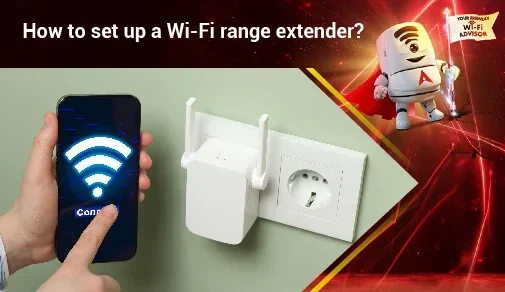
A WiFi extender is another option. Extenders boost the signal from your router. They are cheaper than mesh systems but not as reliable. Place an extender halfway between your router and the weak spot in your home.
Expert Insights
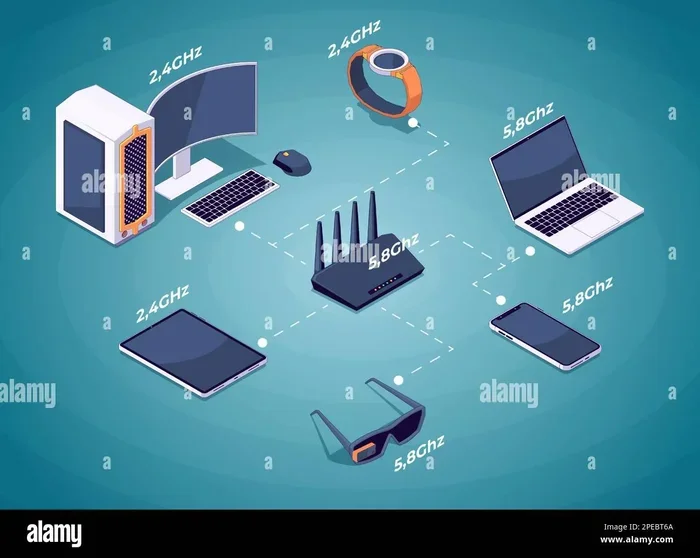
When choosing equipment for a dual WiFi setup, look for routers with band steering. This feature automatically directs devices to the best frequency band. It reduces congestion and improves speeds for both networks.
Key Takeaways: You need two modems and two routers for a dual WiFi setup. Mesh systems and extenders can improve coverage. Choose equipment that supports the latest WiFi standards for the best performance.
ISP Policies on Multiple Accounts at One Address
Not all internet service providers handle second accounts the same way. Before you sign up, it is important to understand your provider’s policies. Here is what you need to know.
What Internet Providers Allow
Most major ISPs allow multiple accounts at the same address. Providers like Comcast, AT&T, Spectrum, and Verizon generally support this. They understand that households have different needs.
However, some providers limit the number of accounts per address. They may require a separate physical address or a different service location. This is more common with fiber internet providers, who may only have one service point per building.
Cable internet providers tend to be more flexible. They often have multiple service drops available at one address. This makes it easier to run two separate accounts.
How to Check With Your Provider
Before you commit, call your ISP and ask directly. Say you want to add a second internet account at your address. Ask about any restrictions or additional fees.
Some providers charge a one-time installation fee for each account. Others may offer a discount for multiple accounts. Always ask about promotional deals. You might save money by bundling two accounts with the same provider.
Also check if your provider allows you to use your own modem. Using your own equipment can save you rental fees over time. Just make sure the modem is compatible with your provider’s network.
Key Takeaways: Most ISPs allow multiple accounts at one address, but policies vary. Always check with your provider before signing up. Ask about fees, equipment options, and any restrictions that apply.
Common Challenges and How to Solve Them
Running two WiFi accounts is not without its challenges. Here are the most common issues and how to solve them.
IP Address Conflicts
An IP address conflict happens when two devices on different networks try to use the same address. This can cause connection problems for both networks.
To avoid this, make sure each modem uses a different IP range. Most modern routers handle this automatically. But if you run into issues, you can manually set the IP address for each router in the admin settings.
Restart both modems if you notice connection drops. A simple reboot often resolves IP conflicts quickly.
Billing and Account Management Issues
Managing two internet bills can be confusing. Set up autopay for both accounts to avoid missed payments. Use a budgeting app to track both bills in one place.
Keep a spreadsheet with your account numbers, billing cycles, and renewal dates. This makes it easy to compare costs and spot any billing errors.
Bandwidth and Speed Concerns
Some people worry that two accounts will not give them enough speed. The truth is, each account has its own bandwidth. If you have 200 Mbps on each account, you have 200 Mbps for each network.
However, if you have many devices on one network, that network can still slow down. Spread your devices evenly between the two networks. This keeps the load balanced.
Run regular internet speed tests on both networks. If one account is consistently slower than the other, contact that ISP for support.
Common Mistakes
- Placing routers too close together: This causes signal interference and weakens both networks.
- Using the same WiFi channel: Overlapping channels reduce performance for both networks.
- Forgetting to update router firmware: Outdated firmware creates security risks and bugs.
- Not reading ISP fine print: Some providers have hidden rules about second accounts.
Key Takeaways: IP conflicts, billing confusion, and bandwidth issues are common with dual WiFi setups. Most problems have simple solutions. Regular maintenance and smart placement keep both networks running smoothly.
Conclusion
Can You Have 2 WiFi Accounts At The Same Home Address? Absolutely yes. Running two separate WiFi networks from one address gives you more control, better security, and improved performance. Whether you need to separate work and personal traffic, cover a large home, or keep guests isolated, a dual setup delivers real benefits.
The process is straightforward. You need two modems, two routers, and two active internet accounts. Most ISPs support this setup. Just check your provider’s policies before you get started.
Yes, there are challenges. IP conflicts, billing management, and equipment costs are real considerations. But with proper planning and setup, you can avoid most of these issues. The key is to take your time, follow best practices, and keep both networks well-maintained.
If you have been wondering whether a second WiFi account makes sense for your home, now you have the answer. It is a practical, achievable solution for many households. Take what you learned here and start planning your dual WiFi setup today. Your home network will thank you.
Frequently Asked Questions
Can I have two different internet providers at the same address?
Yes, most addresses can support two different internet providers. This is common in areas with multiple available services like cable and fiber. Having two providers gives you redundancy and can improve your overall internet experience.
Do I need a separate modem for each WiFi account?
Yes, each WiFi account requires its own modem. The modem connects directly to the internet line from your provider. You cannot share a single modem between two separate accounts. Each account needs its own dedicated modem and router setup.
Will having two WiFi accounts slow down my internet?
No, having two accounts does not slow down your internet. Each account operates independently with its own bandwidth. In fact, splitting your devices across two networks can improve performance by reducing congestion on any single connection.
Can I use one router for two separate internet accounts?
No, one router cannot handle two separate internet accounts. Each account needs its own modem and router combination. However, you can use a single router with multiple SSIDs if you only need virtual network separation on one account.
Is it legal to have two WiFi accounts at one address?
Yes, it is completely legal. There are no laws against having multiple internet accounts at the same home address. As long as you follow your ISP’s terms of service and pay for each account, you are within your rights to run multiple networks.
How much does it cost to run two WiFi accounts?
The cost depends on your internet plans and provider. Most people pay between $100 and $200 per month for two accounts. Some providers offer discounts for bundling multiple accounts. Factor in equipment rental fees and installation costs when budgeting for a dual WiFi setup.