Can Universities See What You Do On Their Wi Fi Network
Can universities see what you do on their Wi-Fi? Yes, they can see a lot — but not everything. When you connect to campus internet, your university’s network administrator can view unencrypted traffic, DNS requests, and browsing patterns. However, HTTPS websites, VPNs, and encrypted apps add layers of privacy that make it much harder for schools to see your exact activity. Understanding how campus networks work helps you browse smarter and stay safe.
You are sitting in the campus library, connected to the university Wi-Fi. You are scrolling through social media, watching videos, or maybe doing some late-night research. But a question keeps nagging at the back of your mind. Can universities see what you do on their Wi-Fi? It is a question that crosses the minds of almost every college student who uses campus internet. The short answer is yes, but the full story is more nuanced than you might think.
Universities invest heavily in their network infrastructure. They deploy sophisticated monitoring tools, firewalls, and traffic analysis systems. These systems collect data about how students use the internet. Some of this tracking is for security purposes. Some of it is for bandwidth management. And some of it is simply because they can. Understanding what your school can and cannot see helps you make smarter choices about your online privacy.
In this article, we will break down exactly how university Wi-Fi networks work. We will explore what your school can track, what it cannot see, and what steps you can take to protect your privacy. Whether you are a freshman just connecting to campus internet or a senior who has been using the same network for years, this guide will give you practical insights you can use today.
Key Takeaways
- Universities can see your browsing metadata: They can track which websites you visit, how long you spend on them, and your overall bandwidth usage.
- HTTPS websites hide your content: While schools can see the domain you visited, they cannot read the specific pages or messages on encrypted sites.
- VPNs are your best defense: A reliable VPN encrypts all your traffic, making it nearly impossible for the university to see what you do.
- Incognito mode does not hide you from your school: Many students mistakenly think private browsing keeps them anonymous on campus networks.
- Universities monitor for security and policy reasons: Network tracking helps schools prevent illegal activity, bandwidth abuse, and cyber threats.
- Your digital footprint on campus Wi-Fi is real: Even if schools are not actively watching, their systems store logs that could be reviewed later.
📑 Table of Contents
How University Wi-Fi Networks Actually Work
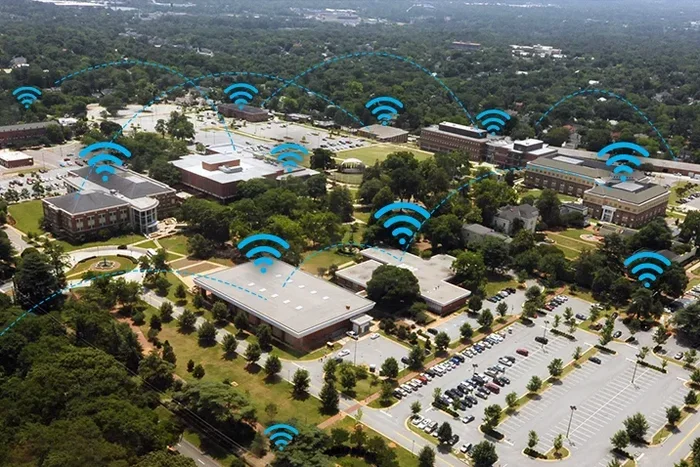
Before you can understand what universities can see, you need to understand how their networks operate. Campus Wi-Fi is not like your home internet. It is a shared network infrastructure designed to serve thousands of users simultaneously. This means the network architecture is built for monitoring and management.
The Role of the Network Administrator
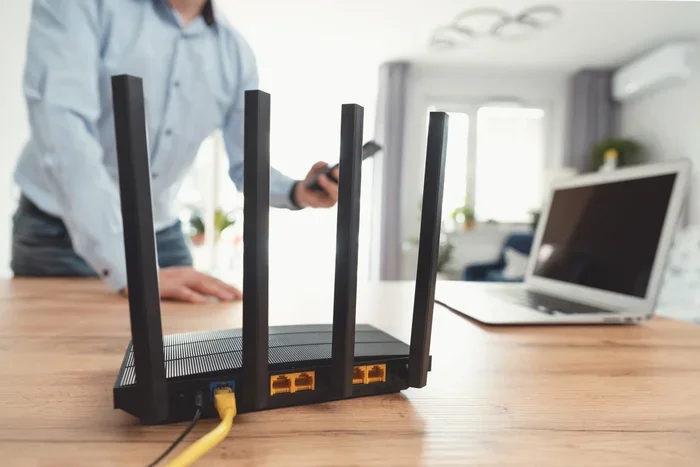
Every university has a network operations team. These professionals manage the campus internet infrastructure. They control routers, switches, firewalls, and servers. When you connect to the university Wi-Fi, your device communicates through their equipment. This gives them the technical ability to monitor your traffic.
The network administrator can see metadata about your connections. Metadata includes things like the domains you visit, the times you connect, and the amount of data you transfer. They can also see your device information, such as your MAC address and IP address. This information is logged and stored in network traffic logs.
How Traffic Flows Through Campus Networks
When you type a website address into your browser, your device sends a request through the campus network. This request passes through several layers of university equipment. First, it hits the access point — the Wi-Fi router you connected to. Then it goes through the campus network switch. From there, it travels to the university firewall and proxy servers.
At each of these points, the network can capture data about your request. The firewall inspects the traffic for security threats. The proxy server may cache frequently visited websites to speed up browsing. And the logging systems record details about every connection you make.
This is why university wifi monitoring is so effective. The network is designed to route all traffic through controlled points. There is no secret backdoor or hidden path. Everything flows through the university’s infrastructure.
Can Universities See What You Do On Their Wi-Fi Network
This is the big question. And the answer depends on several factors. The type of website you visit, the apps you use, and the encryption level all play a role. Let us break this down into what universities can see and what they cannot.
What Universities Can See
Universities have the technical capability to see quite a bit of your online activity. Here is what they can typically access:
- Domain names you visit: They can see that you visited google.com or youtube.com. They know which websites you access.
- Connection times and duration: They can track when you connected and how long you stayed online.
- Bandwidth usage: They can see how much data you consumed. This helps them identify heavy users.
- Device information: They can identify your device by its MAC address or device fingerprint.
- Unencrypted traffic: If you visit an HTTP website (not HTTPS), they can see the exact pages you viewed and any data you entered.
- DNS requests: Every time you visit a website, your device sends a DNS query. Universities can log these queries to build a profile of your browsing habits.
- VPN usage: While they cannot see what you do through a VPN, they can detect that you are using one.
What Universities Cannot See
There are also things that universities cannot easily access. These protections come from encryption technologies that are widely used today:
- Content on HTTPS websites: When you visit a site with HTTPS, the data between you and the website is encrypted. Universities can see the domain, but not the specific pages, messages, or content you interact with.
- Messages on encrypted apps: Apps like WhatsApp, Signal, and Telegram use end-to-end encryption. The university cannot read your messages even if they intercept the traffic.
- Search queries on encrypted search engines: If you use HTTPS versions of search engines, your specific search terms are hidden from network observers.
- VPN-protected traffic: When you use a VPN, all your traffic is encrypted and routed through a secure tunnel. The university can only see that you are connected to a VPN server, not what you do afterward.
The key takeaway here is that encryption is your friend. The more encrypted your traffic is, the harder it becomes for anyone — including your university — to see what you are doing online.
What Exactly Can Universities Track
Let us go deeper into the tracking capabilities of university networks. Many students underestimate how much data their school collects. Understanding this helps you make informed decisions about your online behavior.
Network Traffic Logs and Retention
Universities maintain detailed logs of network activity. These logs record every connection made through their systems. The logs typically include timestamps, IP addresses, domain names, and data volumes. Some universities retain these logs for weeks or even months.
The purpose of these logs varies. Security teams use them to investigate breaches and cyberattacks. IT departments use them to troubleshoot connectivity issues. And compliance teams use them to meet legal and regulatory requirements.
But here is the important part. These logs exist. And they can be accessed by authorized personnel. Even if no one is actively watching your traffic right now, the data is there. It could be reviewed if an incident occurs or if there is a policy investigation.
Deep Packet Inspection and Advanced Monitoring
Some universities use a technique called deep packet inspection, or DPI. This technology goes beyond simple traffic logging. DPI examines the actual content of data packets as they pass through the network. It can identify the type of traffic, the applications being used, and even the protocols involved.
DPI is commonly used for network management. Universities use it to prioritize bandwidth for academic applications. They also use it to detect and block malicious traffic. However, DPI can also be used to identify specific types of activity, such as streaming, gaming, or file sharing.
The level of DPI deployment varies by institution. Large research universities are more likely to have advanced monitoring systems. Smaller colleges may rely on simpler logging tools. But the capability exists across most campus networks.
Bandwidth Throttling and Usage Policies
Universities often have acceptable use policies for their networks. These policies outline what students can and cannot do on campus internet. They typically prohibit illegal downloading, streaming abuse, and activities that consume excessive bandwidth.
When a student exceeds normal usage thresholds, the network may throttle their connection. This means the internet speed is reduced. Some universities send warnings to students who engage in heavy downloading or streaming. Repeated violations can lead to network access restrictions.
So even if your school is not actively reading your messages, they are tracking your usage patterns. This data can be used to enforce network policies and manage resources effectively.
How to Protect Your Privacy on Campus Wi-Fi
Now that you understand what universities can see, you might be wondering how to protect yourself. The good news is there are several effective steps you can take. These methods range from simple habits to more advanced tools.
Use a VPN
A virtual private network, or VPN, is the most effective tool for protecting your privacy on campus Wi-Fi. A VPN encrypts all the data between your device and the VPN server. This means the university network only sees encrypted traffic going to the VPN server. They cannot see what websites you visit, what you download, or what you search for.
There are many VPN providers available. Some are free, while others require a subscription. Look for a VPN with a strong privacy policy, fast connection speeds, and servers in multiple locations. Popular choices among students include NordVPN, ExpressVPN, and Mullvad.
Setting up a VPN is straightforward. Most providers offer apps for Windows, Mac, iOS, and Android. You simply download the app, sign in, and connect. Once the VPN is active, all your campus Wi-Fi traffic is encrypted and private.
Stick to HTTPS Websites
Always look for the padlock icon in your browser address bar. This indicates that the website uses HTTPS encryption. When you visit an HTTPS site, the content of your interaction is encrypted. Even if the university can see the domain name, they cannot see the specific pages or data you access.
Modern browsers make this easy. They warn you when you are about to visit an HTTP site. Take these warnings seriously. Avoid entering any personal information on non-HTTPS websites, especially on campus networks.
Avoid Sensitive Activities on Public Networks
Even with HTTPS protection, it is wise to avoid sensitive activities on shared networks. This includes online banking, entering passwords for important accounts, or accessing confidential work documents. If you need to do these things, use your mobile data or a trusted VPN connection instead.
This is a simple habit that goes a long way. It takes seconds to switch to your phone’s cellular data for a quick banking check. That small action can protect you from potential snooping on the campus network.
Be Mindful of DNS Leaks
DNS leaks can expose your browsing activity even when you think you are protected. When you type a website name, your device sends a DNS query to resolve that name to an IP address. On a campus network, these DNS queries often pass through the university’s DNS servers.
This means your school can see every domain you visit, even if the content is encrypted. Some VPNs include DNS leak protection to prevent this. Make sure your VPN has this feature enabled. You can also test for DNS leaks using online tools to verify your privacy setup.
Use Encrypted Messaging Apps
When communicating on campus Wi-Fi, use apps that provide end-to-end encryption. Signal, WhatsApp, and Telegram all offer strong encryption for messages and calls. This means even if the university intercepts the traffic, they cannot read your conversations.
Avoid using unencrypted communication methods on campus networks. Standard email, unencrypted messaging apps, and open forums do not provide the same level of protection. If privacy matters to you, choose your communication tools wisely.
Why Universities Monitor Student Internet Activity
It is natural to wonder why universities go to the trouble of monitoring network activity. The reasons are often more practical than invasive. Understanding these motivations can help you see campus monitoring in a different light.
Network Security and Threat Prevention
The primary reason universities monitor their networks is security. Campus networks are prime targets for cyberattacks. They serve thousands of users with varying levels of technical knowledge. Without monitoring, the network would be vulnerable to malware, phishing attacks, and unauthorized access.
Network monitoring helps detect suspicious activity early. If a device is sending out spam or attempting to access restricted systems, the monitoring tools flag it. This allows the IT team to respond quickly and prevent potential breaches.
Compliance with Legal Requirements
Universities must comply with various laws and regulations. These include laws related to copyright infringement, child protection, and data privacy. Monitoring helps schools demonstrate compliance and respond to legal requests for information.
For example, if a copyright holder reports illegal file sharing on the campus network, the university needs the ability to identify the responsible user. Network logs provide the evidence needed to address such complaints.
Bandwidth Management
Campus networks have limited bandwidth. When thousands of students stream videos, download files, and use bandwidth-heavy applications simultaneously, the network can become overwhelmed. Monitoring helps universities manage this resource effectively.
By tracking usage patterns, network administrators can identify bandwidth hogs and implement fair usage policies. This ensures that all students have access to reliable internet for their academic work.
Policy Enforcement
Every university has an acceptable use policy for its network. These policies set rules for how students should use campus internet. Monitoring helps enforce these policies and maintain a fair, secure environment for everyone.
Violations can include accessing illegal content, using peer-to-peer file sharing networks, or engaging in harassment through online platforms. The university has both the technical ability and the policy authority to address these behaviors.
The Bottom Line on Campus Wi-Fi Privacy
So, can universities see what you do on their Wi-Fi? The answer is yes, to a significant degree. They can see which websites you visit, when you visit them, and how much data you use. They can track your device and your connection patterns. And if you visit unencrypted websites, they can see the content of your activity.
However, you are not completely exposed. HTTPS encryption, VPNs, and encrypted messaging apps provide strong protections. These tools make it much harder for universities to see the specific details of your online activity.
The most important thing you can do is take control of your own privacy. Use a VPN when you are on campus Wi-Fi. Stick to HTTPS websites. Be mindful of what you access and when. These simple steps can dramatically improve your privacy on any shared network.
Universities have the right and the technical ability to monitor their networks. That is not going away. But you also have the right to protect your personal information. By understanding how campus networks work and using the right tools, you can browse with confidence and keep your online activity private.
Your digital footprint on campus is real. But with the right knowledge and tools, you can control what leaves it. Stay informed, stay protected, and enjoy your campus internet with peace of mind.
Frequently Asked Questions
Can my university see my browsing history if I use incognito mode?
Incognito mode only hides your browsing history on your device. It does not hide your activity from the network. When you connect to university Wi-Fi, the network administrator can still see the domains you visit and your traffic patterns. Incognito mode gives you no protection on a shared network.
Does using a VPN make me completely invisible on campus Wi-Fi?
A VPN encrypts your traffic and hides your browsing activity from the university network. However, the university can still see that you are connected to a VPN server. They can also see how much data you are using. A VPN provides strong privacy but does not make you completely invisible.
Can universities see my messages on WhatsApp or Signal?
No. Apps like WhatsApp and Signal use end-to-end encryption. This means the university cannot read your messages even if they intercept the traffic. They can only see that you are sending and receiving data. The actual content of your messages remains private.
How long do universities keep their network logs?
Retention periods vary by institution. Some universities keep logs for a few weeks. Others may retain them for several months or longer. The specific retention policy depends on the university’s IT department and any legal or regulatory requirements they must follow.
Can the university see what I download on their Wi-Fi?
If you download from an HTTPS website, the university can see the domain and the file size but not the specific contents of the download. If you download from an HTTP website or use unencrypted protocols, the university may be able to see the actual files you are downloading. Using a VPN encrypts all downloads and hides them from network monitoring.
Are there any laws that protect my privacy on campus Wi-Fi?
Privacy laws vary by country and region. In the United States, the Electronic Communications Privacy Act provides some protections. However, universities generally have the right to monitor their own networks as long as they inform students through their acceptable use policies. Always review your school’s privacy and network policies to understand your rights.
=== CONCLUSION ===
The question of whether universities can see what you do on their Wi-Fi comes down to a mix of technical capability and encryption. The short answer is yes, universities have the tools and access to monitor a great deal of your online activity on their networks. They can see which domains you visit, when you are online, how much data you use, and what devices you connect with. For unencrypted HTTP traffic, the picture is even clearer. They can see the exact pages you view and the data you submit.
But the full picture is more reassuring than it might seem at first. HTTPS encryption, VPNs, and end-to-end encrypted messaging apps create strong barriers between your activity and prying eyes on the network. You are not as exposed as you might fear. The key is to be proactive about your privacy rather than relying on the assumption that someone else is protecting it.
Use a VPN when you are on campus. Look for the padlock icon before entering any sensitive information. Be thoughtful about the apps and websites you use. These small habits add up to a significant difference in your digital privacy. The more you know about how university wifi monitoring works, the better equipped you are to navigate it safely and confidently.