Can Laptops Be Upgraded Like Desktops in 2025 and Beyond
Can laptops be upgraded like desktops? The short answer is: it depends. While desktops offer nearly endless upgrade potential, laptops have significant upgrade limitations. Some components like RAM and storage can be swapped out easily, but others like the CPU and GPU are often soldered in place. This guide breaks down exactly what you can and cannot upgrade, helping you make smart hardware upgrade decisions in 2025 and beyond.
So, can laptops be upgraded like desktops? It is a question that pops up constantly in tech forums, Reddit threads, and even casual conversations among friends. The truth is, the answer is not a simple yes or no. Laptops and desktops are built very differently, and that affects how much you can actually change inside them.
If you are someone who wants to squeeze more life out of an aging machine, or maybe you are trying to decide whether to upgrade or replace, this guide is for you. We will walk through every major laptop component, explain what is possible, what is not, and give you practical advice you can actually use. By the end, you will have a clear picture of your laptop upgradability and what makes sense for your budget.
The world of portable computing has changed a lot over the past decade. Laptops have become thinner, lighter, and more powerful than ever. But that sleek design comes with trade-offs. Manufacturers often sacrifice upgrade potential in favor of portability and aesthetics. Understanding these trade-offs is the first step toward making the right decision for your needs.
Key Takeaways
- RAM and storage upgrades are the most common and easiest ways to boost laptop performance.
- CPU and GPU upgrades are usually not possible because they are soldered onto the motherboard.
- Gaming laptops and workstation laptops offer slightly more upgrade options than ultrabooks.
- External docking stations and eGPUs can help bridge the gap for users who need more graphics power.
- Upgrading a laptop has limits, and sometimes buying a new device makes more financial sense.
- Always check your laptop model before purchasing any upgrade components.
- DIY upgrades can save hundreds of dollars compared to buying a brand-new machine.
📑 Table of Contents
- Understanding the Difference Between Laptop and Desktop Upgrades
- What Laptop Components Can You Actually Upgrade?
- What Laptop Components Cannot Be Upgraded?
- Workarounds: How to Boost Laptop Performance Without Internal Upgrades
- Which Laptops Offer the Best Upgrade Options?
- When Should You Upgrade vs. Replace Your Laptop?
- Common Mistakes People Make When Upgrading Laptops
- Final Thoughts on Laptop Upgradability in 2025
Understanding the Difference Between Laptop and Desktop Upgrades
Before we dive into specifics, let us talk about why laptops and desktops are so different when it comes to upgrades. Desktops are built with spacious towers that have room for large components, multiple fans, and plenty of connectors. Laptops, on the other hand, are designed to fit everything into a compact chassis. That compact design is both a blessing and a curse.
Why Desktops Are Easier to Upgrade
Desktop computers are basically modular by design. You can swap out the CPU, GPU, RAM, storage drives, power supply, and more. Each component connects through standardized sockets and slots. This means you can mix and match parts from different manufacturers and generations. The result is a machine you can customize to your exact needs.
For example, if your desktop processor upgrade needs more speed, you can simply buy a new CPU that fits the same socket. If your graphics card is outdated, you can install a newer, more powerful one. This flexibility is a huge reason why desktops remain popular among gamers, creators, and professionals.
Why Laptops Are More Restricted
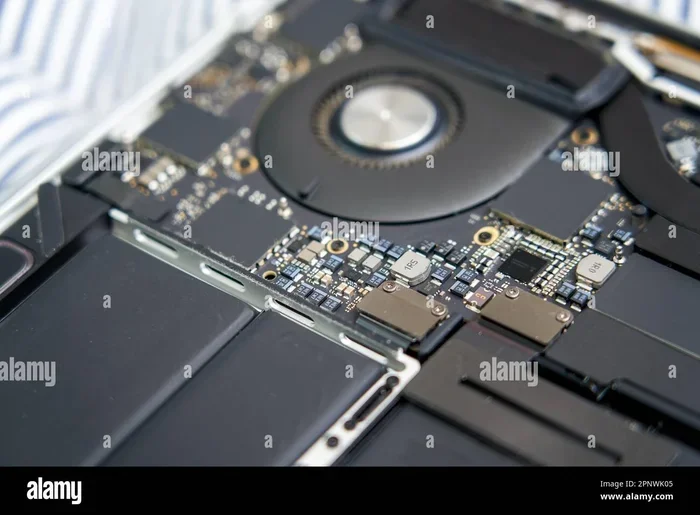
Laptops are built for one thing: portability. Every millimeter of space matters. To achieve thin profiles and light weights, manufacturers often solder components directly to the motherboard. This means the CPU and GPU cannot be removed or replaced. Even the RAM is sometimes glued onto the board in modern ultrabooks.
Additionally, laptop internal components are often proprietary. A RAM stick from one brand might not fit another, even if they are the same type. Storage drives sometimes use custom connectors. All of these factors limit what you can do when you want to upgrade a laptop.
What Laptop Components Can You Actually Upgrade?
Not everything is lost, though. Several key components can still be upgraded in many laptops. Let us break them down one by one so you know exactly where your laptop customization options lie.
RAM Upgrades
RAM upgrade is one of the most straightforward ways to improve laptop performance. More memory means your computer can handle more tasks at once without slowing down. If your laptop feels sluggish when you have multiple browser tabs open, or if you struggle with video editing, adding more RAM can make a noticeable difference.
Most laptops made before 2020 have at least one RAM slot that is accessible. You can typically add or replace memory sticks yourself. The process usually involves removing a back panel, locating the RAM module, and sliding in a new one. It takes about five minutes and requires no special tools beyond a small screwdriver.
However, newer laptops are trickier. Many thin-and-light models now have soldered RAM, which means you cannot upgrade it at all. Before buying RAM for your laptop, check your specific model to confirm it has an accessible slot. Websites like Crucial and Kingston offer easy-to-use tools that tell you exactly what type of laptop memory your machine supports.
Storage Upgrades
Storage upgrade is the second most common and impactful upgrade you can make. Swapping out an old hard drive for a solid-state drive, or SSD upgrade, can transform an aging laptop. Boot times drop from minutes to seconds, apps load faster, and the overall feel of the machine improves dramatically.
Most laptops still use standard 2.5-inch SATA drives or M.2 NVMe SSDs. These are widely available and relatively affordable. An SSD upgrade typically costs between $30 and $100, depending on the capacity you choose. For many users, this is the single best upgrade they can make.
Here is a quick comparison of common storage types found in laptops:
- HDD (Hard Disk Drive): Slow but affordable. Common in older budget laptops.
- SATA SSD: Much faster than HDDs. A great mid-range option.
- NVMe M.2 SSD: The fastest option available. Found in most modern laptops.
- eMMC Storage: Soldered storage found in very budget devices. Not upgradeable.
Battery Replacements
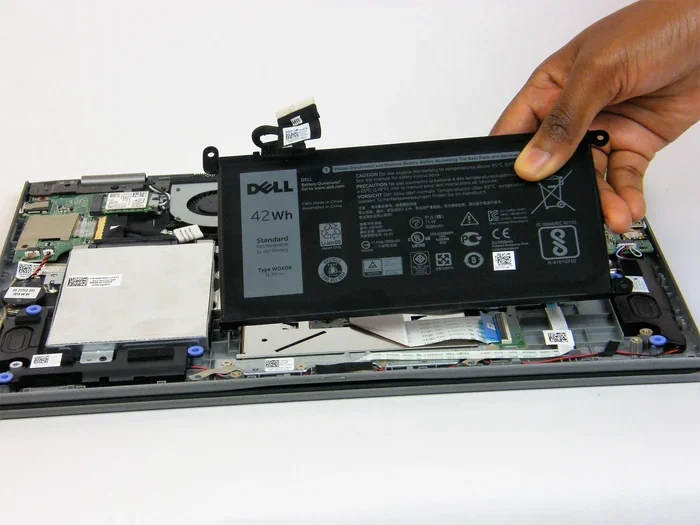
Laptop batteries degrade over time, and replacing them can restore your portable laptop performance. Many manufacturers sell replacement batteries directly, and third-party options are available too. The process varies by model but is generally manageable with a bit of patience and a YouTube tutorial.
What Laptop Components Cannot Be Upgraded?
Now let us talk about the components that are typically locked down. Understanding these limitations helps you set realistic expectations and avoid wasting money on incompatible parts.
CPU Upgrades Are Usually Impossible
The processor upgrade scenario in laptops is almost always a dead end. Most modern laptop CPUs are soldered directly to the motherboard. This means you cannot simply pull out an old chip and drop in a newer one, the way you would with a desktop.
There are a few rare exceptions. Some older business laptops and certain workstation models use socketed processors. But these are the exception, not the rule. If you want a faster CPU, your best option is usually to buy a new laptop entirely.
GPU Upgrades Are Rarely Possible
The graphics card upgrade situation is similar. In desktops, swapping out a GPU is routine. In laptops, the GPU is almost always integrated into the processor or soldered onto the motherboard. This is especially true for thin and light laptops.
Some thicker gaming laptops do have mobile GPUs that are socketed, but these are increasingly rare. Even in those cases, the upgrade path is limited to specific GPU models that fit the same socket and power profile. It is not as simple as buying any graphics card off the shelf.
Display and Keyboard Limitations
The display panel and keyboard are also generally fixed. While you could theoretically replace a broken screen, upgrading to a higher-resolution or higher-refresh-rate panel is not always practical. Compatibility issues, cable connections, and firmware limitations make display upgrades a niche endeavor.
Workarounds: How to Boost Laptop Performance Without Internal Upgrades
So what can you do if your laptop has soldered components and limited upgrade options? There are several workarounds that can still breathe life into an aging machine.
External GPU (eGPU) Enclosures
An external GPU enclosure connects to your laptop through a Thunderbolt or USB-C port. This lets you use a full-sized desktop graphics card outside the laptop. eGPUs are a fantastic solution for gaming laptop upgrade enthusiasts who want desktop-level graphics without replacing their portable machine.
The downsides are cost and convenience. A good eGPU setup can cost $300 to $500 or more, just for the enclosure and graphics card. There is also a slight performance hit because of the connection bandwidth. But for many users, the trade-off is worth it.
USB-C Docking Stations
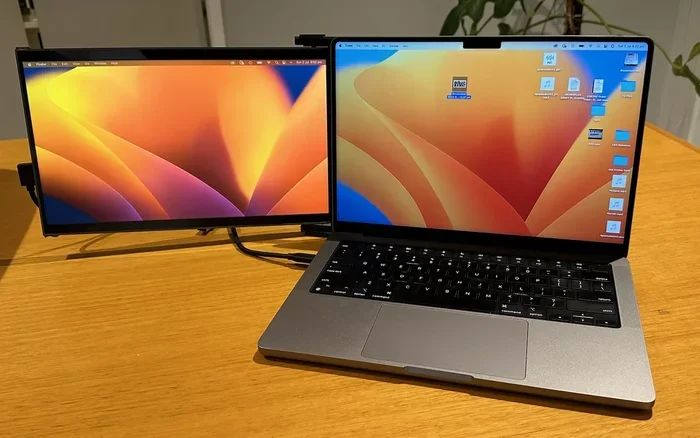
A USB-C docking station can expand your connectivity options and improve your workflow. You can connect multiple monitors, external storage drives, and peripherals through a single cable. This does not boost raw processing power, but it can make your laptop feel much more capable for productivity tasks.
Software Optimization
Sometimes the best upgrade is a free software one. Cleaning up startup programs, removing bloatware, and keeping your operating system updated can significantly improve laptop performance. Tools like CCleaner, Malwarebytes, and built-in OS utilities can help you get the most out of your existing hardware.
Which Laptops Offer the Best Upgrade Options?
If you are in the market for a new laptop and upgradeability matters to you, certain types of laptops give you more room to grow.
Gaming Laptops
Gaming laptops tend to be the most upgrade-friendly. They have larger chassis with better airflow, which means manufacturers can include accessible RAM slots and storage bays. Many gaming laptops from brands like ASUS, MSI, Lenovo, and Acer allow you to upgrade both RAM and storage with relative ease.
Some higher-end gaming models even offer user-replaceable GPU modules, though these are rare and often limited to specific configurations. If you want a laptop that will last several years with upgrades, a gaming model is your best bet.
Workstation Laptops
Workstation laptops designed for professionals are another good option. These machines are built for heavy workloads and often include socketed processors and expandable storage. Brands like Dell Precision, Lenovo ThinkPad P-series, and HP ZBook series frequently offer more upgrade paths than consumer models.
Business and Enterprise Laptops
Business laptops from Dell, HP, and Lenovo are often designed with serviceability in mind. They may include accessible RAM slots, replaceable batteries, and standard storage interfaces. These are solid choices if you want a machine that can evolve with your needs over time.
When Should You Upgrade vs. Replace Your Laptop?
This is the million-dollar question. Sometimes upgrading makes perfect sense, and sometimes it does not. Here are some guidelines to help you decide.
Upgrade When…
- Your laptop is less than three years old and still meets your needs in most areas.
- You only need a boost in speed or storage, and the relevant components are upgradeable.
- The cost of upgrades is significantly less than buying a new machine.
- You are comfortable opening your laptop and performing basic hardware swaps.
- The laptop meets your requirements after the upgrade and will continue to do so for at least another year or two.
Replace When…
- Your laptop has soldered RAM and storage, and you need more of both.
- The processor or GPU is simply too old for your current workload.
- The battery degrades and replacement does not solve your performance issues.
- Repair costs are approaching the price of a new laptop.
- You need features that simply do not exist in your current model, like a newer port standard or a better display.
Making this decision comes down to a simple cost-benefit analysis. Add up the cost of all the upgrades you need, and compare that to the price of a new laptop that already has the features you want. Often, the answer becomes clear pretty quickly.
Common Mistakes People Make When Upgrading Laptops
Avoiding common pitfalls can save you time, money, and frustration. Here are mistakes to watch out for:
- Buying RAM without checking compatibility. Not all RAM works in all laptops. Speed, type, and maximum capacity vary by model.
- Ignoring thermal constraints. Adding more RAM or a faster SSD can generate more heat. Make sure your laptop’s cooling system can handle it.
- Upgrading storage without backing up data. Cloning or transferring data can go wrong. Always have a backup before you start.
- Assuming all laptops are the same. Two laptops from the same brand can have completely different internal designs and upgrade options.
- Overlooking warranty implications. Opening your laptop may void the warranty. Check your terms before you start dismantling anything.
Expert Insight
“The best upgrade strategy is to start with storage and memory, since those offer the biggest performance gains for the lowest cost. If those are not enough, it is probably time to consider a new laptop,” says tech hardware analyst Mark Reeves.
Final Thoughts on Laptop Upgradability in 2025
So, can laptops be upgraded like desktops? The honest answer is no, not in the same way. Desktops offer far more flexibility and room for hardware upgrade. But laptops are not completely locked down either. With the right approach, you can still make meaningful improvements that extend the life of your machine.
RAM upgrades and SSD upgrades remain the most accessible and impactful changes you can make. For everything else, workarounds like eGPUs and docking stations can help fill the gaps. And when the time comes to move on, knowing your upgrade potential helps you make a smarter purchasing decision next time around.
The bottom line is this: understand what your laptop can and cannot do, set realistic expectations, and invest your money wisely. Whether you choose to upgrade or replace, the goal is the same: get a machine that works for you, today and for years to come.
Frequently Asked Questions
Can I upgrade the RAM in any laptop?
No, not all laptops allow RAM upgrades. Many modern ultrabooks and thin laptops have soldered RAM that cannot be replaced. Before purchasing RAM, check your laptop’s service manual or use an online tool like Crucial’s scanner to confirm compatibility.
Is it worth upgrading an old laptop with an SSD?
Absolutely. An SSD upgrade is one of the most cost-effective ways to breathe new life into an old laptop. You will see faster boot times, quicker app launches, and a noticeably more responsive overall experience.
Can I upgrade the GPU in my gaming laptop?
In most cases, no. Laptop GPUs are soldered to the motherboard and cannot be replaced. The only practical workaround is using an external GPU enclosure connected via Thunderbolt, though this adds cost and some performance loss.
How much does it cost to upgrade a laptop?
The cost varies widely depending on what you upgrade. An SSD typically costs $30 to $100, while RAM ranges from $20 to $80. More complex upgrades like battery replacement or display swaps can cost more. Always compare upgrade costs to the price of a new laptop before deciding.
Do all gaming laptops allow upgrades?
Most gaming laptops offer better upgrade options than ultrabooks, but not all of them. Check the specific model for accessible RAM slots, storage bays, and other upgradeable components. Gaming laptops from brands like ASUS, MSI, and Lenovo tend to be the most flexible.
What is the easiest laptop upgrade to perform at home?
An SSD upgrade is generally the easiest and most rewarding DIY laptop upgrade. It usually requires removing a single screw, swapping the drive, and reinstalling the operating system. Most laptops also allow RAM upgrades with just a screwdriver and a few minutes of your time.
=== CONCLUSION ===
Can laptops be upgraded like desktops? The reality is that laptops have inherent limitations that desktops simply do not. But that does not mean you are stuck with a slow, outdated machine. By focusing on the components you can upgrade, like RAM and storage, and exploring workarounds for the components you cannot, you can get significant performance gains without breaking the bank.
Know your model, do your research, and make informed decisions. Whether you are upgrading an existing machine or shopping for a new one, understanding laptop upgradability puts you in the driver’s seat. The best upgrade is the one that actually meets your needs and fits your budget.