Can Bluetooth And Wired Speakers Work Together Easily
Yes, Bluetooth and wired speakers can absolutely work together. You can connect both types to a single source and enjoy flexible audio setups for any room. This guide covers pairing methods, setup steps, sound quality tips, and common fixes so you get the best of both worlds.
Can Bluetooth and wired speakers work together? The short answer is yes. You do not have to choose between wireless freedom and wired reliability. Both types of speakers can share the same audio source, and setting them up together is easier than most people think.
Whether you want to build a home audio system, set up a party playlist, or just use different speakers in different rooms, combining Bluetooth and wired speakers gives you real flexibility. This guide walks you through every method, tip, and trick you need to know. You will learn how they connect, what to watch out for, and how to get the best sound from both types.
Many people already own a mix of speaker types. Maybe you have a Bluetooth speaker in the kitchen and a wired pair in the living room. Or perhaps you just bought a new wireless speaker and want to keep using your older wired setup. Whatever your situation, this article has you covered.
Key Takeaways
- Bluetooth and wired speakers can work together: You can pair both types using adapters, splitters, or multi-output devices.
- Multiple connection methods exist: Use Bluetooth adapters, audio splitters, or AV receivers to run both speaker types.
- Sound quality differs between the two: Wired speakers generally offer better audio fidelity, while Bluetooth adds wireless convenience.
- Latency can be an issue: Bluetooth may introduce slight audio delays compared to wired connections.
- Setup is straightforward: Most methods require only a few cables or a small adapter.
- Common problems have simple fixes: Pairing failures, interference, and compatibility issues are easy to resolve.
- Best for home audio systems: Running both speaker types gives you flexibility and better coverage in your space.
📑 Table of Contents
- Understanding Bluetooth And Wired Speakers
- Can Bluetooth And Wired Speakers Work Together
- Setting Up Your Dual Speaker System
- Sound Quality And Performance Comparison
- Common Problems And How To Fix Them
- Best Use Cases For Running Both Speaker Types
- Expert Insights On Mixing Speaker Types
- Key Takeaways
- Conclusion
Understanding Bluetooth And Wired Speakers
Before we dive into setup, let us understand what each type does and how they differ. This foundation helps you make smarter choices about your audio setup.
How Bluetooth Speakers Work
Bluetooth speakers use short-range radio waves to receive audio from a source device. Your phone, laptop, or tablet sends a wireless signal, and the speaker picks it up and plays the sound. No cables needed. This is why Bluetooth speakers are so popular for quick setups and portable use.
Bluetooth technology has improved a lot over the years. Modern versions like Bluetooth 5.0 and 5.3 offer better range, stronger connections, and higher quality audio. But there is still a small delay, called latency, that can matter for video watching or gaming.
How Wired Speakers Connect
Wired speakers use a physical cable to receive audio. The most common connection is an aux cable or an RCA cable. You plug one end into your audio source and the other into the speaker. Some wired speakers connect through a 3.5mm audio jack, while others use speaker wire directly to an amplifier.
Wired connections give you a direct, uninterrupted signal path. This means no compression, no wireless interference, and no latency. That is why audiophiles and music lovers often prefer wired speakers for critical listening.
Key Differences Between The Two
Here is a quick look at how Bluetooth and wired speakers compare:
- Connection type: Wireless vs. physical cable
- Setup ease: Bluetooth is faster to pair; wired requires plugging in cables
- Sound quality: Wired generally offers cleaner, lossless audio
- Portability: Bluetooth speakers are easier to move around
- Power source: Bluetooth speakers are often battery-powered; wired speakers usually need a wall outlet
- Range: Bluetooth works within about 30 feet; wired depends on cable length
Can Bluetooth And Wired Speakers Work Together
Now for the big question. Can Bluetooth and wired speakers work together? Absolutely. There are several proven ways to connect both types to the same audio source. You just need the right method and a little patience.
The goal is simple. You want your phone or computer to send audio to both a Bluetooth speaker and a wired speaker at the same time. Or you might want to switch between them easily. Either way, it is doable.
Method 1: Using A Bluetooth Adapter With Wired Speakers
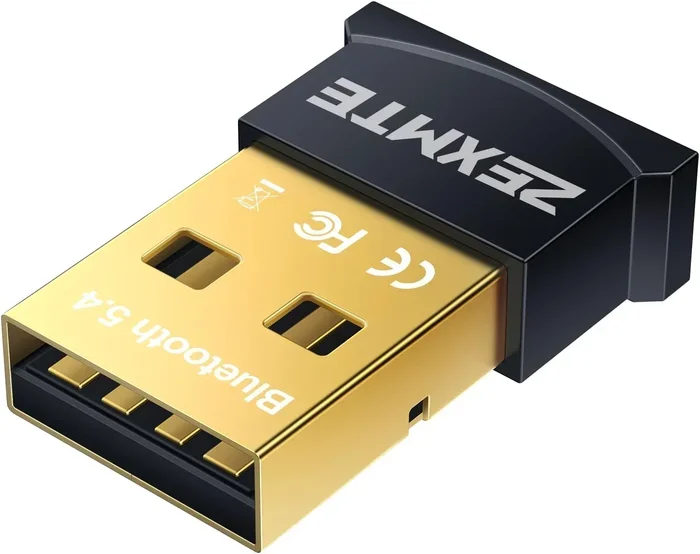
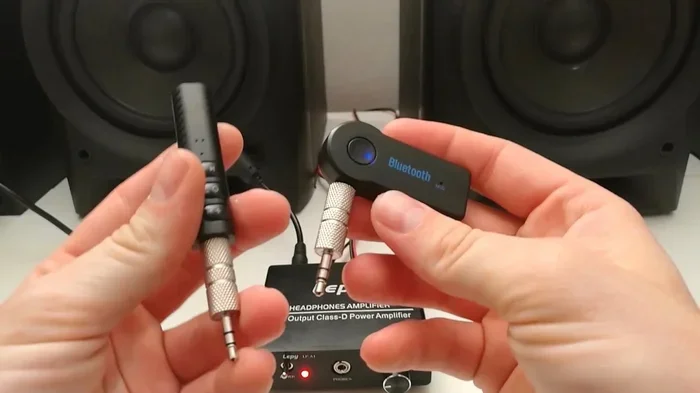
This is one of the most popular ways to make both speaker types work together. A Bluetooth adapter plugs into your wired speaker or audio system. It receives the Bluetooth signal from your phone and sends it through the wire to the speaker.
Here is how it works in practice:
- Plug the Bluetooth adapter into your wired speaker’s audio input
- Pair your phone with the adapter just like you would with any Bluetooth speaker
- Play music, and the audio flows through the wired speaker wirelessly
This method works great if you want to add Bluetooth capability to a speaker that only has a wired connection. It is affordable and easy to set up.
Method 2: Using An Audio Splitter
An audio splitter lets you send the same audio signal to two outputs at once. You connect your phone’s headphone jack to the splitter, and then run one output to a Bluetooth transmitter and another to a wired speaker directly.
This approach is handy when you want both speakers playing at the same time from one source. It works well for casual gatherings or multi-room setups where you want music everywhere.
Method 3: Using An AV Receiver Or Mixer
An AV receiver or audio mixer is the most powerful way to combine Bluetooth and wired speakers. These devices have multiple inputs and outputs. You can connect a wired speaker directly and pair a Bluetooth speaker wirelessly, all from one central hub.
This method is ideal for a dedicated home audio setup. It gives you the most control over volume levels, sound balance, and which speakers are active at any given time.
Method 4: Using A Computer With Multiple Audio Outputs
If you are using a PC or laptop, you can often run audio to both a Bluetooth speaker and a wired speaker at the same time. Most computers let you manage audio outputs separately. You can set one output to Bluetooth and another to your wired speaker through the audio settings.
This works best on Windows and macOS systems that support multiple audio devices simultaneously. It takes a few minutes to configure, but once set up, it runs smoothly.
Setting Up Your Dual Speaker System
Setting up both speaker types together does not have to be complicated. Follow these steps for a smooth experience.
Step-by-Step Setup Guide
Here is a simple process you can follow:
- Identify your audio source: Decide what device will play the music. This could be your phone, tablet, laptop, or desktop computer.
- Check your wired speaker inputs: Look at the back of your wired speaker. Find the aux input, RCA input, or 3.5mm jack. This tells you what cables or adapters you need.
- Prepare your Bluetooth speaker: Make sure it is charged and in pairing mode. Most Bluetooth speakers have a button that blinks when ready to pair.
- Choose your connection method: Pick one of the four methods above based on your equipment and goals.
- Connect and test: Set up your cables or adapters, pair the Bluetooth devices, and play a test track. Check both speakers for sound.
- Adjust volume levels: Balance the volume between both speakers so they sound even together.
Quick Tips For Best Results
A few simple tips make a big difference:
- Keep your Bluetooth speaker within 15 to 20 feet of the source device for the strongest signal
- Use high-quality aux cables to reduce signal loss in wired connections
- Place speakers at different angles to avoid sound wave clashes in the room
- Turn off any unused Bluetooth devices to reduce interference
- Update your Bluetooth driver or firmware on your source device for the best performance
Sound Quality And Performance Comparison
One of the biggest questions people ask is about sound quality. Does mixing Bluetooth and wired speakers affect how music sounds? Let us break it down.
Bluetooth Audio Quality
Bluetooth audio uses compression to send sound wirelessly. This means some audio data is lost during transmission. The result is good sound for everyday listening, but it is not quite as detailed as a wired connection.
Modern Bluetooth codecs like aptX and LDAC have improved this a lot. They send higher-quality audio over the air. But even with these codecs, there is still a small amount of compression compared to a direct wired signal.
Wired Audio Quality
Wired speakers receive an uncompressed, direct signal. Every detail of the audio reaches the speaker exactly as it was recorded. This is why wired speakers often sound clearer, richer, and more precise.
If you are listening to high-resolution music or audiophile-grade tracks, a wired connection will always win. The difference is subtle but real, especially with good headphones or high-end speakers.
What Happens When You Use Both Together
When you run Bluetooth and wired speakers at the same time, the overall experience depends on your setup method. Using a good Bluetooth adapter or AV receiver keeps the wired speaker signal strong and clean. The Bluetooth signal may have a tiny bit less detail, but for most listeners, the difference is barely noticeable.
For casual music listening, streaming, or background music, combining both types works perfectly fine. For critical listening or professional audio work, stick with wired connections whenever possible.
| Feature | Bluetooth Speaker | Wired Speaker |
|---|---|---|
| Connection | Wireless | Cable |
| Setup Time | Fast (seconds) | Moderate (plug in cable) |
| Sound Quality | Good (compressed) | Excellent (uncompressed) |
| Portability | High | Low to moderate |
| Latency | Small delay possible | None |
| Interference Risk | Moderate | Very low |
| Power Needs | Battery or USB | Wall outlet or amp |
Common Problems And How To Fix Them
Even with a simple setup, you might run into a few hiccups. Here are the most common issues and how to solve them.
Bluetooth Pairing Failures
If your Bluetooth speaker will not connect, try these steps. First, turn Bluetooth off and back on your source device. Then, remove the speaker from your paired devices list and try pairing again. Make sure the speaker is in pairing mode. If it still fails, restart both devices and try once more.
Audio Delay Between Speakers
You might notice that the Bluetooth speaker plays a fraction of a second after the wired one. This is called latency and it happens because Bluetooth needs to compress and transmit the audio signal. To reduce this, move closer to the Bluetooth speaker and avoid walls or obstacles between the devices.
Volume Imbalance
When both speakers play at the same time, one might be louder than the other. This is easy to fix. Use the volume controls on your source device or adjust the individual speaker volumes until they sound balanced.
Interference From Other Devices
Wi-Fi routers, microwaves, and other Bluetooth devices can cause interference. If you hear static or dropouts, move your Bluetooth speaker away from these devices. Switching your Wi-Fi band can also help.
Best Use Cases For Running Both Speaker Types
So when does it actually make sense to use Bluetooth and wired speakers together? Here are some real-world scenarios where this setup shines.
- Home entertainment: Use a wired speaker for your TV and a Bluetooth speaker in the kitchen. You can hear the show clearly in the living room and still hear the audio while cooking.
- Party setups: Connect a Bluetooth speaker for outdoor music and a wired speaker for the main dance area. This gives you full coverage across your space.
- Office or workspace: Keep a wired speaker on your desk for calls and a Bluetooth speaker in the room for background music during work hours.
- Multi-room audio: Run wired speakers in permanent rooms and Bluetooth speakers in flexible spaces like a patio or garage.
- Testing and comparison: Audiophiles sometimes run both types to compare sound quality side by side and decide which setup they prefer.
Each of these scenarios shows how combining Bluetooth and wired speakers gives you more options than using just one type. You get the convenience of wireless and the reliability of wired in one unified setup.
Expert Insights On Mixing Speaker Types
Audio engineers and sound designers often recommend using both speaker types in the same space. The key is understanding the strengths of each. Wired speakers handle the heavy lifting for your main listening area. Bluetooth speakers fill in the gaps and add flexibility where you need it.
One expert tip is to use an AV receiver as your central hub. This gives you the most control and the best sound quality from both speaker types. You can fine-tune the balance, adjust EQ settings, and switch inputs without unplugging anything.
Another pro tip is to invest in a good Bluetooth transmitter. Cheap ones often compress the audio too much and add noticeable latency. A quality transmitter preserves more of the original audio detail and keeps the wireless connection strong.
Key Takeaways
- Bluetooth and wired speakers can work together: Multiple methods let you connect both types to one audio source.
- Bluetooth adapters and audio splitters are affordable solutions: You do not need expensive equipment to get started.
- Wired speakers deliver better sound quality: But Bluetooth adds wireless convenience that many people value.
- Latency is the main Bluetooth drawback: It is small but noticeable for video or gaming.
- AV receivers offer the best control: They let you manage both speaker types from one central device.
- Common problems are easy to fix: Pairing failures, interference, and volume imbalance all have simple solutions.
- The best setup depends on your needs: Consider your space, your listening habits, and your budget when choosing how to combine speakers.
Conclusion
Can Bluetooth and wired speakers work together? The answer is a clear yes. You have several reliable ways to connect both types and enjoy the best of each world. Whether you use a Bluetooth adapter, an audio splitter, an AV receiver, or your computer’s built-in multi-output support, the setup is straightforward and the results are worth it.
The beauty of combining Bluetooth and wired speakers is the flexibility it gives you. You get wireless convenience where you need it and solid, reliable sound where it matters most. With the tips and methods in this guide, you can build a setup that fits your life and your listening style perfectly.
Start with one simple method and test it out. See how the two speaker types work together in your space. Once you experience the difference, you will wonder why you ever used just one type. Explore your options, experiment with your setup, and enjoy the music the way you want to hear it.
Frequently Asked Questions
Can I connect a Bluetooth speaker and a wired speaker to the same phone?
Yes, you can. Most modern phones support multiple audio outputs at the same time. You can connect a Bluetooth speaker wirelessly and plug a wired speaker into your phone’s headphone jack or use a splitter. Some phones may need a third-party app to manage both outputs simultaneously.
Does using both speaker types reduce sound quality?
The wired speaker will maintain its full sound quality. The Bluetooth speaker may have a slight loss in audio detail due to wireless compression. However, for most everyday listening, the difference is very small and barely noticeable.
What is the best Bluetooth adapter for wired speakers?
Look for adapters that support the latest Bluetooth versions like 5.0 or higher. Popular options include the TaoTronics Bluetooth adapter and the Avantree Audio transmitter. These offer good range, stable connections, and solid audio quality for most users.
Can I use more than two speakers at once?
Yes, you can. Using an AV receiver or a multi-output audio mixer, you can connect several wired speakers and pair multiple Bluetooth speakers to the same source. The more speakers you add, the more important it becomes to manage volume levels carefully.
Is there a delay when using Bluetooth with wired speakers?
Bluetooth does introduce a small amount of latency, usually between 50 and 200 milliseconds. This is rarely noticeable for music listening. However, if you are watching videos or gaming, the delay might be slightly annoying. Using a low-latency Bluetooth codec like aptX can help reduce this.
Do I need special equipment to make both speakers work together?
It depends on your method. A simple audio splitter costs just a few dollars and works in most basic setups. For more advanced control, an AV receiver or Bluetooth adapter is a good investment. You do not need anything expensive to get started.