Can Alexa Be Used As A Bluetooth Speaker Without Wi Fi
Yes, you can use Alexa as a Bluetooth speaker without Wi-Fi in many situations. Once paired, your Alexa device can stream audio from your phone even when the internet is down. However, some features like voice commands and smart home controls will not work offline. This guide covers exactly how Bluetooth mode works, which Echo devices support it, and how to get the best sound quality without a Wi-Fi connection.
Have you ever been in a situation where your Wi-Fi connection drops, and you desperately want to play music? Maybe you are at a party, in a backyard, or in a room with a weak signal. You grab your phone, look at your Amazon Echo sitting quietly on the shelf, and wonder: can Alexa be used as a Bluetooth speaker without Wi-Fi?
The short answer is yes. But the full answer is a little more nuanced. Your Alexa device can definitely act as a wireless speaker through Bluetooth even when there is no internet. However, what you can do with it changes quite a bit without a Wi-Fi connection. In this article, we will walk you through everything you need to know. We will cover how to pair your device, what works offline, what does not, and how to get the best experience.
Whether you own an Echo Dot, an Echo Show, or a full-size Echo speaker, this guide has you covered. Let us dive in and explore how to keep the music playing, even when the internet goes down.
Key Takeaways
- Alexa can work as a Bluetooth speaker offline: Once paired, your Echo device streams audio from your phone without needing Wi-Fi.
- Not all features work without internet: Voice commands, smart home controls, and music streaming from Alexa services stop working offline.
- Most Echo devices support Bluetooth: Echo Dot, Echo, Echo Show, and Echo Studio all have Bluetooth capability.
- Pairing is simple and fast: You can connect your phone to Alexa in just a few steps through the Bluetooth settings.
- Bluetooth range matters: Keep your phone within 30 feet of your Alexa device for the best connection.
- You can use a mobile hotspot as a workaround: This gives you limited Wi-Fi features while still using Bluetooth streaming.
- Audio quality varies by device: Higher-end Echo models like Echo Studio deliver much better sound than basic Echo Dots.
📑 Table of Contents
- How Alexa Bluetooth Mode Works Without Wi-Fi
- How to Connect Alexa as a Bluetooth Speaker
- What You Can and Cannot Do Without Wi-Fi
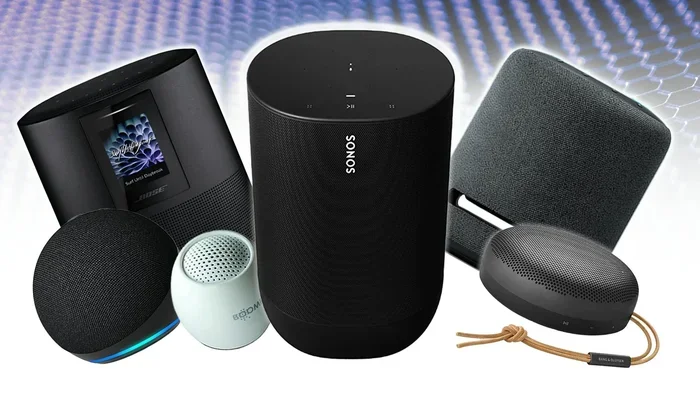
- Which Alexa Devices Work Best as Bluetooth Speakers
- Tips for Getting the Best Bluetooth Experience with Alexa
- Common Mistakes People Make When Using Alexa Offline
- Expert Insights on Using Alexa Without Wi-Fi
- Frequently Asked Questions
- Final Thoughts
How Alexa Bluetooth Mode Works Without Wi-Fi
Understanding Bluetooth vs. Wi-Fi on Your Alexa Device
To understand how Alexa without internet works, it helps to know the difference between Bluetooth and Wi-Fi. These are two completely different wireless technologies. Wi-Fi connects your Echo device to the internet. It lets you ask Alexa questions, stream music from Amazon Music, and control smart home gadgets.
Bluetooth, on the other hand, connects your Echo device directly to your phone or tablet. It does not need the internet at all. Think of it like a direct wire between two devices, but without the actual wire. When you switch to Bluetooth connectivity, your Echo becomes a simple audio output device. It plays whatever your phone sends to it.
This means that even if your router is off or your internet is down, your Alexa device can still play music, podcasts, and audiobooks from your phone. The Bluetooth pairing stays active as long as both devices are turned on and within range.
What Happens When Alexa Loses Its Wi-Fi Connection
When your Wi-Fi connection drops, your Echo device does not shut off. It simply switches to a limited mode. Here is what stops working:
- Voice commands for Alexa assistant features stop responding
- Smart home controls for lights, plugs, and thermostats go offline
- Music streaming from Amazon Music, Spotify, or Apple Music through Alexa stops
- News updates and weather forecasts are unavailable
- Drop-in and calling features do not work
But here is the good news. Bluetooth audio streaming from your phone continues to work perfectly. You can still play your downloaded playlists, local files, podcasts, and audiobooks through your Echo speaker. The speaker functionality does not depend on the internet. It depends on the Bluetooth chip inside your device.
How to Connect Alexa as a Bluetooth Speaker
Step-by-Step Pairing Process
Setting up Bluetooth pairing between your phone and your Alexa device is quick and easy. Follow these steps to get connected:
- Turn on your Echo device and make sure it is powered on.
- Open the Alexa app on your phone. If you have the app already open, make sure you are connected to the same Wi-Fi network as your Echo.
- Go to Devices at the bottom of the screen.
- Select your Echo device from the list.
- Tap the gear icon to open Settings.
- Scroll down and tap Bluetooth Devices.
- Tap “Pair a New Device.”
- On your phone, go to Bluetooth settings and look for your Echo device in the list.
- Tap your Echo device to connect.
Once paired, your Alexa device will show a Bluetooth icon on the screen if it is an Echo Show model. You will also hear a confirmation sound. Now you can play music from your phone, and it will stream through your Echo speaker using Bluetooth streaming.
Using Voice Commands to Connect Bluetooth
If your Wi-Fi connection is still active, you can also use voice commands. Simply say, “Alexa, pair my Bluetooth device.” This saves you from digging through the app. Once your phone is paired, you can say “Alexa, disconnect Bluetooth” or “Alexa, turn off Bluetooth” when you want to stop streaming.
Keep in mind that voice commands for pairing require an active internet connection. If you are already offline, you will need to use the app method described above.
Switching Back to Wi-Fi Audio
When your Wi-Fi comes back, you may want to switch back to streaming music through Alexa directly. To do this, simply say “Alexa, disconnect Bluetooth.” Your Echo device will stop playing audio from your phone and return to normal Wi-Fi mode. You can then use voice commands to play music again.
What You Can and Cannot Do Without Wi-Fi
Things That Still Work Offline
When you are using your Alexa device in Bluetooth speaker mode without Wi-Fi, here is what you can still do:
- Play music from your phone through Bluetooth streaming
- Listen to downloaded podcasts or audiobooks
- Play local audio files stored on your device
- Use the speaker as a basic audio output for any app on your phone
- Take phone calls through the Echo speaker if your phone is connected
- Play games that have audio output through Bluetooth
The wireless streaming capability of your Echo device is built into the hardware. It does not rely on the internet. As long as your phone has audio content, your Alexa Bluetooth speaker can play it.
Things That Stop Working Offline
Here is what you lose when the Wi-Fi connection goes down:
- Voice assistant features like asking questions or setting timers
- Smart home control for connected devices
- Streaming music from cloud services like Amazon Music or Spotify
- Flash Briefing and news updates
- Multi-room music with other Echo devices
- Alexa routines that trigger based on schedules or triggers
This is an important distinction. Your Alexa device becomes a basic Bluetooth speaker when offline. It loses its smart features. But for simple audio playback, it works just fine.
Which Alexa Devices Work Best as Bluetooth Speakers
Not all Echo devices are created equal when it comes to audio output quality. Here is a quick look at popular models and how they perform as Bluetooth speakers without Wi-Fi.
| Device | Bluetooth Support | Audio Quality | Offline Use |
|---|---|---|---|
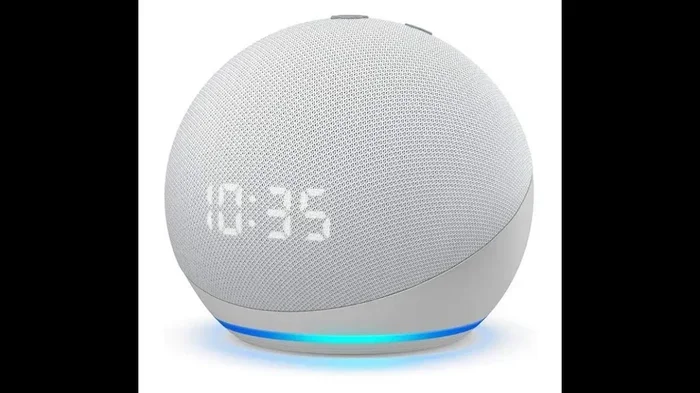
| Echo Dot (5th Gen) | Yes | Good for size | Full Bluetooth streaming |
| Echo (4th Gen) | Yes | Great balanced sound | Full Bluetooth streaming |
| Echo Studio | Yes | Excellent, 3D audio | Full Bluetooth streaming |
| Echo Show 5 | Yes | Decent, small drivers | Full Bluetooth streaming |
| Echo Show 15 | Yes | Good, larger speakers | Full Bluetooth streaming |
| Echo Flex | Yes | Basic, small speaker | Full Bluetooth streaming |
As you can see, every Alexa device with Bluetooth support can work as a wireless speaker offline. The difference is in sound quality. The Echo Studio delivers the best audio streaming experience because of its larger drivers and bass boost technology. The Echo Dot is compact and works well for small rooms or personal listening.
If you are planning to use your Alexa device as a Bluetooth speaker regularly without Wi-Fi, consider the Echo or Echo Studio for better sound. The Echo Dot is fine for casual listening, but it will not fill a large room.
Tips for Getting the Best Bluetooth Experience with Alexa
Keep Your Phone Close
Bluetooth range is typically about 30 feet in open space. Walls, furniture, and other obstacles can reduce this distance. Keep your phone within arm’s reach of your Echo device for the most stable connection. If you notice audio cutting out, move closer to your Alexa device.
Reduce Interference
Bluetooth connectivity can be affected by other wireless signals. If you have many Wi-Fi devices nearby, microwaves, or other Bluetooth gadgets, they can cause interference. Try moving your Echo device to a different location if you experience audio dropouts.
Update Your Device Firmware
Even when you are not using Wi-Fi, keeping your Alexa device firmware up to date helps. Updates improve Bluetooth performance and fix bugs. Make sure to update when you are connected to the internet so your offline experience is smooth.
Use the Alexa App to Manage Connections
The Alexa app lets you see which devices are currently paired. You can unpair devices you no longer use, which keeps your Bluetooth speaker connections clean and organized. This also prevents accidental connections from other phones in your home.
Try a Mobile Hotspot for Partial Connectivity
If you want some Wi-Fi features along with Bluetooth streaming, you can use your phone’s mobile hotspot. This creates a small Wi-Fi network that your Echo device can connect to. You get limited smart features and still use Bluetooth for audio. This is a great trick for outdoor parties or trips where Wi-Fi is unavailable.
Common Mistakes People Make When Using Alexa Offline
Forgetting to Disconnect Bluetooth When Wi-Fi Returns
One of the most common speaker mode mistakes is forgetting to disconnect Bluetooth after your Wi-Fi connection comes back. When your Echo is still in Bluetooth mode, voice commands will not work. You will wonder why Alexa is not responding. The fix is simple: say “Alexa, disconnect Bluetooth” or go to the app and turn it off.
Expecting All Features to Work Offline
Some people assume that because Alexa can work as a Bluetooth speaker without Wi-Fi, all features should still work. This is not the case. Voice assistant features, smart home controls, and cloud-based music streaming all require internet. Understanding this limitation helps you set realistic expectations.
Pairing Too Many Devices
Your Alexa device can remember multiple paired phones. But if too many devices are in the list, it can cause confusion. Regularly clean up your Bluetooth device list in the Alexa app. This keeps things running smoothly and prevents connection issues.
Ignoring Audio Quality Settings
Not all audio streaming from your phone sounds great through Bluetooth. Some phones compress audio to save bandwidth. If sound quality matters to you, check your phone’s Bluetooth settings. Look for options like “High Quality Audio” or “LDAC” if your phone supports it. This can significantly improve the wireless streaming experience.
Not Knowing the Difference Between Bluetooth and Wi-Fi Calling
Some users confuse Bluetooth connectivity with making phone calls through Alexa. Bluetooth calling works when your phone is connected. But Wi-Fi calling through Alexa requires an active internet connection. If you want to make calls without Wi-Fi, use your phone’s regular cellular connection paired through Bluetooth.
Expert Insights on Using Alexa Without Wi-Fi
According to smart home experts, using an Alexa device as a Bluetooth speaker without Wi-Fi is one of the most underrated features. Many people buy an Echo speaker and only use it for its smart features. They do not realize it works just as well as a standalone Bluetooth speaker.
Tech reviewers also point out that the Bluetooth speaker mode is especially useful in situations where Wi-Fi is unreliable. Construction sites, outdoor events, and older buildings with thick walls often have poor wireless internet. In these cases, your Echo device becomes a reliable backup speaker.
Audio engineers suggest that for the best offline audio experience, you should download your music and podcasts before you go offline. This way, you have full access to your library through Bluetooth streaming without needing any internet connection at all.
Frequently Asked Questions
Can I use Alexa as a Bluetooth speaker if the Wi-Fi is completely off?
Yes, you can. Once your Alexa device is paired with your phone via Bluetooth, it will continue to stream audio even if your Wi-Fi router is turned off. The Bluetooth connection operates independently of your internet. Just make sure both devices are powered on and within range.
Do I need the Alexa app to pair Bluetooth without Wi-Fi?
Ideally, yes. The Alexa app is the easiest way to initiate Bluetooth pairing. However, if you have already paired a device before, your Echo device may remember it and reconnect automatically when both devices are powered on, even without Wi-Fi.
Can I use multiple Alexa devices as Bluetooth speakers without Wi-Fi?
You can connect multiple Echo devices to different phones via Bluetooth. However, you cannot group them for multi-room audio without Wi-Fi. Each device will play audio from its own paired phone separately.
Does using Bluetooth mode drain more battery on my Echo device?
Not significantly. Bluetooth streaming uses a similar amount of power as Wi-Fi streaming. Your Echo device battery, if it has one, will drain at a comparable rate in both modes. Plugged-in Echo devices are not affected by this concern.
Can I use Alexa voice commands while connected via Bluetooth without Wi-Fi?
No, voice commands require an active Wi-Fi connection or a mobile hotspot. When your Echo device is in Bluetooth speaker mode without internet, it cannot process your voice requests. You will need to control audio playback directly from your phone.
What is the maximum Bluetooth range for Alexa devices?
The Bluetooth range for most Echo devices is about 30 feet in open space. Walls, furniture, and electronic interference can reduce this distance. Keep your phone within this range for the most reliable wireless streaming experience.
Final Thoughts
The answer to whether can Alexa be used as a Bluetooth speaker without Wi-Fi is a clear and confident yes. Your Amazon Echo device is far more versatile than most people realize. It is not just a smart speaker that needs the internet to be useful. It is also a capable Bluetooth speaker that works independently of your Wi-Fi connection.
Whether you are in a dead zone, at a outdoor event, or simply dealing with a router outage, your Alexa device can keep the music playing. The key is understanding what works offline and what does not. Bluetooth streaming for audio playback works great. But voice commands, smart home features, and cloud music services need internet to function.
Follow the pairing steps outlined in this guide, keep your phone close, and manage your Bluetooth connections properly. You will get a reliable wireless speaker experience anytime, anywhere. The next time your Wi-Fi drops, do not panic. Your Echo device has you covered.
So go ahead and test it out. Pair your phone, play your favorite playlist, and enjoy the sound. With the right Alexa device and a little knowledge, you will never be stuck without music again, even without Wi-Fi.