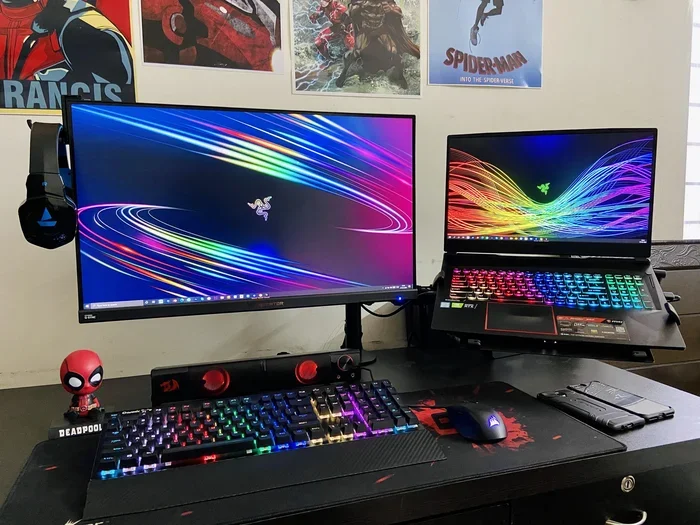
Can A Laptop Without A Graphics Card Still Play Games
Yes, a laptop without a dedicated graphics card can still play games, thanks to modern integrated graphics built into most laptop processors. You can enjoy a wide range of low-end games, indie games, and even some popular titles by adjusting your game settings and display resolution. This guide covers everything you need to know about gaming without a GPU, from performance tips to cloud gaming options.
So you want to game on your laptop, but there is one problem. Your laptop does not have a dedicated graphics card. Maybe you bought a budget machine for work or school, and now you are wondering if you can still enjoy your favorite titles. The good news is that you absolutely can. A laptop without a graphics card is not a dead end for gamers. It just means you need to know what to expect and how to get the best experience.
Over the past few years, integrated graphics have improved dramatically. Modern laptop processors now come with powerful built-in GPU capabilities that can handle a surprising number of games. Whether you are into casual gaming, indie games, or even some mainstream titles, there is a good chance your laptop can run them. You just need to know the right tricks.
In this guide, we will walk you through everything you need to know. We will cover how integrated graphics work, which games you can play, how to boost video game performance, and even alternative options like cloud gaming and external GPU setups. By the end, you will have a clear picture of what your laptop can do and how to get the most out of it.
Key Takeaways
- Integrated graphics can handle gaming: Modern laptop processors come with built-in GPU capabilities that support casual and low-end gaming.
- Game settings matter a lot: Lowering display resolution and adjusting game settings can dramatically improve video game performance on non-gaming laptops.
- Cloud gaming is a game-changer: Services like GeForce Now and Xbox Cloud let you play demanding titles on any laptop without a graphics card.
- Indie games shine on basic hardware: Many indie games are designed to run smoothly on modest system RAM and basic laptop processors.
- External GPUs exist as an upgrade path: You can boost your setup with an external GPU if you need better graphics card performance.
- Know your hardware limits: Understanding your integrated graphics specs helps you set realistic expectations for casual gaming.
📑 Table of Contents
- How Integrated Graphics Work in Modern Laptops
- What Games Can You Actually Play on a Laptop Without a Graphics Card
- How to Improve Gaming Performance Without a Graphics Card
- Cloud Gaming and Game Streaming Options
- Can You Add a Graphics Card to a Laptop
- Final Verdict: Is Gaming on a Laptop Without a Graphics Card Worth It
How Integrated Graphics Work in Modern Laptops
Before we dive into the games, let us talk about what integrated graphics actually are. Unlike a dedicated GPU that sits on its own chip with its own memory, integrated graphics are built right into the laptop processor. They share system memory and processing power with the rest of the computer.
This used to be a big limitation. A few years ago, integrated graphics could barely handle basic tasks, let alone gaming. But technology has moved fast. Today’s integrated graphics from Intel and AMD are genuinely capable pieces of hardware. They can deliver smooth frame rates in many titles, especially if you know how to configure things properly.
What Makes Integrated Graphics Different from a Dedicated GPU
A dedicated graphics card has its own graphics processing unit, its own memory, and its own cooling system. This means it can handle heavy rendering tasks without slowing down the rest of the computer. A gaming laptop with a dedicated GPU will almost always outperform one with integrated graphics.
But here is the thing. Most people do not play games at max settings on 4K monitors. Many casual gamers play at 1080p or even lower. And for those scenarios, integrated graphics are more than enough. The gap between integrated and dedicated graphics has narrowed significantly in recent years.
Here is a quick look at how they compare:
- Dedicated GPU: Has its own memory, handles demanding titles, supports high display resolution and max game settings.
- Integrated Graphics: Shares system memory, works well for low-end games and indie games, great for casual gaming at moderate settings.
- Performance: Dedicated GPUs offer 3 to 10 times the graphical power, but integrated graphics have improved by leaps and bounds.
- Power Consumption: Integrated graphics use far less battery, making them ideal for portable gaming laptop use on the go.
Which Laptops Have Good Integrated Graphics?
Not all integrated graphics are created equal. If your laptop has a newer laptop processor from Intel or AMD, you are in good shape. Here are some examples of integrated graphics that can handle gaming surprisingly well:
- Intel Iris Xe: Found in many modern Intel processors. It can run games like Fortnite and Minecraft at medium settings with solid frame rates.
- AMD Radeon Vega: Built into AMD Ryzen processors. Offers strong video game performance for a built-in solution.
- Intel UHD Graphics: Found in older or budget processors. Can handle lighter titles and older games with ease.
- AMD Radeon 780M: One of the best integrated options available today. It can even run some demanding titles at lower settings.
Knowing which integrated graphics your laptop has is the first step in understanding what you can play. You can usually find this information in your system settings or by checking the processor model number.
What Games Can You Actually Play on a Laptop Without a Graphics Card
This is the question everyone wants answered. The truth is, it depends on the game and your hardware. But you would be surprised at how many titles can run on a laptop with integrated graphics. Let us break it down.
Best Low-End and Indie Games for Non-Gaming Laptops
Indie games are a goldmine for laptops without dedicated GPU power. These titles are often designed to run on modest hardware, which means they shine on integrated graphics. Some of the best options include:
- Stardew Valley: A beloved farming simulator that runs on almost anything. Minimal hardware requirements and incredibly fun.
- Hollow Knight: A beautifully crafted action-adventure game that performs flawlessly on integrated graphics.
- Undertale: A unique RPG with simple graphics but deep storytelling. Runs perfectly on any laptop processor.
- Celeste: A challenging platformer with smooth performance and gorgeous pixel art.
- Minecraft (Java Edition): Runs well on integrated graphics at lower game settings and display resolution.
- Among Us: A light multiplayer game that barely taxes any graphics processing unit.
- Terraria: A sandbox adventure with great performance on basic system RAM and integrated graphics.
These games prove that you do not need a powerful GPU to have a great time. Many of them focus on gameplay and creativity rather than raw graphical power.
Mainstream Titles That Run on Integrated Graphics
It is not just indie titles. Many mainstream games can also run on a laptop without a graphics card, especially if you are willing to tweak your game settings. Here are some popular titles that work well with integrated graphics:
- Fortnite: Can run at 30 to 60 frames per second on medium settings with Intel Iris Xe or AMD Radeon Vega.
- Minecraft (Bedrock Edition): Optimized for a wide range of hardware. Runs smoothly on most laptop processors.
- League of Legends: A low-end game by nature. Delivers excellent video game performance even on basic integrated graphics.
- Grand Theft Auto V: Can run at 720p with low game settings on decent integrated graphics.
- Rocket League: Lightweight and fast-paced. Performs well on integrated graphics at moderate display resolution.
- GTA San Andreas: An older title that runs effortlessly on virtually any laptop processor today.
- Portal 2: A classic puzzle game with modest hardware requirements that runs beautifully on integrated graphics.
The key to getting these games to run well is adjusting your game settings and display resolution. We will cover that in detail in the next section.
Quick Tips for Checking Game Compatibility
Before you download any game, it is smart to check whether your laptop can handle it. Here are some quick tips:
- Check the game’s hardware requirements on its store page. Look for the minimum specs, not the recommended ones.
- Use websites like Can You Run It to scan your system and compare it against game requirements.
- Watch YouTube gameplay videos of the game on similar hardware to get a real sense of performance.
- Start with the lowest game settings and increase gradually until you find a comfortable balance.
How to Improve Gaming Performance Without a Graphics Card
Just because your laptop does not have a dedicated GPU does not mean you are stuck with poor performance. There are many things you can do to boost your video game performance and make the most of your integrated graphics.
Adjusting Game Settings for Better Performance
This is the single most effective thing you can do. Lowering your game settings can turn a sluggish experience into a smooth one. Here is what to adjust first:
- Display Resolution: Drop from 1080p to 720p or even 900p. This is the biggest performance boost you will see. Lower display resolution means less work for your integrated graphics.
- Graphics Quality: Turn down shadows, anti-aliasing, and post-processing effects. These are the most demanding settings for any graphics processing unit.
- Frame Rate Limit: Cap your frame rate at 30 or 60 FPS. This prevents your laptop from overworking and keeps the experience smooth.
- View Distance: Reduce how far you can see in the game world. This lowers the rendering load significantly.
- Texture Quality: Lowering textures frees up system RAM and reduces strain on your integrated graphics.
You do not need to crank everything to the minimum. Just find the right balance between looks and performance. Most games look perfectly fine at medium or low settings, especially on a smaller laptop screen.
Optimizing Your Laptop for Gaming
Beyond in-game settings, there are several things you can do at the system level to improve video game performance:
- Close background apps: Every program you have open uses system RAM and laptop processor power. Close everything you are not using while gaming.
- Update your drivers: Keep your laptop processor and integrated graphics drivers up to date. Manufacturers regularly release performance patches.
- Use a cooling pad: Heat throttles performance. A good cooling pad keeps your laptop processor running at full speed.
- Enable Game Mode in Windows: This tells Windows to prioritize game streaming and video game performance over background tasks.
- Plug in your laptop: Gaming on battery power forces your laptop to limit performance. Always plug in when you play.
- Adjust power settings: Set your power plan to High Performance for the best game optimization during play sessions.
Expert Insight: Many people overlook the importance of keeping their laptop cool. When a laptop processor gets too hot, it automatically slows down to prevent damage. This is called thermal throttling, and it can cut your frame rate in half. A simple cooling pad can make a huge difference in your video game performance.
Common Mistakes That Hurt Your Gaming Performance
Avoid these common pitfalls if you want the best experience on a laptop without a dedicated graphics card:
- Running too many programs in the background: This eats up system RAM and laptop processor resources that your games need.
- Ignoring driver updates: Outdated drivers can cause poor video game performance and even crashes.
- Playing at maximum settings: Just because a game lets you crank everything to max does not mean your laptop can handle it. Be realistic.
- Not checking your display resolution: Running a demanding game at full 1080p on integrated graphics is a recipe for frustration.
- Overlooking cloud gaming: If your laptop struggles, there are better ways to play than forcing it to run games natively.
Cloud Gaming and Game Streaming Options
Here is something many people do not realize. You do not always need powerful hardware to play demanding games. Cloud gaming and game streaming services do all the heavy lifting on remote servers and send the video to your laptop over the internet.
This means your laptop without a graphics card can play the same games as a high-end gaming laptop. The only requirement is a stable internet connection. Let us look at how this works and which services are worth trying.
How Cloud Gaming Works on Any Laptop
The concept is simple. A powerful remote server runs the game and streams the video to your screen. Your inputs travel back to the server in real time. Your laptop processor and integrated graphics are only responsible for displaying the video feed, not rendering the game.
This is a real game-changer for anyone with a basic laptop. You can play AAA titles like Cyberpunk 2077 or Elden Ring on a machine with integrated graphics and no dedicated GPU. The experience depends heavily on your internet speed and stability, but when it works, it works beautifully.
Best Cloud Gaming Services to Try
Several services make it easy to start cloud gaming without a powerful laptop:
- NVIDIA GeForce Now: One of the most popular options. It lets you stream games you already own from Steam or Epic Games. Works great on any laptop without a graphics card.
- Xbox Cloud Gaming: Part of Game Pass Ultimate. Gives you access to hundreds of games streamed directly to your laptop processor. No downloads needed.
- Amazon Luna: Amazon’s cloud gaming service. Offers a growing library and works well on basic hardware.
- Boosteroid: A popular option in Europe and growing globally. Offers a wide selection of PC games through the cloud.
Cloud gaming is one of the best ways to enjoy gaming without a GPU. It removes the hardware barrier entirely and lets you focus on the games themselves rather than worrying about graphics card performance.
Can You Add a Graphics Card to a Laptop
If you find that your integrated graphics are just not enough, you do have options. While you cannot swap out the GPU inside a laptop like you can on a desktop, there are still ways to upgrade your setup.
External GPU (eGPU) Options
An external GPU connects to your laptop through a Thunderbolt or USB-C port. It gives you the power of a dedicated graphics card without opening up your laptop. This is a great solution if you want to turn a non-gaming laptop into a gaming laptop.
Here is what you need to know about external GPU setups:
- Compatibility: Your laptop needs a Thunderbolt 3 or 4 port or a compatible USB-C connection. Check your laptop specs before buying an external GPU.
- Cost: An external GPU enclosure plus a graphics card can be expensive. It is often cheaper to buy a dedicated gaming laptop instead.
- Performance: An external GPU delivers near-desktop performance. You will see a massive boost in video game performance compared to integrated graphics.
- Portability: You get the power of a dedicated GPU but with the convenience of using it only when you need it.
An external GPU is a solid graphics card upgrade path for laptop users who want better game optimization without buying a new machine.
Other Upgrades That Help
If an external GPU is not in the cards, there are other upgrades you can consider:
- Add more system RAM: More system RAM helps your integrated graphics share memory more efficiently. 16 GB is the sweet spot for modern gaming laptop use.
- Upgrade to an SSD: If you are still on a hard drive, switching to an SSD dramatically reduces load times and improves overall video game performance.
- Use a better display: A high-refresh-rate monitor can make your games feel smoother even if your frame rate is modest.
- Clean your laptop: Dust buildup causes overheating, which leads to thermal throttling. A clean laptop performs better for casual gaming.
These upgrades will not turn your laptop into a powerhouse, but they can noticeably improve your game optimization and overall experience.
Final Verdict: Is Gaming on a Laptop Without a Graphics Card Worth It
The short answer is yes. A laptop without a graphics card can absolutely play games, and you can have a lot of fun doing it. The key is understanding your hardware, setting realistic expectations, and using the right strategies to get the best video game performance possible.
For casual gaming and indie games, integrated graphics are more than enough. For more demanding titles, adjusting your game settings and display resolution goes a long way. And if you want to play the latest AAA releases, cloud gaming services offer a fantastic alternative that requires no hardware upgrades at all.
Remember, the goal is to enjoy yourself. You do not need the most expensive gaming laptop or the latest GPU to have a great time. With the right approach, any laptop can be a gaming machine. So fire up your favorite title, tweak your settings, and start playing. You might be surprised at how much fun you can have on a laptop with integrated graphics.
The world of gaming without a GPU has never been more accessible. Whether you are a student on a budget, a professional who games on the side, or someone who just wants to try something new, your laptop can deliver. The only limit is the type of games you want to play and how much you are willing to adjust your expectations.
So go ahead. Explore the options we have covered. Try a few low-end games on your current setup. Look into cloud gaming services. Experiment with your game settings. You might just discover that your laptop without a graphics card is more capable than you ever thought.
Frequently Asked Questions
Can a laptop without a dedicated GPU run modern games?
It depends on the game and your integrated graphics. Many modern titles can run at lower game settings and display resolution on laptops with good integrated graphics like Intel Iris Xe or AMD Radeon 780M. However, the most demanding AAA titles will likely struggle without a dedicated GPU.
Is cloud gaming a good option for laptops without a graphics card?
Absolutely. Cloud gaming services like GeForce Now and Xbox Cloud Gaming do all the processing on remote servers and stream the video to your laptop. This means you can play demanding games on any laptop without a graphics card, as long as you have a stable and fast internet connection.
How much RAM do I need for gaming on integrated graphics?
Most gaming laptop setups work well with at least 8 GB of system RAM, but 16 GB is recommended for the best video game performance. Integrated graphics share your system memory, so having more RAM helps your graphics processing unit handle games more smoothly.
Can I upgrade my laptop’s graphics card?
In most cases, you cannot upgrade the internal GPU of a laptop. However, you can use an external GPU connected via Thunderbolt or USB-C to get dedicated graphics card performance. This is a great way to boost game optimization without buying a new laptop.
What is the best game for a laptop with integrated graphics?
There are many great options. Indie games like Stardew Valley, Hollow Knight, and Celeste run beautifully on integrated graphics. For multiplayer fun, games like League of Legends, Rocket League, and Among Us offer excellent video game performance on basic hardware.
Does lowering display resolution really improve gaming performance?
Yes, lowering your display resolution is one of the most effective ways to boost frame rate on a laptop without a dedicated GPU. Dropping from 1080p to 720p can significantly reduce the workload on your integrated graphics and make games much smoother to play.
=== CONCLUSION ===
Playing games on a laptop without a graphics card is not only possible, it can be genuinely enjoyable. With the right integrated graphics, smart game settings, and a willingness to explore options like cloud gaming, you can turn any laptop into a capable gaming machine. The days when you needed an expensive gaming laptop with a dedicated GPU to have fun are long gone. Today, low-end games, indie games, and even some mainstream titles run beautifully on basic hardware. So do not let the lack of a dedicated graphics card hold you back. Start exploring, optimize your setup, and get gaming. Your laptop processor is more powerful than you think.
The world of gaming without a GPU has never been more accessible. Whether you are a student on a budget, a professional who games on the side, or someone who just wants to try something new, your laptop can deliver a great experience. The only limit is the type of games you want to play and how much you are willing to adjust your expectations.
So go ahead. Explore the options we have covered. Try a few low-end games on your current setup. Look into cloud gaming services. Experiment with your game settings. You might just discover that your laptop without a graphics card is more capable than you ever thought possible.