How Can I Get Wi Fi In A Place With No Wi Fi Anywhere
Getting Wi-Fi in a place with no existing network is easier than you think. You can use a mobile hotspot, Wi-Fi dongle, or tether your phone to stay online. This guide covers simple, affordable methods to bring internet to any location.
There is nothing worse than needing the internet and finding nothing available. Whether you are at a cabin in the woods, a remote office, or a friend’s house with no wireless network, the feeling of being offline is frustrating. The good news is that getting Wi-Fi in a place with no Wi-Fi is totally doable. You do not need expensive equipment or technical skills to make it work.
This guide walks you through every practical method you can use right now. From using your phone as a mobile hotspot to buying a portable Wi-Fi device, we cover it all. Each solution is simple, affordable, and works in most locations. Let us get you connected.
Key Takeaways
- Mobile Hotspot: Turn your phone into a portable Wi-Fi source using cellular data.
- Wi-Fi Dongles and Sticks: Plug-and-play devices that give any laptop Wi-Fi access.
- Portable Wi-Fi Devices: Dedicated mobile routers work anywhere with cellular coverage.
- Public Wi-Fi Options: Libraries, cafes, and community centers offer free internet access.
- Set Up Your Own Network: Use a router with a data plan to create Wi-Fi from scratch.
📑 Table of Contents
- Why Do You Need Wi-Fi in Places With No Existing Network?
- Use Your Phone as a Mobile Hotspot
- Buy a Portable Wi-Fi Device
- Use a Wi-Fi Dongle or Stick
- Connect to Public Wi-Fi Networks
- Set Up Your Own Wi-Fi Network From Scratch
- Other Creative Ways to Get Connected
- Common Mistakes People Make When Trying to Get Wi-Fi
- Expert Tips for Staying Connected Anywhere
- Which Method Is Right for You?
- Final Thoughts
Why Do You Need Wi-Fi in Places With No Existing Network?
Many people find themselves in situations where no Wi-Fi exists. Maybe you are traveling for work. Perhaps you moved to a rural area with limited broadband connection options. Or you could be attending an outdoor event in a remote location. Whatever the reason, staying connected matters more than ever.
Without wireless internet, you cannot check emails, stream content, or video call loved ones. Some people need internet for emergency purposes. Others rely on it for work or school assignments. The lack of Wi-Fi coverage can feel isolating in today’s connected world.
The solutions below are designed to work in offline areas and places with no existing network. Most of them use cellular data or portable hardware. You can pick the option that fits your budget and needs best.
Use Your Phone as a Mobile Hotspot
What Is Tethering?
Tethering means sharing your phone’s cellular data connection with other devices. It is the fastest way to get Wi-Fi without a traditional network. Almost every modern smartphone can do this. You just need a data plan that allows hotspot usage.
To tether, go to your phone’s settings and look for “Hotspot” or “Personal Hotspot.” Turn it on, set a password, and connect your laptop or tablet. That is it. You now have Wi-Fi on the go wherever your phone has signal.
Pros and Cons of Phone Tethering
- Pros: Free if you already have a data plan. No extra equipment needed. Works almost everywhere.
- Cons: Drains your phone battery fast. Uses up your data limit quickly. Speeds can drop in weak signal areas.
One thing to watch out for is your data plan limits. Streaming videos or downloading large files will eat through data fast. Check with your carrier about unlimited hotspot data options if you plan to use this method often.
Buy a Portable Wi-Fi Device
What Is a Mobile Wi-Fi Router?
A portable Wi-Fi device is a small router that creates its own wireless network. It uses a SIM card with a data plan to generate internet. These devices are also called mobile hotspots or MiFi devices. They are perfect for getting Wi-Fi in areas with no existing network.
You can buy a portable Wi-Fi device from most electronics stores or online. Popular brands include Netgear Nighthawk, TP-Link, and Huawei. These devices are small enough to fit in your pocket and can connect multiple devices at once.
How to Choose the Right Portable Device
- Battery Life: Look for devices that last at least 8 hours on a single charge.
- Carrier Compatibility: Make sure the device works with your carrier’s network bands.
- Number of Connections: Most devices support 5 to 10 connected devices.
- Data Plan Options: Some carriers offer monthly plans, while others let you pay as you go.
If you are wondering whether you can get Wi-Fi on your own without an existing home network, a portable Wi-Fi device is the answer. It gives you full control over your connection wherever you go.
Use a Wi-Fi Dongle or Stick
What Is a Wi-Fi Dongle?
A Wi-Fi dongle is a small USB device that plugs into your computer. It connects to cellular networks just like a phone does. You insert a SIM card, and your laptop gets wireless internet access. This is one of the simplest ways to add Wi-Fi to a device that does not have it built in.
If you have a desktop PC or an older laptop without built-in Wi-Fi, a dongle is a great solution. It is plug-and-play. You do not need to install any software in most cases. Just plug it in, wait for it to connect, and you are online.
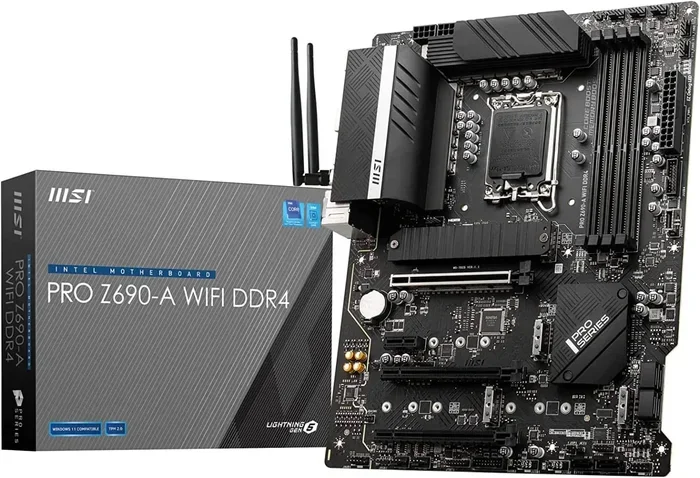
Many people ask, can I add Wi-Fi to my PC without opening the case or installing internal cards? Yes! A Wi-Fi dongle is the easiest way. It works with both Windows and Mac computers. You can find affordable options for under $30.
Wi-Fi Dongle vs. Mobile Hotspot
| Feature | Wi-Fi Dongle | Mobile Hotspot |
|---|---|---|
| Portability | Small, USB-sized | Slightly larger but still portable |
| Battery | Uses computer power | Has its own battery |
| Connections | One device at a time | Multiple devices |
| Cost | $15 to $50 | $50 to $200 |
| Ease of Use | Very easy | Very easy |
Both options work well for getting internet in places with no Wi-Fi. Your choice depends on how many devices you need to connect and your budget.
Connect to Public Wi-Fi Networks
Not every place has no Wi-Fi. Many public spaces offer free wireless internet that you can use. Libraries, coffee shops, malls, and community centers often have open networks. The key is knowing where to look.
When you are in a new area, check apps like Wi-Fi Map or Instabridge. These apps show free public Wi-Fi hotspots nearby. You can also ask locals or check community boards for free internet spots.
Staying Safe on Public Wi-Fi
Public Wi-Fi is convenient, but it comes with risks. Other users on the same network might be able to see your activity. Here are some tips to stay safe:
- Use a VPN to encrypt your connection.
- Avoid logging into sensitive accounts like banking.
- Turn off file sharing on your device.
- Forget the network after you are done using it.
Some places also offer Wi-Fi without a password for easy access. Just keep in mind that open networks are less secure than private ones. Always protect your personal information when using public connections.
Set Up Your Own Wi-Fi Network From Scratch
Can You Create Wi-Fi Where There Is None?
Yes, you absolutely can. If you have a cellular data connection and a compatible router, you can create your own Wi-Fi network from scratch. This works great in rural areas, vacation homes, or any place without existing internet infrastructure.
You need a cellular router that accepts a SIM card. These routers connect to cellular towers and broadcast Wi-Fi just like a home router. Brands like Cradlepoint, Peplink, and even some Netgear models offer this capability.
Some people wonder, can I get Wi-Fi without a password for their own network? You can set an open network, but we do not recommend it. Always use a strong password to keep your connection secure and prevent unauthorized users from slowing it down.
Steps to Set Up a Cellular Wi-Fi Network
- Buy a cellular router compatible with your carrier.
- Insert a SIM card with a data plan.
- Place the router in a location with good cellular signal.
- Power it on and configure the Wi-Fi name and password.
- Connect your devices and enjoy internet access.
This method gives you full control over your wireless internet connection. You are not dependent on any existing network or public hotspot. It is one of the most reliable solutions for places with no Wi-Fi.
Other Creative Ways to Get Connected
Extend Existing Wi-Fi With an Ethernet Cable
If there is a Wi-Fi network nearby but it does not reach your location, you can extend Wi-Fi with an Ethernet cable. Run a long cable from the source to your location and connect a secondary router. This creates a new Wi-Fi network in the area.
This method works well for properties with distant buildings or outdoor areas. You need a long enough Ethernet cable and a secondary router. The cost is minimal compared to other solutions.
Use Satellite Internet for Remote Areas
For truly remote locations, satellite internet is the best option. Services like Starlink offer high-speed internet almost anywhere on Earth. You need a clear view of the sky and a satellite dish.
Satellite internet is more expensive than cellular options. But it works in places where cellular towers are too far away. If you live in a very remote area or frequently visit one, this is worth considering.
Share Mobile Data With Another Device
You can also share your mobile data with another phone or device. Bluetooth tethering works when Wi-Fi is not an option. It is slower than hotspot mode, but it gets the job done in a pinch.
Another option is using a USB cable to share data between your phone and computer. This method charges your phone while giving your laptop internet access. It is stable and uses less battery than Wi-Fi hotspot mode.
Common Mistakes People Make When Trying to Get Wi-Fi
Many people make avoidable mistakes when trying to get internet in a place with no Wi-Fi. Here are some to watch out for:
- Ignoring data limits: Using too much data on a limited plan can result in slow speeds or extra charges.
- Choosing the wrong device: Not all portable routers work with all carriers. Check compatibility before buying.
- Placing devices in weak signal areas: Even the best equipment will not work well without a decent cellular signal.
- Forgetting to secure your network: An open Wi-Fi network invites strangers to use your connection.
- Relying on one method: Having a backup plan ensures you stay connected no matter what.
Avoiding these mistakes saves time, money, and frustration. Take a few minutes to plan your setup before you need it.
Expert Tips for Staying Connected Anywhere
Getting Wi-Fi in a place with no Wi-Fi is about having the right tools and knowing how to use them. Here are some expert tips that make a big difference:
- Carry a backup battery pack: Portable Wi-Fi devices and phones drain battery fast. A good power bank keeps you going.
- Download offline content: Save maps, documents, and entertainment before you lose connection.
- Know your carrier’s coverage map: Check signal strength in the area before relying on cellular internet.
- Use Wi-Fi calling when available: If you can get a weak signal, Wi-Fi calling uses less data than regular calls.
- Invest in a signal booster: A cellular signal amplifier improves reception in weak coverage areas.
These small steps add up to a much better experience. You will spend less time worrying about your connection and more time getting things done.
Which Method Is Right for You?
The best method depends on your situation. Here is a quick guide:
- Occasional use: Use your phone as a hotspot. It costs nothing extra if you have a good data plan.
- Frequent travel: Buy a portable Wi-Fi device. It is more reliable and does not drain your phone.
- Remote work in offline areas: Set up a cellular router. It gives you a permanent, stable connection.
- Budget-friendly option: Use public Wi-Fi when available and tether your phone when it is not.
- Very remote locations: Consider satellite internet. It works where cellular networks cannot reach.
No matter which option you choose, the important thing is that you have a path to internet access even when no Wi-Fi exists nearby. Being prepared means you are never truly offline.
Final Thoughts
Getting Wi-Fi in a place with no Wi-Fi is no longer a challenge. You have many options, from simple phone tethering to dedicated portable devices. Each method has its strengths, and the best one depends on your needs and budget.
Start with the simplest solution that fits your situation. If you only need internet occasionally, your phone hotspot will do. If you need reliable access every day, invest in a portable Wi-Fi device or cellular router. The key is to be proactive and prepared.
Stay connected wherever life takes you. With the right tools and a little planning, no place is truly offline anymore.
Frequently Asked Questions
Can I get Wi-Fi anywhere in the world?
Not everywhere, but you can get Wi-Fi in most places with cellular coverage. A portable Wi-Fi device or phone hotspot works in any area with a signal. For truly remote locations, satellite internet is your best option.
How much does it cost to get Wi-Fi in a place with no existing network?
Costs vary widely. Phone tethering costs nothing extra if you already have data. A Wi-Fi dongle costs $15 to $50. Portable routers range from $50 to $200. Satellite internet is more expensive, starting around $100 per month.
Can I use my phone as a Wi-Fi hotspot without extra charges?
It depends on your carrier and plan. Some plans include hotspot data at no extra cost. Others charge an additional fee or throttle speeds after a certain amount of data. Check with your carrier to understand your plan’s hotspot policy.
What is the best portable Wi-Fi device for travel?
The best device depends on your carrier and travel destinations. The Netgear Nighthawk and TP-Link M7350 are popular choices. Look for a device that supports your carrier’s frequency bands and offers good battery life.
Can I create my own Wi-Fi network without an internet provider?
Yes, you can create a Wi-Fi network using a cellular router with a SIM card. This gives you internet without a traditional home provider. You still need a data plan from a cellular carrier, but no physical broadband line is required.
How do I find free Wi-Fi in areas with no networks?
Use apps like Wi-Fi Map or Instabridge to locate nearby free hotspots. Libraries, cafes, and fast-food restaurants often offer free Wi-Fi. If nothing is available, your phone hotspot is the most reliable fallback option.