Does Your Home Wifi Router Really Give Unlimited Data
Your home wifi router does not control how much data you get. The internet plan from your provider decides if data is truly unlimited. A router just sends that data to your devices wirelessly. Understanding this difference helps you avoid surprise bills and slow speeds. Let us break down exactly how it all works.
Have you ever looked at your wifi router and wondered if it somehow gives you unlimited data? It is a really common question. So many of us rely on wireless connections every single day. We stream movies, work from home, and game online without thinking twice about data limits.
The truth is simpler than most people think. Your wifi router does not decide how much data you get. That power sits with your internet service provider and the plan you pay for each month. The router just takes that internet signal and shares it with all your devices. Think of it like a water fountain. The pipe size decides how much water flows. The fountain just spreads it out to everyone nearby.
In this guide, we will walk through everything you need to know. You will learn what unlimited data really means, how your router fits in, and what you can do to get better performance. Whether you are dealing with a data cap or just want faster wifi router speed, this article has you covered.
Key Takeaways
- Your router does not limit data: The internet plan from your ISP sets the data limit, not your wifi router.
- Unlimited data plans exist but have caveats: Many ISPs throttle speeds after a certain usage threshold.
- Router quality affects performance: A better router handles more devices and maintains faster speeds across your home network.
- You can monitor data usage easily: Built-in router tools and apps help you track how much data each device uses.
- Mesh systems boost coverage: Adding a mesh network extends your wireless connection without adding data limits.
- Buying your own router saves money: Renting from your ISP costs extra monthly fees over time.
📑 Table of Contents
- What Does Unlimited Data Actually Mean
- How Your Wifi Router Fits Into the Picture
- Understanding Data Caps and Throttling
- Can You Get Truly Unlimited Data
- When You Need More Than Your Router Can Handle
- How to Monitor and Track Your Data Usage
- Common Mistakes People Make With Unlimited Data
- The Bottom Line on Unlimited Data and Your Router
What Does Unlimited Data Actually Mean
When your ISP says you have unlimited data, it sounds like you can use as much as you want forever. And in a way, that is true. You will not get charged extra for going over a set amount. But there is usually a catch hiding in the fine print.
The Fine Print Behind Unlimited Plans
Most unlimited data plans come with something called a fair use policy. This means your ISP lets you use plenty of data. But if you cross a certain threshold, they might slow down your connection. This practice is called ISP throttling. It is more common than most people realize.
For example, you might have a plan that advertises unlimited broadband connection speeds. But after you hit 1 terabytes of usage, your speeds drop significantly. You might go from 200 Mbps down to 25 Mbps. That is still usable for basic browsing. But streaming in 4K or downloading large files becomes painful.
Some providers also use the term unlimited loosely. They might offer a high-speed data allowance and then switch you to a lower-speed tier. Always read the terms before you sign up. Knowing what to expect saves you from nasty surprises on your bill.
How Your Wifi Router Fits Into the Picture
Your home network depends on two main things. The first is your internet plan from the ISP. The second is your router, which distributes that connection. The router itself does not add or remove data. It simply manages how your devices access the internet.
The Router’s Real Job
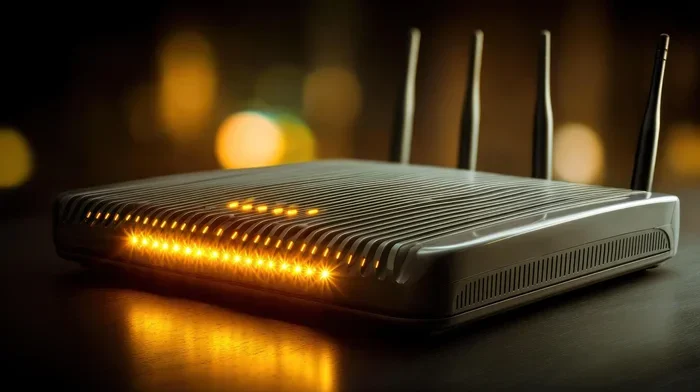
A wireless router takes the wired internet signal from your modem and broadcasts it through the air. Your phone, laptop, smart TV, and smart home gadgets all connect to this signal. The router handles traffic between all these connected devices at the same time.
Think of your router as a traffic cop. It directs data to the right device at the right time. A good router does this fast and efficiently. A cheap or outdated router struggles with multiple devices. You might experience network congestion even if your plan offers plenty of speed.
Here are some key things your router controls:
- WiFi signal strength across your home
- Number of devices it can handle at once
- Wireless frequency bands (2.4 GHz and 5 GHz)
- Security settings that protect your network
- Quality of Service features that prioritize certain traffic
None of these features change your data limit. They only affect how well you use the data you have. A faster router will not give you more data. But it will help you use your existing data more efficiently.
Understanding Data Caps and Throttling
A data cap is a hard limit your ISP places on your monthly usage. Once you hit that number, you either pay extra or get throttled. Not all plans have data caps. But many do, and they can be surprisingly low.
Types of Data Limits
There are a few different ways ISPs limit your usage. Hard caps stop your internet completely until the next billing cycle. Soft caps slow your speeds to a crawl. And then there are fair use policies, which we talked about earlier.
Here is a quick comparison of the most common types:
- Hard Data Cap: Internet stops working until the next month or you pay an overage fee.
- Soft Data Cap (Throttling): Speeds drop significantly after you hit the threshold.
- Fair Use Policy: You get full speeds most of the time but may be slowed during heavy usage periods.
- No Cap (True Unlimited): You can use as much data as you want at full speeds. These are rare but do exist.
Understanding which type you have matters a lot. If you have a data overage charge plan, going over could cost you extra money. If you have a throttling plan, your connection just gets slow. Either way, it affects your daily internet experience.
Can You Get Truly Unlimited Data
Yes, truly unlimited data plans do exist. But they are not always easy to find. Some fiber internet providers offer plans with no caps and no throttling. These are often the best options for heavy data users.
Providers That Offer True Unlimited Data
Fiber-optic connections tend to offer the best unlimited data experiences. Companies like Google Fiber and some regional providers often include truly unlimited plans. They do not slow you down after a certain usage level.
Cable providers are hit or miss. Some offer generous high-speed data allowances that feel unlimited for most households. Others stick to strict caps and throttling policies. Satellite internet providers usually have very low data caps, making true unlimited use difficult.
If you want to check what is available in your area, you can buy your own wifi box and pair it with the best plan. Having your own equipment gives you more control over your home network setup.
Tips for Maximizing Your Data
Even with unlimited data, you want your connection to run smoothly. Here are some practical tips to get the best performance from your setup:
- Place your router centrally in your home for the best WiFi signal strength.
- Use the 5 GHz band for faster speeds on devices close to the router.
- Use the 2.4 GHz band for devices that need more range.
- Restart your router regularly to clear cached data and maintain performance.
- Update your router firmware to get the latest speed and security improvements.
- Monitor your data usage through your router’s admin panel or mobile app.
These small steps make a big difference. They help you squeeze every bit of performance out of your internet plan. You will notice smoother streaming, faster downloads, and fewer lag spikes during video calls.
When You Need More Than Your Router Can Handle
Sometimes your router is fine, but your home network needs a boost. This happens when you have many devices or a large home with thick walls. In these cases, adding extra equipment helps a lot.
Mesh WiFi Systems
A mesh WiFi system uses multiple nodes to spread your connection throughout your home. Each node acts as a mini router, creating a seamless wireless connection everywhere. You can connect mesh to existing router setups easily in most cases.
Mesh systems are great for larger homes. They eliminate dead zones where the signal gets weak. You get consistent speeds in every room without needing to run cables everywhere.
Ethernet Extensions
If you need a rock-solid connection, nothing beats a wired setup. You can extend wifi with ethernet cable to reach rooms where wireless signals struggle. This is especially useful for home offices and gaming setups.
An ethernet connection gives you the fastest possible speeds. It also takes the load off your wireless network. Other devices get better wifi router speed when some traffic is offloaded to wired connections.
Upgrading Your Equipment
If your router is several years old, it might be time for an upgrade. Newer routers support the latest WiFi standards like WiFi 6 and WiFi 7. These standards offer better speeds, more device handling, and improved efficiency.
You can buy a faster router without changing your internet plan. The new router will make better use of the speeds you already pay for. Just make sure your broadband connection can actually deliver the speeds your new router supports.
Some people also wonder whether they can change out their router with Spectrum or other providers. The answer is usually yes. Most ISPs let you use your own equipment. You just need to check compatibility before you buy.
How to Monitor and Track Your Data Usage
Keeping an eye on your data usage helps you stay in control. Most modern routers have built-in tools for this. You can log into your router’s admin panel and check usage stats for each device.
Many ISPs also offer online portals where you can see your monthly usage. Some even send alerts when you are close to a cap. These tools are incredibly helpful for avoiding surprise charges or slowdowns.
If you want more detailed tracking, third-party apps can help. These tools monitor your data usage monitor needs in real time. They show you which devices use the most bandwidth and when your usage peaks.
Knowing your usage patterns helps you make smarter choices. You might discover that your smart TV uses more data than you thought. Or that your kids’ gaming sessions eat up a surprising amount of bandwidth. With this knowledge, you can adjust your habits or upgrade your plan if needed.
Common Mistakes People Make With Unlimited Data
There are a few mistakes that trip up a lot of people. Avoiding these simple errors keeps your home network running smoothly and your bill predictable.
Mistake 1: Assuming unlimited means unlimited speed. As we covered, most unlimited plans slow down after a threshold. Always check the fine print.
Mistake 2: Ignoring router placement. A router hidden in a closet or basement sends weak signals. Place it in an open, central location for the best coverage.
Mistake 3: Never updating firmware. Outdated router software can cause slow speeds and security risks. Check for updates at least once a month.
Mistake 4: Overloading a single router. If you have 20+ smart home devices, one router may struggle. Consider a mesh system or adding access points to spread the load.
Mistake 5: Renting instead of buying. ISPs charge $10 to $15 per month to rent their equipment. Over a year, that adds up to $120 to $180. Buying your own router pays for itself within a year or two.
Avoiding these mistakes saves you money and frustration. Your wireless connection will be faster and more reliable every single day.
The Bottom Line on Unlimited Data and Your Router
Your wifi router is an essential part of your home network. But it does not control your data limit. That belongs to your ISP and the plan you choose. Understanding this distinction is the first step toward getting the most out of your internet connection.
If you want truly unlimited data with no throttling, look for fiber providers or premium cable plans. Pair that with a quality router, and you will have a fast, reliable wireless connection for years to come.
Take some time today to review your current plan. Check if you are paying for a data cap you do not need. And if your router is outdated, consider upgrading. Small changes can make a huge difference in your daily internet experience.
Your internet connection touches almost every part of modern life. From work to entertainment to staying connected with loved ones, it all runs through your router. Make sure your setup is working as hard as you are.
Frequently Asked Questions
Does my wifi router control how much data I can use?
No, your router does not control your data limit. Your internet plan from your ISP sets the data cap or determines if your data is unlimited. The router simply distributes that connection to your devices. It manages traffic but does not add or remove any data allowance.
Can I get truly unlimited data with no throttling?
Yes, some providers offer truly unlimited data with no speed reductions. Fiber internet providers are the most likely to offer this. Always check the terms of your plan to confirm there are no fair use policies or throttling clauses hidden in the agreement.
What happens if I hit my data cap?
It depends on your plan type. With a hard cap, your internet may stop working until the next billing cycle. With soft caps, your speeds drop significantly. Some plans charge overage fees. Check with your ISP to understand exactly what happens when you exceed your limit.
Will upgrading my router give me more data?
No, upgrading your router will not increase your data allowance. However, a better router will use your existing data more efficiently. You will get faster speeds and better performance across all connected devices. It makes the most of what your plan already provides.
How can I check my current data usage?
You can check your data usage through your router’s admin panel or your ISP’s online portal. Most routers show usage per device. Many ISPs also send alerts when you approach your data threshold. Third-party monitoring apps offer even more detailed tracking options.
Should I buy my own router instead of renting from my ISP?
In most cases, yes. Renting a router from your ISP costs $10 to $15 per month. Over a year, that is $120 to $180 in rental fees. Buying your own router pays for itself quickly and gives you more control over your home network settings and features.