Does Nest Need Wi Fi To Run Ac Without Internet Connection
Yes, your Nest thermostat can run your AC without Wi Fi or internet, but you lose smart features like remote control and scheduling. The Nest relies on a Wi Fi connection for full functionality, yet it still maintains basic temperature control when offline. Understanding how your smart home device behaves without internet helps you prepare for outages and setup situations.
Let’s talk about something that confuses a lot of homeowners. You just installed a Nest thermostat and now you are wondering, does Nest need Wi Fi to run AC? The short answer is no, but the full story is more interesting than that.
Your Nest thermostat is a smart home device designed to make your life easier. It learns your habits, adjusts temperatures automatically, and lets you control your cooling system from anywhere. But what happens when the Wi Fi connection goes down? Or what if you never set up internet at all?
This guide walks you through everything you need to know about running your Nest thermostat and air conditioning system without an active internet connection. Whether you are dealing with an outage, setting up a new space, or just curious about how the device works, you will find clear answers here.
Key Takeaways
- Nest works offline: Your thermostat can still control your AC without Wi Fi, but with limited features.
- You lose remote access: Without internet, you cannot adjust settings from your phone or computer.
- Scheduling still works locally: Pre-set schedules continue running even when disconnected from the network.
- Setup requires Wi Fi: Initial installation and configuration need a wireless connection to complete.
- Firmware updates need internet: Your Nest won’t receive new features or bug fixes without a connection.
- Manual control is always available: You can still use the thermostat dial or display to adjust temperature.
📑 Table of Contents
- What Is a Nest Thermostat and How Does It Work?
- Does Nest Need Wi Fi To Run AC Without Internet Connection?
- How to Set Up Your Nest Thermostat Without Wi Fi
- What Happens When Nest Loses Internet Connection?
- Benefits of Keeping Nest Connected to Wi Fi
- Common Nest Wi Fi Problems and How to Fix Them
- How Nest Compares to Other Smart Thermostats Offline
- Expert Tips for Using Nest Without Internet
- Conclusion
What Is a Nest Thermostat and How Does It Work?
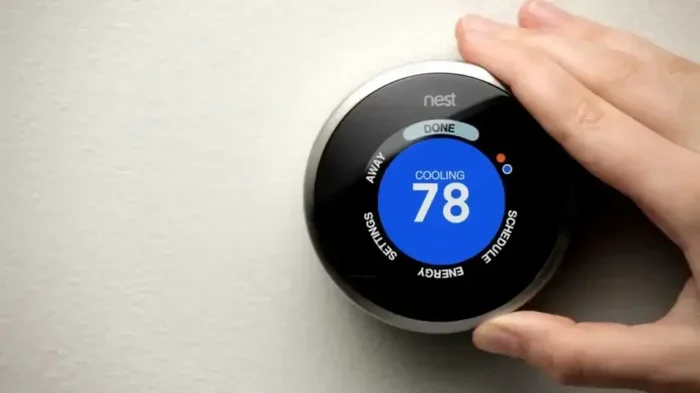
A Nest thermostat is a smart thermostat made by Google. It replaces your traditional thermostat and connects to your home’s wireless network. Once connected, it can communicate with your phone, tablet, and other smart home devices.
The device uses sensors to detect when you are home and when you are away. It learns your preferred temperatures over time and creates a schedule that fits your lifestyle. This is called the Home/Away Assist feature, and it is one of the biggest reasons people choose a Nest thermostat.
But here is the key part. The Nest thermostat has a built-in computer and memory. It stores your settings locally on the device itself. This means it does not rely entirely on the cloud to function. Even if your wireless network drops, the thermostat keeps running.
How the Nest Connects to Your AC
Your Nest thermostat connects to your HVAC system through your home’s wiring. It uses the same wires that connected your old thermostat. The device sends signals to your air conditioner to turn on, turn off, or adjust the temperature.
This connection happens through your home’s electrical system, not through the internet. So the actual command to cool your home does not need Wi Fi at all. The thermostat talks directly to your AC unit through the wiring in your walls.
That said, some advanced features do require a Wi Fi signal. These include remote control, energy reports, and software updates. We will cover those in detail below.
Does Nest Need Wi Fi To Run AC Without Internet Connection?
This is the big question, and the answer is straightforward. No, your Nest thermostat does not need Wi Fi to run your AC. The thermostat can control your cooling system even when it is completely offline.
When there is no internet connection, your Nest switches to what is called offline mode. In this mode, the thermostat still performs its basic functions. It reads the temperature, follows your schedule, and sends signals to your AC unit.
Think of it this way. Your Nest thermostat is like a light switch. The switch still works even if your smart home app cannot reach it. The physical connection between the thermostat and your AC does not depend on the internet.
What Still Works Without Internet
When your Nest is offline, several important features continue to work:
- Temperature control: You can still adjust the temperature using the thermostat dial or display.
- Scheduled programs: Any schedule you already set will keep running on time.
- Home/Away detection: The thermostat can still sense whether you are home using its built-in sensors.
- AC on/off commands: The thermostat sends cooling commands directly through your wiring.
- Manual mode: You can switch between heating, cooling, and off using the device itself.
So even during a power outage or internet blackout, your Nest thermostat keeps doing its job. It just cannot talk to your phone or the Google servers.
What Stops Working Without Internet
On the other hand, some features definitely need a Wi Fi connection. Here is what you lose when your Nest goes offline:
- Remote control: You cannot change the temperature from your phone or computer.
- Energy reports: Your monthly energy savings data stops updating.
- Software updates: The thermostat cannot download new features or fixes.
- Home/Away Assist learning: The device may not learn new patterns without sending data to Google.
- Voice control: You cannot use Google Assistant to adjust the thermostat.
- Multi-room features: If you have multiple Nest devices, they cannot coordinate without internet.
The good news is that all the basic functions you need to keep your home comfortable still work perfectly fine. You just lose the convenience and smart features that make a Nest thermostat special.
How to Set Up Your Nest Thermostat Without Wi Fi
Setting up a Nest thermostat normally requires a wireless network. The setup process uses the Nest app on your phone, which needs to connect to the same Wi Fi network as the thermostat.
But what if you do not have internet yet? Or what if you want to set up the thermostat before your Wi Fi router is ready?
Here is the thing. You cannot fully complete the Nest setup without a Wi Fi connection. The app needs to send your home address, timezone, and preferences to the device during initial setup. However, there are workarounds.
Setting Up Nest When You Have Wi Fi but No Internet
If your wireless router is working but your internet service is down, you can still complete most of the setup. The Nest app will detect your local network. You can connect the thermostat to your router’s signal even without an active internet connection.
Some users have reported success by connecting their phone to the same local network and pairing the device that way. The thermostat will store your settings locally and sync them once the internet comes back.
Setting Up Nest Before Internet Is Available
If you are setting up a new home or a space without internet yet, here is what you can do:
- Install the Nest thermostat physically by wiring it to your HVAC system.
- Power on the device and wait for the setup screen to appear.
- Use a temporary hotspot from your phone to complete the initial setup.
- Once setup is done, you can switch back to your regular network later.
- Alternatively, you can let the thermostat run in offline mode until internet is available.
Using a phone hotspot is a great trick. It gives you a temporary Wi Fi signal that the Nest can connect to. Once the setup is complete, you can remove the hotspot and the thermostat will keep running on its own.
Just remember that connecting to a Wi Fi network without a password is not possible with Nest, so you will need the actual network credentials for setup.
What Happens When Nest Loses Internet Connection?
Internet outages happen to everyone. Your router might restart, your ISP might have a problem, or there might be a wider network issue in your area. When your Nest thermostat loses its Wi Fi signal, here is what you can expect.
The thermostat will display a cloud icon with a line through it on the home screen. This tells you the device is offline. But do not worry. Your cooling system keeps running exactly as it did before.
Will My AC Turn Off During an Outage?
No. Your AC will not turn off just because the internet goes down. The Nest thermostat maintains its connection to your HVAC system through the wiring in your walls. This physical connection does not depend on the internet at all.
However, if the power goes out along with the internet, then yes, everything will stop. The thermostat needs electricity to operate, and so does your AC unit. A power outage affects both devices equally.
Will My Nest Remember My Settings?
Yes. The Nest stores your schedule, preferences, and temperature history locally on the device. When the internet comes back, the thermostat syncs this data with Google’s servers. You will not lose any of your settings during a brief outage.
If the outage lasts for a long time, the thermostat continues to operate normally. It will keep following your schedule and maintaining your preferred temperature. Think of it as a very reliable temperature control device that happens to have smart features when connected.
Benefits of Keeping Nest Connected to Wi Fi
While your Nest can run without internet, keeping it connected to your wireless network gives you a much better experience. Here is why you should make sure your Nest stays online whenever possible.
Remote Control and Convenience
When your Nest is connected, you can change the temperature from anywhere. Forgot to turn off the AC before leaving for vacation? Just open the app and adjust it from your phone. This remote access feature is one of the biggest advantages of a smart thermostat.
Energy Savings and Reports
Nest provides detailed energy reports when it is online. These reports show you how much energy you use, where you can save, and how your habits compare to similar homes. The energy savings features help you lower your utility bills over time.
Automatic Updates and Improvements
Google regularly releases software updates for Nest thermostats. These updates add new features, improve performance, and fix bugs. Without internet, your thermostat stays on the version it was installed with and never gets these improvements.
Home/Away Learning
The longer your Nest is connected, the better it learns your schedule. It notices when you leave for work, when you come home, and what temperatures you prefer at different times of day. This smart scheduling feature makes your life more comfortable and saves energy.
Integration with Other Smart Devices
A connected Nest works with other smart home devices. You can link it with smart lights, speakers, and security cameras. This creates a more connected and automated home environment. Without internet, these integrations simply do not work.
Common Nest Wi Fi Problems and How to Fix Them
Sometimes your Nest thermostat has trouble connecting to your wireless network. This is more common than you might think, and it can be frustrating. Here are the most frequent issues and how to solve them.
Nest Cannot Find My Wi Fi Network
If your Nest app cannot detect your network, try these steps:
- Make sure your router is powered on and working.
- Check that your network name is not hidden.
- Restart your router by unplugging it for 30 seconds.
- Move your router closer to the thermostat during setup.
- Make sure you are entering the correct network password.
Sometimes the issue is as simple as a typo in the password. Double-check that you are using the correct capitalization and special characters.
Nest Keeps Losing Wi Fi Connection
If your Nest connects but drops frequently, the problem might be signal strength. Try these fixes:
- Move your router closer to the thermostat.
- Use a Wi Fi extender to boost the signal in your thermostat’s room.
- Switch your router to a less congested channel.
- Make sure no large metal objects are blocking the signal.
A weak Wi Fi signal causes most connection problems. If your thermostat is far from the router, a simple extender can make a big difference.
Nest Says Connected But No Internet
This is a tricky one. The thermostat shows it is connected to the network, but it cannot reach the internet. This usually means your router has internet but something is blocking the connection.
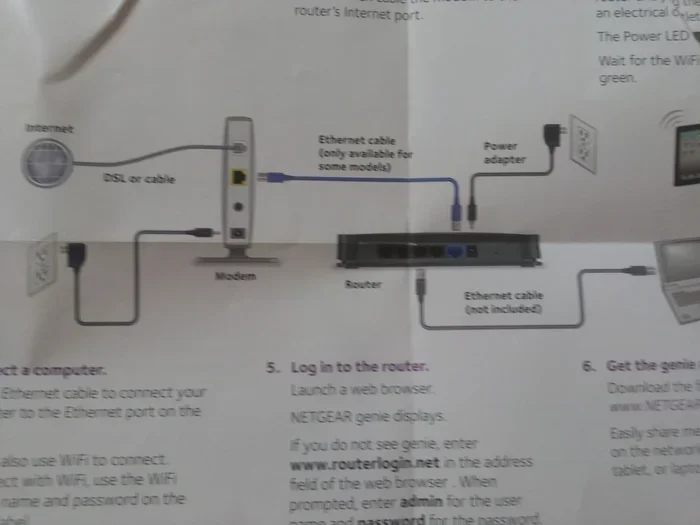
Check if other devices can access the internet. If they cannot, the problem is with your internet service, not the Nest. Restart your modem and router, and wait a few minutes for everything to reconnect.
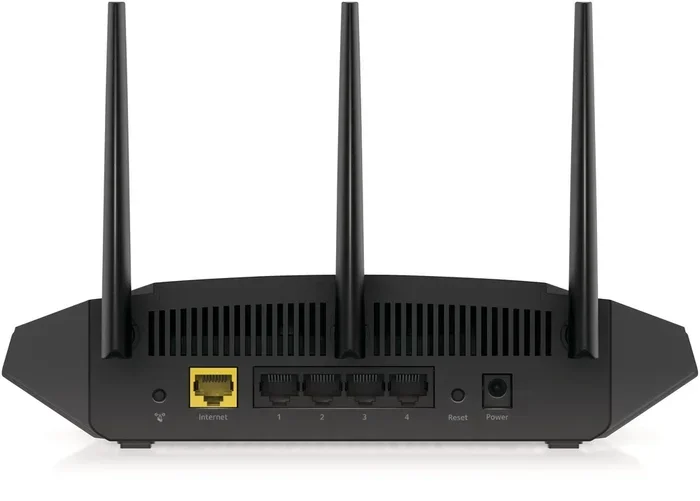
Can I Use a Wi Fi Stick to Connect My Nest?
Nest thermostats have built-in Wi Fi capability. You do not need a separate Wi Fi adapter or stick. The device connects directly to your wireless router. If your router is not working, the solution is to fix or replace the router, not to add a separate adapter to the thermostat.
How Nest Compares to Other Smart Thermostats Offline
Not all smart thermostats behave the same way when the internet goes down. Here is how Nest compares to a few popular alternatives.
| Feature | Nest Thermostat | Ecobee | Honeywell Home |
|---|---|---|---|
| Works without Wi Fi | Yes | Yes | Yes |
| Remote control offline | No | No | No |
| Local scheduling offline | Yes | Yes | Yes |
| Voice control offline | No | No | No |
| Energy reports offline | No | No | No |
| Basic AC control offline | Yes | Yes | Yes |
As you can see, most smart thermostats behave similarly when offline. The basic temperature control functions remain available. The smart features that make these devices special all depend on a working internet connection.
If you are looking for a thermostat that works well offline, a traditional programmable thermostat might be a better fit. But if you want the convenience of a smart thermostat with the ability to fall back on basic functions, Nest is a solid choice.
Expert Tips for Using Nest Without Internet
Here are some practical tips from experienced users and HVAC professionals. These will help you get the most out of your Nest thermostat even when you do not have internet.
Set Up Your Schedule Before Going Offline
Make sure your weekly schedule is fully programmed before you expect to lose internet. Once offline, you cannot easily edit your schedule from the app. Use the thermostat display to set up your cooling times in advance.
Use the Nest Temperature Sensor
If you have a Nest Temperature Sensor, it works locally with the thermostat. It does not need internet to communicate with the main unit. This can help you maintain more accurate temperatures in different rooms.
Keep a Backup Plan
During extended outages, consider using a portable fan or adjusting your blinds to manage temperature. Your Nest will keep your AC running, but it cannot help you stay comfortable if the power goes out.
Check Your Wiring
Before blaming the internet for thermostat problems, check your wiring. Sometimes the issue is a loose wire or a tripped breaker. A Wi Fi thermostat still needs proper electrical connections to function, online or offline.
Use a Mobile Hotspot for Remote Access
If you need to access your Nest remotely but your home internet is down, you can use your phone’s mobile data as a hotspot. This gives your Nest temporary internet access so you can control it from afar.
Just keep in mind that getting just Wi Fi at home without a full internet plan is not usually possible. The hotspot works as a temporary bridge, not a permanent solution.
Conclusion
So, does Nest need Wi Fi to run AC? The answer is clear. Your Nest thermostat can control your air conditioning system even without an internet connection. The core function of cooling your home works through your home’s wiring, not through the cloud.
That said, you will miss out on many of the features that make a Nest thermostat truly smart. Remote control, energy reports, voice commands, and automatic learning all require a working Wi Fi connection. Without internet, your Nest becomes a very capable but basic thermostat.
The best approach is to keep your Nest connected whenever possible. Use a strong wireless network with good signal strength. Set up your schedule and preferences while online. Then, if the internet ever goes down, you can relax knowing your thermostat will still keep your home comfortable.
Whether you are dealing with an outage, setting up a new space, or just curious about how your device works, you now have the full picture. Your Nest thermostat is designed to be reliable, even when the internet is not.
Frequently Asked Questions
Can I use my Nest thermostat if I don’t have Wi Fi at all?
Yes, you can. The Nest thermostat will control your AC using your home’s wiring, even without any wireless network. You just won’t be able to use the app, remote features, or smart scheduling. The thermostat works as a basic programmable thermostat in this case.
Will my Nest thermostat lose its settings if the internet goes out?
No, your Nest stores all your settings locally on the device. Your schedule, temperature preferences, and programming stay intact during an internet outage. Once the connection is restored, the thermostat syncs any changes with Google’s servers.
How long can a Nest thermostat run without internet?
There is no time limit. Your Nest can run offline indefinitely. It will continue to follow your schedule and control your AC as long as it has power. The only thing that stops is the smart features that require cloud connectivity.
Do I need internet to install a Nest thermostat?
Yes, you need a working Wi Fi connection to complete the initial setup through the Nest app. The app guides you through installation and sends your home details to the device. After setup, the thermostat can continue working even if you disconnect from the internet.
Can I control my Nest with my phone when there is no internet?
No, you cannot control your Nest remotely without internet. Both your phone and the thermostat need to be online to communicate. However, you can still control the thermostat directly using the device’s display or dial in person.
What should I do if my Nest keeps disconnecting from Wi Fi?
Start by restarting your router and moving it closer to the thermostat. Check that your network password is correct and that your router firmware is up to date. If the problem persists, try setting up the thermostat on a different network or using a Wi Fi extender to strengthen the signal.