Does Icelandair Provide Free Wi Fi On Long Haul Flights
Does Icelandair Provide Free Wi Fi on long haul flights? The answer depends on your route and ticket type. Icelandair offers inflight Wi-Fi on most long haul routes, but free access is limited. Passengers can purchase Wi-Fi packages or use select free messaging services. Understanding the options helps you plan your connectivity needs before you fly.
If you are planning a long haul trip with Icelandair, one question probably sits at the top of your list. Does Icelandair provide free Wi Fi on those long flights across the Atlantic? Staying connected at 35,000 feet feels essential in today’s world. Whether you need to check emails, stream a movie, or just send a quick message, internet access makes the hours fly by.
The good news is that Icelandair does offer inflight Wi-Fi on most of its long haul routes. However, the details are not always straightforward. Free access is limited, and pricing varies depending on the package you choose. This guide breaks down everything you need to know about Icelandair Wi-Fi on long haul flights. You will learn about pricing, speed, availability, and how to make the most of your connection in the sky.
Key Takeaways
- Wi-Fi Availability: Icelandair offers Wi-Fi on most long haul flights, but coverage may vary by aircraft type and route.
- Free Options Are Limited: Free messaging services are available on select plans, but full internet access requires a paid package.
- Pricing Varies: Wi-Fi packages range from basic messaging to high-speed data plans.
- Speed Can Vary: In-flight Wi-Fi speeds depend on altitude, location, and the number of users connected.
- Preparation Matters: Downloading content before your flight ensures you stay entertained even without reliable Wi-Fi.
- Security Tips: Use a VPN when connecting to any public Wi-Fi network, including those on airplanes.
📑 Table of Contents
- What You Need to Know About Icelandair Wi-Fi
- Is the Wi-Fi Free on Icelandair?
- How Fast Is Icelandair Wi-Fi?
- How to Connect to Icelandair Wi-Fi
- How Icelandair Wi-Fi Compares to Other Airlines
- Common Mistakes Travelers Make with Icelandair Wi-Fi
- Can You Use VPN on Icelandair Wi-Fi?
- What to Do If Icelandair Wi-Fi Does Not Work
- The Future of Wi-Fi on Icelandair
- Final Thoughts
What You Need to Know About Icelandair Wi-Fi
Icelandair has been expanding its in-flight connectivity options over the past few years. The airline operates a mix of aircraft on its long haul routes, and Wi-Fi availability depends on the specific plane you board. Most Boeing 757 and Boeing 767 aircraft on transatlantic routes are equipped with Wi-Fi systems. However, not every Icelandair flight offers the same experience.
Before you assume you will have full internet access, it helps to understand how the system works. The airline uses satellite-based onboard internet technology. This means your connection depends on signals from satellites orbiting the Earth. While this technology has improved a lot, it still has limitations. Speeds can fluctuate, and connections may drop during certain phases of flight.
Which Icelandair Routes Offer Wi-Fi?
Most long haul routes operated by Icelandair include Wi-Fi access. These include popular routes like:
- Reykjavik to New York
- Reykjavik to Los Angeles
- Reykjavik to Seattle
- Reykjavik to Minneapolis
- Reykjavik to Orlando
- Reykjavik to Boston
Short haul flights within Europe may not always have Wi-Fi. If connectivity at 30,000 feet matters to you, check your specific flight before booking. You can usually find Wi-Fi information on the Icelandair website or by contacting customer service. The airline updates its fleet regularly, so newer planes are more likely to have reliable inflight internet access.
Is the Wi-Fi Free on Icelandair?
This is the question most travelers want answered. The short answer is: it depends. Icelandair does not offer completely free unlimited Wi-Fi on all long haul flights. But there are some free options available, and they are worth knowing about.
Free Messaging Services
Icelandair offers free messaging services on certain Wi-Fi plans. This means you can use apps like WhatsApp, iMessage, and Facebook Messenger at no extra cost. You can send text messages and use basic chat features while in the air. However, these free plans do not support browsing, streaming, or email access.
If your main goal is to let family and friends know you are safe, the free messaging option works well. It is similar to how some hotspot providers offer limited free access. You get basic connectivity without paying a dime. Just remember that you cannot browse the web or use social media on these free plans.
Paid Wi-Fi Packages
For full internet access, Icelandair offers paid Wi-Fi packages. These packages typically come in a few tiers:
- Basic Plan: Limited browsing and email access at a lower price.
- Standard Plan: Faster speeds suitable for social media and light browsing.
- Premium Plan: High-speed access for streaming, video calls, and large downloads.
Prices vary depending on the flight duration and the package you choose. Generally, you can expect to pay anywhere from around $10 to $30 or more for a full flight. The longer the flight, the more the Wi-Fi package costs. Icelandair often offers discounted bundles if you purchase Wi-Fi before your flight rather than onboard.
How Fast Is Icelandair Wi-Fi?
Wi-Fi speed is a major concern for travelers. Nobody wants to sit through a long flight with a slow or unusable connection. Icelandair’s in-flight Wi-Fi speeds vary based on several factors.
Factors That Affect Wi-Fi Speed
Several things influence how fast your internet will be on an Icelandair flight:
- Aircraft Type: Newer planes tend to have better Wi-Fi equipment.
- Flight Path: Your speed depends on satellite coverage over the ocean and remote areas.
- Number of Users: More passengers online means slower speeds for everyone.
- Altitude: Connections can be weaker during takeoff and landing.
- Weather: Severe weather can occasionally interfere with satellite signals.
Most passengers report that Icelandair Wi-Fi is good enough for basic tasks. Checking email, browsing websites, and sending messages work well on most flights. Streaming video can be hit or miss. The bandwidth is shared among all passengers, so streaming a movie might buffer during peak usage times.
If you need reliable internet for work, consider downloading files before your flight. Also, using Wi-Fi without ethernet on a plane works differently than home Wi-Fi. The satellite connection introduces a slight delay, which can affect real-time activities like video calls. Plan accordingly and manage your expectations.
How to Connect to Icelandair Wi-Fi
Connecting to Wi-Fi on an Icelandair flight is straightforward. Here is a step-by-step guide to help you get online:
Step 1: Enable Airplane Mode and Wi-Fi
Once the captain turns on the Wi-Fi system, you can enable Wi-Fi on your device. Make sure airplane mode is on, then turn Wi-Fi back on manually. Your phone, tablet, or laptop will start scanning for available networks.
Step 2: Select the Icelandair Network
Look for the Icelandair Wi-Fi network in your list of available connections. The network name usually includes the airline branding. Tap or click on it to connect.
Step 3: Open the Portal
After connecting, a login portal should open automatically. If it does not, open your web browser and visit any website. The portal will redirect you to the Icelandair Wi-Fi login page. From there, you can choose your package and make a payment.
Step 4: Enjoy Your Connection
Once you have purchased a package or selected the free messaging option, you are good to go. Your connection should remain active for the duration of the flight. Some passengers also connect their PC to Wi-Fi without ethernet on flights, which works just as well as connecting a phone or tablet.
Quick Tips for a Better Experience
- Charge your device fully before the flight.
- Download entertainment content before you board.
- Bring a portable charger for long flights.
- Use headphones to avoid disturbing fellow passengers.
- Log in to your Wi-Fi package early in the flight to get the most value.
How Icelandair Wi-Fi Compares to Other Airlines
It is always helpful to compare Icelandair’s Wi-Fi offerings with other airlines. Here is a quick comparison of how Icelandair stacks up:
| Airline | Free Wi-Fi | Paid Options | Messaging Free | Speed |
|---|---|---|---|---|
| Icelandair | Limited (messaging only) | Yes | Yes (select plans) | Moderate |
| Norwegian Air | No | Yes | No | Moderate |
| Delta | Limited free messaging | Yes | Yes | Good |
| JetBlue | Free basic Wi-Fi | Yes (fast speed) | Yes | Good |
Icelandair’s Wi-Fi offering is competitive but not the most generous. Airlines like JetBlue offer free basic Wi-Fi, which gives them an edge for budget-conscious travelers. Icelandair’s strength lies in its unique route network through Reykjavik, which makes it a popular choice for transatlantic travel. When comparing inflight connectivity options, consider the overall value of the flight, not just Wi-Fi alone.
Common Mistakes Travelers Make with Icelandair Wi-Fi
Avoiding common mistakes can save you frustration and money. Here are a few pitfalls to watch out for:
Assuming Wi-Fi Is Always Free
Many travelers assume all Wi-Fi on flights is free. This is not the case with Icelandair on most long haul routes. Always check the Wi-Fi policy before your flight. Don’t arrive on board expecting free internet access only to find out you need to pay.
Not Purchasing Wi-Fi Before the Flight
Icelandair often offers discounted Wi-Fi packages if you purchase them before your flight. Buying onboard usually costs more. Take a few minutes before your trip to grab a Wi-Fi bundle through the Icelandair website or app. This simple step can save you money.
Relying on Wi-Fi for Entertainment
In-flight Wi-Fi can be unpredictable. Do not rely on it for your only source of entertainment. Download movies, shows, and music before you leave the ground. This way, you have a backup plan if the Wi-Fi is slow or unavailable. Think of it like having a security camera without Wi-Fi setup as a backup, you always have a plan B.
Ignoring Wi-Fi Security
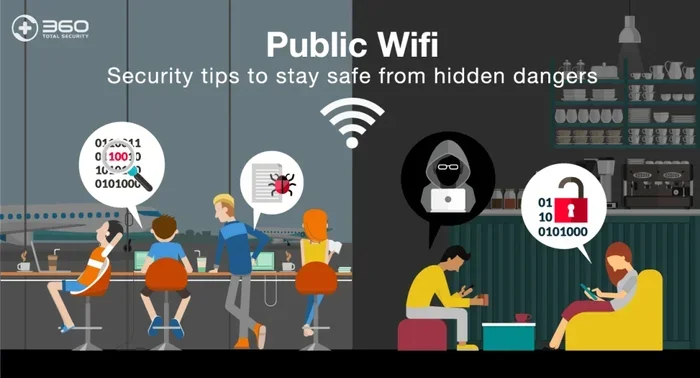
Public Wi-Fi networks, even those at 35,000 feet, come with security risks. Avoid accessing sensitive accounts or entering personal information without protection. Using a VPN adds a layer of security to your connection. Also, be mindful of what you share on public networks. Just as guest Wi-Fi can see what you search in hotels, other users on the same airplane network could potentially intercept your data.
Can You Use VPN on Icelandair Wi-Fi?
Yes, you can use a VPN on Icelandair Wi-Fi. A VPN encrypts your internet traffic and helps protect your privacy. This is especially important on shared networks like those on airplanes. If you need to check work emails or access sensitive accounts, a VPN is a smart choice.
Some passengers report that VPNs can slow down the connection slightly. This is normal because VPNs add extra processing to your data. If you experience slow speeds, try connecting to a server closer to your destination. The tradeoff between security and speed is always worth it for sensitive tasks.
What to Do If Icelandair Wi-Fi Does Not Work
Sometimes, despite the best plans, Wi-Fi does not work as expected. Here is what you can do if you face connectivity issues:
- Check if the Wi-Fi system is turned on by the crew.
- Restart your device’s Wi-Fi connection.
- Try accessing the login portal again.
- Ask a flight attendant for assistance.
- Have offline entertainment ready as a backup.
Remember that satellite-based Wi-Fi is not perfect. Weather, geography, and technical issues can all affect your connection. Having a backup plan ensures you are not stuck bored and disconnected for hours.
The Future of Wi-Fi on Icelandair
Icelandair continues to invest in improving its inflight internet experience. As satellite technology advances, passengers can expect faster speeds and more reliable connections in the future. The airline is also exploring ways to expand free access options. Keeping an eye on Icelandair’s announcements can help you stay ahead of changes.
The airline industry as a whole is moving toward better connectivity. Many carriers are testing faster systems and even considering free basic Wi-Fi for all passengers. Icelandair is part of this evolution, and long haul travelers stand to benefit the most. Next time you book a flight through Reykjavik, keep an eye out for updated Wi-Fi options.
Final Thoughts
So, does Icelandair provide free Wi-Fi on long haul flights? The answer is nuanced. Free messaging is available on select plans, but full internet access comes at a cost. Icelandair’s Wi-Fi is a solid option for staying connected during those long transatlantic hours. With a bit of planning, you can choose the right package and make the most of your time in the sky.
Whether you need to stay productive or just want to browse the web, Icelandair’s connectivity options have you covered. Just remember to download backup entertainment, bring a charger, and consider using a VPN for security. A little preparation goes a long way toward making your Icelandair long haul experience comfortable and connected.
Next time you fly Icelandair across the ocean, you will know exactly what to expect. You will be ready to pick the right Wi-Fi package, avoid common pitfalls, and stay connected from gate to gate. Safe travels and happy flying.
Frequently Asked Questions
Does Icelandair offer completely free Wi-Fi on all flights?
No, Icelandair does not offer completely free Wi-Fi on all flights. Free messaging services are available on select plans, but full internet access requires a paid package. Always check the Wi-Fi options for your specific flight before booking.
How much does Icelandair Wi-Fi cost on long haul flights?
Wi-Fi prices on Icelandair vary depending on the package and flight duration. Basic packages start around $10, while premium packages can cost $30 or more. Purchasing Wi-Fi before your flight often saves money compared to buying onboard.
Can I stream Netflix or other videos on Icelandair Wi-Fi?
Streaming is possible on Icelandair Wi-Fi but can be unreliable. Speeds vary based on the number of users and flight path. For the best experience, download content before your flight and watch it offline during the trip.
Does Icelandair Wi-Fi work on all aircraft types?
Not all Icelandair aircraft have Wi-Fi. Most long haul Boeing 757 and 767 planes are equipped with Wi-Fi, but short haul flights may not offer connectivity. Check your specific aircraft and route before assuming Wi-Fi is available.
Is it safe to use online banking on Icelandair Wi-Fi?
It is best to avoid sensitive transactions on any public Wi-Fi network, including those on airplanes. If you must access banking or personal accounts, use a VPN for added security. The same precautions apply as when using public Wi-Fi at hotels or cafes.
Can I connect multiple devices to Icelandair Wi-Fi?
Yes, you can usually connect multiple devices to Icelandair Wi-Fi with a single purchase. However, bandwidth is shared across all connected devices, so connecting too many may slow down your speeds. Limit connections to essential devices for the best experience.
=== CONCLUSION ===
Does Icelandair provide free Wi-Fi on long haul flights? The answer is clear: free access is limited to messaging, while full internet requires a paid package. Icelandair offers a range of Wi-Fi options that cater to different needs and budgets. From basic browsing to high-speed streaming, there is something for everyone. By understanding the pricing, speed, and availability details, you can make an informed choice before your next trip. Stay connected, stay entertained, and make every minute of your Icelandair flight count.