Does Cricket Provide Wi Fi Everything You Need To Know
Does Cricket provide Wi-Fi? The answer is no for home internet, but yes for on-the-go connectivity. You can use your Cricket plan to create a mobile hotspot and connect devices wirelessly. This guide explains how Cricket Wi-Fi works, including hotspot setup, Wi-Fi calling, and whether it can replace home broadband.
Key Takeaways
- Cricket does not offer home Wi-Fi internet: It is a prepaid wireless carrier, not a broadband provider.
- You can turn any Cricket phone into a Wi-Fi hotspot: This lets you connect laptops, tablets, and other devices.
- Wi-Fi calling is supported on Cricket: It works over Wi-Fi networks and does not use your cellular minutes.
- Using Cricket as a home internet replacement is possible but limited: Data caps and speed throttling apply.
- Sharing your hotspot is easy: You can create a QR code for guests to join instantly.
- Always monitor your data usage: Cricket plans have limited high-speed data, and tethering counts toward your limit.
📑 Table of Contents
- What Cricket Wireless Actually Offers
- Using Your Cricket Plan as a Mobile Hotspot
- Wi-Fi Calling on Cricket: What You Need to Know
- Can Cricket Replace Your Home Wi-Fi Internet?
- Tips and Tricks for Getting the Most from Cricket Wi-Fi
- Common Mistakes People Make with Cricket Wi-Fi
- Expert Insights and Final Thoughts
What Cricket Wireless Actually Offers
Many people ask, “Does Cricket provide Wi-Fi?” The short answer is that Cricket Wireless does not sell a home Wi-Fi internet plan. However, you can absolutely use your Cricket data to create a personal wireless network anywhere you have cell coverage. This means your phone or a dedicated hotspot device becomes a portable router. Cricket is a prepaid carrier owned by AT&T, so it runs on the AT&T network. You get talk, text, and data, and with the right setup, you can share that data with other devices over Wi-Fi.
If you are looking for a simple internet solution without a contract, Cricket can still play a role. You just need to understand what it can and cannot do. This article breaks down everything you need to know about using Cricket for Wi-Fi. We will cover hotspot setup, Wi-Fi calling, data limits, and whether Cricket can truly replace your home broadband. By the end, you will know exactly how to get Wi-Fi from your Cricket plan.
Cricket’s Core Services
Cricket Wireless is a prepaid wireless carrier. It provides mobile phone plans with talk, text, and data. You pay monthly with no contract. Cricket uses the AT&T network, which gives you solid coverage across the United States. The plans are simple and affordable. You can choose from different data tiers, and all plans include unlimited talk and text. Cricket also offers some extras like international calling and mobile hotspot data. However, Cricket does not provide cable internet, fiber, or a home Wi-Fi router. It is strictly a mobile service.
What Cricket Does NOT Include
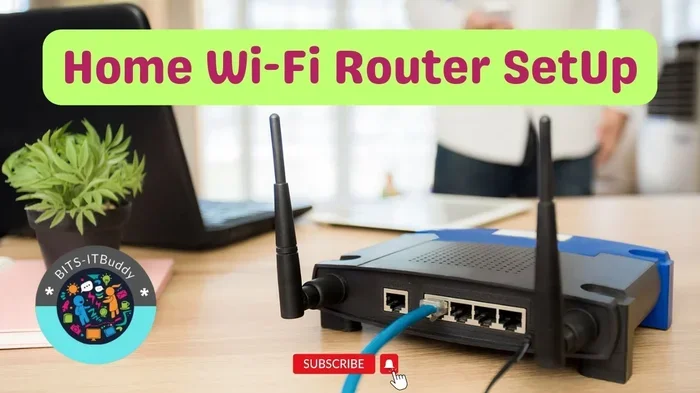
Because Cricket is a mobile carrier, it does not include home broadband. You will not get a modem or a Wi-Fi router from Cricket. There is no fixed wireless internet option from Cricket either. If you want Wi-Fi at home, you need a separate internet provider. Cricket’s job is to keep you connected on the go. So when someone asks, “Does Cricket provide Wi-Fi?” the answer depends on what kind of Wi-Fi they mean. For home internet, the answer is no. For mobile Wi-Fi through a hotspot, the answer is yes.
Using Your Cricket Plan as a Mobile Hotspot
The most common way to get Wi-Fi from Cricket is by turning your phone into a mobile hotspot. This feature is called “personal hotspot” or “tethering.” When you turn it on, your phone shares its cellular data connection over Wi-Fi. Other devices can then connect to your phone just like they connect to a home router.
How to Turn Your Phone into a Wi-Fi Hotspot
Every Cricket phone can act as a mobile hotspot. To set it up, go to Settings > Network & Internet > Hotspot & Tethering on Android. On iPhone, go to Settings > Personal Hotspot. You will see a Wi-Fi password. Make sure it is strong and unique. Once enabled, your phone broadcasts a Wi-Fi network name. Other devices can find it and connect. This is the easiest way to get portable Wi-Fi without any extra equipment.
Connecting Multiple Devices Without Ethernet
You can connect laptops, tablets, and even smart TVs to your Cricket hotspot. This is perfect for travel or when you need internet in a room without a wired connection. If you want to connect your PC to Wi-Fi without an Ethernet cable, your Cricket phone is the perfect bridge. Just turn on the hotspot, find the network on your laptop, and enter the password. You can connect up to 10 devices at once, though performance may drop with many devices. The key is to keep your phone charged and in a good signal area.
Using a Dedicated Hotspot Device with Cricket
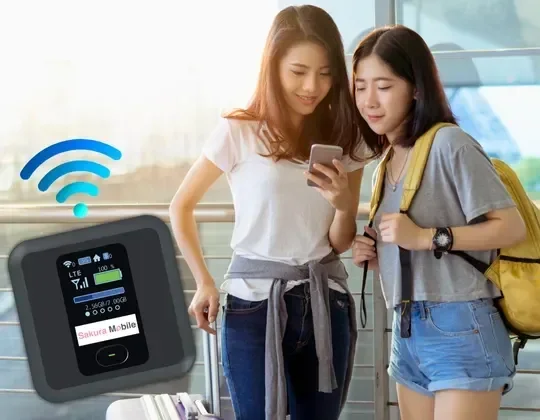
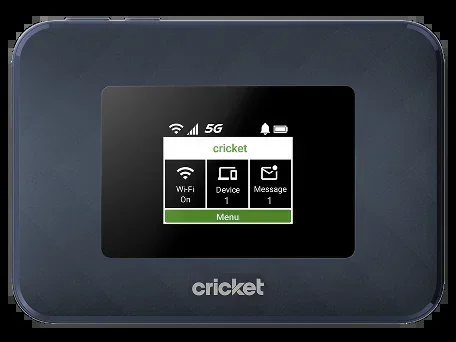
You do not need to use your phone as a hotspot. You can buy a dedicated mobile hotspot device, sometimes called a MiFi. These devices have their own battery and Wi-Fi radio. You insert a Cricket SIM card into the hotspot device. It then connects to the AT&T network and creates a Wi-Fi network. This keeps your phone free for calls and texts. Dedicated hotspots are great for long trips or for setting up a temporary office. They often have better battery life than using a phone as a hotspot.
Wi-Fi Calling on Cricket: What You Need to Know
Wi-Fi calling is a feature that lets you make phone calls over a Wi-Fi network instead of using cell towers. Cricket supports Wi-Fi calling on most of its phones. This is great if you live in an area with weak cell signal but strong Wi-Fi. You can still make and receive calls without dropping them. To use it, you need a compatible phone. Go to Settings > Network & Internet > Wi-Fi Calling on Android, or Settings > Phone > Wi-Fi Calling on iPhone. Make sure it is turned on. Cricket will automatically use Wi-Fi for calls when the signal is weak.
Does Wi-Fi Calling Use Your Data?
One common question is whether Wi-Fi calling uses your mobile data. The answer is no. Wi-Fi calling uses your home Wi-Fi network, not your Cricket cellular data. So if you are connected to your home Wi-Fi, your calls do not count against your Cricket data limit. However, if you are using Wi-Fi calling while connected to a public Wi-Fi network, it still uses that Wi-Fi, not your cellular data. This is different from using your Cricket data as a hotspot, where all traffic counts against your plan. You can learn more about Wi-Fi calling on different carriers in our guide on Wi-Fi calling with Boost Mobile.
Can Cricket Replace Your Home Wi-Fi Internet?
Some people consider using Cricket as their main internet source. This is possible with a mobile hotspot device or a phone. But it comes with trade-offs. Here are the main pros and cons.
- Pros: No contract, no credit check, easy to set up, works anywhere with cell coverage, you can take it with you.
- Cons: Data caps are strict, speeds may slow after heavy use, you need good cell signal at home, hotspot data may be deprioritized on the AT&T network during congestion.
If you are looking for a permanent home internet replacement, you might wonder if using your Cricket plan as a hotspot instead of home Wi-Fi is a good idea. The honest answer is that it depends on your usage. If you only browse the web, check email, and stream music lightly, it can work. If you watch a lot of video or game online, you will quickly run into data limits.
Data Limits and Throttling
Cricket plans come with a set amount of high-speed data. For example, the Cricket Unlimited plan offers unlimited data, but it may slow down after a certain usage threshold. The hotspot data is often a subset of your total data. Some plans give you 15 GB or 20 GB of hotspot data before throttling. Once you hit the limit, your speeds drop significantly. This makes Cricket a poor choice for heavy home internet use like streaming 4K video or large downloads. If you only need light browsing and email, it might work.
Comparison Table – Cricket Hotspot vs Home Wi-Fi
| Feature | Cricket Hotspot | Home Wi-Fi (Cable/Fiber) |
|---|---|---|
| Internet Type | Mobile cellular data | Cable, fiber, or DSL |
| Contract | None (prepaid) | Usually 12-24 months |
| Data Limit | 15-20 GB hotspot (varies) | Usually unlimited |
| Speed | Depends on cell signal | Consistent high speed |
| Portability | High (take it anywhere) | Fixed location |
| Cost per Month | $55+ for unlimited | $40-$70 for broadband |
| Best For | Travel, backup, light use | Home streaming, gaming, work |
Tips and Tricks for Getting the Most from Cricket Wi-Fi
To get the best experience with your Cricket hotspot, you need a few smart habits. These tips will help you stay connected and avoid common headaches.
Boosting Your Signal and Range
Your Cricket hotspot is only as good as the cell signal your phone receives. If you have weak signal, your Wi-Fi speed will suffer. Here are some tips to improve your signal. Place your phone near a window. Avoid thick walls and metal objects. Consider a cell signal booster for your home. These devices amplify the cell signal and can dramatically improve hotspot performance. Also, keep your phone plugged in or on a charging pad while using it as a hotspot, because tethering drains the battery quickly.
Sharing Your Hotspot Securely with a QR Code
Instead of typing a long Wi-Fi password on a guest’s device, you can create a QR code for your Cricket hotspot. This makes joining effortless. You can create a QR code for your Cricket hotspot using your phone’s settings or a third-party app. Just scan the code with another device, and it connects automatically. This is especially handy when you have visitors or need to set up a laptop quickly. Always change the default hotspot name and password to something unique for security.
Managing Data Usage on Connected Devices
Every device connected to your Cricket hotspot uses your data. A single Netflix stream can use 1 GB per hour. So if you have a 15 GB hotspot limit, you can only watch about 15 hours of video. To stay within your limits, connect to Wi-Fi whenever possible. Download videos and maps over home Wi-Fi before you travel. Use data-saving modes on your laptop and phone. You can also check your remaining hotspot data in the Cricket app. This helps you avoid surprise overages or throttling.
Common Mistakes People Make with Cricket Wi-Fi
Avoid these pitfalls to get the most out of your Cricket connection.
Ignoring Data Limits
The biggest mistake is assuming unlimited means unlimited hotspot data. Many Cricket plans throttle hotspot speeds after a certain amount. If you do not monitor your usage, you can hit the cap and experience painfully slow speeds. Always check your plan details. The Cricket app shows how much hotspot data you have used. Set a data warning if your phone supports it. This keeps you from accidentally blowing past your limit.
Placing Your Phone in a Weak Signal Area
Another common error is leaving your phone in a back bedroom or basement while it serves as a hotspot. The phone needs a strong cell signal to provide good Wi-Fi speeds. If the signal is weak, your connected devices will suffer. Move the phone to a central location or near a window. If you are using a dedicated hotspot device, place it where the signal is strongest. A poor signal can make even the fastest Cricket plan feel slow.
Forgetting to Turn Off the Hotspot
Leaving your hotspot on when you are not using it wastes battery and data. Other devices might connect automatically and start streaming or updating in the background. Always turn off the hotspot when you do not need it. On Android, you can set a timeout or turn it off from the quick settings panel. On iPhone, you can turn off Personal Hotspot from the Control Center. This simple habit saves data and keeps your phone cool.
Expert Insights and Final Thoughts
Using Cricket for Wi-Fi is a smart workaround if you do not have home broadband. It is not a perfect replacement, but it works well for travel, backup, or light home use. The key is to understand the limitations. Cricket gives you a mobile data connection, and you can turn that into a Wi-Fi network with a few taps. You get the freedom of a portable network, but you must manage your data carefully.
Wi-Fi calling adds another layer of convenience, letting you make calls over any Wi-Fi network without using your plan’s minutes. Whether you are a student, a traveler, or someone who needs a backup connection, Cricket can fill that role. The ability to connect multiple devices wirelessly is a huge advantage. You just need to be mindful of your data usage and signal strength.
So, does Cricket provide Wi-Fi? Yes, in the sense that you can create a Wi-Fi network using your Cricket data. But Cricket does not provide a home Wi-Fi internet service. You can use your phone or a dedicated hotspot to share your data with other devices. Wi-Fi calling works well on Cricket, and sharing your hotspot via a QR code makes it easy for guests. Just remember the data limits and signal dependence. With the right expectations, Cricket can be a valuable part of your connectivity toolkit. Use the tips in this guide to get the most out of your Cricket plan and stay connected wherever you go.
Frequently Asked Questions
Can I use Cricket as my only internet source at home?
Yes, but with limitations. Cricket offers mobile data, not home broadband. You can use a hotspot device or tether your phone. However, data caps and potential throttling make it less reliable than cable or fiber. It works best for light browsing, email, and occasional streaming. Heavy users will quickly hit data limits. If you only need basic internet, Cricket can serve as a temporary or backup solution.
Does Cricket’s hotspot data count against my regular data limit?
Yes, hotspot data is part of your overall Cricket plan data. When you tether your phone or use a dedicated hotspot, the data used counts against your plan’s high-speed data allowance. Some plans include a specific amount of hotspot data before throttling. Always check your plan details in the Cricket app to monitor usage. Exceeding limits can slow your speeds significantly.
Can I connect my laptop to Cricket Wi-Fi without a password?
No, you cannot connect without a password unless you set your hotspot to open (which is not recommended). When you enable the personal hotspot on your Cricket phone, it creates a secured Wi-Fi network with a password. You can share the password with trusted devices. For convenience, you can create a QR code to share the connection securely without typing the password.
Is Wi-Fi calling free on Cricket?
Wi-Fi calling itself does not cost extra on Cricket. It uses your Wi-Fi network to make calls, so it does not use your cellular minutes or mobile data. You need a compatible phone and the feature must be enabled in your settings. Cricket supports Wi-Fi calling on most modern smartphones. This is a great way to get better call quality in areas with weak cell signal.
What is the difference between Cricket’s mobile hotspot and a home Wi-Fi router?
A home Wi-Fi router connects to a fixed internet source like cable or fiber and provides Wi-Fi to your devices. Cricket’s mobile hotspot uses cellular data from the AT&T network to create a Wi-Fi network. Home routers usually offer faster, more consistent speeds and unlimited data. Cricket hotspots are portable and do not require a contract, but they have data caps and depend on cell signal strength.
Can I use a Cricket SIM in a dedicated hotspot device?
Yes, Cricket offers data-only SIM cards and you can use a compatible mobile hotspot device. Just insert the Cricket SIM into the hotspot, power it on, and it will connect to the AT&T network. The device will broadcast a Wi-Fi network that your other devices can join. This is a great option if you want to keep your phone free for calls and texts while still having Wi-Fi on the go.