Can Hotels Block Wi Fi Here Is What You Need To Know
Can hotels block Wi-Fi? Yes, they absolutely can. Many hotels use network controls to restrict internet access, limit bandwidth, or block certain websites for their guests. Understanding how hotel wifi restrictions work helps you stay connected and avoid frustrating dead zones. This guide covers why hotels limit access, common problems you will face, and proven ways to bypass hotel internet blocks so you can browse freely.
This is a comprehensive guide about Can Hotels Block Wi Fi.
Key Takeaways
- Hotels can block Wi-Fi: They use network controls, firewalls, and bandwidth limits to manage guest internet access.
- Common reasons include security, bandwidth management, and pushing paid internet packages.
- A VPN is one of the best tools to bypass hotel wifi restrictions and access blocked content.
- Hotel wifi problems like slow speeds and captive portals are common but usually fixable.
- Contacting the front desk or IT support often resolves connectivity issues quickly.
- Portable wifi hotspots and mobile data are reliable alternatives when hotel internet fails.
- Reading reviews before booking helps you choose hotels with strong guest wifi quality.
[FEATURED_IMAGE_PLACEHOLDER]
Have you ever checked into a hotel room, connected to the wifi, and found that nothing works? You are not alone. The question can hotels block Wi-Fi comes up constantly from travelers who rely on internet access for work, streaming, or staying in touch with family. The short answer is yes, hotels can and do block or restrict wireless internet in various ways.
Whether it is a slow connection that barely loads a webpage or a complete block on certain websites, hotel wifi restrictions can turn a relaxing stay into a frustrating experience. Understanding how these restrictions work and what you can do about them puts you back in control. This article breaks down everything you need to know about hotel internet access, why hotels limit connectivity, and the best ways to stay online.
Why Do Hotels Block or Restrict Wi-Fi?
Hotels have several reasons for controlling their guest wifi network. It is not always about being difficult. Most of the time, these decisions come down to business needs, security concerns, and technical limitations.
Bandwidth Management
Hotel internet networks serve dozens or even hundreds of guests at once. Without controls, a single guest streaming a movie could slow down the connection for everyone else. Wifi throttling helps hotels manage their limited bandwidth so all guests get a fair share of the connection speed.
Think of it like a water pipe. If too many people turn on the faucet at once, the pressure drops. Hotels use bandwidth limits to keep the flow steady for everyone.
Security and Liability
Hotels worry about illegal activity on their network. If someone uses the hotel wifi to download pirated content or engage in harmful behavior, the hotel could face legal trouble. By blocking certain websites and monitoring traffic, hotels protect themselves from liability.
Many hotels also use a captive portal, which is that login page you see before you can connect. It requires you to enter your room number or a code sent to your phone. This creates a record of who is using the network and when.
Pushing Paid Internet Packages
Let us be honest. Some hotels block free hotel wifi to push you toward their premium internet packages. These can cost anywhere from $10 to $25 per day. For budget travelers, this is a major annoyance and a real reason to ask about internet costs before booking.
How Hotels Control and Restrict Internet Access
Hotels use several technical methods to control what you can do on their network. Understanding these methods helps you troubleshoot problems and find solutions.
Captive Portals
A captive portal is the most common form of hotel internet control. When you connect to the guest wifi network, a login page pops up automatically. You must accept terms, enter a room number, or input a code before you can browse the web.
These portals can feel annoying, but they serve an important purpose. They authenticate users and help the hotel manage how many devices are connected at once.
Website Blocking and Filtering
Many hotels use wifi blocking software to restrict access to certain types of websites. Common blocks include:
- Streaming services like Netflix or Hulu
- Social media platforms
- Gaming websites
- Adult content
- File sharing and torrent sites
Some hotels also block VPNs specifically, which makes it harder for guests to bypass these restrictions. This is a growing trend as more travelers use VPN for hotel wifi to access content from their home country.
Device Limits and Speed Caps
Hotels often limit how many devices can connect to the network at one time. You might find that your phone works but your laptop does not. Speed caps are also common, especially in budget hotels where the wifi signal strength is already weak.
These limits can be frustrating if you need to work on multiple devices or if you are sharing a connection with travel companions.
Common Hotel Wi-Fi Problems and How to Fix Them
Even when hotels do not intentionally block your access, you may still run into problems. Here are the most common hotel wifi problems and what you can do about each one.
Slow Connection Speeds
Slow hotel internet is almost universal. The reasons include too many users, old equipment, and poor signal coverage in certain rooms. If your connection crawls, try these fixes:
- Move closer to the router or access point, which is often near the elevator or ice machine
- Disconnect devices you are not actively using
- Use your phone as a hotspot as a backup
- Connect during off-peak hours, like early morning
Connection Keeps Dropping
If your hotel internet connection keeps disconnecting, the problem could be interference from other devices or a weak signal in your room. Try switching your phone or laptop between the 2.4 GHz and 5 GHz bands if both are available. Also, restarting your device often fixes temporary connection glitches.
Login Page Will Not Load
Sometimes the captive portal gets stuck and will not load. A quick fix is to open a non-HTTPS website, which forces the portal to appear. Try typing in a simple site like http://example.com. If that does not work, clearing your browser cache or trying a different browser often helps.
No Internet Access at All
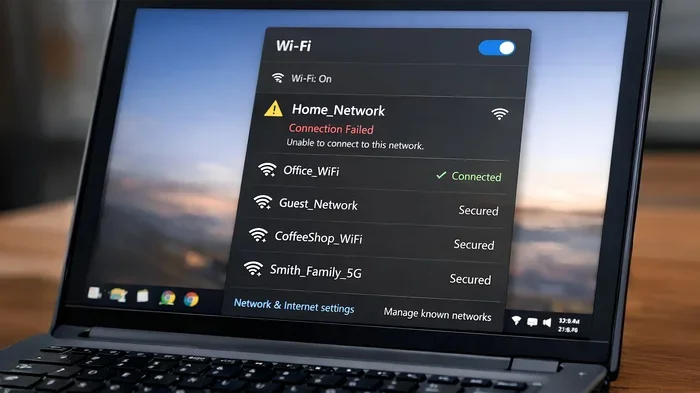
If you have zero internet access, first check that you are on the correct network. Hotels sometimes have multiple networks with similar names. Then try forgetting the network and reconnecting. If nothing works, call the front desk. They can reset your connection from their end.
Can You Bypass Hotel Wi-Fi Restrictions?
Many travelers want to know if they can get around hotel wifi restrictions. The answer is yes, but it depends on the hotel’s setup and how strict their controls are.
Using a VPN
A VPN for hotel wifi is one of the most effective tools for bypassing restrictions. A VPN encrypts your internet traffic and routes it through a server in another location. This hides what you are doing from the hotel network and can help you access blocked websites.
However, some hotels have started blocking known VPN IP addresses. If your VPN does not work, try switching to a different server or using a VPN provider that offers obfuscated servers designed to work in restricted networks.
Using Your Phone as a Hotspot
If the hotel wifi is unusable, your phone’s mobile data can save the day. Simply turn on your personal hotspot and connect your laptop or tablet. This bypasses all hotel network controls entirely.
Just be mindful of your data usage. Streaming and video calls can eat through a lot of data quickly. Consider getting a data plan with plenty of high-speed data before your trip.
Portable Wi-Fi Hotspots
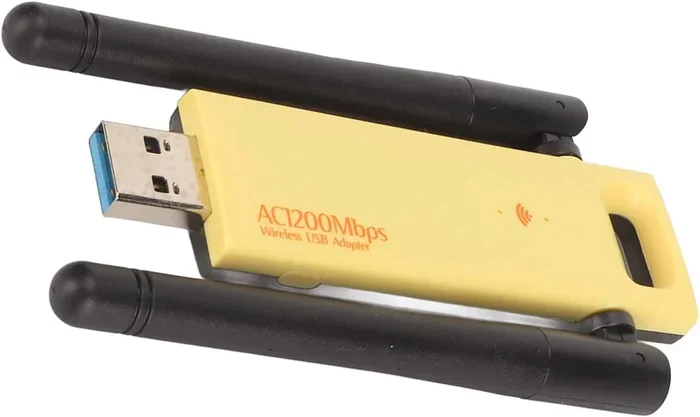
Another option is a portable wifi device, sometimes called a mobile hotspot or travel router. These devices use local SIM cards to create your own private wifi network wherever you go. They are especially useful for international travel where roaming charges can be steep.
Popular options include devices from Skyroam, GlocalMe, and Huawei. You can rent them online before your trip or buy a prepaid SIM card when you arrive.
Asking the Hotel IT Staff
Do not underestimate the power of a simple phone call. The front desk or IT support team can often unblock your connection or provide a different login that works better. Sometimes the issue is just a glitch on their end that they can fix in minutes.
Comparing Hotel Wi-Fi Options Before You Book
One of the best ways to avoid bad hotel internet is to research before you book. Many hotel booking sites now include wifi quality information in their listings.
| Hotel Type | Typical Wifi Quality | Common Restrictions | Average Cost |
|---|---|---|---|
| Budget Motels | Slow and unreliable | Device limits, time limits | Free or $5-10/day |
| Mid-Range Hotels | Moderate speed | Captive portal, some site blocking | Free or $10-15/day |
| Luxury Hotels | Fast and reliable | Premium tier for streaming | Free for basic, $15-25/day for premium |
| Boutique Hotels | Good, varies by location | Minimal restrictions | Usually free |
| Airport Hotels | Moderate to fast | Captive portal, time limits | Free or $10/day |
Reading recent guest reviews is one of the best ways to learn about real-world hotel wifi quality. Look for mentions of speed, reliability, and any restrictions. Reviews posted in the last three months are the most relevant since hotels upgrade their networks over time.
Quick Tips for Better Hotel Wi-Fi
Here are some practical tips to improve your hotel internet experience:
- Ask about internet costs before booking. Some hotels charge hidden fees that are not obvious during the reservation process.
- Bring an ethernet cable. If your room has a wired port, plugging in directly gives you a faster and more stable connection than wireless.
- Download offline content before your trip. Save movies, maps, and documents on your device so you are not dependent on the hotel connection.
- Use a wifi analyzer app. These apps show you which channels are least congested, helping you pick the best network band.
- Keep your devices updated. Outdated network drivers and firmware can cause connection problems that look like hotel restrictions.
Common Mistakes Travelers Make With Hotel Wi-Fi
Avoid these common mistakes that make hotel internet worse:
- Assuming all hotel wifi is the same. A luxury chain hotel and a roadside motel have very different network setups and capabilities.
- Not reading the terms of use. Some hotels limit what you can do on their network, and violating those terms can get you disconnected.
- Ignoring the captive portal instructions. If you skip the login page, you will not get any internet access at all.
- Using public wifi without protection. Hotel networks are public networks. Without a VPN, your data is potentially visible to others on the same network.
- Waiting until you need the internet to troubleshoot. Test your connection as soon as you check in so you have time to resolve issues before an important video call or online meeting.
Expert Insights on Hotel Network Security
Hotel networks are inherently less secure than home networks. When you connect to hotel wifi, you share the network with dozens of strangers. This creates potential security risks that many travelers overlook.
Cybersecurity experts recommend always using a VPN when connecting to hotel internet. A VPN encrypts your data, making it much harder for anyone on the same network to intercept your traffic. This is especially important if you need to check email, access bank accounts, or enter passwords on any website.
Another expert tip is to disable file sharing and network discovery on your devices before connecting to hotel wifi. This prevents other guests from seeing your device or accessing shared folders. It is a small step that adds a meaningful layer of protection.
The Future of Hotel Wi-Fi
Hotel internet technology is improving, but slowly. Some modern hotels now offer gigabit-speed connections as a standard amenity. Others have moved to wifi 6 technology, which handles multiple devices much better than older standards.
There is also a growing trend toward free, unlimited internet as a competitive advantage. Hotels that offer excellent guest wifi network quality often get better reviews and higher booking rates. This economic incentive is slowly pushing the industry toward better connectivity for everyone.
However, the balance between security, cost, and guest experience means that some level of wifi restrictions will likely remain. The key is knowing what to expect and having backup plans ready.
Key Takeaways
- Hotels can block Wi-Fi: They have the technical ability and business reasons to restrict, limit, or control guest internet access.
- Common restrictions include captive portals, speed caps, website blocking, and device limits.
- A VPN is one of the best tools to bypass hotel wifi restrictions and protect your privacy.
- Portable hotspots and mobile data provide reliable alternatives when hotel internet fails.
- Reading reviews and asking about internet costs before booking helps you avoid frustrating connectivity surprises.
- Hotel wifi security matters. Always use a VPN and disable sharing when connecting to public hotel networks.
- Testing your connection early gives you time to troubleshoot before you need the internet for something important.
Conclusion
Can hotels block Wi-Fi? Yes, and many do. Hotel internet restrictions come in many forms, from slow speeds and captive portals to complete website blocks and device limits. Understanding why these restrictions exist and knowing your options puts you in a much better position as a traveler.
The good news is that you have several tools at your disposal to stay connected. A reliable VPN, a mobile hotspot, or even a simple call to the front desk can solve most hotel wifi problems. The key is to plan ahead and not assume that your hotel connection will work perfectly.
Next time you book a hotel, take a few minutes to research their internet quality and understand what restrictions might be in place. A little preparation goes a long way toward ensuring you stay productive, entertained, and connected no matter where you travel. Hotel wifi does not have to be a mystery or a headache when you know what to expect and how to handle it.
Can Hotels Block Wi-Fi FAQs
Can hotels completely block Wi-Fi for guests?
Yes, hotels can completely block Wi-Fi access if they choose to do so. However, most hotels provide some form of internet access, even if it is limited or requires a paid package. Complete blocks are rare but do happen at some budget properties or in regions with strict internet regulations.
Is it legal for hotels to block VPNs?
In most countries, hotels can set their own network rules, including blocking VPN traffic. This is generally legal as long as it is stated in their terms of service. However, some regions have net neutrality laws that may limit this practice.
How can I get faster hotel Wi-Fi?
To get faster hotel Wi-Fi, connect during off-peak hours, move closer to the router, use a wired ethernet connection if available, and avoid streaming on multiple devices at once. Using a VPN can sometimes improve speed by preventing the hotel from throttling specific types of traffic.
Are hotel Wi-Fi networks safe to use?
Hotel Wi-Fi networks are public networks, which means they carry inherent security risks. Other guests on the same network could potentially intercept your data. Using a VPN, avoiding sensitive transactions, and keeping your devices updated significantly improves your safety on hotel networks.
Can I use my own router in a hotel room?
You can bring a portable travel router, but it will still connect to the hotel’s network and is subject to the same restrictions. A travel router is more useful for creating a private network between your devices rather than bypassing hotel controls entirely.
Do all hotels charge for Wi-Fi now?
No, not all hotels charge for Wi-Fi. Many mid-range and luxury hotels offer free basic internet access. Budget hotels and motels are more likely to charge fees or offer only limited free access. Always check the hotel’s website or call ahead to confirm their internet policy before booking.
Frequently Asked Questions
What is Can Hotels Block Wi Fi?
Can Hotels Block Wi Fi is an important topic with many practical applications.