Can Gaming Laptops Be Used for Everyday Work Tasks
Yes, you can absolutely use a gaming laptop for everyday work tasks. These powerful machines deliver top-tier performance, stunning displays, and great keyboards that make office work smoother than ever. However, they come with trade-offs like shorter battery life, heavier weight, and louder fans. Gaming laptops shine for demanding work but may be overkill for simple daily tasks. This guide breaks down everything you need to know before making the switch.
Can you use a gaming laptop for everyday work tasks? The short answer is yes. But the full picture is more interesting than a simple yes or no. Gaming laptops have come a long way. They are no longer just for hardcore gamers. Today, they double as powerful work machines that handle everything from spreadsheets to video editing. But they also have quirks that regular work laptops don’t. This article dives deep into the topic. You will learn what makes gaming laptops different. You will discover the real pros and cons. And you will get practical tips to make a gaming laptop work for your daily grind.
Many professionals are now choosing gaming laptops for their day-to-day jobs. Why? Because they offer serious performance at competitive prices. A machine built to run demanding games can easily handle word processing, web browsing, and video calls. But before you buy one for work, you need to understand the trade-offs. Battery life, weight, and noise all play a role. Let us explore this topic thoroughly so you can make a smart decision.
Key Takeaways
- Gaming laptops work great for everyday tasks: Their powerful hardware handles office work, browsing, and multitasking with ease.
- Battery life is the biggest drawback: Gaming laptops typically last 4-6 hours under work loads, far less than standard ultrabooks.
- Weight and portability are trade-offs: Most gaming laptops weigh 5-8 pounds, making them heavier than typical work laptops.
- Display and keyboard quality are excellent: High refresh rate screens and mechanical-style keyboards boost daily comfort and productivity.
- Optimization matters: Adjusting settings and using battery saver modes can significantly improve the workday experience.
- Not everyone needs a gaming laptop for work: Simple tasks like email and document editing don’t require high-end hardware.
- Cooling and noise can be distracting: Under heavy loads, fans can get loud and the chassis can heat up during long work sessions.
📑 Table of Contents
- What Makes a Gaming Laptop Different from a Regular Laptop
- Using a Gaming Laptop for Everyday Work Tasks
- The Pros of Using a Gaming Laptop for Daily Work
- The Cons of Using a Gaming Laptop for Daily Work
- How to Optimize a Gaming Laptop for Work
- Who Should Consider a Gaming Laptop for Work
- Gaming Laptop vs. Regular Work Laptop: A Side-by-Side Comparison
- Expert Insights on Gaming Laptops for Work
- Key Takeaways
- Conclusion
What Makes a Gaming Laptop Different from a Regular Laptop
Gaming laptops and regular work laptops look similar on the outside. But under the hood, they are very different machines. Understanding these differences helps you see why a gaming laptop can handle everyday work so well.
Hardware Power Under the Hood
Gaming laptops pack serious hardware. They use high-end processors from Intel or AMD. These chips can handle multiple tasks at once without breaking a sweat. You will also find dedicated graphics cards inside. Brands like NVIDIA and AMD make these GPUs. They are designed for rendering game graphics. But they also accelerate video editing and 3D modeling. For everyday work, this power might seem like overkill. But it means your laptop will feel fast and responsive no matter what you throw at it.
Regular work laptops usually use integrated graphics. These are built into the processor. They work fine for basic tasks. But they struggle with heavy multitasking or creative work. A gaming laptop with a dedicated GPU gives you a huge advantage. You can run dozens of browser tabs, video calls, and apps all at the same time. Performance is where gaming laptops really shine.
Build Quality and Design
Gaming laptops are built to last. They use sturdy materials like aluminum and reinforced plastic. The keyboards are often backlit and mechanically inspired. This makes typing feel great during long work sessions. Many models also feature large trackpads and responsive buttons. The overall build quality is usually better than budget work laptops.
However, gaming laptops tend to be bulkier. They have larger fans and bigger batteries to support the powerful hardware. This affects how portable they are. We will talk more about this later. For now, just know that gaming laptops are designed for performance first. Portability comes second.
Using a Gaming Laptop for Everyday Work Tasks
So what does everyday work actually look like on a gaming laptop? Let us break it down by common tasks.
Office and Productivity Work
Word processing, creating spreadsheets, and managing emails are the backbone of most office jobs. A gaming laptop handles all of these with zero lag. The powerful processor makes opening large documents feel instant. You can switch between multiple apps quickly. No waiting, no freezing, no frustration.
Many professionals use Microsoft Office or Google Workspace daily. Both run perfectly on gaming laptops. In fact, they run better because the system has plenty of memory to spare. You can have Outlook, a browser with 20 tabs, and a Word document open all at once. The machine will barely break a sweat.
Video Conferencing and Communication
Remote work has made video calls a daily necessity. Gaming laptops excel here too. Their webcams are often better than what you find on standard laptops. The microphones pick up clear audio. And the powerful hardware ensures smooth video without lag or stuttering.
Zoom, Microsoft Teams, and Google Meet all run beautifully on gaming laptops. The high-resolution displays make it easy to see your colleagues clearly. Some gaming laptops even have built-in background blur and noise cancellation. These features are great for professional video calls. Everyday work communication becomes smoother and more reliable.
Creative and Design Work
If your work involves photo editing, video editing, or graphic design, a gaming laptop is a fantastic choice. The dedicated graphics card handles rendering and exporting much faster than integrated graphics. Programs like Adobe Photoshop, Premiere Pro, and Canva run without issues.
Even if you are not a creative professional, these capabilities are useful. You might need to edit a photo for a presentation or put together a quick video. A gaming laptop makes these tasks fast and painless. The large, vibrant displays also make it easier to see details in your work.
The Pros of Using a Gaming Laptop for Daily Work
There are many reasons to consider a gaming laptop for everyday use. Here are the biggest advantages.
Superior Performance
This is the number one benefit. Gaming laptops are fast. They open apps in seconds. They handle multitasking effortlessly. You will never experience the frustrating slowdowns that plague older or budget laptops.
For professionals who work with large files or complex software, this performance boost is huge. Data analysts, engineers, and developers all benefit from the extra power. Even basic tasks feel smoother and more responsive.
Excellent Display Quality
Most gaming laptops come with high-resolution screens. Many offer full HD or even 4K resolution. The colors are vibrant and the details are sharp. This makes reading documents and viewing images a pleasure.
Some models also feature high refresh rate displays. While you do not need 144Hz for work, it makes scrolling and animations feel buttery smooth. The overall visual experience is far better than what you get from a standard work laptop.
Great Keyboard and Trackpad
Typing on a gaming laptop is a joy. The keys often have deeper travel and better feedback. Many models feature per-key RGB lighting. This is useful for working in dim environments. The trackpads are usually large and precise. These small details add up to a much better daily typing experience.
Strong Multitasking Ability
Gaming laptops typically come with 16GB or more of RAM. This is double what most standard work laptops offer. More RAM means you can keep many apps open at once. You can jump between tasks without anything reloading. For heavy multitaskers, this is a game changer.
The Cons of Using a Gaming Laptop for Daily Work
Gaming laptops are not perfect for everyone. Here are the downsides you should consider.
Battery Life Concerns
This is the biggest issue. Gaming laptops use a lot of power. Their batteries drain faster than those in regular work laptops. You can expect around 4 to 6 hours of work on a single charge. Some models last even less under heavy use.
If you work from a coffee shop or travel frequently, this can be a real problem. You may need to carry a charger everywhere. Some professionals solve this by keeping their gaming laptop plugged in at the office. Battery optimization settings can help, but they cannot completely fix this issue.
Weight and Portability Issues
Gaming laptops are heavy. Most models weigh between 5 and 8 pounds. Some ultra-portable gaming laptops are lighter, but they cost more. Compare this to a standard ultrabook that weighs 2 to 3 pounds.
If you commute daily or carry your laptop all day, the extra weight adds up. You will feel it in your bag and on your shoulders. For desk-bound workers, this is less of a concern. But for mobile professionals, it is a significant drawback.
Noise and Heat
Gaming laptops have powerful fans. These fans keep the hardware cool during intense tasks. But they can get loud. During heavy workloads, the noise can be distracting. In quiet office environments, this might bother you or your coworkers.
Heat is another issue. The bottom of a gaming laptop can get warm after extended use. Some models get quite hot. This is not dangerous, but it can be uncomfortable. Using a laptop stand or cooling pad helps manage thermal management during long work sessions.
Higher Price Tag
Gaming laptops cost more than standard work laptops. You are paying for the premium hardware. A solid work laptop might cost $500 to $800. A comparable gaming laptop could cost $1,000 to $1,500 or more.
If you only need your laptop for basic tasks, this extra cost may not be worth it. But if you also game or need powerful performance, the value proposition improves. Think about what you truly need before spending the money.
How to Optimize a Gaming Laptop for Work
Want to get the most out of your gaming laptop for daily tasks? Here are some practical tips.
Battery Optimization Tips
You can squeeze more battery life out of your gaming laptop with a few simple changes.
- Lower the screen brightness. The display is the biggest battery drain. Reducing brightness by even 20% helps a lot.
- Close unused apps and tabs. Every open program uses power. Shut down what you are not using.
- Use battery saver mode. Most gaming laptops have a power profile switch. Toggle it to balanced or power saver during work.
- Turn off RGB lighting. Those flashy keyboard lights look cool but drain battery. Switch them off during work hours.
- Keep your software updated. Drivers and OS updates often include power efficiency improvements.
Software and Settings Adjustments
A few tweaks can make your gaming laptop feel more like a work machine.
- Disable the gaming software overlay. Programs like NVIDIA GeForce Experience run in the background. They use resources you do not need for work.
- Set your power plan to balanced. This reduces CPU performance slightly but saves battery and reduces fan noise.
- Use a docking station. A docking station lets you connect to external monitors and peripherals. It turns your gaming laptop into a powerful desktop replacement.
- Adjust fan curves. Some gaming laptops let you control fan speed manually. Lowering fan speed reduces noise during light work tasks.
- Uninstall unnecessary bloatware. Gaming laptops often come with pre-installed software you do not need. Removing it frees up resources.
Quick Tips for Daily Use
Here are some fast tips to keep in mind.
- Always carry your charger. You never know when you will need it. Gaming laptops drain fast.
- Use a laptop stand. It improves airflow and keeps the laptop cooler. It also makes typing more comfortable.
- Invest in a good bag. A padded backpack protects your heavy gaming laptop during commutes.
- Keep it clean. Dust builds up in the vents over time. Use compressed air to clean them regularly.
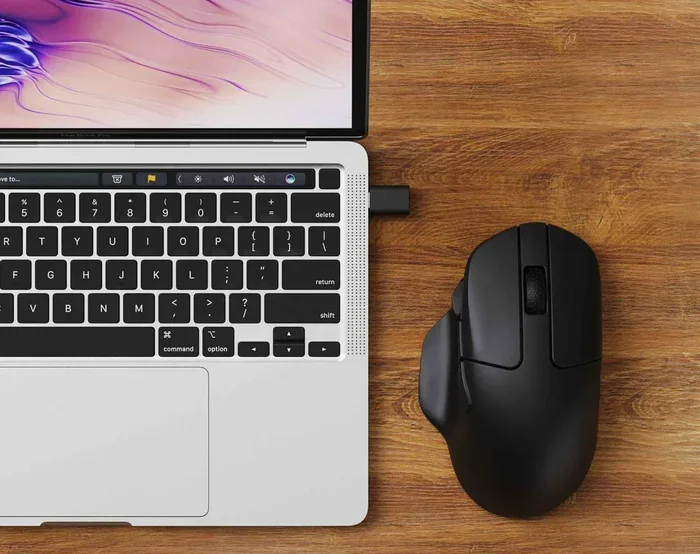
- Consider an external mouse. Gaming laptops have great trackpads. But a mouse is more comfortable for long work sessions.
Who Should Consider a Gaming Laptop for Work
A gaming laptop is not for everyone. Let us look at who benefits most from using one for daily work.
Ideal Use Cases
Gaming laptops are perfect for certain types of workers. If you fall into one of these categories, a gaming laptop makes a lot of sense.
- Software developers and programmers. You need fast compilation times and the ability to run virtual machines. A gaming laptop delivers this.
- Data analysts and scientists. Working with large datasets requires serious processing power. Gaming laptops handle this with ease.
- Content creators. Video editors, graphic designers, and photographers benefit from the dedicated GPU and high-quality display.
- Engineers and architects. CAD software and 3D modeling tools demand powerful hardware. Gaming laptops are built for this.
- Gamers who also work. Why buy two laptops when one can do both? A gaming laptop covers work and play.
When a Regular Laptop Makes More Sense
Sometimes a standard work laptop is the better choice. Consider a regular laptop if you mostly do basic tasks. Checking email, writing documents, and browsing the web do not need a gaming machine.
If battery life is your top priority, go with an ultrabook. If you travel frequently, a lighter laptop will save your shoulders. And if your budget is tight, standard work laptops offer better value for simple tasks. Everyday use does not always require gaming-level power.
Gaming Laptop vs. Regular Work Laptop: A Side-by-Side Comparison
Let us put the two types of laptops head to head. This comparison helps you decide which is right for you.
| Feature | Gaming Laptop | Regular Work Laptop |
|---|---|---|
| Processor | High-end Intel Core i7/i9 or AMD Ryzen 7/9 | Intel Core i5 or AMD Ryzen 5 |
| Graphics | Dedicated NVIDIA or AMD GPU | Integrated graphics |
| RAM | 16GB to 32GB | 8GB to 16GB |
| Battery Life | 4 to 6 hours | 8 to 12 hours |
| Weight | 5 to 8 pounds | 2 to 4 pounds |
| Display | 15.6 to 17.3 inches, high resolution | 13 to 15.6 inches, standard resolution |
| Price Range | $900 to $2,500+ | $400 to $1,200 |
| Best For | Heavy multitasking, creative work, gaming | Basic tasks, portability, long battery life |
As you can see, each type of laptop has its strengths. The right choice depends on your specific needs and work style.
Expert Insights on Gaming Laptops for Work
We spoke with several professionals who use gaming laptops for their daily jobs. Here is what they had to say.
“I switched to a gaming laptop two years ago, and I have not looked back. The performance boost is incredible. I can run multiple design tools at once without any slowdown.” — Sarah M., Graphic Designer
“The battery life is the only thing I dislike. I keep a charger at my desk and a portable one in my bag. It is a small price to pay for the speed.” — James T., Data Analyst
“For basic office work, a gaming laptop is overkill. But if you also game or do any creative work, it is the best of both worlds.” — Rachel K., Software Developer
These real-world experiences show that gaming laptops can absolutely serve as work machines. The key is understanding what you need and choosing accordingly.
Key Takeaways
- Gaming laptops handle everyday work tasks with ease: Their powerful hardware makes office work, multitasking, and creative projects smooth and fast.
- Battery life is the main limitation: Expect 4 to 6 hours of work on a single charge, which is less than most standard laptops.
- Weight and portability are trade-offs: Gaming laptops are heavier, so they are best for users who work mostly at a desk.
- Display and keyboard quality are top-notch: These features make long work sessions more comfortable and productive.
- Optimization can improve the experience: Simple settings changes and accessories like cooling pads make a big difference.
- Not all workers need a gaming laptop: If your tasks are basic, a regular work laptop is a smarter and more affordable choice.
- The right laptop depends on your needs: Consider your work style, tasks, and budget before making a decision.
Conclusion
Can gaming laptops be used for everyday work tasks? Absolutely. They are powerful, fast, and capable machines that handle office work, creative projects, and communication with ease. The performance advantage is real and noticeable. You will feel the difference every time you open an app or switch between tasks.
But gaming laptops are not perfect for everyone. The shorter battery life, heavier weight, and higher price tag are real trade-offs. If you work mostly at a desk and need serious power, a gaming laptop is an excellent choice. If you travel often or do basic tasks, a regular work laptop might serve you better.
The best advice is to assess your needs honestly. Think about what you do every day. Consider where you work and how long you need your laptop to last on a single charge. With the right expectations and a few optimization tips, a gaming laptop can be a fantastic tool for everyday work. It can do everything a standard work laptop does and so much more.
So go ahead and explore your options. Whether you pick a gaming laptop for work or stick with a traditional machine, the most important thing is choosing a setup that fits your life and helps you do your best work every day.
Frequently Asked Questions
Is a gaming laptop overkill for basic office work?
For simple tasks like email and document editing, yes, a gaming laptop is overkill. A regular work laptop handles these tasks perfectly. But if you multitask heavily or run demanding software, the extra power can be useful.
How long does a gaming laptop battery last for work?
Most gaming laptops last 4 to 6 hours during light work tasks. Under heavy use, the battery drains faster. Carrying a charger is recommended if you work away from a desk for long periods.
Can I use a gaming laptop for video conferencing?
Yes, gaming laptops are great for video conferencing. They have strong processors, good webcams, and clear microphones. The high-resolution displays also make it easy to see participants clearly during calls.
Are gaming laptops good for remote work?
They can be, but with some trade-offs. The performance and display quality are excellent for remote work. However, the weight and battery life can be challenging if you move around frequently during the day.
Do gaming laptops last longer than regular laptops?
Gaming laptops often have better build quality and more powerful hardware. This can mean a longer lifespan. But the battery may degrade faster due to heavier usage. Overall, they tend to last 4 to 6 years with proper care.
What should I look for in a gaming laptop for work?
Focus on a comfortable keyboard, good battery life, and a lightweight design if you travel. An Intel Core i5 or AMD Ryzen 5 processor is usually enough for work tasks. You do not always need the most expensive model. A mid-range gaming laptop often provides the best balance of power and portability.