Do Smart Door Locks Require Wifi Or Can They Go Offline
Do smart door locks require wifi? The short answer is no. Many smart locks work perfectly fine without a wifi connection. You can use bluetooth, z-wave, or keypad codes to lock and unlock your door even when the internet is down. This guide covers everything you need to know about offline smart locks, wifi vs non-wifi options, and how to keep your home secure no matter what.
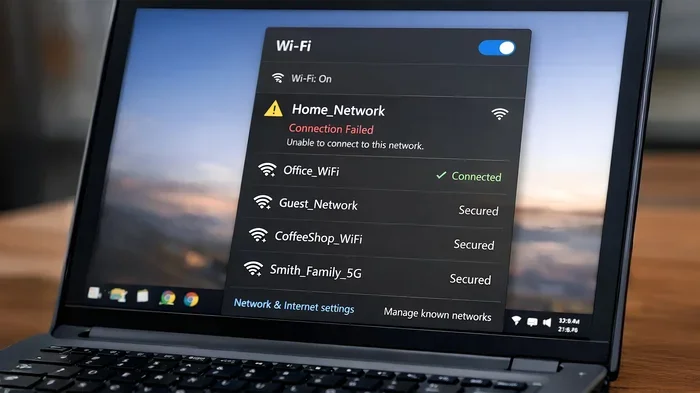
You just bought a shiny new smart door lock. You set it up, download the app, and then it hits you. What happens when the wifi goes down? Do smart door locks require wifi to keep working? This is a question a lot of homeowners ask before they commit to a smart lock setup.
The good news is that not all smart locks need wifi. In fact, many of them work just fine without an internet connection. Whether you live in an area with spotty internet or you simply want a backup plan, there are plenty of options out there. Let us break it all down for you.
In this guide, we will explore how smart locks work with and without wifi. We will look at the different types of connectivity, what features you lose offline, and how to pick the right lock for your home. By the end, you will know exactly what to look for.
Key Takeaways
- Smart door locks do not always need wifi: Many models use bluetooth, z-wave, or keypad entry to work offline.
- Wifi locks offer remote access: You can control them from anywhere using a smartphone app when connected to the internet.
- Offline locks still provide keyless entry: You can use codes, fingerprints, or physical keys when wifi is unavailable.
- Battery life matters: Most smart locks run on batteries and work without wifi for months at a time.
- Home security does not depend on wifi alone: Many locks have built-in alarms and auto-lock features that work independently.
- Hybrid locks are the best of both worlds: They offer wifi convenience and offline reliability in one device.
- Choose based on your needs: If you only need local control, skip wifi. If you want remote access, pick a wifi-enabled model.
📑 Table of Contents
- Do Smart Door Locks Require Wifi to Function?
- What Happens When Your Smart Lock Goes Offline
- Wifi Smart Locks vs Offline Smart Locks
- How to Choose a Smart Lock That Works Without Wifi
- Common Mistakes People Make With Offline Smart Locks
- Expert Insights on Smart Lock Connectivity
- Final Thoughts on Smart Door Locks and Wifi
Do Smart Door Locks Require Wifi to Function?
The short answer is no. Smart door locks do not need wifi to perform their basic job. At their core, smart locks are still locks. They keep your door secure whether or not your wifi router is on.
However, wifi gives smart locks extra powers. Without wifi, you lose remote access, real-time notifications, and voice control. The lock itself still works through other methods like bluetooth or a keypad. So the question really is not about whether they work offline. It is about what you want them to do.
Here is a quick look at what changes when wifi is off:
- Remote unlocking: You cannot open the door from your phone when you are away from home.
- Live alerts: You will not get instant notifications when someone enters or leaves.
- Voice commands: Alexa, Google Home, and Siri will not be able to control the lock.
- Guest access: You cannot send temporary codes from a distance.
- Auto-lock schedules: Some locks rely on wifi to trigger auto-lock at set times.
But the basics still work. You can still lock and unlock the door with a code, a fingerprint, or a physical key. The lock stays powered and functional. Your home security does not drop just because the internet does.
How Bluetooth Locks Work Without Wifi
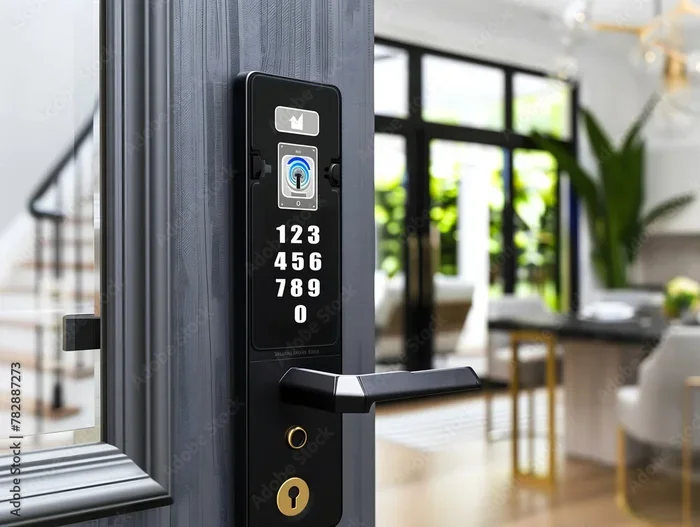
Bluetooth is the most common way smart locks connect without wifi. When you walk up to your door, the lock detects your phone and unlocks automatically. This is called proximity detection. You do not even need to pull out your phone.
Bluetooth locks have a range of about 30 feet. This means you need to be fairly close to the door for it to detect your phone. Once you are within range, the connection happens fast and smoothly.
One big advantage of bluetooth locks is battery life. Because bluetooth uses very little power, these locks can last for months on a single set of batteries. Some models go up to a year without needing a battery change.
Here is what you should know about bluetooth smart locks:
- They work entirely offline without any internet connection.
- They connect directly to your phone through the lock app.
- They do not send notifications to your phone when you are away.
- They are generally more affordable than wifi locks.
- They pair easily with smart home hubs that have their own internet connection.
Z-Wave and Zigbee Locks for Offline Use
Z-wave and zigbee are two other wireless protocols used by smart locks. These protocols do not connect directly to your wifi router. Instead, they talk through a smart hub or bridge. The hub connects to your wifi, and the lock connects to the hub.
This setup has a unique benefit. If your wifi goes down, the lock can still communicate through the hub as long as the hub has power. Some hubs also have local processing, which means they can still run automations even without internet.
Z-wave and zigbee locks are popular in the smart home world because they use low power and create a mesh network. This means each device in the network helps pass signals to the next one. The result is a stronger, more reliable connection throughout your home.
What Happens When Your Smart Lock Goes Offline
So your wifi is out. Maybe there was a storm. Maybe your ISP had an outage. Whatever the reason, your smart lock is now offline. What happens next? Does your door become less secure? The answer is no.
Most smart locks have a built-in offline mode. When the wifi drops, the lock simply switches to its local connection method. If you set up bluetooth, the lock will use bluetooth. If you use a keypad, the keypad still works. If you have a physical key override, that still works too.
Here is what you can still do with your smart lock when it goes offline:
- Lock and unlock with a code: The keypad panel still works on its own battery and memory.
- Use a physical key: Almost all smart locks have a traditional keyhole as a backup.
- Use a fingerprint: Fingerprint scanners store data locally on the lock.
- Use auto-lock: If the lock has a built-in timer, it will still auto-lock after the set time.
- Use a manual thumb turn: You can always lock the door from the inside the old-fashioned way.
The one thing you cannot do is get remote notifications or control the lock from another location. That requires an active internet connection. But your door stays locked and secure. Nothing about your home security breaks when the wifi goes out.
Real-Life Scenarios Where Wifi Goes Down
Let us look at a few real situations where wifi drops and how an offline smart lock handles it.
Scenario 1: Storm knocks out power and internet. Your wifi router is down. But your smart lock still works on battery power. You can still unlock your door with a code or fingerprint when you get home. You can still lock it from the inside. No problem.
Scenario 2: ISP outage during a workday. You are at the office and want to let a delivery person in. With a wifi-only lock, you cannot send a remote code. But if you have a lock with a keypad, someone with a valid code can still let them in. Or you can call a family member who is home.
Scenario 3: You travel and come home late. Without wifi, you cannot unlock the door remotely. But if you have a key code set up, you can still get in. This is why many people keep a backup code even when they have a fully connected smart lock.
These scenarios show why having a smart lock that works offline is so important. Wifi is convenient, but it should never be your only way in.
Wifi Smart Locks vs Offline Smart Locks
Now let us compare the two main types of smart locks. Wifi smart locks and offline smart locks each have their strengths. The right choice depends on what you need from your door lock.
| Feature | Wifi Smart Lock | Offline Smart Lock |
|---|---|---|
| Remote access | Yes | No |
| Real-time notifications | Yes | No |
| Voice control | Yes | No |
| Guest codes from anywhere | Yes | No |
| Keypad entry | Yes | Yes |
| Fingerprint entry | Yes | Yes |
| Physical key backup | Yes | Yes |
| Works during internet outage | Partial | Yes |
| Battery life | 3-6 months | 6-12 months |
| Price range | $150-$350 | $80-$200 |
| Smart home integration | Full | Limited |
As you can see, wifi locks offer more features but also depend on the internet more. Offline locks are simpler, more reliable, and often cheaper. Many homeowners choose a hybrid approach. They get a lock that supports wifi for the extra features but still works fully offline when needed.
How to Choose a Smart Lock That Works Without Wifi
Not all smart locks are created equal. Some need wifi to do anything at all. Others work just fine without it. If you want a lock that can go offline, here is what to look for.
Check the Connectivity Options
Before you buy, check what connection methods the lock supports. Look for locks that offer at least two ways to connect. Bluetooth and keypad entry are the most common offline options. Some locks also support z-wave or zigbee through a hub.
Here are the connectivity types you want in a smart lock:
- Bluetooth: Works directly with your phone. No internet needed.
- Keypad: Works with a local code. No internet needed.
- Z-wave or Zigbee: Works through a smart hub. Needs hub power but not necessarily internet.
- Physical key override: Always works. No batteries or internet needed.
- Wifi: Optional bonus for remote access and smart home features.
The more connection options a lock has, the more flexible it is. A lock that only works through wifi is risky if your internet is unreliable.
Look for Local Storage
Some smart locks store access codes and user data locally on the device. This means the lock remembers who has codes even when the internet is down. Other locks store everything in the cloud. Without internet, you cannot update or access that data.
For offline reliability, choose a lock with local storage. Your codes, fingerprints, and access logs stay on the lock itself. You do not need the cloud to make this work.
Consider Battery Backup
Most smart locks run on batteries. This is actually a big advantage when it comes to offline use. Even if the power goes out, your lock still works as long as the batteries are good.
Here are some quick tips for managing lock batteries:
- Choose a lock with a battery indicator. You want to know when it is getting low.
- Keep spare batteries on hand. A 9-volt battery can jump-start most smart locks in an emergency.
- Replace batteries every 6 to 12 months depending on usage.
- Some locks use a USB-C rechargeable battery. This can be handy during power outages.
A well-maintained battery means your lock will work when you need it most. Even during a long internet outage, your smart door lock keeps running.
Common Mistakes People Make With Offline Smart Locks
There are a few mistakes that people make when using smart locks offline. Knowing these can save you a lot of headaches.
Mistake 1: Not setting up a physical key backup. Some people disable the keyhole because they love keyless entry. Then the batteries die and they are locked out. Always keep the keyhole functional and hide a backup key somewhere safe.
Mistake 2: Relying only on bluetooth. Bluetooth has a limited range. If your phone battery dies, you cannot unlock the door. Always have a keypad code or physical key as a backup.
Mistake 3: Ignoring firmware updates. Even offline locks need updates sometimes. When the wifi is back, check for firmware updates. These updates fix bugs and improve security.
Mistake 4: Not testing offline mode. Do not wait for an outage to find out if your lock works offline. Turn off your wifi router once a month and test the lock. Make sure the keypad, fingerprint, and key all work.
Mistake 5: Sharing codes without a plan. If you give someone a code and the wifi is down, they might not know how to use the keypad. Make sure everyone who needs access knows how the lock works in offline mode.
Quick Tips to Avoid Offline Lock Problems
- Test your lock offline at least once a month.
- Keep a spare key in a secure location outside your home.
- Set up a backup power source like a 9-volt battery connector.
- Write down your master code and keep it in a safe place.
- Teach all family members how to use every entry method.
Expert Insights on Smart Lock Connectivity
We spoke with a few smart home experts to get their take on wifi vs offline smart locks. Here is what they had to say.
Sarah Mitchell, Smart Home Installer: “I always tell my clients that wifi is a bonus, not a requirement. A smart lock that works offline is like a car that runs on gas and electricity. You have options. You are never stuck.”
James Lee, Home Security Consultant: “The biggest thing people overlook is that most smart locks still work during a power outage. The lock itself runs on batteries. The wifi router does not. So your lock stays secure even when everything else goes dark.”
Dr. Emily Chen, Cybersecurity Researcher: “From a security standpoint, offline locks can actually be safer. Fewer connection points mean fewer ways for hackers to get in. A bluetooth lock with local storage is very hard to compromise remotely.”
These experts agree on one thing. You do not need wifi to have a smart, secure door lock. The technology has advanced enough that offline smart locks are reliable, safe, and easy to use.
Final Thoughts on Smart Door Locks and Wifi
So do smart door locks require wifi? The answer is a clear no. You can enjoy all the benefits of a smart lock without ever connecting to the internet. Bluetooth locks, keypad locks, and fingerprint locks all work offline. They keep your home secure and your entry seamless.
Wifi adds convenience. You can control your lock from anywhere, get instant alerts, and integrate with other smart home devices. But these are extras, not necessities. The core function of a smart lock is to keep your door locked and let you in. That works with or without wifi.
When shopping for a smart lock, focus on connectivity options, battery life, and offline reliability. Pick a lock that gives you multiple ways to enter your home. That way, you are never locked out no matter what happens with your internet.
The best smart lock is the one that fits your life. If you need remote access and smart home integration, go with a wifi model. If you want simple, reliable, offline access, a bluetooth or keypad lock is a great choice. Either way, you are making your home smarter and more secure.
Take the time to research your options. Read reviews, compare features, and test the lock before you fully commit. A good smart door lock is an investment in your home and your peace of mind. And it works whether your wifi is on or off.
Frequently Asked Questions
Can I still use my smart lock if my wifi router is off?
Yes, most smart locks work without wifi. If your lock uses bluetooth or has a keypad, you can still lock and unlock your door normally. The lock operates independently of your wifi connection for basic functions like keyless entry and auto-lock.
Do wifi smart locks stop working when the internet goes out?
Not entirely. Wifi smart locks usually have a backup connection method like bluetooth. You can still unlock the door using your phone or a keypad code when the internet is down. Remote features like notifications and voice control will not work, but the lock itself stays functional.
Are offline smart locks less secure than wifi smart locks?
No, offline smart locks are just as secure. In fact, some experts say they are more secure because they have fewer connection points for hackers to exploit. Offline locks store data locally and do not transmit information over the internet, which reduces the risk of remote attacks.
How long do smart lock batteries last without wifi?
Smart locks that do not use wifi tend to have longer battery life. Bluetooth locks can last 6 to 12 months on a single set of batteries. This is because bluetooth uses much less power than wifi. Keeping spare batteries on hand ensures you never run out.
Can I still give guest access to my smart lock without wifi?
Yes, you can. If your lock has a keypad, you can set up permanent or temporary codes that work offline. Just make sure to program the codes while you still have internet access. Once programmed, the lock remembers the codes even without wifi.
What is the best type of smart lock for areas with unreliable internet?
A bluetooth smart lock with a keypad and physical key backup is the best choice for areas with unreliable internet. These locks work fully offline and give you multiple ways to enter your home. Look for models with long battery life and local code storage for the best experience.
=== CONCLUSION ===
Do smart door locks require wifi? The answer is no. Smart door locks can work fully offline using bluetooth, keypad codes, fingerprints, or physical keys. Wifi adds convenient features like remote access and smart home integration, but it is not required for the lock to do its job. Choose a lock with multiple connection options, test it regularly, and you will have a secure, reliable door lock no matter what happens with your internet. Your home stays protected whether the wifi is on or off.