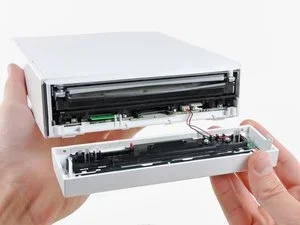
Can You Unbrick Wii Everything You Need To Know Today
A bricked Wii can feel like a nightmare for any gamer, but the good news is that you can often fix it yourself. Whether your console died after a failed update or a mod gone wrong, this guide walks you through every method to unbrick Wii safely. You will learn the causes, the fixes, and the best ways to prevent it from happening again.
Your Wii console suddenly stopped working. The screen stays black. The power light blinks in a way it never did before. You might be looking at a bricked Wii, and panic sets in fast. But here is the thing — most bricks are not permanent. You can unbrick Wii in many cases, and you do not need to be a tech genius to do it.
This guide covers everything you need to know about fixing a bricked Wii today. We will walk through the types of bricks, the reasons they happen, and the exact steps to bring your console back to life. Whether you are a seasoned modder or someone who accidentally hit the wrong button during an update, this article has you covered.
We will also talk about prevention. Because once you fix your Wii, you want to make sure it never happens again. Let us dive in and get your Nintendo Wii up and running.
Key Takeaways
- Soft bricks are recoverable: Most Wii bricks are software related and can be fixed without soldering or expensive repairs.
- BootMii and Priiloader are your best friends: These tools can save your console even when it seems completely dead.
- Prevention is always better than cure: Simple habits like avoiding updates during modding can save your Wii from bricking.
- Multiple methods exist: From banner bombs to NAND backups, you have several paths to recovery depending on the brick type.
- Know when to stop: Some bricks require professional help, and pushing too hard can make things worse.
- Wii homebrew is safe when done right: Following trusted guides keeps your console healthy and functional.
📑 Table of Contents
What Does It Mean When Your Wii Gets Bricked?
When people say a Wii is bricked, they mean the console no longer functions properly. The word brick comes from the idea that your device has turned into a useless block of plastic and metal. But not all bricks are the same. Understanding the type of brick you are dealing with is the first step to fixing it.
Soft Brick vs Hard Brick
A soft brick means your Wii still has power and some basic functions work. The screen might show an error message, or the console might freeze on the health screen. Soft bricks are usually caused by software problems. These are the most common and the easiest to fix.
A hard brick is much more serious. The console will not turn on at all. No lights. No sounds. Nothing. Hard bricks often happen when critical system files get corrupted or when hardware gets damaged. While hard bricks are harder to fix, they are still not always a lost cause.
Signs Your Wii Is Bricked
How do you know your Wii is bricked? Look for these signs:
- The screen stays black after pressing the power button.
- The console freezes on the health and safety screen and will not move forward.
- The Wii Remote sync light blinks but nothing appears on screen.
- You get a black screen with no disc read error.
- The console powers on and off repeatedly in a loop.
If you notice any of these, do not throw your Wii in the trash just yet. There is a very good chance you can unbrick Wii and get it working again.
Common Reasons Your Wii Becomes Bricked
Bricks do not happen for no reason. There is always a cause. Understanding why your Wii bricked helps you choose the right fix and prevents it from happening again in the future.
Failed System Updates
The number one cause of bricked Wii consoles is a failed or interrupted system update. Nintendo pushes updates regularly, and some of them are designed to close security gaps that homebrew users rely on. If your Wii loses power during an update or if you manually stop the update process, the system files can become corrupted. This is how many people accidentally brick their Wii.
Improper Modding
Installing Wii homebrew, custom firmware, or mod chips can brick your console if done incorrectly. Using outdated tools, skipping steps, or flashing the wrong files can corrupt your Wii’s boot process. This is especially true when installing boot2 patches or modifying the NAND memory without a proper backup.
Bad or Corrupted Homebrew Channels
Some homebrew channels and custom IOS installations can conflict with your Wii’s system menu. If a homebrew app contains buggy code or is designed for a different Wii firmware version, it can cause a Wii brick during use. Always check compatibility before installing anything on your console.
Power Surges and Hardware Failure
Sometimes a brick is not your fault. A sudden power surge, a faulty power supply, or internal hardware degradation can cause your Wii to stop working. These are harder to fix because they involve physical damage rather than software corruption.
Using Unofficial SD Cards or Accessories
Your Wii relies on the SD card for updates and homebrew loading. Using a cheap or incompatible SD card can cause file transfer errors. These errors can corrupt system files and lead to a bricked state. Always use certified, high-quality SD cards with your Nintendo Wii.
How to Unbrick Wii – Step by Step Methods
Now for the part you have been waiting for — how to actually fix your bricked Wii. The method you use depends on the type of brick and what tools you have available. Let us go through the most effective approaches.
Method 1: Use BootMii to Recovery Load
BootMii is one of the most powerful tools for Wii recovery. If you installed BootMii as boot2 before your Wii got bricked, you can use it to access recovery mode. Here is how it works:
- Hold the power button on your Wii to turn it off completely.
- Press and hold the reset button next to the power button.
- While holding reset, press the power button once.
- Keep holding reset until the BootMii screen appears.
- From the BootMii menu, select the option to load the system menu or restore from a NAND backup.
This method works best if you prepared your Wii with BootMii before the brick happened. This is why experts always recommend installing BootMii as soon as you get a new Wii.
Method 2: Use Priiloader to Boot into Safe Mode
Priiloader is another essential tool for Wii recovery. If you installed Priiloader, it loads before the system menu and can bypass many brick scenarios.
To use Priiloader for recovery:
- Hold the reset button while pressing the power button to turn on the Wii.
- Priiloader should launch instead of the normal system menu.
- From Priiloader, you can disable auto-updates, load the system menu from an external device, or restore NAND backups.
Priiloader gives you a safety net. Even if your Wii is partially bricked, Priiloader can often get you into a working state where you can apply further fixes.
Method 3: Banner Bomb Exploit
A banner bomb is a clever trick that exploits the Wii’s photo channel to load homebrew without needing a working system menu. This method works on Wii consoles that are stuck on certain system menu versions.
Here is the basic process:
- Download a banner bomb file and place it on your SD card.
- Insert the SD card into your Wii.
- Launch the Photo Channel on your Wii.
- The banner bomb triggers and loads the Homebrew Channel or a recovery tool.
- From there, you can reinstall the system menu or restore corrupted files.
The banner bomb is one of the most popular ways to unbrick Wii when the console cannot boot normally. It does not require any prior setup on the Wii itself.
Method 4: NAND Backup and Restore
If you have a NAND backup saved on an SD card or USB drive, you are in a great position. A NAND backup is essentially a complete copy of your Wii’s internal memory. You can restore it to bring your console back to exactly the state it was in when you made the backup.
To restore from a NAND backup:
- Boot into BootMii or Priiloader recovery mode.
- Select the option to restore from NAND backup.
- Choose the backup file on your SD card or USB drive.
- Wait for the restore process to complete. Do not turn off the Wii during this process.
- Once complete, your Wii should boot normally again.
This is the most thorough recovery method because it restores everything — system menu, settings, save data, and all. The catch is that you need to have made the backup before the brick happened.
Method 5: Semi-Brick Recovery with Twilight Hack
A semi-brick is a less severe state where your Wii still boots but has limited functionality. The Twilight Hack is a classic method that can help recover from a semi-brick state. It uses a saved game file to load the Homebrew Channel, giving you access to recovery tools.
This method works best on older Wii firmware versions. If your Wii is on a newer system menu that the Twilight Hack does not support, you will need to try other methods instead.
Method 6: Professional Repair or NAND Programming
For hard bricks or cases where software methods fail, you may need professional help. A Wii technician can use a NAND programmer to directly read and write to the Wii’s internal chip. This is an advanced hardware-level fix that requires specialized equipment.
Search for Wii repair services in your area or online. Many communities have experts who can perform NAND programming for a reasonable cost. This method can fix even the most severe bricks, but it does require sending your console to someone else or paying for on-site service.
Prevention Tips to Avoid Bricking Your Wii
The best way to deal with a bricked Wii is to never have one in the first place. Prevention is simple and only takes a few minutes of your time.
Always Install BootMii as Boot2
BootMii installed as boot2 gives you a failsafe that works even when your Wii is completely bricked. It is the single most important recovery tool you can have. If you have not installed it yet, do so before you try any other modifications.
Never Interrupt a System Update
Whether it is a Nintendo update or a custom firmware update, never turn off your Wii while it is updating. Power loss during updates is the fastest way to brick your Wii. Make sure your console is plugged into a reliable power source and that you have plenty of time to let the update complete.
Disable Auto-Updates
Once you have modded your Wii, go into Priiloader or BootMii settings and disable auto-updates. This prevents Nintendo from pushing an update that could undo your modifications or cause compatibility issues with your homebrew setup.
Use Quality SD Cards
Not all SD cards are created equal. Use a reputable brand with at least 2GB and no more than 32GB of storage. Format the card properly using the Wii’s built-in formatting tool before using it with your console.
Keep NAND Backups Regularly
Make a NAND backup every time you make changes to your Wii. Store the backup on multiple devices — your computer, an external hard drive, and a second SD card. If something ever goes wrong, having a recent backup means you can recover quickly and easily.
Follow Trusted Guides Only
The internet is full of Wii modding guides, and not all of them are reliable. Stick to well-known communities and websites with good reputations. If a guide looks outdated or sketchy, find a better one. Following bad advice is one of the fastest ways to brick your Wii.
When to Seek Professional Help
Most Wii bricks can be fixed at home with the right tools and a little patience. But there are situations where professional help is the smart choice.
If your Wii will not power on at all and none of the software recovery methods work, you may be dealing with a hardware issue. A blown capacitor, a damaged power port, or a faulty motherboard can all cause symptoms that look like a brick but are actually physical problems.
Similarly, if you have tried multiple software recovery methods and your Wii still shows no signs of life, it is time to consult an expert. Pushing too many recovery attempts can sometimes make a bad situation worse. A professional Wii technician can diagnose the issue quickly and apply the right fix.
Search for Wii modding communities, forums, or local repair shops that specialize in Nintendo consoles. Many experienced technicians offer remote diagnosis and can guide you through the process step by step.
Conclusion
A bricked Wii is scary, but it is almost never the end of the road for your console. With the right knowledge and tools, you can unbrick Wii and get back to gaming in no time. Whether you use BootMii, Priiloader, a banner bomb, or a NAND restore, there is a recovery path that fits your situation.
Remember that prevention is your best defense. Install BootMii, disable auto-updates, use quality SD cards, and keep regular NAND backups. These simple habits will protect your Wii from most brick scenarios.
If all else fails, professional help is always an option. The Wii modding community is large and supportive, and there is almost always someone who has seen your exact problem and found a solution. Do not give up on your Wii. With patience and the right approach, you can bring it back to life.
Frequently Asked Questions
Can You Unbrick a Wii That Won’t Turn On At All?
Yes, in many cases. If your Wii has a soft brick, tools like BootMii or Priiloader can often bring it back even when it will not turn on normally. For hard bricks that show no signs of life at all, you may need a NAND programmer or professional repair. Try the recovery methods in this guide first before assuming the console is dead.
Is It Safe to Mod a Wii Without Risking a Brick?
Modding always carries some risk, but you can greatly reduce it by following trusted guides, using the correct tools, and taking preventive steps. Installing BootMii and Priiloader before you start modding gives you a safety net. As long as you follow instructions carefully and never interrupt the process, your risk of bricking is low.
How Long Does It Take to Unbrick a Wii?
Most recovery methods take between 15 minutes and an hour. Simple fixes like using a banner bomb or booting into Priiloader can take just a few minutes. NAND restores and professional repairs may take longer depending on the complexity of the issue and the availability of backup files.
What Is the Difference Between a Soft Brick and a Hard Brick?
A soft brick means your Wii still has power and some functions work, but the main system is not running properly. A hard brick means the console is completely dead and will not turn on at all. Soft bricks are much more common and far easier to fix with software tools.
Do I Need Special Equipment to Unbrick My Wii?
Most Wii brick fixes do not require special equipment. You need an SD card, a computer to prepare files, and access to recovery tools like BootMii or Priiloader. Only advanced hardware-level fixes like NAND programming require specialized equipment, and these are usually handled by professionals.
Can Nintendo Fix a Bricked Wii?
Nintendo typically does not offer repair services for bricked consoles caused by user modifications. If your Wii is still under warranty and the brick was not caused by modding, Nintendo may repair or replace it. However, if you have homebrew or custom firmware installed, your warranty is likely void, and Nintendo will not assist with the repair.