Can You Get A Hdmi Port Fixed With These Simple Steps
Yes, you can get an HDMI port fixed in most cases, whether the issue is a loose connection, a bent pin, or a damaged port. This guide walks you through simple troubleshooting steps, professional repair options, and cost-effective solutions to bring your HDMI port back to life. You will learn how to diagnose the problem, try DIY fixes, and know when to seek expert help.
HDMI ports are everywhere. They are on your TV, your laptop, your gaming console, and your home theater setup. When one stops working, it can feel like your whole entertainment world comes to a halt. The good news is that you can get an HDMI port fixed in most situations. You do not always need to replace the entire device or spend a fortune on professional repairs.
Whether your HDMI connection is intermittent, completely dead, or showing a weak HDMI signal, this guide has you covered. We will walk you through every step, from simple home fixes to professional repair options. By the end, you will know exactly what to do and how much it might cost.
Let us get into it. Your screen is waiting.
Key Takeaways
- HDMI port repair is possible: Most HDMI port issues can be fixed with simple steps or professional help.
- DIY fixes save money: Cleaning, reseating cables, and checking for bent pins are easy tasks you can do at home.
- Replacement is often affordable: HDMI port replacement costs vary but are generally reasonable compared to buying a new device.
- Know when to call a pro: Some issues require soldering or board-level repair that a technician should handle.
- Prevention extends port life: Proper cable handling and dust protection can keep your HDMI ports working for years.
- Check your warranty: Many devices have coverage that includes HDMI port repairs at no cost to you.
📑 Table of Contents
Understanding Your HDMI Port
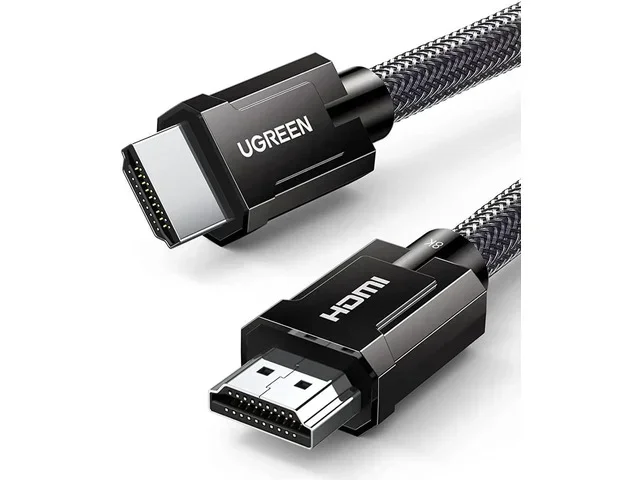
Before you try any fix, it helps to understand what an HDMI port actually does. HDMI stands for High-Definition Multimedia Interface. It carries both audio and video signals through a single cable. This is why it has become the standard connection for almost all modern devices.
Inside that small port, there are tiny pins that make contact with the corresponding pins in your HDMI cable. There are 19 pins in a standard HDMI connector. Each one has a specific job. When even one pin gets bent or dirty, your connection can suffer.
Common Types of HDMI Ports
Not all HDMI ports are the same. Here are the types you might encounter:
- Standard HDMI (Type A): The most common type found on TVs and monitors.
- Mini HDMI (Type C): Smaller version used on some tablets and cameras.
- Micro HDMI (Type D): Even smaller, found on some smartphones.
- HDMI Type B (Dual Link): Rare, used in some professional equipment.
Knowing which type you have helps when looking at HDMI port repair options. Standard Type A is the one most people deal with, and it is also the most straightforward to fix.
Why Do HDMI Ports Stop Working?
Understanding the cause is the first step toward a fix. HDMI ports fail for several reasons, and each one points to a different solution.
Physical Damage
This is the most obvious cause. Dropping a device, yanking a cable too hard, or pushing something into the port can all cause HDMI port damage. The pins inside can bend or break. The port itself can crack loose from the circuit board.
Physical damage often happens with laptops. People trip over cables or shove connectors in at an angle. Over time, this wears out the port. If you have a loose HDMI port that wiggles when you plug in a cable, physical damage is likely the culprit.
Dust and Debris Buildup
This one surprises a lot of people. Dust, lint, and tiny particles can accumulate inside the port over months. They block the pins from making proper contact. Your device might show a “no signal” error even though everything looks fine.
This is actually one of the easiest problems to fix. A quick cleaning can often restore your HDMI connection without any tools or technical skills.
Software or Driver Issues
Sometimes the port itself is fine, but the software side has a problem. Outdated drivers, incorrect display settings, or a glitch in the operating system can all mimic a hardware failure. Before assuming the worst, it is always worth checking the software side.
Worn-Out Ports From Daily Use
HDMI ports are not designed to be plugged and unplugged thousands of times. Frequent use can wear down the internal contacts. This is especially common in setups where cables are constantly connected and disconnected, like gaming console setups or home theater systems.
How to Diagnose Your HDMI Port Problem
Before jumping into fixes, you need to know exactly what is wrong. A proper diagnosis saves time and prevents unnecessary repairs.
Step-by-Step Diagnosis
Follow these steps to identify the issue:
- Check the cable first. Try a different HDMI cable. A faulty cable often looks like a bad port.
- Test the port with another device. Plug a different device into the same port. If it works, the problem is with the original device.
- Inspect the port visually. Use a flashlight to look inside. Look for bent pins, debris, or discoloration.
- Check display settings. On your device, go to display settings and see if the HDMI output is recognized.
- Try a different port. If your device has multiple HDMI ports, test another one to isolate the problem.
These simple checks will tell you whether you are dealing with a hardware issue or something simpler. If the cable and the other device both work fine, you likely have a port problem.
Quick Tip
Keep a spare HDMI cable in your drawer at all times. It is the fastest way to rule out cable issues and saves you a lot of confusion.
DIY Fixes You Can Try at Home
Not every HDMI port problem requires a technician. Many issues can be resolved with simple home fixes. Here are the most effective ones.
Clean the Port
Dust and debris are the number one cause of intermittent HDMI problems. Cleaning the port is quick and easy.
First, unplug everything from the port. Then use a can of compressed air to blow out any loose particles. For stubborn debris, you can use a wooden toothpick very gently. Never use metal objects like pins or needles, as you risk bending the internal pins.
Another option is a small amount of isopropyl alcohol on a cotton swab. Gently clean the inside of the port and let it dry completely before plugging anything back in.
Straighten Bent Pins
If you can see a bent pin through the port opening, you might be able to fix it yourself. Use a small flashlight and a pair of fine-tipped tweezers. Gently nudge the pin back into position.
This requires patience and a steady hand. If you are not comfortable doing this, skip it and move on to other options. A crooked repair can make things worse.
Reseat the Connection
Sometimes the fix is as simple as unplugging and replugging the cable firmly. Make sure the connector clicks in properly. A loose fit often causes signal dropouts.
Also, check the cable end for any bent pins or debris. Clean both the cable connector and the port for the best results.
Update Drivers and Firmware
If your HDMI output is not detected, try updating your device drivers. On Windows, go to Device Manager, find your display adapter, and check for updates. On a TV or monitor, check for firmware updates through the settings menu.
Sometimes a simple driver update resolves what looks like a hardware problem. This is especially true after a system update that may have reset some display configurations.
Use an HDMI Adapter
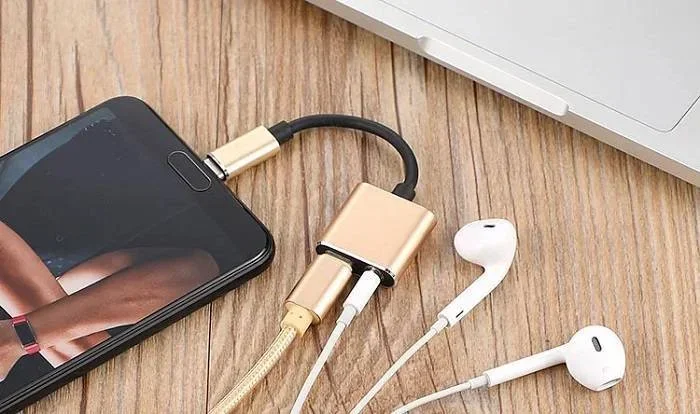
If the port is too damaged to use directly, an HDMI adapter can be a lifesaver. You can use a USB-C to HDMI adapter or a DisplayPort to HDMI adapter as a workaround. This is not a permanent fix, but it gets you back up and running while you arrange for a proper repair.
Adapters are affordable and widely available. They are a great temporary solution for people who need their device working right away.
When to Seek Professional Repair
Some HDMI port problems are beyond DIY fixes. Knowing when to call in a professional can save you from making things worse.
Signs You Need a Pro
Look for these warning signs that indicate professional repair is needed:
- The port is visibly cracked or broken off from the device.
- Pins inside the port are severely bent or missing.
- The device shows no HDMI signal even after trying different cables and devices.
- You smell burning or see scorch marks near the port.
- The port feels loose and moves when you touch it.
If any of these apply to your situation, it is time to seek professional help. Trying to fix a severely damaged port on your own could cause further HDMI port damage and increase the repair cost.
What Professional Repair Involves
A professional technician will typically start by diagnosing the exact issue. They may need to open the device and inspect the circuit board. In many cases, the repair involves re-soldering the port to the board.
For badly damaged ports, a full HDMI port replacement may be necessary. This means removing the old port and installing a new one. Skilled technicians can do this on most laptops, TVs, and monitors.
Where to Get HDMI Port Repair
You have several options for professional repair:
- Manufacturer service centers: Best for warranty-covered devices.
- Authorized repair shops: They have genuine parts and trained technicians.
- Local electronics repair stores: Often more affordable and faster turnaround.
- Online repair services: You mail in your device and they fix it remotely.
Before choosing a repair shop, always ask for a quote. HDMI port repair cost can vary widely depending on the device and the extent of the damage.
How Much Does HDMI Port Repair Cost?
Cost is a big factor when deciding how to fix an HDMI port. The good news is that repairs are usually much cheaper than replacing an entire device.
Average Repair Costs
Here is a general breakdown of what you might expect to pay:
| Repair Type | Estimated Cost |
|---|---|
| Port cleaning and inspection | $0 – $20 |
| Bent pin repair | $20 – $50 |
| HDMI port re-soldering | $50 – $100 |
| Full HDMI port replacement | $75 – $200 |
| Board-level repair (complex) | $100 – $300 |
These are rough estimates. Actual costs depend on your device, location, and the repair shop you choose. Laptops and TVs tend to cost more to repair than smaller devices like tablets.
Is Repair Worth It?
As a rule of thumb, if the repair cost is less than 50% of the device’s replacement cost, it is usually worth fixing. For a $500 laptop, spending $100 on an HDMI port repair makes sense. For a $50 budget tablet, you might be better off replacing it.
Also, check your warranty before paying for any repair. Many devices come with coverage that includes port repairs. You might get the fix for free.
Preventing Future HDMI Port Problems
The best fix is prevention. A few simple habits can extend the life of your HDMI ports significantly.
Handle Cables with Care
Never yank a cable out by pulling the cord. Always grip the connector and pull it straight out. Yanking at an angle puts stress on the port and can loosen the internal connections over time.
This is especially important for devices that stay in a fixed setup, like a home theater system. If you frequently connect and disconnect cables, consider using a different port if your device has multiple ones.
Keep Ports Clean
Dust covers are a simple and effective way to protect HDMI ports when they are not in use. These small caps slide over the port and keep out dust and debris.
Regularly inspect your ports for buildup. A quick cleaning every few months can prevent most dust-related connection issues.
Avoid Cheap Cables
Low-quality cables can cause intermittent connection problems that look like a port issue. Invest in well-made HDMI cables from reputable brands. They last longer and provide a more stable connection.
If you have ever dealt with a situation where a line wont delete in Microsoft Excel, you know how frustrating small persistent problems can be. The same applies to HDMI connections. A bad cable can create issues that seem impossible to trace.
Store Devices Properly
When transporting devices with HDMI ports, make sure the cables are not under tension. Use cable ties or organizers to keep everything neat. A loose cable hanging from a port can pull on the connector and cause damage over time.
HDMI Port Repair: DIY vs Professional
Deciding between a DIY fix and professional repair comes down to your skills, the severity of the damage, and your budget.
When DIY Makes Sense
DIY fixes work well for minor issues like dust buildup, slightly bent pins, or software glitches. These are low-risk repairs that require no special tools. If you are comfortable with basic tech troubleshooting, you can try the DIY steps outlined earlier in this guide.
Just remember that HDMI troubleshooting starts with the simplest solutions first. Always rule out cable and software issues before assuming the port itself is broken.
When to Go Professional
For any repair that involves opening the device, soldering, or replacing internal components, professional help is the safer choice. These tasks require specialized tools and skills. A mistake during a DIY soldering job can permanently damage the device.
Professional repair also often comes with a warranty on the work itself. This gives you peace of mind that the fix will hold over time.
Quick Tips for Choosing a Repair Service
- Read online reviews before picking a shop.
- Ask if they offer a free diagnostic.
- Get a written estimate before approving any work.
- Check if they use genuine replacement parts.
- Ask about turnaround time and warranty on the repair.
Final Thoughts
So, can you get an HDMI port fixed? Absolutely. Most HDMI port issues are fixable, whether through simple home remedies or professional repair services. The key is to diagnose the problem correctly and choose the right approach for your situation.
Start with the easiest fixes first. Clean the port, try a different cable, and update your drivers. If those do not work, move on to more involved solutions. And when the problem is beyond your comfort level, a professional technician can get the job done right.
Do not rush to replace your device just because the HDMI port is acting up. In most cases, a repair costs a fraction of the price of a new device. Take your time, follow the steps in this guide, and you will likely have your HDMI connection working again in no time.
Remember, proper care and prevention go a long way. Treat your ports well, use quality cables, and keep things clean. Your devices will thank you with years of reliable performance.
Frequently Asked Questions
Can a bent HDMI pin be fixed at home?
Yes, a slightly bent pin can often be straightened using fine-tipped tweezers and a flashlight. However, this requires a steady hand and patience. If you are not comfortable doing it yourself, a professional repair shop can handle it quickly and safely for a small fee.
How long does an HDMI port repair take?
Simple repairs like cleaning or reseating a connection take just a few minutes. More involved repairs, such as soldering or replacing the port entirely, usually take one to three hours depending on the device and the technician’s availability.
Is it cheaper to repair or replace a device with a broken HDMI port?
In most cases, repair is significantly cheaper. A typical HDMI port repair costs between $50 and $200, while replacing the entire device could cost several hundred dollars or more. Always get a repair quote before deciding to replace.
Can a loose HDMI port be tightened without replacement?
Sometimes. If the port is loose but still functional, a repair technician can reinforce it by re-soldering the connection to the circuit board. However, if the port is physically cracked or broken, a full replacement is usually necessary.
Do HDMI adapters work as a permanent solution for a broken port?
HDMI adapters are a great temporary workaround but not a permanent fix. They let you keep using your device while you arrange for a proper repair. Think of them as a bridge solution, not a long-term replacement for a functioning port.
What causes an HDMI port to stop working suddenly?
Sudden HDMI port failure can be caused by a power surge, physical impact, or a damaged cable that sent a voltage spike through the port. It can also result from a software glitch that disrupts the display signal. Start by checking the cable and device settings before assuming hardware failure.
=== CONCLUSION ===
Getting your HDMI port fixed is easier than most people think. With the right approach, you can resolve the issue yourself or find an affordable professional solution. The steps in this guide cover everything from basic cleaning to understanding when a full HDMI port replacement is needed.
Do not let a faulty HDMI port ruin your viewing experience or disrupt your work. Take action today using the tips and advice shared here. Whether it is a quick DIY fix or a professional repair, your HDMI connection can be restored quickly and affordably.