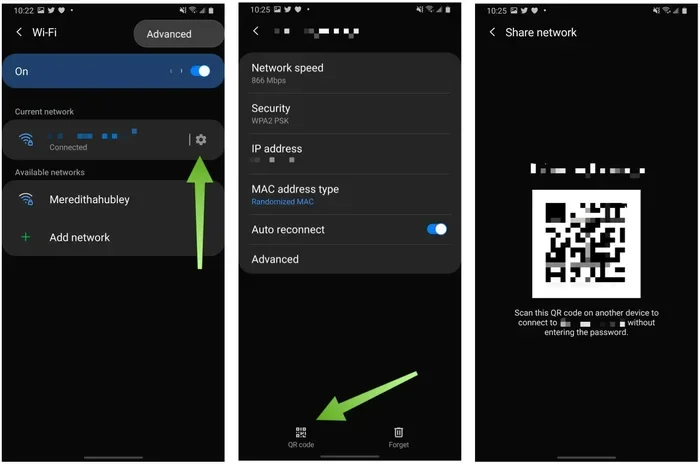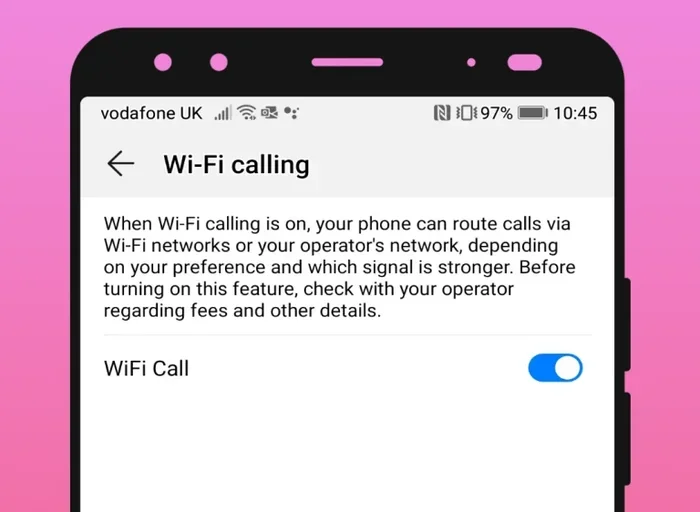
Can You Do Wifi Calling Without A Sim Card Here Is How
Yes, you can do wifi calling without a sim card using app-based services and VoIP technology. This guide walks you through every method, from using messaging apps to setting up a cloud phone number. You will learn the steps, benefits, and limitations of making calls over wifi without a physical SIM.
Have you ever found yourself in a spot with no cellular signal but a strong wifi connection? Maybe you are traveling abroad or living in a rural area with spotty coverage. You might wonder, can you do wifi calling without a sim card? The short answer is yes. You absolutely can. And there are several ways to make it work.
In this guide, we will walk you through everything you need to know about wifi calling without a sim card. We will cover how it works, what you need, and the best methods available. Whether you are trying to save money, travel light, or just stay connected, this article has you covered.
Key Takeaways
- Wifi calling without a sim card is possible through apps like WhatsApp, Skype, and Google Voice.
- VoIP technology lets you make calls using only an internet connection.
- You do not need a traditional mobile plan to stay connected via wireless calling.
- Emergency calling limitations exist when using wifi calling without a sim card.
- An eSIM or virtual number can add more flexibility to your setup.
- Call quality depends on your internet speed and router strength.
- International calls are cheaper or free with most app-based calling services.
📑 Table of Contents
- What Is Wifi Calling and How Does It Work?
- Can You Actually Do Wifi Calling Without A Sim Card?
- How To Set Up Wifi Calling Without A Sim Card
- Benefits of Wifi Calling Without A Sim Card
- Limitations and Things to Watch Out For
- Expert Tips for Better Wifi Calling Without A Sim Card
- Comparing Wifi Calling Methods Without A Sim Card
- Who Can Benefit From Wifi Calling Without A Sim Card?
- Common Mistakes to Avoid
- Conclusion
What Is Wifi Calling and How Does It Work?
Before we dive into the no-SIM options, let us understand the basics. Wifi calling is a feature that lets you make phone calls over a wireless internet connection instead of using a traditional cellular network. Instead of relying on cell towers, your voice data travels through the internet.
This technology uses something called VoIP, which stands for Voice over Internet Protocol. VoIP converts your voice into digital signals and sends them over the web. On the other end, the signals are converted back into sound. The whole process happens in milliseconds.
Traditionally, wifi calling works alongside your cellular network and mobile plan. Your phone routes calls through wifi when the cell signal is weak. But here is the thing. You do not always need a SIM card for this to work. More on that in a moment.
How Is This Different From Regular Calling?
Regular calling uses radio waves from cell towers. Your phone connects to the nearest tower, and your carrier routes the call. With wifi calling, your phone uses your home or public internet network instead. This means you can make calls even if you are far from any cell tower.
The big advantage is coverage. As long as you have an internet connection, you can make calls. This is a game changer for people in areas with poor cell service.
Can You Actually Do Wifi Calling Without A Sim Card?
Here is the part you have been waiting for. Can you do wifi calling without a sim card? Yes, you can. But the method you use depends on what you want to achieve. Let us break it down.
A SIM card stores your phone number and connects you to your carrier. Without one, you do not have a traditional phone number tied to a cellular network. However, you can still make and receive calls using internet-based services. These services give you a phone number through the cloud.
Methods That Work Without a SIM Card
There are several reliable ways to make wifi calling without a sim card. Here are the most popular ones:
- Messaging apps like WhatsApp, Facebook Messenger, and Viber let you call anyone with the app installed.
- VoIP services like Skype and Zoom allow voice and video calls over the internet.
- Google Voice gives you a free phone number for calls and texts in the United States.
- Cloud phone systems like RingCentral and Vonage offer full phone service over the web.
- eSIM technology lets you activate a virtual SIM without a physical card.
Each method has its own strengths. Let us look at them more closely.
How To Set Up Wifi Calling Without A Sim Card
Setting up wifi calling without a sim card is easier than you think. You do not need advanced technical skills. Here is a step-by-step look at the most common methods.
Method 1: Using Messaging Apps
Apps like WhatsApp and Facebook Messenger are the simplest way to make calls over wifi. Here is how to get started:
- Download the app from your app store.
- Create an account using your email or existing social media profile.
- Connect to a wifi network.
- Tap the call button and start talking.
That is it. You do not need a phone number or a SIM card for most of these apps. Your internet connection does all the work. The call quality depends on your internet speed and network coverage.
Method 2: Setting Up Google Voice
Google Voice is a great option if you want a dedicated phone number without a physical SIM. Here is how it works:
- Go to the Google Voice website and sign in with your Google account.
- Choose a free phone number from the available options.
- Link the number to your email or another phone for verification.
- Use the Google Voice app or website to make and receive calls.
Google Voice works great for domestic calls in the US. International calls may cost a small fee. But overall, it is one of the best free options for wireless calling without a SIM.
Method 3: Using VoIP Services Like Skype
Skype has been around for years and remains one of the most popular VoIP services. You can use it to call phones, landlines, and other Skype users. Here is what you need:
- A computer, tablet, or smartphone with wifi access.
- A Skype account (free to create).
- Credit or a subscription for calling landlines and mobiles.
Skype is especially useful for international calls. The rates are much lower than traditional carriers. And if you are calling other Skype users, the calls are completely free.
Method 4: Using an eSIM
An eSIM is a virtual SIM card built into your device. You do not need a physical card. Instead, you download a carrier profile directly onto your phone. Here is how to use an eSIM for wifi calling without a sim card:
- Check if your phone supports eSIM technology.
- Choose a carrier that offers eSIM plans.
- Download the carrier profile through your phone settings.
- Activate the plan and start making calls.
eSIMs are becoming more popular. Many modern smartphones support them. They give you the flexibility of a mobile plan without the physical card.
Benefits of Wifi Calling Without A Sim Card
There are many reasons people choose wifi calling without a sim card. Let us look at the biggest benefits.
Cost Savings
One of the biggest advantages is saving money. Traditional mobile plans can be expensive, especially with unlimited data and international minutes. With app-based calling, most services are free or very cheap. You only need a wifi connection.
No Carrier Dependency
Without a SIM card, you are not tied to any carrier. You can switch between networks freely. If one wifi network is slow, you simply connect to another. This gives you more control over your network coverage and call quality.
Flexibility and Portability
You can use wifi calling without a sim card on multiple devices. Your tablet, laptop, or even a second phone can all use the same service. This is perfect for people who travel often or work remotely.
International Calling Made Easy
If you call people in other countries, wifi calling without a sim card can save you a fortune. Traditional carriers charge high fees for international calls. But with VoIP and messaging apps, you can call almost anywhere for free or at a fraction of the cost.
Limitations and Things to Watch Out For
While wifi calling without a sim card is convenient, it does have some limitations. You should know about these before you rely on it completely.
Emergency Calling Challenges
One of the biggest concerns is emergency calls. When you call 911 or your local emergency number, the dispatcher needs your location. Without a SIM card, your cellular network cannot provide your exact location. Some apps and services do share your location, but it is not always as accurate as a traditional call.
Quick Tip: Always have a backup plan for emergencies. Keep a charged phone with a SIM card or know your exact address before making a wifi calling without a sim card emergency call.
Internet Dependency
You need a stable internet connection for wifi calling. If your wifi goes down, your calls go down too. This can be a problem in areas with unreliable internet or during power outages.
Call Quality Issues
Call quality depends on your internet speed. A slow or congested wifi network can cause dropped calls, static, or delays. For the best experience, use a strong and stable connection.
App Compatibility
Not all devices support every app. Some messaging apps and VoIP services may not work on older phones or certain operating systems. Always check compatibility before committing to a service.
Expert Tips for Better Wifi Calling Without A Sim Card
Want to get the most out of wifi calling without a sim card? Here are some expert tips that make a big difference.
Use a Strong Wifi Network
Your call quality depends on your wifi signal strength. Use a router that covers your entire home or office. If you are in a large space, consider a mesh wifi system for better network coverage.
Close Unnecessary Apps
Other apps running in the background can slow down your connection. Close apps you are not using during a call. This helps your internet connection stay fast and stable.
Use a Wired Connection When Possible
If you are calling from a computer, use an ethernet cable instead of wifi. A wired connection is more stable and gives you better call quality. This is especially helpful for important or long calls.
Check Your Internet Speed
Before making a call, check your internet speed. You need at least 1 Mbps for a standard voice call. For video calls, aim for 3 Mbps or higher. A quick speed test takes just a few seconds and can save you from frustrating call drops.
Consider a Virtual Phone Number
If you want a more professional setup, consider getting a virtual phone number. Services like Grasshopper and OpenPhone let you have a real phone number that routes through the internet. This works great for business calls without needing a physical SIM.
Comparing Wifi Calling Methods Without A Sim Card
Not all methods are the same. Here is a quick comparison of the most popular options for wifi calling without a sim card.
| Method | Cost | Call Quality | Best For |
|---|---|---|---|
| WhatsApp / Messenger | Free | Good | Quick personal calls |
| Google Voice | Free (US) | Very Good | Getting a free phone number |
| Skype | Free to low cost | Excellent | International calls |
| eSIM | Varies by carrier | Excellent | Full phone service without physical SIM |
| Cloud Phone Systems | Monthly fee | Excellent | Business and professional use |
As you can see, each method has its own use case. For casual calls, free messaging apps work great. For a dedicated phone number, Google Voice or a cloud system is better. And for full phone service, an eSIM is the closest thing to a traditional mobile plan.
Who Can Benefit From Wifi Calling Without A Sim Card?
Wifi calling without a sim card is not just for tech enthusiasts. Many different people can benefit from it.
- Travelers who want to avoid roaming charges can use wifi to stay connected anywhere in the world.
- Rural residents with poor cell coverage can rely on wifi for their calls.
- Budget-conscious users who want to cut the cord on expensive mobile plans.
- Remote workers who need a reliable way to make business calls from home.
- International students who want to call family back home without paying high fees.
No matter who you are, there is likely a method that fits your needs. The key is finding the right wireless calling solution for your situation.
Common Mistakes to Avoid
Here are some mistakes people make when using wifi calling without a sim card. Avoid these and you will have a much better experience.
- Using weak wifi: A weak signal leads to poor call quality. Always connect to a strong network.
- Ignoring data limits: Some wifi networks have data caps. Heavy calling can eat through your data quickly.
- Not testing your setup: Always make a test call before an important conversation.
- Forgetting about battery life: Wifi calling uses more battery than regular calls. Keep your device charged.
- Relying on one app: Have a backup app ready in case your primary app has issues.
These simple tips can save you from frustration and ensure your app-based calling experience is smooth.
Conclusion
Wifi calling without a sim card is not only possible, it is easier than ever. Whether you use messaging apps, Google Voice, Skype, or an eSIM, you have plenty of options to stay connected. The key is choosing the right method for your needs and having a reliable internet connection.
You do not need a traditional cellular network or a physical SIM card to make calls. With the right tools and a strong wifi signal, you can call anyone, anywhere in the world. The flexibility, cost savings, and convenience make wifi calling without a sim card a smart choice for many people.
So the next time someone asks you, can you do wifi calling without a sim card, you can confidently say yes. Try out the methods in this guide and find the one that works best for you.
Frequently Asked Questions
Can I make emergency calls using wifi calling without a sim card?
Some apps like WhatsApp and Skype do not support emergency calls. Google Voice may allow 911 calls in the US, but your location may not be as accurate. Always keep a backup phone with a SIM card for true emergencies.
Do I need wifi to make calls without a sim card?
Yes, you do. Wifi calling without a sim card requires an active internet connection. Without wifi or data, you cannot make or receive calls through these services.
Is wifi calling without a sim card free?
Most messaging apps and VoIP services are free for calls between users of the same app. However, calling landlines or mobiles through services like Skype may require credit or a subscription.
Can I use wifi calling without a sim card on any phone?
Most modern smartphones support wifi calling and app-based calling. Even older phones can use VoIP services through a web browser or app. Check your device compatibility before setting up.
How does call quality compare to regular cellular calls?
With a strong and stable wifi connection, call quality is often equal to or better than regular cellular calls. A weak or congested network can cause drops, delays, or lower audio quality.
Can I get a real phone number without a sim card?
Yes, services like Google Voice and cloud phone systems give you a real phone number through the internet. You can use this number for calls and texts without ever needing a physical SIM card.