Can I Charge A Battery Directly From A Usb Adapter
Yes, you can charge a battery directly from a USB adapter, but it depends on the battery type, voltage requirements, and USB specifications. Understanding USB power output, matching voltage levels, and following safety precautions are essential for a successful and safe charging experience. This guide walks you through everything you need to know about USB battery charging.
Have you ever wondered if you can skip the dedicated charger and plug your battery straight into a USB adapter? It is a simple question, but the answer has more layers than most people expect. Charging a battery directly from a USB adapter is possible in many situations, but it comes with important caveats. You need to understand voltage, current, battery chemistry, and safety limits. Get these things wrong, and you risk damaging your battery or even creating a hazard.
This guide breaks it all down in plain language. Whether you are trying to charge a small lithium-ion cell, a rechargeable AA pack, or a larger battery bank, you will find practical answers here. We will cover how USB power works, which battery types accept USB input, and the steps to do it safely. By the end, you will know exactly what is possible and what to watch out for.
Let us dive in and explore the world of USB battery charging together.
Key Takeaways
- USB Charging Is Versatile: USB adapters can power many rechargeable battery types, from single-cell lithium-ion packs to larger battery banks.
- Voltage Matching Matters: Always check that the USB adapter output matches your battery’s voltage requirements to avoid damage.
- Safety Comes First: Use the right charging current, avoid overcharging, and monitor battery temperature during the process.
- USB-C Offers Better Performance: USB-C adapters deliver higher wattage and support faster, more efficient charging than older USB-A ports.
- Not All Batteries Are USB-Compatible: Lead-acid and larger packs may need dedicated chargers rather than direct USB power.
- Quick Tips Prevent Problems: Simple habits like using quality cables and checking ratings go a long way in safe USB charging.
📑 Table of Contents
- Understanding USB Charging Basics
- Which Batteries Can You Charge Directly From USB
- How To Charge A Battery Directly From A USB Adapter
- Safety Tips For USB Battery Charging
- Common Mistakes People Make When Charging Batteries From USB
- Expert Insights On USB Battery Charging
- Comparing USB Charging vs. Traditional Battery Chargers
- Key Takeaways
- Final Thoughts
Understanding USB Charging Basics
Before you connect anything, it helps to understand what a USB adapter actually delivers. USB ports and adapters provide electrical power at specific voltage and current levels. These numbers determine whether a battery can charge safely and how fast it will charge.
USB Voltage and Current Explained
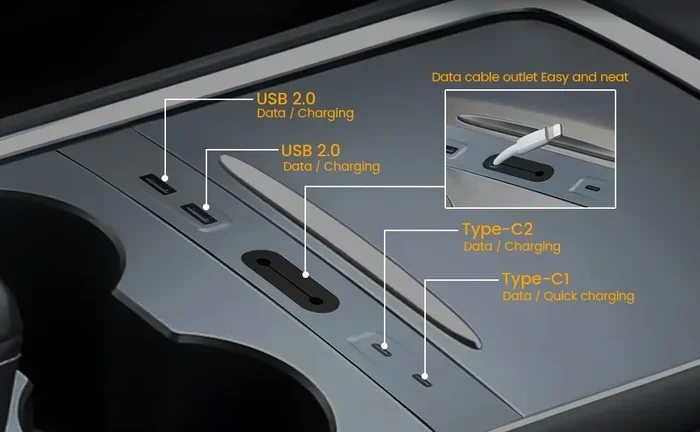
Standard USB ports output 5 volts of direct current. Older USB-A ports typically deliver up to 2.5 watts, which equals about 500 milliamps. Newer USB-A ports can push 2.4 amps or more. USB-C ports can handle much higher power, sometimes up to 100 watts with proper power delivery protocols.
Here is a quick breakdown of common USB output levels:
- USB 2.0: 5 volts at up to 500 milliamps (2.5 watts)
- USB 3.0: 5 volts at up to 900 milliamps (4.5 watts)
- USB Battery Charging 1.2: 5 volts at up to 1.5 amps (7.5 watts)
- USB-C with Power Delivery: 5 to 20 volts at up to 5 amps (100 watts)
When you charge a battery from USB, the adapter converts wall power into the stable 5-volt output that USB devices expect. Your battery or its built-in charging circuit then regulates this down to the correct level for the cells inside.
Why USB Power Output Matters
The power output of your USB adapter directly affects charging speed and safety. If the adapter cannot supply enough current, charging will be extremely slow. If it supplies too much current without proper regulation, it can overheat the battery. Always check the adapter’s rated output before connecting it to any rechargeable battery.
For most small batteries like single lithium-ion cells or USB-powered devices, a standard 5-volt, 1-amp adapter works well. Larger batteries may need a USB-C power delivery source to charge in a reasonable time.
Which Batteries Can You Charge Directly From USB
Not every battery type works with USB charging. The compatibility depends on the battery’s chemistry, voltage, and built-in protection circuitry. Let us look at the most common types.
Lithium-Ion and Lithium-Polymer Batteries
These are the most common batteries that support USB charging. Most single-cell lithium-ion batteries operate at 3.7 volts nominal and have a full charge voltage of 4.2 volts. Since USB provides 5 volts, the battery’s internal charging circuit steps the voltage down safely.
Many modern devices use these batteries, including smartphones, tablets, wireless earbuds, and portable flashlights. If your battery has a built-in USB charging port, it is designed to accept direct USB power. The internal circuit handles voltage regulation and prevents overcharging.
NiMH AA and AAA Rechargeable Packs
Nickel-metal hydride batteries in AA and AAA sizes can also be charged via USB, but usually through a dedicated USB charging holder or dock. These packs typically need a slightly higher voltage to push current into the cells. A standard 5-volt USB output works well for most NiMH pack chargers.
Look for a charger specifically rated for USB input if you are using NiMH batteries. The charger manages the proper charging profile, which includes a delta-peak detection to avoid overcharging.
Lead-Acid and Larger Battery Packs
Lead-acid batteries and large packs are generally not suitable for direct USB charging. These batteries require higher voltages, often 12 volts or more, and much higher current levels. A standard USB adapter simply cannot provide the power needed. For these battery types, always use a dedicated charger designed for the specific chemistry.
How To Charge A Battery Directly From A USB Adapter
Now that you understand the basics, let us walk through the actual process of charging a battery from a USB adapter. The steps are straightforward, but paying attention to details makes a big difference.
Step 1: Check Your Battery Specifications
Start by finding the battery’s rated voltage and charging current. This information is usually printed on the battery label or in the product manual. Common ratings include 3.7 volts for lithium cells and 1.2 volts per NiMH cell.
Write these numbers down. You will need them to choose the right USB adapter and to verify safe charging conditions.
Step 2: Select the Right USB Adapter
Choose a USB adapter that matches or slightly exceeds your battery’s charging current needs. For a small lithium cell, a 1-amp USB adapter is usually perfect. For a larger battery pack, look for a 2-amp or higher adapter, or a USB-C port with power delivery support.
Avoid using cheap, unbranded adapters. They often lack proper voltage regulation, which can deliver unstable power and damage your battery over time.
Step 3: Use the Correct Cable
The charging cable matters more than people think. A thin or damaged cable can limit current flow and cause overheating. Use a short, thick cable with the right connector for your adapter and battery.
For USB-C connections, make sure the cable supports the current rating you need. A cable rated for only 3 amps will not work properly with a 5-amp power delivery source.
Step 4: Connect and Monitor
Plug the USB adapter into the wall, connect the cable, and attach it to the battery. Watch for any unusual heat, swelling, or strange smells. If anything feels wrong, disconnect immediately.
Most modern batteries with USB charging ports have built-in indicators. A light will usually show when charging starts and when it is complete. Let the battery charge undisturbed until it reaches full charge.
Step 5: Disconnect When Full
Even with built-in protection circuits, it is a good habit to disconnect the battery once charging is complete. This reduces stress on the battery and helps extend its overall lifespan.
Safety Tips For USB Battery Charging
Safety should always come first when working with batteries and electrical power. USB charging is generally safe, but mistakes can still happen. Follow these guidelines to keep yourself and your equipment protected.
Never Leave Batteries Unattended
Even though USB adapters are low-power, batteries can fail unexpectedly. Do not leave a charging battery unattended for long periods, especially overnight. Check on it periodically during the charging process.
Avoid Charging Damaged Batteries
If a battery is swollen, leaking, or has visible damage, do not attempt to charge it. Damaged batteries are a fire risk, regardless of the charging method. Dispose of them properly at a recycling center.
Use Quality Equipment
Invest in a good-quality USB adapter and cables. Look for adapters that carry safety certifications like UL or CE. These products have been tested to meet electrical safety standards and are far less likely to cause problems.
Watch the Temperature
A slightly warm battery during charging is normal. A hot battery is not. If your battery becomes too hot to touch, disconnect it right away. Let it cool down before inspecting it further.
Do Not Overcharge
Most batteries with USB charging ports have overcharge protection built in. However, older or cheaper batteries may not have this feature. If you are using a battery without built-in protection, use a charger with a charge controller to prevent overcharging.
Quick Tips For Safe USB Charging
- Always check the battery and adapter ratings before connecting them.
- Use short, high-quality cables to minimize resistance and heat.
- Charge batteries on a flat, non-flammable surface.
- Keep batteries away from water and direct sunlight while charging.
- Store batteries in a cool, dry place when not in use.
Common Mistakes People Make When Charging Batteries From USB
Even with the best intentions, people make mistakes that can shorten battery life or create safety risks. Here are the most common ones to avoid.
Using the Wrong Adapter
One of the biggest mistakes is using a USB adapter with the wrong output specifications. A 5-volt adapter works for most lithium batteries, but using an adapter with a higher voltage directly can fry the battery’s internal circuit. Always match the adapter to the battery specifications.
Ignoring Current Ratings
Some people grab any USB cable and plug it in without checking the current rating. If the adapter cannot supply enough current, charging will be painfully slow. If it supplies too much and the battery lacks protection, things can get dangerous.
Using Damaged Cables
Frayed or bent cables can create resistance points that generate heat. Over time, this can damage both the cable and the battery. Replace any cable that shows signs of wear immediately.
Skipping the Manufacturer’s Instructions
Every battery is different. The manufacturer knows the safe charging parameters for their specific product. Skipping the manual and guessing can lead to poor charging performance or battery damage. Always follow the instructions that come with your battery.
Charging in Unsafe Conditions
Charging a battery on a bed, couch, or other soft surface can trap heat and create a fire risk. Always charge batteries on hard, flat, non-flammable surfaces like a desk or table.
Expert Insights On USB Battery Charging
USB battery charging has come a long way in recent years. Modern USB-C adapters with power delivery can handle everything from small single-cell batteries to larger portable power stations. The key is understanding your battery’s needs and matching them with the right equipment.
One thing that surprises many people is how efficient USB charging has become. Older USB 2.0 ports delivered very little power, making them impractical for anything beyond tiny devices. Today, USB-C with power delivery can rival dedicated wall chargers in performance. This makes USB a versatile and convenient option for many rechargeable battery types.
If you manage battery usage for multiple devices or track charge cycles, using a spreadsheet can help you monitor performance over time. If you are working in Microsoft Excel and a line won’t delete in Microsoft Excel due to formatting conflicts, it can be frustrating, but keeping good records of your battery charging habits is well worth the effort.
Experts also emphasize the importance of using smart USB adapters that can negotiate power with the connected device. These adapters detect what the battery needs and deliver the appropriate voltage and current automatically. This feature is especially important for USB-C connections with power delivery support.
Comparing USB Charging vs. Traditional Battery Chargers
How does USB charging stack up against using a dedicated battery charger? Here is a side-by-side comparison to help you decide which method works best for your situation.
| Feature | USB Charging | Traditional Charger |
|---|---|---|
| Convenience | High, uses common cables and adapters | Medium, requires a dedicated charger unit |
| Compatibility | Works with USB-enabled batteries only | Works with most battery types |
| Charging Speed | Varies, USB-C PD can be very fast | Often optimized for specific battery types |
| Portability | Excellent, adapters are compact | Good, but chargers are bulkier |
| Safety Features | Depends on battery’s built-in protection | Usually includes multiple safety circuits |
| Cost | Low, uses existing USB equipment | Medium, requires a separate charger purchase |
As you can see, USB charging offers great convenience and portability. Traditional chargers still win on compatibility and safety for certain battery types. The best choice depends on your specific battery and how you plan to use it.
Key Takeaways
- USB charging is a practical option for many common battery types, especially lithium-ion and NiMH packs with built-in USB ports.
- Always match the USB adapter output to your battery’s voltage and current requirements for safe and efficient charging.
- USB-C with power delivery offers the best performance and fastest charging speeds for compatible batteries.
- Safety is critical: never charge a damaged battery, use quality equipment, and monitor temperature during charging.
- Avoid common mistakes like using wrong adapters, damaged cables, and charging in unsafe conditions.
- USB charging is not suitable for all batteries, especially large lead-acid or high-voltage packs that need dedicated chargers.
Final Thoughts
So, can you charge a battery directly from a USB adapter? The short answer is yes, for many battery types. The longer answer is that you need to pay attention to voltage, current, and safety. When you do it right, USB battery charging is convenient, efficient, and surprisingly safe.
Start by checking your battery specifications, choosing the right adapter, and using quality cables. Follow the safety tips in this guide, and you will have a smooth charging experience every time. Whether you are powering up a small lithium cell or a rechargeable AA pack, USB adapters offer a simple and accessible way to keep your batteries ready to go.
Remember, the key to successful direct USB battery charging is knowledge and caution. Take a few extra minutes to understand your equipment, and you will enjoy the convenience of USB charging for years to come.
Frequently Asked Questions
Can I Charge Any Battery Directly From a USB Port?
Not all batteries are compatible with USB charging. Lithium-ion and lithium-polymer batteries with built-in USB ports work well. NiMH AA and AAA packs can charge through USB-compatible chargers. However, lead-acid batteries and large packs usually need dedicated chargers that provide higher voltage and current than a standard USB port can deliver.
Is It Safe to Leave a Battery Charging via USB Overnight?
It is generally not recommended. Even with built-in overcharge protection, leaving any battery unattended for long periods carries some risk. Modern smart batteries with USB-C and power delivery often include safety circuits that stop charging when full. Still, it is best to monitor the charging process and disconnect the battery once it reaches full charge.
What USB Adapter Do I Need to Charge a Battery?
Choose a USB adapter that matches your battery’s charging current requirements. For most small lithium batteries, a standard 5-volt, 1-amp USB adapter works well. Larger battery packs may need a 2.4-amp adapter or a USB-C port with power delivery support. Always check the battery label for its recommended charging specifications before selecting an adapter.
Can I Use a Phone Charger to Charge a Rechargeable Battery?
Yes, in many cases. A standard phone charger outputs 5 volts, which is the same voltage most USB-compatible batteries expect. Just make sure the charger’s current rating meets or exceeds the battery’s charging current requirement. Using a charger with a lower current rating will result in very slow charging but is usually safe.
Why Is My Battery Not Charging When Connected to USB?
Several issues can cause this. The USB adapter may not be providing enough current, the cable might be damaged or too thin, or the battery’s charging circuit may be faulty. Check that the adapter and cable are working properly, ensure the battery is not deeply discharged, and verify that the connections are clean and secure. If the problem persists, the battery may need to be replaced.
Does USB-C Charge Batteries Faster Than USB-A?
Yes, USB-C can charge batteries significantly faster than USB-A, especially when using power delivery protocols. USB-C can deliver up to 100 watts, compared to the 7.5 watts maximum of standard USB-A battery charging. This makes USB-C ideal for larger batteries and devices that support fast charging. Always use a USB-C cable rated for the current and power levels your battery requires.