Are Some Usb C Cables Power Only Or Do They Transfer Data
Not all USB-C cables are created equal. Some USB-C cables are power only and cannot transfer data, while others handle both tasks. Understanding this difference saves you time, money, and frustration when choosing the right charging cable for your devices.
Key Takeaways
- Some USB-C cables are power only: They charge your devices but cannot transfer data between devices.
- Pin configuration determines function: The internal wiring of a USB-C cable decides whether it supports data transfer.
- Look for certifications: USB-IF certification and Thunderbolt logos help you identify data-capable cables.
- Budget cables often lack data support: Cheap charging cables may only provide power delivery.
- Check the specs before buying: Always verify whether a cable supports data transfer and power delivery.
- USB4 and Thunderbolt cables do both: These high-speed cables handle charging and data simultaneously.
- Your device matters: Some devices need data-capable cables even for basic charging to work properly.
📑 Table of Contents
- Are Some USB C Cables Power Only?
- Power Only vs Data-Capable USB-C Cables
- Why Are Some USB-C Cables Power Only?
- How to Choose the Right USB-C Cable
- Common Mistakes People Make with USB-C Cables
- Quick Tips for Buying USB-C Cables
- Expert Insights on USB-C Cable Selection
- The Future of USB-C Cables
- Final Thoughts
Are Some USB C Cables Power Only?
The short answer is yes. Some USB-C cables are power only. They carry electrical current to charge your devices but do not transfer any data. This surprises a lot of people. After all, USB-C is supposed to be universal, right? The truth is more complicated.
Not every USB-C cable is built the same way. The internal design, the number of wires, and the intended use all play a role. A power only USB-C cable has fewer wires inside. It focuses entirely on delivering electricity. A data-capable cable has extra wires for sending and receiving information.
Understanding this difference matters more than most people think. You might buy a cable, plug it in, and wonder why your file transfer fails. Or why your new external drive does not show up on your laptop. The answer could be as simple as the cable you are using. USB-C cables power only are very common in the market today.
Let us break this down in detail. By the end, you will know exactly what to look for. You will never buy the wrong cable again.
How USB-C Cables Work
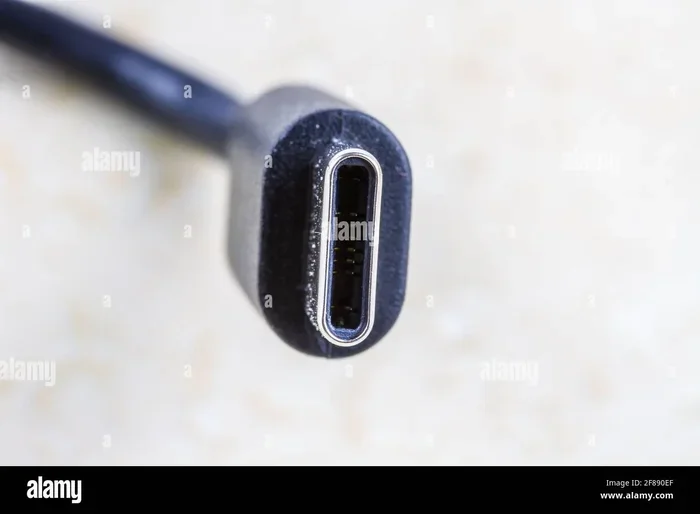
A USB-C connector looks the same on both ends. It is small, reversible, and sleek. But looks can be deceiving. The inside tells a different story. A standard USB-C cable has multiple tiny wires bundled together. Each wire has a specific job.
Some wires carry power. These are the ones responsible for fast charging and power delivery. Other wires handle data. They send and receive files, photos, and videos. A power only cable simply skips the data wires entirely.
The USB-C standard supports something called alternate mode. This allows the cable to carry video signals, too. So a single cable can charge your laptop, transfer data, and connect to a monitor. But only if the cable is built to support all of these features. A power only cable does not support alternate mode.
Pin Configuration Matters
The USB-C connector has 24 pins. Each pin serves a purpose. In a full-featured cable, all 24 pins are wired and active. In a power only USB-C cable, many of those pins are left unconnected. They simply do nothing.
The pins that matter for data transfer are called the SuperSpeed pins. These are pins A6, A7, B6, and B7. If a cable does not have these wires, it cannot move data. It can still deliver power through the VBUS and GND pins. That is all a power only cable needs.
This is why you can plug a power only cable into your phone and it will still charge. The charging part works fine. But try to transfer a photo, and nothing happens. The data pathway simply does not exist in the cable.
Power Only vs Data-Capable USB-C Cables
Now that you understand the basics, let us compare the two types side by side. This will make it much easier to spot the differences.
How to Tell the Difference
You cannot always tell by looking at a cable. Both types use the same USB-C connector. They feel the same in your hand. They look the same on the outside. But there are clues if you know where to look.
First, check the packaging. A data-capable cable usually mentions its speed. You might see “USB 3.0,” “USB 3.1,” “USB 3.2,” or “USB4” printed on it. A power only cable will often just say “USB-C” or “56k ohm resistor.” It will not mention any data speed.
Second, look at the thickness. Cables that support data transfer tend to be thicker. They have more wires inside. A very thin USB-C cable is often a power only design. This is not a hard rule, but it is a good indicator.
Third, check for logos. A Thunderbolt logo means the cable supports data. A USB-IF certification logo also indicates data capability. If you see neither, be cautious. The cable might be power only.
Comparison Table
| Feature | Power Only Cable | Data-Capable Cable |
|---|---|---|
| Charging | Yes | Yes |
| Data Transfer | No | Yes |
| SuperSpeed Pins | Not Connected | Connected |
| Alternate Mode | No | Yes |
| Typical Thickness | Thin | Thicker |
| Speed Rating on Package | None | USB 3.0 or higher |
| Common Use | Wall chargers, power banks | Laptops, external drives |
| Price Range | Lower | Higher |
As you can see, the differences are clear once you know what to look for. A power only cable serves one purpose well. A data-capable cable does much more.
Why Are Some USB-C Cables Power Only?
This is a great question. If USB-C is supposed to do everything, why do power only cables exist? The answer comes down to cost, design, and purpose.
Cost and Design Choices
Building a full-featured USB-C cable costs more. More wires means more materials. More wiring means more complex manufacturing. A power only cable uses fewer wires. This makes it cheaper to produce.
Manufacturers know that many consumers just want to charge their devices. They do not need data transfer. So they offer simple, affordable charging cables that meet that basic need. This is smart business. It also keeps the price low for buyers.
For example, many wall adapters and USB-C chargers come bundled with a power only cable. These cables are perfect for the task. You plug them into the wall, and your phone or tablet charges. No data transfer needed. No extra cost needed.
Intended Use Cases
Power only cables are designed for specific situations. They work great when you only need to add power to a device. Here are some common use cases:
- Charging a phone overnight: You plug in before bed. You do not need to transfer data. A power only cable is perfect.
- Using a wall charger at home: A simple USB-C charger with a power only cable handles this easily.
- Charging a power bank: You just need to refill the battery. Data transfer is irrelevant here.
- Emergency top-ups: When your battery is low and you need fast power, a power only cable gets the job done quickly.
- Desktop charging stations: Many stations use power only cables to deliver high wattage to laptops and monitors.
In all these cases, data transfer is not needed. A power only cable is the right choice. It is simple, reliable, and affordable.
How to Choose the Right USB-C Cable
Choosing the right cable does not have to be confusing. You just need to know what you need. Let us walk through the decision process step by step.
Check Your Needs First
Ask yourself what you want the cable to do. Do you only need to charge? Or do you also need to transfer files? Your answer determines the type of cable you should buy.
If you only need fast charging, a power only cable works great. It will deliver electricity efficiently. You will save money too. These cables are often less expensive than their data-capable counterparts.
If you need both charging and data, look for a cable that supports USB 3.0 or higher. Check the package for speed ratings. “USB 3.2 Gen 2” or “USB4” are good signs. These cables handle data transfer and power delivery at the same time.
Look for Certifications
Certifications give you peace of mind. They confirm that the cable meets certain standards. Here are the key certifications to look for:
- USB-IF Certification: This means the cable has been tested by the USB Implementers Forum. It guarantees compatibility and safety.
- Thunderbolt Logo: Thunderbolt cables always support data transfer. They also support high-speed power delivery.
- USB4 Certification: USB4 cables are the newest standard. They offer the fastest speeds and the most versatility.
- e-Marker Chip: Some premium cables have an e-Marker chip. This tiny chip stores information about the cable’s capabilities. Your device reads this chip to determine what the cable can do.
When in doubt, go with a certified cable. It is better to spend a little more upfront than to buy a cable that does not work for your needs.
Consider Cable Length and Wattage
Cable length affects performance. Longer cables may lose some charging speed. If you need fast charging, keep the cable as short as practical. Most charging cables work best at 3 feet or less.
Cable wattage is also important. A power only cable rated for 60 watts will charge faster than one rated for 30 watts. Check the cable wattage on the packaging. Make sure it matches your device’s requirements.
If you use a USB-C hub or a USB-C adapter, your cable needs to support data as well. A power only cable will not work with these accessories. Always check the specifications before connecting.
Common Mistakes People Make with USB-C Cables
Even careful buyers make mistakes. Here are some common errors to avoid.
Assuming All USB-C Cables Are the Same
This is the biggest mistake. Many people assume that because a cable has a USB-C connector, it does everything. That is not true. A power only USB-C cable will not transfer data. Period. Always check the specifications before you buy.
Ignoring the Packaging Details
The packaging tells you a lot. If it says “charge only” or does not mention any data speed, it is likely a power only cable. Do not assume it will work for file transfers. Read the fine print.
Buying the Cheapest Option
Cheap cables are tempting. But a very low-priced USB-C cable may not support data transfer. You get what you pay for in most cases. Spending a little more on a quality cable saves you from frustration later.
Using a Power Only Cable with External Devices
If you connect an external hard drive or a camera to your laptop, you need a data-capable cable. A power only cable will not recognize the device. Your laptop will only supply power. The device will not appear on your screen.
Quick Tips for Buying USB-C Cables
- Always check if the cable supports data transfer before purchasing.
- Look for USB-IF certification or Thunderbolt logos on the packaging.
- Choose a shorter cable for faster charging speed.
- Match the cable’s wattage rating to your device’s power needs.
- If you use a USB-C hub or USB-C adapter, make sure your cable supports data.
- Do not assume a free cable from a retailer supports data. It might be power only.
- When in doubt, contact the manufacturer and ask about data support.
Expert Insights on USB-C Cable Selection
Industry experts agree that the confusion around USB-C cables is widespread. Many consumers do not realize that power-only options exist. This leads to wasted time and wasted purchases.
According to USB-IF guidelines, a cable’s capabilities should be clearly labeled. However, not all manufacturers follow these guidelines. Some cables are sold with minimal information. This makes it harder for buyers to make informed decisions.
The best advice from experts is simple. Always buy from reputable brands. Check the specifications carefully. If the cable does not list a data speed, assume it is power only. When you need a reliable data transfer cable, look for USB 3.0 or higher ratings.
Experts also recommend keeping a few different cables on hand. A power only cable is great for charging at your desk. A full-featured data-capable cable is essential for connecting peripherals. Having both ensures you are always prepared.
If you are curious about what other tech accessories and tools can simplify your setup, you might also enjoy exploring apps for finding dog walkers if you are a pet owner who travels with gear, or browse related articles on the site for more tech tips. The site also features guides on apps like Uber for dog walkers that show how technology simplifies everyday tasks, and you can find even more useful tools by checking out dog walker apps that demonstrate how modern apps connect services to consumers seamlessly.
The Future of USB-C Cables
The USB-C ecosystem is evolving fast. New standards bring more capabilities to every cable. USB4 is leading the charge. It combines power delivery, data transfer, and video output in a single cable.
As USB4 becomes more common, the line between power-only and data-capable cables will blur. Future cables will likely be full-featured by default. This means fewer consumer headaches down the road.
For now, it is still important to understand the difference. Not every cable on the shelf supports data. Knowing this keeps you from buying the wrong one.
Final Thoughts
Are some USB-C cables power only? Yes, absolutely. Many USB-C cables on the market today deliver power but do not transfer data. This is by design, not by accident. Manufacturers build these cables for specific purposes. They keep costs low and performance focused.
The key takeaway is simple. Always know what you need before you buy. If you only need fast charging, a power only cable is a great choice. If you need data transfer too, look for a cable with a speed rating. Check the packaging. Look for certifications. Do your homework.
Your devices deserve the right cable. A good USB-C cable makes your tech life easier. It charges faster. It transfers files without issues. It connects to accessories seamlessly. Take the time to choose wisely. Your future self will thank you.
Frequently Asked Questions
Can a power only USB-C cable damage my device?
No, a power only USB-C cable will not damage your device. It simply delivers electricity. Your device will charge normally. The only limitation is that it will not transfer data. It is completely safe to use for charging purposes.
How do I know if my USB-C cable supports data transfer?
Check the packaging or the cable itself for speed ratings like “USB 3.0” or “USB4.” Look for the Thunderbolt logo or a USB-IF certification mark. If none of these are present, the cable may be power only. When in doubt, contact the manufacturer for confirmation.
Can I use a power only cable with a laptop?
Yes, you can use a power only cable to charge a laptop. The cable will deliver power delivery just fine. However, if you need to connect an external drive or a display, you will need a data-capable cable. A power only cable will not support those connections.
Are all thick USB-C cables data-capable?
Most thick USB-C cables are data-capable because they contain more internal wires. However, thickness alone is not a guarantee. Always check the specifications on the packaging. Some thick cables are still designed for power delivery only.
What is the difference between USB 3.0 and USB 3.2 in USB-C cables?
The difference is speed. USB 3.0 supports data transfer up to 5 Gbps. USB 3.2 Gen 2 doubles that to 10 Gbps. USB4 can reach 40 Gbps. All of these cables also support power delivery. A power only cable does not support any of these data speeds.
Do I need a special cable for fast charging?
You need a cable that supports the right power delivery wattage. Many power only cables handle fast charging just fine. They focus all their internal wires on delivering electricity. Just make sure the cable is rated for the wattage your device requires.
=== CONCLUSION ===
USB-C cables are versatile, but not all of them do the same things. Some are power only, and some handle both charging and data. Now you know how to tell the difference. You know what to look for on the packaging. You know what certifications matter. You can make smart choices every time you buy a cable.
Take a moment to check the cables you already own. Are they power only? Do they support data transfer? Understanding your cables helps you get the most out of your devices. It saves you money. It saves you time. It saves you from frustration.
The world of USB-C is getting more complex every year. New standards emerge. New capabilities arrive. But the basics stay the same. A power only cable charges. A data-capable cable charges and transfers files. Choose wisely, and your tech setup will run smoothly for years to come.