Can Orbi Extend Your Existing Wifi Network Right Now
Yes, you can use an Orbi system to extend your existing wifi network, but it works best as a dedicated mesh system rather than a traditional repeater. Orbi uses tri-band mesh technology to boost coverage across your home without sacrificing speed. This guide covers setup methods, pros and cons, and practical tips to help you decide if Orbi is the right choice for extending your current network.
Key Takeaways
- Orbi can extend your existing network: It works in both router mode and access point mode to expand wifi coverage.
- Mesh technology beats traditional extenders: Orbi uses a dedicated backhaul band to maintain full speed throughout your home.
- Setup is straightforward: You can configure Orbi in under 30 minutes using the Orbi app.
- Not all extenders are equal: Orbi offers better performance and seamless roaming compared to basic wifi repeaters.
- Placement matters a lot: Positioning your satellite nodes correctly makes a huge difference in coverage and speed.
- Consider your home size: Orbi systems scale easily by adding more satellite nodes for larger properties.
📑 Table of Contents
Can Orbi Extend Your Existing Wifi Network?
The short answer is yes. Can Orbi extend existing wifi network setups? Absolutely. Orbi is a powerful mesh wifi system designed to eliminate dead zones and deliver strong internet coverage throughout your home. Whether you live in a small apartment or a large house with thick walls, Orbi can help you get better wifi.
But here is the thing. Orbi does not work exactly like a traditional wifi extender. It operates as a mesh network, which means it creates a single, unified network name across your entire home. This is different from old-school extenders that create separate network names and force your devices to switch manually.
If you are tired of buffering videos in the bedroom or dropping calls in the kitchen, Orbi might be the solution you need. Let us walk through everything you need to know about using Orbi to extend your existing wifi network.
How Orbi Differs from Standard Extenders
Traditional wifi extenders receive your router signal and rebroadcast it. The problem is that they often cut your speed in half. They use the same radio band to both receive and send data. This creates a bottleneck.
Orbi takes a different approach. It uses tri-band technology, which means it has three wireless bands. Two bands handle your regular internet traffic. The third band is a dedicated backhaul channel. This backhaul band connects your router to the satellite nodes without slowing down your main network.
Think of it like a highway. A traditional extender is like adding a lane that also serves as the exit ramp. Everyone slows down. Orbi is like building a separate express lane just for data transfer between nodes. Your devices get the full speed they need.
Orbi in Router Mode vs. Access Point Mode
When you want to extend an existing network, Orbi gives you two main options. You can set it up in router mode or access point mode.
Router Mode: In this mode, Orbi acts as your main router. It replaces your current router entirely. You connect your modem to the Orbi router, and it handles all the routing, DHCP, and firewall functions. This is the most common setup for new Orbi users.
Access Point Mode: This is the mode you want when extending an existing network. In AP mode, the Orbi router becomes a satellite node. It connects to your current router wirelessly or via ethernet. Your original router still handles the main routing, but Orbi extends the coverage area.
Access point mode is ideal when you already have a good router but need better coverage in certain parts of your home. It lets you keep your existing network setup while adding Orbi satellites where you need them most.
Setting Up Orbi to Extend Your Current Network
Setting up Orbi to work with your existing network is easier than you might think. The whole process takes about 15 to 30 minutes if you follow the right steps.
Step-by-Step Setup Guide
Here is a simple walkthrough to get your Orbi system extending your current wifi network.
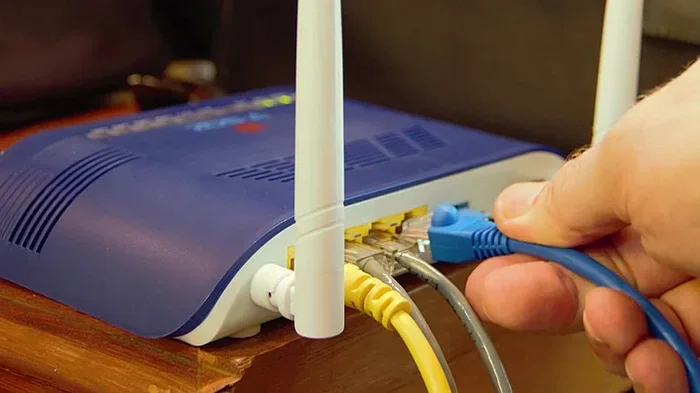
- Connect your Orbi router to your modem. Use an ethernet cable to link the Orbi router’s WAN port to your modem.
- Download the Orbi app. It is available for both iOS and Android devices. The app walks you through the entire setup process.
- Choose access point mode. During setup, the app will ask how you want to configure the system. Select access point mode to extend your existing network.
- Place your satellite nodes. Put satellites in areas where your current wifi signal is weak. Keep them within range of the router for the best connection.
- Sync the satellites. The Orbi app will guide you through pairing each satellite with the router. Press the sync button on both devices when prompted.
- Test your coverage. Walk around your home and check the wifi signal in different rooms. Adjust satellite placement if needed.
Best Placement Tips for Satellite Nodes
Where you place your Orbi satellites matters a lot. Bad placement can lead to poor performance and frustrating dead zones.
- Keep satellites within 30 to 40 feet of the router for a strong wireless connection.
- Place satellites in open areas. Avoid hiding them behind furniture, inside cabinets, or in closets.
- Put satellites halfway between the router and the dead zone. They should be close enough to receive a good signal but far enough to extend coverage.
- Avoid placing satellites near microwaves or cordless phones. These devices can interfere with the 2.4GHz band.
- Use ethernet backhaul when possible. If you can run an ethernet cable to a satellite, your speeds will be much better.
Orbi vs. Traditional Wifi Extenders
Not all network extenders are created equal. If you are trying to decide between Orbi and a traditional wifi extender, here is a detailed comparison.
Speed and Performance
Traditional extenders typically use dual-band technology. They share one radio band for both receiving and transmitting data. This means your speed drops significantly, sometimes by 50% or more.
Orbi’s tri-band design dedicates one band entirely to backhaul. Your devices get the full speed of the remaining two bands. In real-world tests, Orbi consistently outperforms traditional extenders in both speed and reliability.
Seamless Roaming
One of the biggest advantages of Orbi is seamless roaming. When you walk around your home, your devices automatically switch to the strongest node. You do not need to manually disconnect and reconnect to different network names.
Traditional extenders often force you to switch between network names like “MyWifi” and “MyWifi_EXT.” This can cause dropped connections and interrupted streams. Orbi solves this problem with a single network name across all nodes.
Coverage and Scalability
Orbi systems are designed to scale. You can start with one router and one satellite. Then add more satellites as your coverage needs grow. Some users have setups with four or five satellites covering homes of 5,000 square feet or more.
Traditional extenders are limited in this regard. Each extender creates its own network segment, and adding more can actually make things worse due to interference and bandwidth sharing.
Price Comparison
Orbi systems cost more upfront than basic wifi extenders. A starter kit typically runs between $200 and $400. Traditional extenders can be found for $20 to $60.
However, when you factor in performance, reliability, and the ability to cover larger areas, Orbi provides much better value over time. You get a professional-grade home network for a reasonable investment.
Quick Comparison Table
| Feature | Orbi Mesh System | Traditional Extender |
|---|---|---|
| Bands | Tri-band | Dual-band |
| Backhaul | Dedicated band | Shared band |
| Network Name | Single SSID | Multiple SSIDs |
| Roaming | Seamless | Manual switching |
| Speed Loss | Minimal | Up to 50% |
| Scalability | High | Limited |
| Price Range | $200 – $400+ | $20 – $60 |
Common Mistakes to Avoid When Extending Your Network
Even with a great system like Orbi, people make mistakes that hurt their network performance. Here are the most common errors to avoid.
Placing Satellites Too Far from the Router
This is the number one mistake people make. If your satellite is too far from the router, it gets a weak signal itself. Then it rebroadcasts that weak signal, giving you even worse coverage in the extended area. Always ensure the satellite has a strong connection to the router before expecting it to extend coverage effectively.
Using Orbi in Router Mode When You Want to Extend
If your goal is to extend an existing network, do not set Orbi to router mode. Router mode replaces your current router and creates a new network. Instead, use access point mode to add Orbi as an extension to your existing setup.
Ignoring Firmware Updates
Netgear regularly releases firmware updates for Orbi systems. These updates fix bugs, improve performance, and add new features. Always keep your Orbi system updated through the app or web interface. Ignoring updates can lead to subpar performance and security vulnerabilities.
Overlooking Ethernet Connections
While Orbi supports wireless satellite connections, nothing beats a wired ethernet backhaul. If you have the option to run an ethernet cable to your satellite location, do it. You will see a dramatic improvement in speed and stability.
Not Restarting Your System Periodically
Like any tech equipment, Orbi benefits from occasional reboots. If you notice slow speeds or connection issues, try restarting your router and satellites. A simple power cycle can resolve many common problems and refresh your network connection.
Expert Tips for Maximizing Your Orbi Network
Getting the most out of your Orbi system takes a little know-how. Here are some expert tips that make a real difference.
Use the Orbi App for Network Monitoring
The Orbi app does more than just set up your system. It also lets you monitor your network in real time. You can see which devices are connected, check their speeds, and identify potential issues. Use this tool regularly to keep your network running smoothly.
Enable QoS for Priority Devices
Quality of Service (QoS) lets you prioritize certain devices or activities. If you are streaming a movie, you can give your TV priority over other devices. This ensures smooth performance even when multiple people are using the network at the same time.
Separate 2.4GHz and 5GHz Bands for Better Control
Orbi allows you to manage your 2.4GHz and 5GHz bands separately. Use the 5GHz band for speed-intensive tasks like gaming and 4K streaming. Use the 2.4GHz band for devices that need longer range but do not require high speeds, like smart home gadgets.
Consider Adding a Third Satellite
If you have a larger home, one satellite might not be enough. Orbi systems support up to three satellites in most configurations. Adding a third node can fill in coverage gaps and ensure every corner of your home gets a strong signal.
Why Orbi Is a Great Choice for Home Networks
Orbi has earned a strong reputation in the mesh wifi market, and for good reason. It delivers reliable coverage, fast speeds, and easy management. Whether you are a casual internet user or a heavy streamer, Orbi can meet your needs.
The system is especially effective for homes with multiple connected devices. Smart TVs, phones, tablets, gaming consoles, and smart home devices all compete for bandwidth. Orbi handles this traffic efficiently thanks to its powerful processor and tri-band design.
Another advantage is the parental controls built into the Orbi system. You can set time limits, block inappropriate content, and monitor your kids’ internet usage right from the app. These features make Orbi a solid choice for families.
Security is also a strong point. Orbi receives regular security updates to protect your home network from threats. The system includes a built-in firewall and supports WPA3 encryption for maximum security.
Key Takeaways
- Orbi can extend your existing network: Use access point mode to add Orbi to your current setup without replacing your router.
- Tri-band mesh technology delivers superior performance: The dedicated backhaul band keeps your speeds high across all nodes.
- Setup is simple and fast: The Orbi app guides you through the process in under 30 minutes.
- Placement is critical: Keep satellites within range and in open areas for the best results.
- Orbi outperforms traditional extenders: It offers better speed, seamless roaming, and greater scalability.
- Avoid common mistakes: Do not place satellites too far away, and always use the correct setup mode.
- Orbi is a long-term investment: The upfront cost is higher, but the performance and reliability justify the price.
Conclusion
So, can Orbi extend your existing wifi network? The answer is a resounding yes. Orbi is one of the best tools available for expanding your home network coverage without sacrificing speed or reliability. Its mesh technology, tri-band design, and seamless roaming make it stand out from traditional wifi extenders.
Whether you choose to use Orbi in access point mode to extend your current network or as a full replacement for your router, you will notice a big improvement in your wifi experience. Dead zones become a thing of the past, and every room in your home gets strong, stable internet.
If you are ready to upgrade your home network, Orbi is a fantastic option. It is easy to set up, simple to manage, and built to deliver excellent performance for years to come. Take the time to plan your placement, follow the setup steps, and enjoy a faster, more reliable wifi connection throughout your entire home.
Start with one Orbi kit and add satellites as needed. Your home network will thank you.
Frequently Asked Questions
Can I use Orbi to extend a network from a different brand router?
Yes, you can. Orbi works in access point mode with routers from any brand. Simply connect the Orbi router to your existing router via ethernet or set it up wirelessly. The Orbi app will walk you through the process step by step.
How many Orbi satellites can I add to my network?
Most Orbi systems support up to three satellites. This allows you to cover homes of up to 5,000 square feet or more. Adding more satellites helps fill in coverage gaps and ensures strong wifi in every room.
Does using Orbi reduce my internet speed?
Orbi is designed to minimize speed loss. Its tri-band technology uses a dedicated backhaul band, so your devices maintain near-full speed. Traditional extenders can cut your speed in half, but Orbi keeps performance much closer to your original connection speed.
Do I need to replace my current router with Orbi?
Not necessarily. If you want to extend your existing network, you can set Orbi to access point mode. Your current router stays in place and handles the main routing functions. Orbi simply adds coverage where you need it most.
Can Orbi handle multiple connected devices without slowing down?
Yes, Orbi is built to handle many devices simultaneously. Its powerful processor and tri-band design distribute bandwidth efficiently. Even with smart TVs, phones, tablets, and IoT devices all connected, Orbi maintains strong and stable performance.
Is Orbi difficult to set up for non-tech users?
Not at all. The Orbi app is designed to be user-friendly and intuitive. It guides you through every step, from initial setup to satellite placement. Most users can have their system up and running in under 30 minutes with no technical experience needed.