Can My Internet Use Be Monitored Without Me Knowing
Can My Internet Use Be Monitored Without Me Knowing? The short answer is yes, and it happens more often than most people realize. Your internet service provider, employer, school, and even hackers can track what you do online. This guide breaks down exactly how monitoring works, who is watching, and what steps you can take to reclaim your internet privacy. You will learn practical tips to reduce your digital footprint and stay safer while browsing.
Have you ever wondered if someone is watching what you do online? It is a question more people are asking every day. The truth is that can my internet use be monitored without your knowledge, and the answer might surprise you. From your internet service provider to your employer, several parties have the ability to track your every click, search, and visit. Understanding how this works is the first step toward protecting yourself.
In this article, we will walk through the different ways your online activity can be watched. We will cover who has the tools to monitor you, how the technology actually works, and what warning signs to look for. Most importantly, we will share actionable steps you can take right now to boost your internet privacy. Whether you are worried about your ISP, your boss, or someone on your home network, this guide has you covered.
Key Takeaways
- Your ISP Can See Almost Everything: Your internet service provider tracks your browsing activity, even in incognito mode.
- Employers and Schools Monitor Networks: Any device connected to a managed network can be watched by the administrator.
- Incognito Mode Does Not Hide You: It only deletes local history; your ISP and network admin can still see your activity.
- A VPN Adds a Strong Layer of Protection: It encrypts your traffic and hides your browsing from your ISP.
- Router Logs Reveal Connected Devices: Anyone with access to your router can view DNS queries and connected devices.
- Parental Controls and Monitoring Apps Are Widely Used: These tools let parents and guardians track online activity easily.
- You Can Take Action Today: Simple steps like using a VPN, adjusting privacy settings, and securing your Wi-Fi reduce your risk.
📑 Table of Contents
What Does It Mean When Your Internet Use Is Monitored?
Internet monitoring means someone is tracking the data that flows through your connection. Every time you visit a website, send an email, or stream a video, data moves between your device and the internet. That data can be captured, recorded, and analyzed. Can my internet use be monitored in real time? Yes, it can. And the person doing the monitoring might not need any special software on your device either.
When we talk about monitoring, we are really talking about network monitoring. This is the process of inspecting data packets as they travel across a network. Think of it like reading the outside of every envelope that passes through the post office. The person monitoring might not read the letter inside, but they can see where it is going and who it is from. That is essentially what happens when your browsing history is tracked.
Monitoring can happen at many levels. It can be as simple as a parent checking which websites their child visited. Or it can be as complex as a government agency analyzing DNS queries across an entire country. The scale and depth of monitoring vary widely, but the core idea remains the same: someone is collecting data about your online behavior.
Types of Internet Monitoring
Not all monitoring is the same. Here are the most common types you should know about:
- Passive Monitoring: This involves simply observing traffic without interfering. It is like watching cars pass on a highway without stopping them.
- Active Monitoring: This involves injecting probes or requests into the network to test response times and gather data. It is more intrusive.
- Content Inspection: This goes deeper and examines the actual content of your traffic, such as the text on a webpage or files you download.
- Metadata Collection: This focuses on data about your data, such as when you visited a site, how long you stayed, and how much data was transferred.
Each type serves a different purpose, but all of them contribute to the bigger picture of online activity tracking. Understanding these types helps you see just how many ways your behavior can be observed.
Who Can Monitor Your Internet Activity?
The list of parties who can monitor your internet use is longer than most people expect. Let us break it down by who has access and what they can see.
Your Internet Service Provider (ISP)
Your ISP sits between you and the entire internet. Every request you make passes through their servers first. This means they have a front-row seat to your digital footprint. Even if you use incognito mode, your ISP can still see which websites you visit, when you visit them, and how much data you use.
In many countries, ISPs are legally required to store logs of user activity for a set period. These logs can include DNS queries, connection timestamps, and even the domains you visit. While they may not see the exact content of encrypted traffic, they can still build a detailed profile of your habits.
Your Employer or School
If you use a work computer or connect to a company network, your employer can monitor your internet use. Most organizations have a network administrator who manages the system and has access to logs. This includes bandwidth monitoring, which tracks how much data each user consumes and on which sites.
Schools do the same thing. Many school networks use filtering software that logs every website students visit. Even on personal devices connected to school Wi-Fi, the network admin can see your activity. This is why it is always a good idea to assume you are being watched on any network you do not own or control.
Parents and Guardians
Parents often use parental controls to keep their children safe online. These tools can block certain websites, set time limits, and generate reports on browsing activity. Some advanced monitoring apps go even further, recording keystrokes and capturing screenshots.
While these tools are usually well-intentioned, they represent a form of surveillance. If you share a device or network with a parent who has these tools installed, your activity is likely being tracked.
Hackers and Cybercriminals
Not all monitoring is done by trusted institutions. Hackers can use techniques like packet sniffing to intercept unencrypted data on public Wi-Fi networks. This is why accessing your bank account on free airport Wi-Fi is risky. A skilled attacker on the same network can capture your login credentials and personal information.
Government Agencies
In some regions, government agencies have the legal authority to conduct broad cyber surveillance. This can involve working with ISPs to collect bulk data on citizens. While this is more common in certain countries, it is a reality that affects internet privacy on a global scale.
How Can My Internet Use Be Monitored?
Now that you know who can monitor you, let us look at the actual methods they use. Understanding the technology helps you see why some monitoring is so hard to detect.
Router Logs and DNS Tracking
Every router keeps logs of activity on the network. These logs can show which devices connected, when they connected, and which domains they queried. DNS queries are essentially the phonebook of the internet. When you type a website address into your browser, your device asks a DNS server to translate that name into an IP address. Your router can log every one of these requests.
Even if the full content of your traffic is encrypted, the DNS logs reveal which sites you visited. This is one of the simplest and most common forms of network monitoring. Anyone with access to the router settings can view these logs.
Deep Packet Inspection
Deep packet inspection (DPI) is a more advanced form of monitoring. It examines the actual contents of data packets as they travel across a network. DPI can identify the type of traffic, the application being used, and sometimes even the specific content being transmitted.
ISPs and large organizations often use DPI for network management and security. However, it can also be used for surveillance. DPI makes it possible to see not just where you are going online, but what you are doing there.
Monitoring Software and Apps
Many devices come with built-in monitoring capabilities. Parental control apps, employee monitoring software, and even built-in OS features can track your activity. These tools often run quietly in the background and are difficult to detect without specialized knowledge.
For example, keyloggers record every keystroke you make. Screen capture tools take periodic screenshots of your desktop. These are powerful tools that can reveal everything from your passwords to your private messages.
Man-in-the-Middle Attacks
A man-in-the-middle (MITM) attack occurs when someone intercepts communication between your device and the internet. The attacker positions themselves between you and the website or service you are using. They can then read, modify, or steal the data passing through.
MITM attacks are common on unsecured public Wi-Fi networks. They are also used by some organizations to monitor employee traffic. Using data encryption and a reliable VPN protection service can help defend against these attacks.
Comparison: Common Monitoring Methods
| Monitoring Method | Who Typically Uses It | What They Can See | How Easy to Detect |
|---|---|---|---|
| Router Logs | Home network owners, IT admins | Connected devices, DNS queries, usage times | Difficult for average users |
| Deep Packet Inspection | ISPs, large organizations | Traffic type, domains, sometimes content | Very difficult to detect |
| Monitoring Software | Parents, employers | Keystrokes, screenshots, browsing history | Moderate, if you know where to look |
| Man-in-the-Middle Attacks | Hackers, some organizations | Unencrypted data, login credentials | Hard to detect without tools |
| ISP Tracking | Internet service providers | Domains visited, bandwidth, connection times | Very difficult to detect |
Warning Signs That Your Internet Is Being Monitored
You might not always know that someone is watching your online activity. But there are clues that can tip you off. Paying attention to these signs can help you catch monitoring early.
Unusual Network Slowness
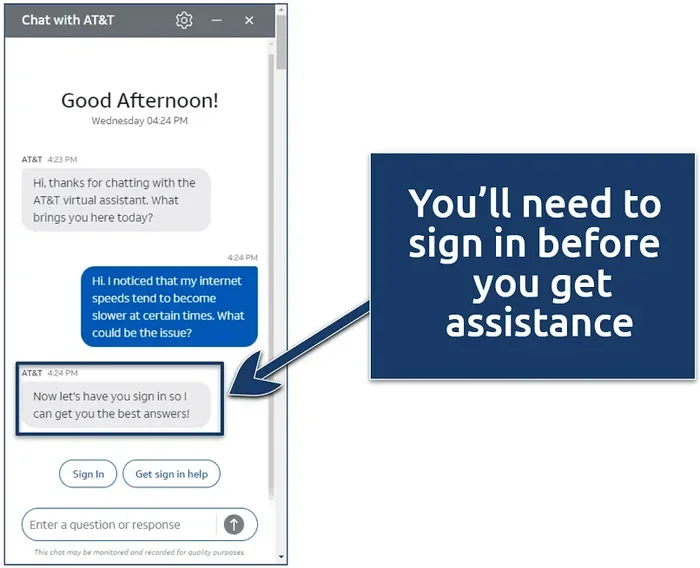
If your internet suddenly becomes slow for no obvious reason, it could be a sign of monitoring. Monitoring tools consume bandwidth as they capture and transmit data. If someone is running bandwidth monitoring or deep packet inspection on your network, you might notice a drop in speed.
Unexpected Browser Redirects
Being redirected to unfamiliar websites when you type in a known address can indicate that your traffic is being intercepted. This is a common sign of a man-in-the-middle attack or DNS hijacking. Your network administrator or an attacker might be redirecting your queries to monitor or filter your activity.
New Software or Profiles You Did Not Install
Check your device for applications or profiles you do not recognize. On work computers, IT departments often install monitoring agents. On personal devices, unwanted monitoring apps could indicate someone has gained access to your system.
Increased Data Usage
Monitoring tools send data back to the person doing the watching. If your data usage spikes without a clear reason, it could mean monitoring software is uploading logs of your activity to a remote server.
Expert Insight
Cybersecurity professionals recommend regularly reviewing your connected devices and installed applications. A quick audit every few weeks can help you spot anything unusual before it becomes a bigger problem.
How to Protect Your Privacy Online
The good news is that you are not powerless. There are many practical steps you can take to reduce the amount of information others can gather about your online habits.
Use a Virtual Private Network (VPN)
A VPN is one of the most effective tools for protecting your internet privacy. It encrypts your traffic and routes it through a secure server, making it much harder for anyone to see what you are doing online. Your ISP can see that you are connected to a VPN, but they cannot see which websites you visit or what you are doing there.
When choosing a VPN, look for providers with a strict no-logs policy, strong data encryption standards, and a good reputation. Free VPNs are tempting, but many of them collect and sell your data, which defeats the purpose.
Secure Your Home Wi-Fi Network
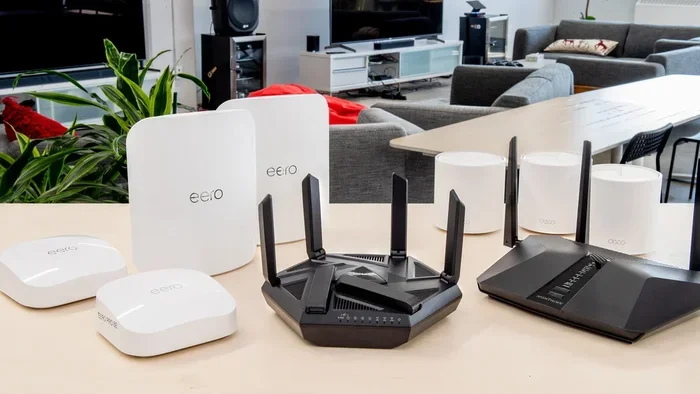
An unsecured Wi-Fi network is an open door for anyone nearby. Make sure your home network uses WPA3 encryption and a strong, unique password. Change the default router admin credentials, and disable WPS if it is not needed.
Regularly check your router logs to see which devices are connected. If you spot an unknown device, it could mean someone is using your network to monitor your traffic or conduct Wi-Fi surveillance.
Adjust Your Privacy Settings
Take time to review the privacy settings on your browser, operating system, and apps. Many services collect more data than they need by default. Turn off unnecessary tracking, limit ad personalization, and use privacy-focused browsers like Brave or Firefox for added protection.
Be Careful on Public Wi-Fi
Public Wi-Fi networks are a goldmine for anyone looking to monitor online activity tracking. Avoid accessing sensitive accounts on public networks. If you must use them, always connect through a VPN first. This adds a critical layer of VPN protection that keeps your data encrypted.
Use Encrypted Messaging and Browsing
Choose messaging apps that offer end-to-end encryption, such as Signal or WhatsApp. For browsing, look for websites that use HTTPS. The padlock icon in your browser bar indicates an encrypted connection, which makes it much harder for third parties to intercept your data.
Regularly Clear Your Digital Footprint
Your digital footprint grows every time you go online. Regularly clearing your browser cache, cookies, and history can help limit the data available to anyone monitoring your device. Using privacy-focused search engines like DuckDuckGo can also reduce the amount of tracking data collected about you.
Quick Tips to Boost Your Privacy Today
- Enable two-factor authentication on all important accounts.
- Use a password manager to create and store unique passwords.
- Turn off location sharing for apps that do not need it.
- Keep your operating system and browser updated at all times.
- Use a DNS-over-HTTPS service to encrypt your DNS queries.
- Review app permissions on your phone and revoke unnecessary access.
Common Mistakes People Make
- Thinking incognito mode makes you invisible: It only deletes local history. Your ISP and network admin can still see your activity.
- Using free VPNs without checking their policies: Many free VPNs log and sell your browsing data.
- Ignoring router security: Default router passwords are easy targets for attackers.
- Connecting to any open Wi-Fi without a VPN: Unsecured networks leave your data exposed to packet sniffing.
- Assuming your employer is not watching: On a company network, assume all activity is monitored unless explicitly told otherwise.
Common Myths About Internet Monitoring
There are many misconceptions about who can monitor your internet use and how. Let us clear up some of the most common ones.
Myth: Incognito Mode Hides Your Activity From Everyone
This is one of the biggest misconceptions. Incognito mode only prevents your browser from saving your local history, cookies, and site data. It does not hide your activity from your ISP, your employer, or the websites you visit. If you are wondering can my internet use be monitored while using incognito mode, the answer is still yes.
Myth: Only Tech-Savvy People Can Be Monitored
Monitoring tools have become incredibly user-friendly. You do not need to be a hacker or IT professional to monitor someone’s internet activity. Many monitoring apps are designed for everyday users, with simple dashboards and automated reports.
Myth: HTTPS Websites Are Completely Private
HTTPS encrypts the content of your traffic, which is great for protecting your data from interception. However, your ISP can still see the domain names you visit. HTTPS does not hide your DNS queries unless you use a service like DNS-over-HTTPS or a VPN.
Myth: Monitoring Is Always Illegal
The legality of monitoring depends on your jurisdiction and the context. Employers can generally monitor activity on company networks. Parents can monitor their minor children’s activity. Governments may have legal frameworks that permit bulk data collection. It is important to understand the laws in your area.
Conclusion
The reality is that can my internet use be monitored is not just a question of curiosity, it is a question of awareness. Your online activity is visible to more parties than most people realize. From your ISP and employer to hackers and government agencies, the ability to monitor your internet use exists at many levels.
The good news is that knowledge is power. Once you understand how monitoring works and who can do it, you can take meaningful steps to protect yourself. Using a VPN, securing your home network, adjusting your privacy settings, and staying informed about the risks are all powerful actions you can take today.
Your internet privacy matters. Your digital footprint is shaped by every choice you make online. By staying proactive and informed, you can browse with greater confidence and keep your personal data safer from prying eyes. Take control of your online presence now, and make informed decisions about how you use the internet every day.
Frequently Asked Questions
Can My Internet Service Provider See What I Am Browsing?
Yes, your ISP can see which websites you visit, even if you use incognito mode. They can see the domains you access and how much data you use. Using a VPN or DNS-over-HTTPS can help limit what your ISP can see.
Does Incognito Mode Stop Monitoring?
No, incognito mode only prevents your browser from saving local history and cookies. It does not hide your activity from your ISP, employer, or network administrator. Someone can still monitor your internet use through other means.
Can My Employer Monitor My Internet Use on a Personal Device?
If you connect to your employer’s network or use company-provided software, they may be able to monitor your activity. Even on a personal device, using a work VPN or installed monitoring tools can expose your browsing to your employer.
Is It Legal for Someone to Monitor My Internet Use Without My Consent?
The legality depends on your location and the relationship. Employers can generally monitor activity on company networks. Parents can monitor minor children. But unauthorized monitoring of an adult’s personal devices or network may violate privacy laws in many jurisdictions.
Can Someone Monitor My Internet Use Through My Phone?
Yes, monitoring apps can be installed on smartphones to track browsing activity, location, and even keystrokes. Both iOS and Android devices can be monitored, especially if someone has physical access or admin privileges on the device.
Is Using a VPN Enough to Stop All Monitoring?
A VPN is one of the strongest tools for protecting your privacy, but it is not foolproof. A VPN encrypts your traffic and hides your browsing from your ISP, but it does not prevent monitoring by employer-installed software or device-level tracking tools. For the best protection, combine a VPN with strong privacy settings and secure devices.