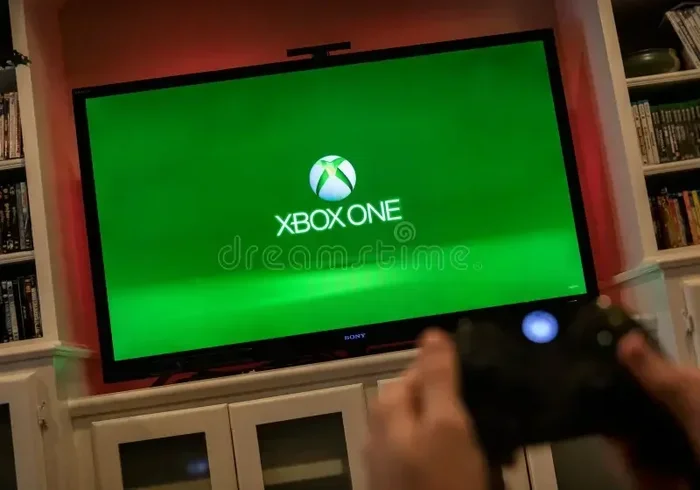
Can Original Xbox Play On New Tvs Without Any Issues
The original Xbox can absolutely play on new TVs, but you need the right cables and a bit of know-how to get the best experience. Modern flat-screen TVs don’t always have the old AV inputs that the original Xbox was designed for, which can cause confusion. Using HDMI adapters, component cables, or composite converters, you can connect your classic console to almost any modern television. Picture quality and sound will depend on the connection type you choose. This guide covers every method, common issues, and expert tips to help you set up your retro gaming rig quickly and easily.
It happens to the best of us. You dust off your original Xbox from the back of the closet, plug it into your shiny new television, and… nothing happens. No picture. No sound. Just a blank screen and a sinking feeling in your stomach. If you have ever found yourself in this exact situation, you are not alone.
The good news is that the original Xbox can play on new TVs without a ton of hassle. The bad news is that it is not always plug-and-play like it was back in 2001. Modern televisions have changed the way they accept signals, and the old console was built for a very different era of display technology. But with the right cables, adapters, and a little patience, you can get your classic Xbox running on any modern screen.
In this guide, we will walk through every connection method, troubleshoot common problems, and share tips that will make your setup seamless. Whether you are a retro gaming fan or just trying to relive some old favorites, this article has everything you need. Let us get started.
Key Takeaways
- Multiple Connection Options: You can use HDMI adapters, component cables, composite AV cables, and SCART converters to connect the original Xbox to modern TVs.
- HDMI Is the Best Upgrade: An HDMI adapter gives you the sharpest picture and easiest setup on any new TV.
- Picture Quality Varies: The connection type you choose directly affects resolution, color accuracy, and overall display quality.
- Audio Compatibility Matters: Some new TVs may not support the original Xbox’s audio output, so check your TV’s input settings.
- Common Issues Are Fixable: Most problems like no signal, blurry picture, or no sound have simple solutions.
- Retro Gaming Is Thriving: Many people are bringing classic consoles like the original Xbox to modern setups for a nostalgic experience.
📑 Table of Contents
- Why New TVs and the Original Xbox Need a Little Help
- How to Connect an Original Xbox to a New TV
- Comparing Connection Methods for the Original Xbox
- Troubleshooting Common Connection Problems
- Tips for the Best Picture Quality on a New TV
- Expert Insights on Retro Console Gaming
- Can Original Xbox Play On New TVs: The Bottom Line
Why New TVs and the Original Xbox Need a Little Help
The original Xbox was released in 2001. At that time, most people were still using CRT televisions with RCA composite inputs. The Xbox shipped with composite AV cables that plugged right into those older TV sets. Fast forward to today, and most new TVs have moved on to HDMI ports exclusively. Some still offer composite or component inputs, but many do not. This creates a compatibility gap that can be frustrating for retro gamers.
The core issue comes down to signal type. The original Xbox outputs an analog signal through its AV port. Many new TVs are digital-only and do not have built-in analog-to-digital conversion for those older cable types. This means you need an intermediary device or cable to bridge the gap. The good part is that several solutions exist, and none of them are expensive.
Understanding TV Input Types
Before you buy any cables, it helps to know what inputs your new TV actually has. Here are the most common input types found on modern televisions:
- HDMI: The standard on almost all new TVs. Offers the best digital signal quality.
- Component (YPbPr): Found on many mid-range and older flat-screen TVs. Uses three color-coded cables for video.
- Composite (RCA): The yellow-red-white cable setup. Some TVs still include at least one composite input.
- SCART: Common in Europe. Not typically found on American TVs but worth mentioning.
- USB: Some smart TVs offer USB ports, but these are not useful for console connections in most cases.
Check the back or side of your TV and see which inputs are available. This will determine which connection method works best for your setup. If your TV only has HDMI, you will need an adapter. If it has component or composite inputs, you can use the original Xbox cables directly.
How to Connect an Original Xbox to a New TV
There are several ways to get your original Xbox connected to a modern television. Each method has its own advantages and trade-offs. Below, we break down the most popular options so you can choose the one that fits your TV and your budget.
Method 1: Using an HDMI Adapter
This is the most popular and recommended method for connecting an original Xbox to a new TV. An HDMI adapter plugs into the Xbox AV port and outputs a clean digital signal through a standard HDMI cable. The result is a sharp, clear picture on any modern television.
Here is why this method works so well:
- Easy setup: Plug the adapter into the Xbox, connect an HDMI cable, and you are done.
- Best picture quality: HDMI supports digital signals, which means no interference or signal degradation.
- Affordable: Most HDMI adapters for the original Xbox cost between $15 and $40.
- Widely available: You can find these adapters on most online retail platforms.
One thing to keep in mind is that not all HDMI adapters are created equal. Some upscale the original Xbox signal to 720p or 1080p, which can make the image look noticeably better on a large modern screen. Look for adapters that offer upscaling if picture quality matters to you.
Method 2: Using Component Cables
If your new TV has component inputs, you can use the original Xbox component cables or a third-party set. Component cables use three RCA connectors for video (red, green, blue) and two for audio (red and white). They offer better quality than composite cables and are still supported by many modern TVs.
Component cables are a solid middle-ground option. They are not as convenient as HDMI, but they deliver a cleaner picture than composite connections. If your TV has component inputs, this is probably the easiest and cheapest way to get your Xbox running.
Method 3: Using Composite AV Cables
The original Xbox came with composite AV cables in the box. These are the classic yellow, red, and white cables that most people remember from the early 2000s. If your new TV still has a composite input, you can use these cables directly.
Composite cables work, but the picture quality is the lowest of all the options. You may notice some blurriness or color bleeding on a large modern screen. Still, if you just want to get in a few rounds of Halo and do not care about pixel-perfect visuals, composite cables will get the job done.
Method 4: Using a SCART Converter
For users in Europe or other regions where SCART connections are common, a SCART converter can bridge the gap between the original Xbox and your TV. These converters take the composite or RGB signal from the Xbox and convert it to a format your TV can read.
SCART converters are less common in the US market but are widely available online. They can be a great option if your TV only has SCART inputs or if you want to use RGB cables for improved color accuracy.
Comparing Connection Methods for the Original Xbox
Choosing the right connection method can feel overwhelming when you see all the options side by side. Here is a quick comparison table to help you decide.
| Connection Method | Picture Quality | Ease of Setup | Cost | Best For |
|---|---|---|---|---|
| HDMI Adapter | Excellent | Very Easy | Low to Medium | Best overall experience |
| Component Cables | Good | Easy | Low | TVs with component inputs |
| Composite AV Cables | Fair | Very Easy | Free (included) | Quick and simple setups |
| SCART Converter | Good to Excellent | Moderate | Medium | European TV setups |
As you can see, the HDMI adapter is the clear winner for most people. It offers the best picture quality and the simplest setup. However, if you are on a tight budget or your TV has component or composite inputs, those methods work just fine too.
One more thing worth mentioning is that some people also look into how to organize their gaming setup, including managing cables and devices. If you are also dealing with phone number formatting on your devices, check out our guide on adding prefixes to numbers on iPhone for helpful tips on managing your tech setup more efficiently.
Troubleshooting Common Connection Problems
Even with the right cables, you might run into issues when connecting your original Xbox to a new TV. Here are the most common problems and how to fix them.
No Signal on the Screen
If your TV shows no signal, the first thing to check is the cable connection. Make sure the HDMI adapter or AV cables are firmly plugged in on both ends. Try switching your TV to the correct input source using the input or source button on your remote. Sometimes the TV defaults to the wrong input, especially if you have multiple devices connected.
If you are using an HDMI adapter, try a different HDMI cable or port on your TV. Some adapters may not work with certain TV brands, so testing a different setup can help narrow down the issue.
Blurry or Fuzzy Picture
A blurry picture is usually caused by using composite cables on a large modern TV. Composite signals do not scale well to high-resolution screens. Switching to an HDMI adapter or component cables will dramatically improve the image clarity.
Another common cause is an incorrect TV resolution setting. Some new TVs try to upscale the original Xbox signal in ways that introduce artifacts. Check your TV’s picture settings and try turning off any noise reduction or smoothing features. These can sometimes make retro game graphics look worse.
No Sound
If you have video but no audio, check your cable connections first. Make sure the red and white audio cables are properly seated. If you are using an HDMI adapter, ensure the adapter supports audio output. Some budget adapters only pass video and require a separate audio connection.
You can also check your TV’s audio settings. Make sure the TV is not set to mute and that the volume is turned up. Some TVs have separate audio settings for different input sources, so double-check the audio configuration for the specific input your Xbox is connected to.
Flickering or Interference
Flickering screens or visual interference can be annoying. This issue is more common with composite and component cables, which are more susceptible to electromagnetic interference. Try using shorter cables or moving other electronic devices away from your setup. If you are using an HDMI adapter, make sure it is receiving enough power through the connection.
Tips for the Best Picture Quality on a New TV
Getting your original Xbox connected is only half the battle. To truly enjoy retro gaming on a modern display, you want to optimize the picture quality. Here are some tips that make a real difference.
- Use an HDMI adapter with upscaling: Upscaling takes the original Xbox signal and boosts it to match your TV’s native resolution. This alone can transform the visual experience.
- Adjust your TV’s picture mode: Many modern TVs have a “Game Mode” or “PC Mode” that reduces input lag and improves image processing. Switch to this mode for the best experience.
- Disable post-processing features: Features like motion smoothing, noise reduction, and edge enhancement can distort retro graphics. Turn them off for a cleaner picture.
- Use a power supply for your adapter: Some HDMI adapters need external power to work correctly. If you notice issues, try plugging the adapter into a USB power source or wall charger.
- Keep your cables short: Shorter cables reduce signal loss and interference, which leads to a cleaner picture and sound.
For those who are really into optimizing their retro gaming setup, you might also want to explore how to manage your connected devices and their settings. If you are curious about other tech tips, our article on adding prefixes to numbers on iPhone offers practical advice for organizing your digital life.
Expert Insights on Retro Console Gaming
Retro gaming has seen a massive resurgence in recent years. More people are rediscovering the joy of classic consoles like the original Xbox, and the community around retro gaming continues to grow. According to industry reports, the retro gaming market has expanded significantly, with many gamers seeking ways to bring their old consoles into modern setups.
Experts in the retro gaming community agree that the HDMI adapter route is the most reliable and satisfying method for playing original Xbox games on new TVs. It preserves the original hardware experience while giving you the benefits of modern display technology. The community also emphasizes that proper cable management and a clean power supply can make a huge difference in overall performance.
One thing that many people overlook is the importance of the original Xbox’s power supply. Make sure your power brick is working correctly and delivering consistent voltage. A failing power supply can cause all sorts of weird issues, from random shutdowns to no signal at all. If your Xbox is older, it might be worth testing the power supply before troubleshooting your TV connection.
Can Original Xbox Play On New TVs: The Bottom Line
So, can original Xbox play on new TVs? The answer is a resounding yes. With the right cables and adapters, you can connect your original Xbox to virtually any modern television and enjoy your favorite classic games. The HDMI adapter method is the most popular and delivers the best results for most setups. Component and composite cables work well too, especially if your TV still supports those inputs. SCART converters are a great option for users in regions where SCART is the standard.
Most connection issues are easy to fix and usually come down to cable type, input settings, or a simple adapter problem. Take your time, follow the steps in this guide, and you will be gaming on your new TV in no time. The original Xbox still has plenty of life left in it, and with the right setup, it looks and plays great on modern displays.
Whether you are revisiting old favorites or discovering classic games for the first time, there is something special about playing on the original hardware. Do not let compatibility concerns stop you from enjoying your retro gaming collection. With the information in this guide, you are fully equipped to set up your original Xbox on any new TV and start playing right away.
Remember that every setup is a little different, so do not be afraid to experiment with cables and settings until you find what works best for your specific TV. The retro gaming community is full of helpful tips and advice, and you are never alone in figuring out these things. Happy gaming!
Frequently Asked Questions
Can I connect an original Xbox directly to a new TV without any adapters?
It depends on your TV’s inputs. If your new TV has composite or component inputs, you can use the original Xbox cables directly. However, most modern TVs only have HDMI ports, which means you will need an HDMI adapter to connect the console.
What is the best way to get the best picture quality from an original Xbox on a new TV?
Using an HDMI adapter with upscaling capability is the best way to get a sharp, clear picture on a modern television. It converts the analog signal to digital and often improves the resolution to match your TV’s native display.
Why does my original Xbox show no signal on my new TV?
This is usually caused by incorrect input settings on your TV, loose cable connections, or a faulty adapter. Try switching to the correct input source, checking all cable connections, and testing a different HDMI port or cable.
Is it safe to play an original Xbox on a new TV for long sessions?
Yes, it is completely safe. The original Xbox and modern TVs are compatible, and there is no risk of damage to either device. Just make sure your cables and adapters are in good condition and your power supply is working properly.
Can I use original Xbox accessories with a new TV setup?
Absolutely. Original Xbox controllers, headsets, and memory cards work the same way regardless of the TV you are using. The connection type between the Xbox and the TV does not affect your accessories at all.
Do I need a special TV to play original Xbox games?
No, you do not need a special TV. Any modern television with an HDMI input can work with an HDMI adapter. Even TVs with composite or component inputs can display original Xbox games without any special equipment.