Can Microphones Be Bluetooth and Connect Wirelessly
Can Microphones Be Bluetooth? Yes, modern microphones can be Bluetooth-enabled for wireless audio streaming. Bluetooth microphones let you connect to speakers, phones, and computers without cables. They offer freedom, portability, and ease of use for podcasters, musicians, and presenters. Understanding wireless microphone technology helps you choose the right setup.
If you have ever wondered can microphones be Bluetooth, the short answer is absolutely yes. The world of wireless microphone technology has grown by leaps and bounds in recent years. Today, you can find microphones that connect directly to your phone, laptop, or speaker through Bluetooth without any extra cables. This shift has changed how podcasters record, how musicians perform, and how presenters deliver their messages. Bluetooth microphones give you the freedom to move around while still delivering clear, reliable wireless audio.
Whether you are a beginner content creator or a seasoned audio professional, understanding wireless microphone connectivity is essential. The technology behind Bluetooth audio streaming has improved a lot. Better codecs, longer range, and lower latency make modern wireless microphone systems more practical than ever. In this guide, we will walk you through everything you need to know about Bluetooth microphones. You will learn about the different types, how they work, the benefits, and the challenges you might face.
Key Takeaways
- Bluetooth microphones exist and work well: Many microphones now come with built-in Bluetooth for seamless wireless audio streaming.
- Multiple types are available: You can choose from built-in Bluetooth models, adapters, or full wireless microphone systems.
- Setup is simple: Pairing a Bluetooth microphone takes just a few steps on most devices.
- Watch out for latency and range: These are the two most common challenges with Bluetooth audio gear.
- Choose the right codec: Bluetooth codecs like aptX and LDAC affect your audio quality significantly.
- Battery life matters: Rechargeable microphones offer convenience but need regular charging for long sessions.
- Use a Bluetooth adapter if needed: Older devices can gain wireless connectivity with a simple dongle.
📑 Table of Contents
What Does It Mean When a Microphone Can Be Bluetooth?
When a microphone can be Bluetooth, it means the device has a built-in Bluetooth chip that allows it to send and receive audio signals without wires. Instead of plugging into a mixer or a computer with a cable, the microphone uses Bluetooth connectivity to stream audio to a paired device. This is possible because of the Bluetooth protocol, which is a standard for short-range wireless data transfer.
Understanding Bluetooth Technology in Audio Devices
Bluetooth works by sending data over radio waves in the 2.4 GHz frequency band. When you pair a Bluetooth microphone with your phone or laptop, the two devices create a secure, short-range connection. The microphone converts your voice into digital audio data and sends it wirelessly. The receiving device then converts that data back into sound. Modern Bluetooth versions like Bluetooth 5.0 and Bluetooth 5.3 offer faster transfer speeds and more stable connections. This means better wireless audio quality and fewer dropouts during your recordings or live sessions.
Not all Bluetooth microphones work the same way. Some act as transmitters, sending audio from the mic to a receiver. Others act as receivers, picking up audio from a phone and playing it through a speaker. Understanding this difference helps you choose the right wireless microphone setup for your needs.
Types of Bluetooth Microphones You Can Choose
The market offers several options if you want a Bluetooth microphone. Each type suits different use cases and budgets. Let us explore the main categories so you can find the best fit.
Built-In Bluetooth Microphones
These microphones come with Bluetooth already installed. You do not need any extra accessories. Popular examples include the Shure MV7, Rode NT-USB Mini, and Audio-Technica ATR2500x. These USB microphones with Bluetooth are perfect for home studios, podcasting, and video calls. They give you the flexibility to switch between wired and wireless modes easily. Most of these models also support rechargeable microphone batteries, so you can use them on the go.
Bluetooth Microphone Adapters and Dongles
If you already own a great wired microphone, a Bluetooth adapter or dongle can make it wireless. These small devices plug into your microphone’s output and transmit audio over Bluetooth wireless streaming. Brands like Rode, Sennheiser, and Hollyland offer reliable adapters. They are an affordable way to add wireless connectivity to your existing gear. You simply plug the adapter into your mic, pair it with a receiver, and you are ready to go.
Wireless Microphone Systems with Bluetooth Support
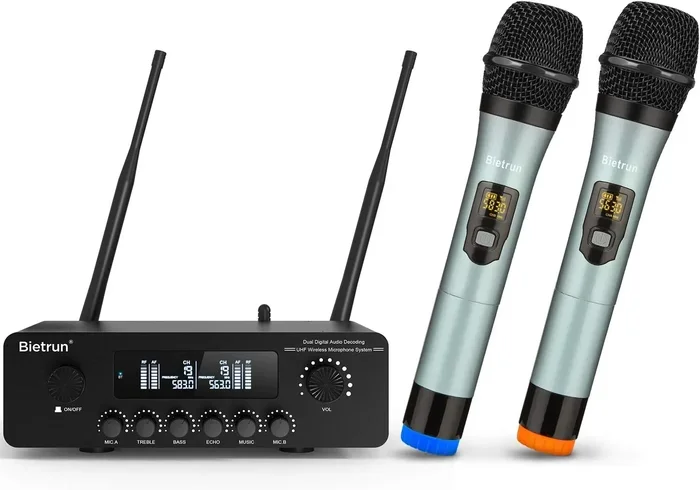
Professional-grade wireless microphone systems often include Bluetooth as one of their features. These systems use a dedicated transmitter and receiver pair for the main audio link. But they also allow Bluetooth pairing for quick connections to phones or tablets. This is especially useful for live events where the presenter wants to play audio from a mobile device. Brands like Sennheiser, Shure, and Sony lead this category. These systems offer the best of both worlds: professional audio quality and Bluetooth convenience.
How Bluetooth Microphones Work
Understanding how Bluetooth microphones work helps you troubleshoot issues and get the best performance. The process involves several steps, from capturing your voice to delivering the audio to the receiving device.
Bluetooth Protocols and Audio Codecs
Bluetooth uses different protocols and codecs to compress and transmit audio. The codec you use has a big impact on your Bluetooth audio quality. The most common codecs include:
- SBC (Sub-Band Coding): The default Bluetooth codec. It works with all devices but offers average audio quality.
- aptX: A higher-quality codec that reduces audio compression. Great for music and voice recordings.
- aptX Low Latency: Designed to reduce the delay between audio input and output. Perfect for video content.
- LDAC: Sony’s codec that supports high-resolution audio. Best for audiophiles who want top-notch wireless audio.
- AAC: Apple’s preferred codec. Works well with iPhones and iPads for Bluetooth audio streaming.
The Bluetooth protocol version also matters. Bluetooth 5.0 and newer versions offer a range of up to 240 meters in open spaces. They also use less power, which extends your microphone’s battery life.
Pairing and Connecting Your Microphone
Pairing a Bluetooth microphone is straightforward. Here is the typical process:
- Turn on your microphone and enter pairing mode. Most mics have a dedicated Bluetooth button or a blinking LED indicator.
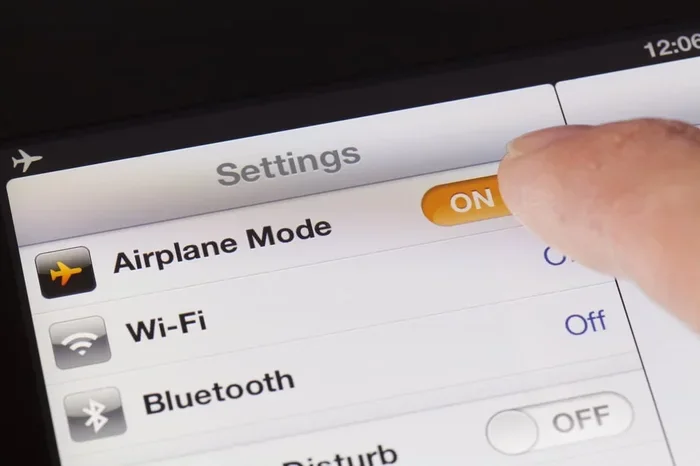
- Go to your device’s Bluetooth settings and turn on Bluetooth.
- Find your microphone in the list of available devices.
- Tap on the microphone name to pair.
- Wait for the confirmation sound or message.
Once paired, your microphone will automatically reconnect to the device when both are in range. Some wireless microphone systems allow you to pair with multiple devices at once. This is handy if you switch between a phone and a laptop frequently.
Benefits of Using a Bluetooth Microphone
Switching to a Bluetooth microphone brings several advantages that make it worth considering for almost any audio setup.
Freedom of movement: With a wireless microphone, you are not tied to a desk or a cable length. You can walk around the room, move around on stage, or record from different positions. This is especially valuable for podcasters, fitness instructors, and live performers.
Easy setup: Most Bluetooth microphones connect in seconds. There is no need for audio interfaces, drivers, or complex configurations. Just turn it on and pair. This makes wireless microphone setup accessible to beginners and professionals alike.
Portability: Many Bluetooth microphones are compact and lightweight. You can carry them in a bag and use them anywhere. The rechargeable microphone feature means you do not need to worry about batteries during short sessions.
Versatility: A single Bluetooth microphone can work with smartphones, tablets, laptops, speakers, and even smart TVs. This cross-compatibility makes it a versatile tool for content creation, conferencing, and entertainment.
Cleaner workspace: Without cables cluttering your desk, your setup looks cleaner and more organized. This is a small but meaningful benefit for streamers and video creators who care about their on-camera appearance.
Common Challenges and How to Solve Them
While Bluetooth microphones offer great convenience, they do come with some challenges. Knowing about these issues helps you plan and avoid frustration.
Audio Latency Issues
Audio latency is the delay between speaking into the microphone and hearing the audio on the receiving device. This can be annoying during live recordings or video calls. Latency happens because Bluetooth audio needs to be compressed, transmitted, and decompressed. The good news is that using a Bluetooth codec like aptX Low Latency can reduce this delay significantly. For the lowest latency, a wired connection or a dedicated wireless microphone system with a direct RF link is still the best choice.
Bluetooth Range Limitations
The Bluetooth range of most microphones is about 10 meters (33 feet) in open space. Walls, furniture, and other obstacles can reduce this range. If you need to move far from your connected device, consider a Bluetooth transmitter with an extended range or a dedicated wireless system. For most indoor setups, the standard range is more than enough.
Battery Life Considerations
Bluetooth microphones need power to transmit wireless audio. Battery life varies by model, but most last between 4 and 10 hours on a single charge. If you record long sessions, look for a rechargeable microphone with a USB-C charging port. Some models also work while charging, so you can use them for marathon sessions without interruption. Always charge your mic before a long recording day.
How to Choose, Set Up, and Get the Most from Your Bluetooth Microphone
Choosing the right Bluetooth microphone depends on your specific needs. Consider factors like your budget, intended use, and the devices you will connect to. Here is a quick comparison of popular options.
Quick Tips for the Best Wireless Microphone Setup
Follow these practical tips to get the best performance from your wireless microphone:
- Keep your devices close: Stay within 10 meters of your connected device for the most stable connection.
- Update your firmware: Check for firmware updates from the manufacturer. Updates often improve Bluetooth pairing and audio quality.
- Use a Bluetooth 5.0 device: Newer devices support better codecs and longer range for superior wireless audio streaming.
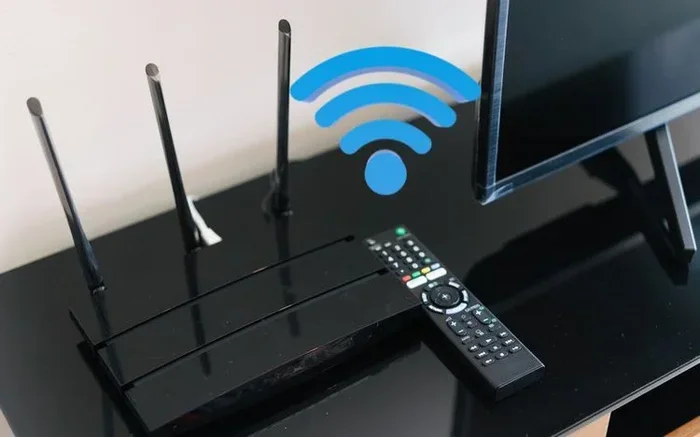
- Reduce interference: Keep your microphone away from Wi-Fi routers, microwaves, and other devices that operate on the 2.4 GHz band.
- Charge fully before use: A full charge ensures you get the maximum battery life from your rechargeable microphone.
- Use a Bluetooth adapter for older devices: If your laptop or desktop lacks Bluetooth, a simple USB Bluetooth adapter solves the problem quickly.
Common Mistakes to Avoid
Even experienced users make mistakes with Bluetooth microphones. Here are some common pitfalls:
- Ignoring latency: If you notice a delay, do not ignore it. Switch codecs or move closer to the connected device.
- Pairing in crowded spaces: In busy environments with many Bluetooth devices, connections can be unstable. Pair in a quiet space first.
- Using low-quality codecs: The default SBC codec works, but it does not deliver the best audio quality. If your devices support it, use aptX or LDAC.
- Forgetting to update firmware: Manufacturers release updates that fix bugs and improve performance. Check regularly.
- Overlooking battery health: Over time, rechargeable batteries degrade. If your mic battery life drops significantly, consider a replacement.
Expert Insights
Audio engineers recommend testing your Bluetooth microphone in the actual environment where you will use it. Every room has unique acoustic properties, and walls or furniture can affect your Bluetooth range. Professional podcasters often use a Bluetooth transmitter paired with a high-quality condenser microphone for the best results. They also keep a wired backup ready in case of connection issues. The key is to balance convenience with audio quality. A Bluetooth microphone can deliver excellent sound, but it works best when you understand its limitations and work within them.
The rise of wireless microphone technology has made it easier than ever to create quality audio without the hassle of cables. Whether you are recording a podcast episode, streaming a gaming session, or presenting at a conference, a Bluetooth microphone gives you the flexibility to perform at your best. Invest in a good model, follow the setup tips above, and you will enjoy a seamless wireless audio experience.
Remember, the technology behind Bluetooth audio continues to evolve. Newer versions bring better range, lower latency, and richer sound quality. Staying informed about these improvements helps you make smart purchasing decisions. So yes, microphones can absolutely be Bluetooth, and the options available today make wireless audio more accessible than ever before.
Frequently Asked Questions
Can any microphone be made Bluetooth compatible?
Most microphones can be made Bluetooth compatible using a Bluetooth adapter or dongle. These small devices plug into your mic’s output and transmit audio wirelessly. However, built-in Bluetooth microphones offer a more seamless experience and often better audio quality than aftermarket adapters.
Is Bluetooth audio quality good enough for professional recording?
Bluetooth audio quality has improved significantly with codecs like aptX and LDAC. For most podcasting, streaming, and video calls, Bluetooth audio is more than sufficient. However, for critical studio recording where absolute fidelity is required, a wired connection or a professional wireless microphone system with a dedicated RF link is still preferred.
What is the typical Bluetooth range for a microphone?
Most Bluetooth microphones have a range of about 10 meters (33 feet) in open spaces. Walls and obstacles can reduce this distance. Newer Bluetooth versions like 5.0 and above offer longer range and more stable connections, making them better for larger rooms and stages.
Do Bluetooth microphones have latency when recording video?
Yes, some Bluetooth microphones can have latency, which is a delay between speaking and the audio being captured. This is more noticeable when recording video. Using aptX Low Latency or connecting via a wired mode can reduce or eliminate this issue for smoother audio sync.
Can I connect a Bluetooth microphone to a smart TV?
Yes, many smart TVs support Bluetooth audio devices. You can pair a Bluetooth microphone with your TV for karaoke, presentations, or voice commands. Make sure your TV supports Bluetooth audio input, as some TVs only support Bluetooth output for headphones and speakers.
How long does the battery last on a Bluetooth microphone?
Battery life varies by model and usage. Most rechargeable Bluetooth microphones last between 4 and 10 hours on a full charge. Some models support use while charging, which is helpful for long recording sessions. Always check the manufacturer’s specifications for accurate battery life estimates.
=== CONCLUSION ===
Can microphones be Bluetooth? Absolutely yes, and the technology has never been better. Bluetooth microphones offer a practical, convenient, and increasingly high-quality way to capture and stream wireless audio. Whether you choose a built-in Bluetooth model, a Bluetooth adapter, or a full wireless microphone system, you have options that fit every budget and use case. The key is to understand how Bluetooth connectivity works, choose the right Bluetooth codec, and set up your gear properly. With the right setup, you can enjoy the freedom of wireless microphone setup without sacrificing audio quality. So go ahead, explore the world of Bluetooth microphones, and take your audio experience to the next level.