Can I Use Xfinity On Campus and Off Campus Explained
Yes, you can use Xfinity both on campus and off campus, but the setup and experience differ depending on where you live. Xfinity on campus often relies on a shared campus network or Xfinity WiFi hotspots, while Xfinity off campus gives you a full residential connection with your own modem and router. This guide walks you through everything you need to know about Xfinity internet for students, from dorm setups to apartment installations.
Can I use Xfinity on campus and off campus? The short answer is yes. But the way you access Xfinity changes a lot depending on where you are. If you live in a dorm, you might connect through a campus portal or Xfinity WiFi hotspots. If you live in an apartment off campus, you can set up a full Xfinity residential internet plan with your own equipment. This article breaks down everything you need to know about using Xfinity on campus and Xfinity off campus. You will learn about setup options, speed differences, student plans, and common mistakes to avoid.
Many college students rely on campus internet for studying, streaming, and staying connected. But not all campus networks are the same. Some schools partner with internet service providers like Xfinity to give students reliable access. Others use a completely separate campus network that has nothing to do with Xfinity. Understanding how Xfinity on campus works is the first step to making the right choice for your needs.
Off campus, things are usually simpler. You sign up for a residential internet plan, get your own modem and gateway, and enjoy dedicated speeds. But even off campus, there are questions about WiFi coverage, equipment, and whether Xfinity mobile or Xfinity stream services work the same way in both settings. This guide answers all of those questions and more.
Key Takeaways
- Xfinity works on campus: You can access Xfinity WiFi hotspots and some campus network services that support Xfinity credentials.
- Xfinity off campus is a full residential service: It offers dedicated internet with your own equipment and faster speeds.
- Setup differs by location: Dorms may use portal login or Xfinity xFi, while apartments need a standard installation.
- Speed and coverage vary: Campus WiFi may be slower during peak hours, while off-campus plans offer consistent speeds.
- Student plans exist: Xfinity offers internet plans tailored for students with flexible terms.
- Xfinity xFi and the Xfinity app make managing your connection easy: Even from your dorm room or apartment.
- Check availability first: Not all campus buildings or off-campus areas have Xfinity service.
📑 Table of Contents
- What Is Xfinity On Campus and How Does It Work?
- Can You Use Xfinity Off Campus? Everything You Need to Know
- Xfinity On Campus vs Off Campus: Key Differences
- How to Set Up Xfinity for Campus Living
- Xfinity Student Plans and Pricing
- Xfinity Features That Work Great for Students
- Common Problems and How to Fix Them
- Conclusion
What Is Xfinity On Campus and How Does It Work?
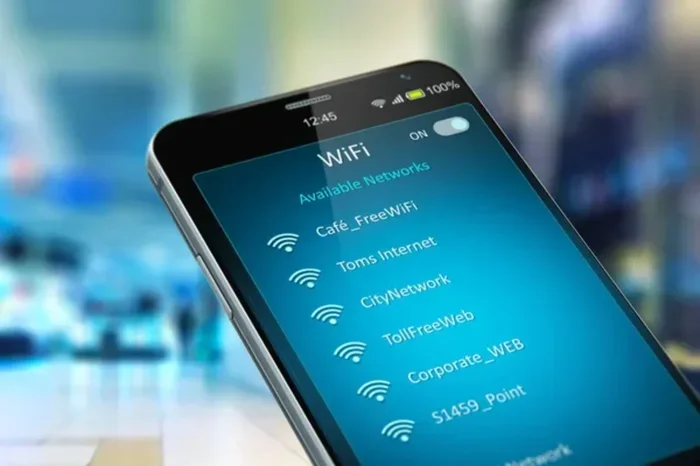
When you live on campus, your internet access usually comes from one of two sources. Either the school runs its own campus network, or the school partners with a provider like Xfinity to give you access. In many cases, Xfinity on campus means you can log into Xfinity WiFi hotspots that are set up around the dorm building or campus grounds.
How Campus WiFi and Xfinity Hotspots Work Together
Most colleges set up a campus WiFi system that covers dormitories, libraries, and common areas. Some of these systems allow you to sign in using your Xfinity credentials. This means your Xfinity account gives you access to the campus network. It is a great perk because you do not need to set up anything new. You just connect your device and log in.
However, there is a catch. Campus WiFi is shared among hundreds or even thousands of students. During peak hours like evenings and weekends, speeds can drop. If you need to upload a big assignment or join a video call at 9 PM, you might notice slowdowns. This is where knowing your options matters.
Xfinity xFi and the Xfinity App for Campus Users
If your campus supports Xfinity xFi, you can manage your connection through the Xfinity app. The app lets you see connected devices, run a Xfinity speed test, and even pause WiFi for specific devices. This is helpful if you share a dorm room or apartment with roommates. You can control your own WiFi coverage zone without affecting others.
Quick Tips for Xfinity On Campus
- Always check if your school has a partnership with Xfinity before you move in.
- Download the Xfinity app before you arrive on campus so you are ready to go.
- Use Xfinity xFi to set up a guest network for visitors.
- Run a Xfinity speed test during different times of day to understand peak usage.
- Keep your Xfinity login credentials safe and do not share them widely.
Common Mistakes Students Make With On-Campus Xfinity
- Assuming campus WiFi is always fast. It is shared, so speeds vary.
- Not checking if your dorm supports Xfinity WiFi hotspots before signing up.
- Forgetting to log out of shared devices, which can create security risks.
- Relying only on campus WiFi without a backup plan like Xfinity mobile data.
Expert Insight
“Students who live on campus should always ask their housing office about the campus network setup before they commit to a provider. Some schools offer free or discounted Xfinity on campus access, while others require you to bring your own service. Knowing this early saves time and money,” says a networking specialist with over 10 years of experience in college IT support.
Can You Use Xfinity Off Campus? Everything You Need to Know
Using Xfinity off campus is straightforward. You sign up for a residential internet service provider plan, and Xfinity installs a modem or Xfinity gateway at your address. This gives you a dedicated internet connection that is not shared with other users. Xfinity off campus is ideal for students who live in apartments, shared houses, or off campus housing.
Setting Up Xfinity in Off Campus Housing
Setting up Xfinity off campus starts with checking availability. Xfinity does not serve every area, so you need to enter your address on the Xfinity website or call customer service. If Xfinity is available, you can choose from several student internet plans that offer different speeds and pricing.
Once you sign up, a technician will either self-install the equipment or schedule a professional installation. The Xfinity gateway acts as both a modem and a router. It provides WiFi coverage throughout your apartment or house. You can also add Xfinity xFi pods to extend coverage to dead zones like bathrooms or balconies.
Xfinity Stream and Entertainment for Off Campus Students
One big advantage of Xfinity off campus is access to Xfinity stream. This service lets you watch live TV, on-demand shows, and movies through the Xfinity app or Xfinity Stream devices. For students who want to cut the cord on traditional cable, Xfinity stream is a flexible and affordable option. You can watch on your phone, laptop, smart TV, or tablet.
Xfinity Mobile and Bundled Services
Xfinity also offers Xfinity mobile, which is a wireless phone service that runs on the Verizon network. If you already have Xfinity internet, you can bundle Xfinity mobile and save on your phone bill. This is a great option for students who want one bill for both internet and phone service. Xfinity mobile also includes unlimited data plans, which is helpful for students who use their phones as hotspots.
Quick Tips for Xfinity Off Campus
- Check Xfinity availability at your exact address before you sign a lease.
- Look for student or promotional plans that offer lower monthly rates.
- Use Xfinity xFi pods to boost WiFi coverage in larger apartments.
- Consider bundling Xfinity mobile with your internet plan for extra savings.
- Schedule your installation well before move-in day to avoid delays.
Common Mistakes Students Make With Off-Campus Xfinity
- Not checking Xfinity availability before signing a lease.
- Choosing a plan with too slow speeds for streaming and video calls.
- Forgetting to ask about installation fees or equipment costs.
- Not using the Xfinity app to monitor data usage and connected devices.
Expert Insight
“Off campus students should aim for at least 100 Mbps download speed for smooth streaming and video calls. If you share your off campus housing with roommates, consider a 200 Mbps or higher plan to handle multiple devices at once,” recommends a broadband analyst who specializes in student internet solutions.
Xfinity On Campus vs Off Campus: Key Differences
Understanding the difference between Xfinity on campus and Xfinity off campus helps you make the best choice. The table below compares the two setups across the most important factors.
| Feature | Xfinity On Campus | Xfinity Off Campus |
|---|---|---|
| Internet Access Type | Shared campus network or Xfinity WiFi hotspots | Dedicated residential connection |
| Setup Required | Portal login or Xfinity xFi app setup | Modem/gateway installation |
| Speed | Varies; shared bandwidth slows speeds during peak hours | Consistent speeds based on your plan |
| Equipment | Usually provided by the school or uses your own device | Xfinity gateway and optional xFi pods |
| Cost | Often included in housing fees or discounted | Monthly residential plan fee plus equipment fees |
| Coverage | Limited to campus buildings and hotspots | Full WiFi coverage in your apartment or house |
| Best For | Dorm students who need basic connectivity | Apartment or house students who need reliable, fast internet |
The biggest difference is speed and reliability. On campus, your connection is shared with many other users. Off campus, you have a dedicated line that only you use. For heavy tasks like online gaming, video conferencing, or large file uploads, Xfinity off campus is the better choice.
When to Choose Xfinity On Campus
Xfinity on campus works well if you live in a dorm and only need internet for light tasks. Checking email, browsing the web, and streaming music are all fine on a shared campus network. If your school offers Xfinity WiFi hotspots for free or at a low cost, this is a budget-friendly option. You also avoid the hassle of setting up your own equipment.
When to Choose Xfinity Off Campus
Xfinity off campus is the better choice if you need reliable, fast internet for classes, group projects, and entertainment. If you live in off campus housing and have multiple devices, a dedicated Xfinity residential internet plan gives you the bandwidth you need. It also means you are not at the mercy of campus network congestion.
How to Set Up Xfinity for Campus Living
Setting up Xfinity on campus depends on your school’s network setup. Here is a step-by-step guide to get you connected.
- Check with your housing office to find out what internet providers are available on campus.
- Verify if Xfinity is supported. Some campuses have a direct partnership with Xfinity, while others use a different campus network.
- Log in to the campus portal or Xfinity xFi app. Use your Xfinity credentials to connect.
- Run a Xfinity speed test to check your connection quality.
- Set up the Xfinity app on your phone to manage your WiFi, monitor usage, and troubleshoot issues.
If your campus does not offer Xfinity directly, you may still be able to use Xfinity WiFi hotspots that are available in public areas on campus. The Xfinity WiFi map in the Xfinity app shows you where these hotspots are located.
Quick Tips for Campus Setup
- Bring an Ethernet cable if your dorm has a wired port for a more stable connection.
- Set up a WiFi password on your personal router if your school allows it.
- Use Xfinity xFi to create a separate network for guests.
- Keep your Xfinity gateway in a central location for the best WiFi coverage.
Common Setup Mistakes
- Not reading your school’s internet policy before you move in.
- Placing your router in a corner or closet, which weakens WiFi coverage.
- Ignoring the Xfinity speed test results and not contacting support when speeds are slow.
- Connecting too many devices without checking your plan’s data limits.
Xfinity Student Plans and Pricing
Xfinity offers several plans that work well for students. Whether you need Xfinity on campus or Xfinity off campus, there is likely a plan that fits your budget and usage needs.
What to Look for in a Student Internet Plan
- Speed: Look for at least 50 Mbps for light use and 100 Mbps or more for heavy use.
- Data caps: Some Xfinity residential internet plans have data limits. Check if unlimited data is available.
- Contract terms: Student plans often have shorter contracts or no contracts at all.
- Equipment fees: Some plans include a free Xfinity gateway; others charge a monthly fee.
- Bundling options: Combining Xfinity internet with Xfinity mobile can save you money.
Xfinity Internet Plans for Students
Xfinity offers internet plans that start at lower speeds for basic needs and go up to gigabit speeds for power users. The most popular plans for students include options in the 50 Mbps to 400 Mbps range. These plans balance speed and affordability. If you live off campus with roommates, a higher-speed plan ensures everyone can stream, game, and study without buffering.
Expert Insight
“Students should always compare the Xfinity speed test results of different plans before they commit. A 100 Mbps plan is usually enough for one or two people. If you have three or more roommates streaming at the same time, go for 200 Mbps or higher,” advises a consumer internet analyst.
Xfinity Features That Work Great for Students
Beyond just internet, Xfinity offers several features that make campus and off-campus life easier. These tools help you stay connected, entertained, and in control of your network.
Xfinity Stream: Entertainment on Any Device
Xfinity stream lets you watch live TV, sports, and movies from your phone, laptop, or smart TV. Whether you are in your dorm room or your off-campus apartment, you can access your favorite shows through the Xfinity app. This is a great way to unwind after a long day of classes.
Xfinity xFi: Advanced Network Management
The Xfinity xFi platform gives you advanced control over your home network. You can see which devices are connected, set parental controls, and create a guest network for visitors. Xfinity xFi also provides detailed analytics about your WiFi coverage and helps you optimize your setup.
Xfinity Hotspot Map
The Xfinity WiFi map shows you all the Xfinity hotspots near you. This is especially useful for Xfinity on campus users who need internet in areas not covered by the campus network. You can also use hotspots at cafes, libraries, and other public locations.
Quick Tips for Getting the Most Out of Xfinity
- Use Xfinity stream to watch lectures or review materials on the go.
- Set up Xfinity xFi parental controls if you share your network with younger siblings.
- Save the Xfinity WiFi map in your phone for easy access to hotspots.
- Use the Xfinity app to troubleshoot connection issues quickly.
- Check for student discounts and promotional offers before you sign up.
Common Problems and How to Fix Them
Even with the best setup, you may run into issues with Xfinity on campus or Xfinity off campus. Here are the most common problems and how to solve them.
Slow Speeds on Campus WiFi
Slow speeds are the number one complaint among on-campus users. Since campus WiFi is shared, peak usage times cause congestion. To fix this, try connecting during off-peak hours, use the Xfinity speed test to identify the problem, or switch to Xfinity mobile data as a backup.
Weak WiFi Coverage in Your Room
If your WiFi coverage is weak in certain areas, consider moving your Xfinity gateway to a more central location. You can also add Xfinity xFi pods to extend the signal. For dorm rooms, a small WiFi extender can make a big difference.
Installation Delays Off Campus
Off-campus installations can sometimes be delayed, especially at the start of the semester. To avoid this, schedule your installation as early as possible. Keep your Xfinity customer service number handy and follow up if your appointment is missed.
Common Mistakes When Troubleshooting
- Restarting your modem or Xfinity gateway is the first and most important step.
- Not checking for Xfinity service outages in your area before calling support.
- Ignoring firmware updates for your Xfinity gateway or xFi pods.
- Assuming the problem is with Xfinity when it might be a device-specific issue.
Conclusion
Can I use Xfinity on campus and off campus? Yes, absolutely. Xfinity on campus gives you access to campus WiFi networks and Xfinity WiFi hotspots, which is great for basic connectivity. Xfinity off campus offers a dedicated residential connection with faster speeds and more reliable performance. Whether you live in a dorm or an apartment, Xfinity has options that work for students.
The key is to understand your needs and choose the right setup. If you live on campus, check your school’s network options and take advantage of Xfinity xFi and the Xfinity app. If you live off campus, sign up for a student internet plan that offers the speed and coverage you need. And always remember to run a Xfinity speed test regularly to make sure your connection is performing at its best.
With the right plan and setup, Xfinity can be your go-to internet provider throughout your entire college experience. Stay connected, stay productive, and make the most of your Xfinity service no matter where you live.
Frequently Asked Questions
Can I use Xfinity WiFi on my college campus?
Yes, many college campuses have Xfinity WiFi hotspots that students can access using their Xfinity credentials. Check with your school’s IT or housing office to confirm if Xfinity is supported on your campus network.
Do I need my own Xfinity plan if I live on campus?
It depends on your school. Some campuses include Xfinity access in housing fees, while others require you to set up your own plan. If your school does not partner with Xfinity, you may need a separate residential plan or can rely on campus WiFi alternatives.
What is the best Xfinity plan for off-campus students?
The best plan depends on your usage. For one or two people, a 100 Mbps plan is usually enough. For shared housing with multiple users, a 200 Mbps or higher plan ensures smooth streaming and video calls for everyone.
Does Xfinity offer student discounts?
Xfinity sometimes offers promotional plans and student-friendly pricing. Check the Xfinity website or contact customer service to ask about current student discounts and bundled deals with Xfinity mobile.
Can I use Xfinity stream on campus WiFi?
Yes, you can use Xfinity stream on campus WiFi as long as you have an active Xfinity subscription. The Xfinity app works on any WiFi network, including campus networks, so you can watch your favorite shows from your dorm room.
How do I improve WiFi coverage in my dorm or apartment?
Place your Xfinity gateway in a central, open area. Use Xfinity xFi pods to extend coverage to weak spots. Avoid placing your router near walls, metal objects, or electronics that cause interference. You can also run a speed test to identify dead zones.