Can I Turn My Phone Into A Bluetooth Speaker For Free
Yes, you can turn your phone into a Bluetooth speaker for free using built-in features, speaker apps, and simple accessories. This guide shows you step-by-step methods to stream music, boost sound quality, and pair devices wirelessly. You’ll learn the best apps, pairing tricks, and pro tips to get the most out of your smartphone’s audio. Transform your phone into a powerful wireless speaker today.
Key Takeaways
- Free Bluetooth speaker mode: Your phone has built-in capabilities to stream audio wirelessly to other speakers or use apps to amplify sound.
- Speaker apps help boost volume: Several free apps can enhance your phone’s audio output and improve sound quality significantly.
- Easy pairing process: Connecting your phone to external Bluetooth speakers takes just a few simple steps and works with most modern devices.
- Sound quality varies: While your phone’s built-in speaker works, using external accessories or apps gives you much better audio results.
- Avoid common mistakes: Over-boosting audio, ignoring app permissions, and skipping firmware updates can hurt your experience.
- Multiple methods exist: Whether you want a DIY speaker, app-based amplification, or wireless pairing, there’s a free solution for every budget.
📑 Table of Contents
- Can I Turn My Phone Into A Bluetooth Speaker? Yes — Here Is How
- How Your Phone Already Works As a Wireless Speaker
- Best Free Apps To Turn Your Phone Into A Bluetooth Speaker
- Step-By-Step Guide To Using Your Phone As A Bluetooth Speaker
- Tips To Improve Sound Quality When Using Your Phone As A Speaker
- Common Mistakes To Avoid When Using Your Phone As A Speaker
- Expert Insights On Getting The Most From Your Phone Speaker Setup
- Conclusion
Can I Turn My Phone Into A Bluetooth Speaker? Yes — Here Is How
Ever been at a party or a small gathering and wished you had a speaker to play music? You probably already have everything you need — your smartphone. The good news is that you can absolutely turn your phone into a Bluetooth speaker without spending a single dollar. Whether you want to blast music at a get-together or just improve your daily audio experience, this guide covers everything you need to know.
Smartphones today are packed with powerful audio hardware and Bluetooth connectivity. With the right apps, settings, and a few clever tricks, your phone can rival many entry-level wireless speakers. In this article, we will walk you through every method, share the best free apps, and give you pro tips to boost your sound quality. Let us dive in and show you how to make your phone work harder for you.
How Your Phone Already Works As a Wireless Speaker
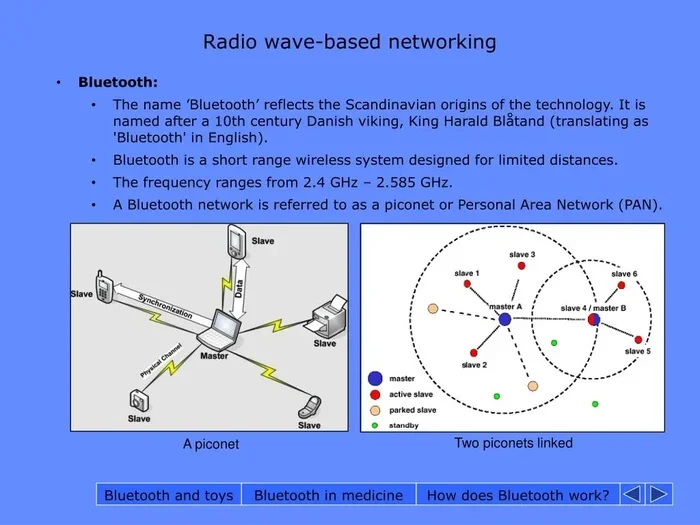
Before we get into apps and tricks, let us understand what your phone already offers. Every modern smartphone comes with Bluetooth technology built right in. This means your phone can send and receive audio wirelessly. You can pair it with headphones, car systems, and external speakers easily.
But going a step further — using your phone as the actual speaker source — requires a few extra steps. Your phone’s built-in speaker is designed for close-range listening. To make it work like a proper Bluetooth speaker, you need to either pair it with another device or use apps that enhance its audio output. Both approaches are completely free.
Built-In Bluetooth Pairing Mode
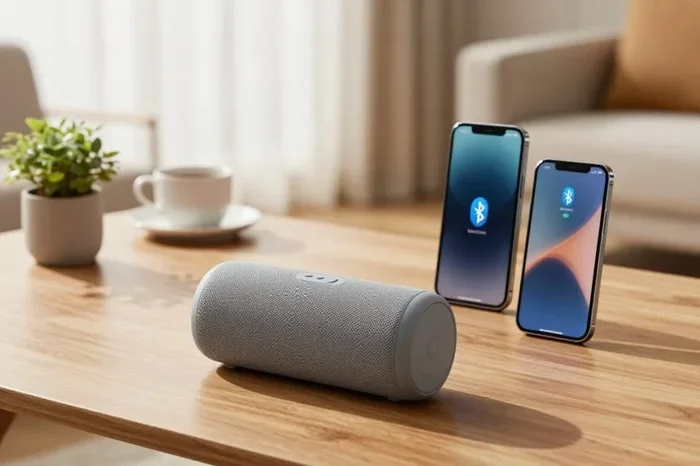
The simplest way to use your phone as a wireless audio source is through Bluetooth pairing. You can connect your phone to any compatible speaker, soundbar, or even another phone. Here is how it works:
- Open your phone’s Settings and go to Bluetooth.
- Make sure Bluetooth is turned on.
- Put the receiving device (like a speaker) into pairing mode.
- Select the device from the list of available connections.
- Once paired, your phone streams audio wirelessly to that speaker.
This method does not require any apps. It uses your phone’s native audio streaming capability. The audio quality depends on both your phone and the receiving speaker, but for casual listening, it works great.
Best Free Apps To Turn Your Phone Into A Bluetooth Speaker
If you want more control over your sound, free speaker apps are the way to go. These apps use your phone’s hardware and software to amplify sound, improve clarity, and even create stereo effects. Let us look at some of the best options available.
1. Speaker Boost Apps
Apps like Speaker Boost and Boom Speaker are designed specifically to make your phone louder. They work by adjusting equalizer settings and increasing the audio signal. Most of these apps are free with optional premium upgrades.
- They boost volume by up to 200% in some cases.
- They offer preset sound modes like bass boost, treble enhancement, and vocal clarity.
- They work well for casual music playback and hands-free calling.
2. DJ App-Based Speakers
Some creative apps let you use your phone as a live DJ setup. Apps like djay or Mixxx turn your phone into a full music station. You can mix tracks, adjust beats, and stream audio through connected speakers. These are perfect for small parties or personal entertainment.
3. Retro Bluetooth Speaker Apps
One unique app that gained popularity is the Retro Bluetooth Speaker app. It simulates the look and sound of a classic speaker while letting you play music through your phone. It is a fun, free way to enjoy a different audio experience. The app uses your phone’s speaker more efficiently and adds a vintage audio filter to your music.
4. Sound Amplifier Apps
Apps like Sound Amplifier (by Google) focus on improving clarity rather than just volume. They are great for people who struggle to hear audio clearly. These apps use advanced processing to reduce background noise and enhance speech. They work especially well during hands-free calling or when watching videos in noisy environments.
| App Name | Best For | Volume Boost | Free Version |
|---|---|---|---|
| Speaker Boost | Loud playback | High | Yes |
| Retro Bluetooth Speaker | Fun, vintage sound | Medium | Yes |
| Sound Amplifier | Speech clarity | Low-Medium | Yes |
| djay | Music mixing | Medium | Yes |
| Boom Speaker | Bass enhancement | High | Yes |
Step-By-Step Guide To Using Your Phone As A Bluetooth Speaker
Ready to get started? Here is a complete walkthrough for turning your phone into a working wireless speaker using both built-in features and apps.
Step 1: Check Your Phone’s Bluetooth Capability
Almost every phone made in the last decade supports Bluetooth. Go to your settings and confirm that Bluetooth is available. If it is, you are already halfway there. Make sure your phone’s operating system is up to date for the best compatibility.
Step 2: Install A Speaker App
Head to the Google Play Store or Apple App Store. Search for a free speaker app. Read reviews, check ratings, and pick one that matches your needs. Most of these apps are lightweight and use very little storage. Install the app and open it.
Step 3: Adjust Audio Settings
Once the app is open, explore the settings. Most apps let you adjust bass, treble, and overall volume. Take a moment to experiment with different presets. Find the sound profile that suits your music taste. This step is key to getting the best audio output from your device.
Step 4: Pair With External Devices
If you have a Bluetooth speaker or soundbar nearby, pair it with your phone. Go to Bluetooth settings, find the device, and connect. Once connected, your phone will stream all audio to that speaker automatically. This effectively turns your phone into the music source for a much bigger portable speaker setup.
Step 5: Optimize Placement
Where you place your phone matters. Keep it on a flat, hard surface for better sound projection. Avoid covering the speaker grille. Angling the phone slightly upward can help direct sound toward your listening area. Small changes in placement can make a surprisingly big difference in sound quality.
Tips To Improve Sound Quality When Using Your Phone As A Speaker
Your phone’s built-in speaker is decent, but it has limits. With a few simple tricks, you can push that audio much further. Here are some practical tips that actually work.
Use A Bowl Or Cup For Natural Amplification
This is one of the oldest and most effective DIY tricks. Place your phone inside an upside-down ceramic bowl or a sturdy plastic cup. The shape of the container reflects and amplifies the sound waves. You will notice a clear boost in volume and a fuller sound. It is completely free and works instantly.
Keep Your Phone Away From Walls
Sound bounces off walls and can get muffled quickly. Place your phone in an open area where sound can travel freely. The middle of a room works best. This gives you a cleaner, more vibrant audio experience.
Close Background Apps
Running too many apps in the background can slow down your phone and affect audio processing. Close apps you are not using before you start playing music. This frees up memory and lets your phone focus on delivering the best possible sound.
Clean Your Speaker Grille
Dust and lint can block your phone’s speaker over time. Use a soft brush or a dry cloth to gently clean the grille. You will be amazed at how much clearer the sound becomes after a quick cleanup. This simple step often gets overlooked but makes a real difference.
Use Lossless Audio When Possible
If you stream music, try using lossless or high-quality audio settings. Services like Apple Music, Spotify (HiFi tier), and YouTube Music offer better sound quality. Your phone processes richer audio files more effectively, resulting in a much better listening experience overall.
Quick Tips For Better Sound
- Turn off Bluetooth when not in use to save battery and reduce audio interference.
- Use an equalizer app to fine-tune sound profiles for different music genres.
- Restart your phone weekly to keep audio drivers running smoothly.
- Avoid using your phone at maximum volume for extended periods to protect the speaker.
- Pair with a Bluetooth headset for personal listening instead of cranking up the volume.
Common Mistakes To Avoid When Using Your Phone As A Speaker
It is easy to make simple mistakes that hurt your audio experience. Here are the most common ones to watch out for.
Over-Boosting The Volume
Pushing your phone’s volume to maximum might seem like a good idea, but it often causes distortion. It can also damage the speaker over time. Use apps to boost sound smartly instead of relying on raw volume. Stay in the 70-80% range for the clearest audio.
Ignoring App Permissions
Speaker apps need access to your audio settings and media files. If you deny these permissions, the app will not work properly. Always check app permissions during setup and grant the ones it requests. This ensures smooth audio output every time.
Using Cheap Or Incompatible Accessories
Not all Bluetooth adapters or audio cables work well with every phone. Cheap accessories can cause audio dropouts, static, and poor sound quality. Stick to trusted brands and check compatibility before buying anything. When in doubt, use wireless Bluetooth connections instead of cables.
Forgetting To Update Software
Phone updates often include improvements to audio drivers and Bluetooth connectivity. Skipping updates can leave you with outdated sound processing. Keep your phone and your apps updated for the best performance. Set your phone to auto-update whenever possible.
Playing Music In Noisy Environments
No matter how good your setup is, loud background noise will drown out your audio. Try to use your phone speaker in quieter settings. If you must use it in a noisy area, consider pairing with a wireless audio device that directly delivers sound to your ears.
Expert Insights On Getting The Most From Your Phone Speaker Setup
We asked audio professionals for their thoughts on using smartphones as speakers. Here is what they had to say.
Focus On Clarity Over Volume
Audio engineers consistently recommend prioritizing clarity. A clear, balanced sound at moderate volume beats a distorted mess at maximum loudness. Use equalizer settings to shape your sound rather than just making it louder. This approach protects your phone’s hardware and gives you a much better listening experience.
Pairing Matters More Than Apps
Many experts point out that pairing your phone with a quality external speaker makes the biggest difference. You can use your phone as the control hub and let a better speaker handle the audio output. This combines the convenience of your smartphone with superior sound amplification. It is the most effective free upgrade you can make.
Stereo Pairing For Advanced Users
Some apps and devices allow you to pair two phones together for a stereo effect. This creates a wider soundstage and more immersive audio. It takes a little setup, but the result is impressive. Look into apps that support multi-device audio streaming for this fun trick.
Conclusion
So, can you turn your phone into a Bluetooth speaker for free? Absolutely. Your smartphone already has the hardware and software to serve as a capable audio source. With built-in Bluetooth pairing, free speaker apps, and a few clever placement tricks, you can enjoy rich, amplified sound without spending anything. Whether you are hosting a small gathering, enjoying a quiet evening, or just need better sound during a call, these methods deliver real results.
Remember to focus on sound quality over raw volume. Use the right apps, keep your phone clean and updated, and pair it with external devices whenever possible. With these strategies, your phone becomes more than just a communication tool — it becomes your go-to wireless speaker for any occasion. Start experimenting today and see how good your phone can really sound.
Frequently Asked Questions
Can I use my phone as a Bluetooth speaker without any app?
Yes, you can. Your phone has built-in Bluetooth that lets you pair with external speakers, soundbars, or even other phones. Simply go to your Bluetooth settings, find the device you want to connect to, and pair it. Your phone will then stream audio wirelessly to that device without needing any extra app.
Which free app gives the best sound boost for my phone?
Speaker Boost and Boom Speaker are two of the most popular free apps for increasing volume and improving sound. They offer equalizer settings, bass boost, and preset audio modes. The best choice depends on your phone model and personal preference, so try a couple and see which one works best for you.
Is it bad for my phone to use it as a speaker all the time?
Using your phone as a speaker for extended periods can generate heat and wear on the speaker grille. It is best to use it in moderation. Avoid running it at maximum volume for hours. Pairing with an external Bluetooth speaker is a healthier long-term option that reduces strain on your phone’s hardware.
Can I connect two phones together to make stereo sound?
Yes, some apps support multi-device audio pairing that lets you use two phones as left and right stereo channels. Apps like djay and certain Bluetooth speaker apps offer this feature. It requires both phones to be nearby and connected through a shared network or Bluetooth link. The stereo effect adds a wider, more immersive sound.
How do I make my phone speaker louder without an app?
Try placing your phone inside an upside-down bowl or cup to naturally amplify the sound. You can also clean the speaker grille to remove dust blocking audio output. Moving your phone to an open space away from walls helps too. Adjusting your phone’s equalizer settings in the built-in audio menu also boosts clarity.
Does using a phone as a Bluetooth speaker drain the battery quickly?
It can, especially if you are streaming music for a long time or using apps that boost volume heavily. To save battery, lower the screen brightness, close background apps, and use Wi-Fi instead of mobile data when streaming. Keeping your phone plugged in while using it as a speaker for extended periods is also a smart move.