Can I Bluetooth To My Car Radio For Hands Free Music
Yes, you can absolutely Bluetooth to your car radio for hands free music and calling. Most modern vehicles come with built-in Bluetooth, but older cars can use adapters and FM transmitters to get wireless streaming. This guide covers every method, setup step, and troubleshooting tip so you can enjoy wireless car audio safely and easily.
Can I Bluetooth to my car radio for hands free music? The short answer is yes. Whether you drive a brand new sedan or a classic truck from the 2000s, there is a way to get wireless audio flowing from your phone to your car speakers. Bluetooth technology has made it incredibly easy to stream music, take calls, and use navigation apps without ever touching your device while driving.
In this guide, we will walk you through everything you need to know about connecting your phone to your car radio using Bluetooth. You will learn how it works, the different ways to set it up, common problems and their fixes, and whether Bluetooth is really the best choice for your car. If you are tired of tangled cables and want a cleaner, safer driving experience, you are in the right place.
Many drivers also look for helpful gadgets that make life on the road simpler. Check out our guide on 10 Gadgets To Make Moms Life Easier for more ideas on tech tools that can improve your daily routine behind the wheel and beyond.
Key Takeaways
- Bluetooth connectivity in cars is simple: Most cars made after 2012 have built-in Bluetooth for wireless music streaming and hands free calls.
- Multiple connection methods exist: You can use built-in Bluetooth, FM transmitters, Bluetooth adapters, or aftermarket head units depending on your car’s age and features.
- Hands free calling keeps you safe: Bluetooth lets you answer calls without touching your phone, reducing distractions while driving.
- Setup takes only minutes: Pairing your phone to your car radio is a quick process that anyone can do at home.
- Common issues are easy to fix: Problems like connection drops or audio delays usually have simple solutions.
- Bluetooth is not the only option: AUX cables, USB connections, and FM transmitters are alternatives worth considering.
📑 Table of Contents
- How Bluetooth Works With Your Car Radio
- Ways To Connect Your Phone To Your Car Radio
- Benefits Of Bluetooth In Your Car
- Common Bluetooth Problems And How To Fix Them
- How To Set Up Bluetooth On Your Car Radio Step By Step
- Is Bluetooth Better Than Other Connection Methods?
- Expert Tips For The Best Bluetooth Car Audio Experience
- Quick Tips For First Time Bluetooth Users
- Frequently Asked Questions
How Bluetooth Works With Your Car Radio
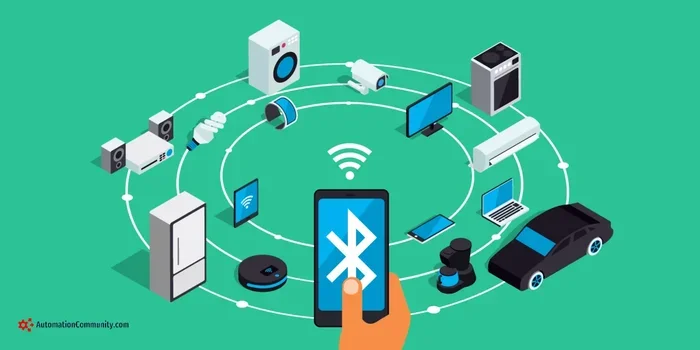
Bluetooth is a wireless technology that lets devices communicate over short distances. In your car, it creates a secure connection between your phone and your stereo system. Once paired, your phone can send audio to your car speakers and you can control playback right from the dashboard or steering wheel.
The technology uses radio waves in the 2.4 GHz band to transmit data. This means no cables, no clutter, and no fuss. As long as both your phone and car radio support Bluetooth, the connection process is straightforward and fast.
Built In Bluetooth vs Aftermarket Solutions
There are two main scenarios when you want to Bluetooth to your car radio. The first is when your car already has Bluetooth built in. The second is when your car does not support it natively and you need an add on solution.
Built In Bluetooth: Most cars manufactured after 2012 come with Bluetooth as a standard feature. If your car has a touchscreen or a modern infotainment system, it likely supports wireless audio streaming. You can find the Bluetooth settings in your car’s audio or phone menu.
Aftermarket Solutions: Older cars or basic models without Bluetooth can still get wireless audio. You just need a Bluetooth adapter or an FM transmitter. These devices plug into your car’s audio system and create a Bluetooth connection with your phone. They are affordable and easy to install.
Ways To Connect Your Phone To Your Car Radio
There are several methods to get Bluetooth audio in your car. Let us break down each option so you can choose the one that works best for your vehicle and your needs.
Method 1: Built In Bluetooth Pairing
If your car has Bluetooth, this is the easiest and most seamless option. Here is how to do it:
- Turn on your car radio and go to the Bluetooth or Settings menu.
- Select the option to search for new devices.
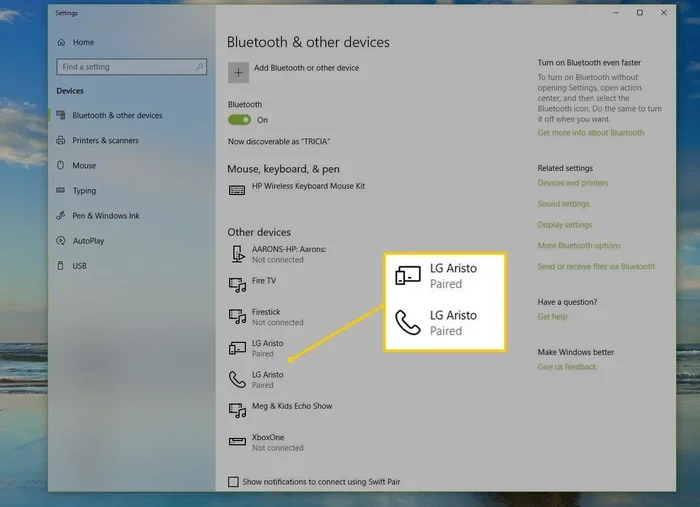
- On your phone, go to Settings and turn on Bluetooth.
- Your car should appear in the list of available devices.
- Tap on your car name and enter the PIN if prompted.
- Once connected, your phone will stream audio automatically.
Most cars remember your phone after the first pairing. So the next time you get in the car, the connection happens automatically as long as Bluetooth is turned on.
Method 2: Bluetooth FM Transmitter
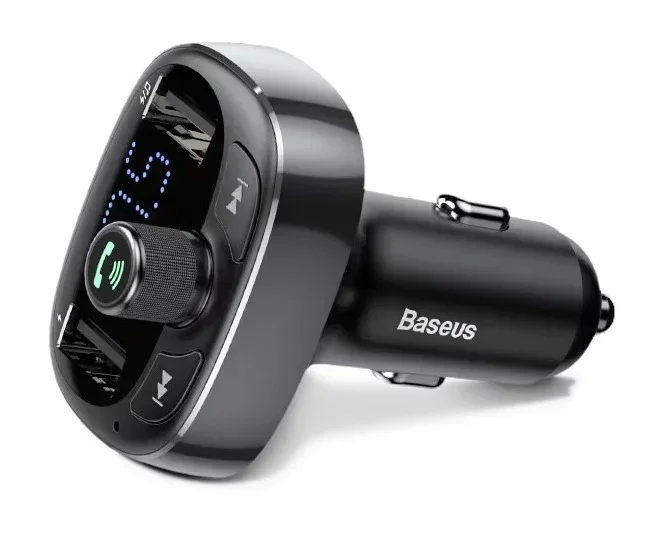
An FM transmitter is a small device that plugs into your car’s cigarette lighter or USB port. It broadcasts your phone’s audio to an open FM frequency on your car radio. You tune your radio to that frequency and hear the music through your speakers.
FM transmitters are great for older cars that do not have any Bluetooth or AUX input. They cost between $15 and $50 and work with almost any vehicle. Some models also charge your phone while you drive, which is a nice bonus.
Many drivers also find that adding simple gadgets to their car setup makes a big difference. For more ideas on useful car tech and everyday tools, visit our page on 10 Gadgets To Make Moms Life Easier for inspiration.
Method 3: Bluetooth Audio Adapter
A Bluetooth audio adapter connects directly to your car’s AUX port or CD changer input. It acts as a bridge between your phone and your car stereo. Once plugged in, it creates a Bluetooth connection and sends wireless audio to your speakers.
These adapters are small and almost invisible once installed. They are a great option if your car has an AUX input but no Bluetooth. Some adapters also support hands free calling through a built in microphone.
Method 4: Aftermarket Head Unit
If you want a full upgrade, consider replacing your car stereo with a new head unit that has Bluetooth built in. Aftermarket head units offer better sound quality, more features, and a modern feel. Popular brands like Pioneer, Sony, and Alpine make units that support wireless streaming and hands free calling.
This option costs more than a transmitter or adapter, but it gives you the best overall experience. A new head unit can also add GPS navigation, Apple CarPlay, and Android Auto to your car.
Benefits Of Bluetooth In Your Car
Using Bluetooth with your car radio offers many advantages beyond just wireless music. Here are the key benefits that make it worth setting up.
- Hands free calling: You can answer and make calls without taking your hands off the wheel. This keeps you safer and more focused on the road.
- Wireless music streaming: Play any song from your phone, Spotify, Apple Music, or any app directly through your car speakers.
- No more cables: Say goodbye to tangled aux cords and charging cables cluttering your dashboard.
- Easy switching: Multiple family members can pair their phones to the car and switch between them effortlessly.
- Steering wheel controls: You can change songs, adjust volume, and answer calls using buttons on your steering wheel.
- Better driving focus: Less fumbling with your phone means fewer distractions and safer driving.
Bluetooth also supports phone book access on many systems. This means you can see your contacts on the car screen and dial by voice or by selecting a name. It makes staying connected while driving much more convenient.
Common Bluetooth Problems And How To Fix Them
Even though Bluetooth is reliable, you may run into issues from time to time. Here are the most common problems and simple fixes.
Connection Drops Frequently
If your Bluetooth keeps disconnecting, the first thing to check is the distance between your phone and your car. Bluetooth works best within 30 feet. If your phone is buried under a seat or in a back pocket, move it closer to the dashboard.
Also try turning Bluetooth off and back on both on your phone and in your car. Sometimes a simple restart fixes the connection issue. Make sure your car stereo and phone software are up to date as well.
Poor Audio Quality Or Static
Static or choppy audio usually happens with FM transmitters. If you are using a transmitter, try a different FM frequency. Pick one that is far away from any local radio stations to avoid interference.
For built in Bluetooth, poor audio quality can be caused by a weak signal or low battery on your phone. Keep your phone charged and close to the car stereo for the best sound.
Phone Will Not Pair With Car
If your phone refuses to connect, start by deleting the old pairing from both devices. Then restart Bluetooth on both ends and try again. Make sure your car is in park or parked before attempting to pair.
Some phones have a privacy setting that blocks new Bluetooth connections. Check your phone’s Bluetooth settings and make sure it is set to be visible to all devices.
Audio Plays From Phone Instead Of Car Speakers
Sometimes your phone plays audio through its own speaker even though it is connected to your car. This usually happens because the audio output is set to the phone instead of the car. Go to your phone’s Bluetooth settings and look for the audio output option. Select your car stereo as the output device.
How To Set Up Bluetooth On Your Car Radio Step By Step
Setting up Bluetooth on your car radio does not have to be complicated. Follow these steps for a smooth setup experience.
- Prepare your car: Start the engine or put the car in accessory mode. Turn on the radio and navigate to the Bluetooth or Settings menu.
- Prepare your phone: Open Settings and turn on Bluetooth. Make sure your phone is discoverable.
- Search for devices: On your car screen, tap on the option to search for new Bluetooth devices.
- Select your car: Your car should appear on your phone screen. Tap on it to begin pairing.
- Enter PIN if needed: Some systems ask for a PIN. The default is usually 0000 or 1234. Check your car manual if needed.
- Test the connection: Play a song on your phone and check if it comes through your car speakers.
- Enable hands free: Go into your phone’s Bluetooth settings and make sure the hands free profile is enabled for calling.
Once your phone is paired, your car should remember it forever. Every time you get in the car with Bluetooth turned on, the connection will happen automatically. This is one of the best things about using Bluetooth in your car.
For more tips on making your driving experience smoother and more enjoyable, check out our helpful guide on 10 Gadgets To Make Moms Life Easier for additional tech ideas that enhance your time on the road.
Is Bluetooth Better Than Other Connection Methods?
There are several ways to play music from your phone in your car. Let us compare Bluetooth to the other popular options.
| Feature | Bluetooth | AUX Cable | FM Transmitter | USB Connection |
|---|---|---|---|---|
| Wireless | Yes | No | Yes | No |
| Sound Quality | Good | Excellent | Fair | Excellent |
| Hands Free Calling | Yes | No | Yes (some models) | No |
| Ease of Setup | Very Easy | Easy | Easy | Easy |
| Cost | Free (built in) | Low | Low to Medium | Low |
| Phone Charging | No | No | Some models | Yes |
| Works With Old Cars | With adapter | Yes | Yes | Yes |
As you can see, Bluetooth offers the best balance of convenience and functionality. AUX cables give the best sound quality but require a physical connection. FM transmitters work well for older cars but can sometimes have static. USB connections charge your phone but do not always support audio streaming.
For most drivers, Bluetooth is the best choice. It is wireless, supports hands free calling, and works with almost every modern phone. If your car does not have Bluetooth built in, an FM transmitter or Bluetooth adapter is a quick and affordable fix.
Expert Tips For The Best Bluetooth Car Audio Experience
Want to get the most out of your Bluetooth car connection? Here are some expert tips that make a real difference.
- Keep your phone charged: Bluetooth uses battery power. If your phone is low, the connection may become unstable. Keep a car charger handy.
- Update your software: Both your phone and car stereo benefit from software updates. These often include Bluetooth fixes and improvements.
- Limit connected devices: Too many paired phones can cause connection issues. Keep only the devices you use regularly paired.
- Use a Bluetooth car kit for older vehicles: If your car is older and has no AUX or USB input, a Bluetooth car kit with a built in microphone is a great solution.
- Turn off unused Bluetooth devices: Other Bluetooth devices in your car can interfere with the connection. Turn them off when not in use.
- Restart both devices regularly: A quick restart of your phone and car stereo can resolve most minor Bluetooth glitches.
Quick Tips For First Time Bluetooth Users
If you have never connected your phone to your car via Bluetooth before, here are some quick tips to get you started.
- Read your car manual to find the Bluetooth settings location.
- Keep your phone within arm’s reach during the initial pairing process.
- Use a quiet environment for the first pairing to avoid connection errors.
- Test the connection with music and a test call before hitting the road.
- Write down your car’s Bluetooth PIN and keep it in your glove box.
These small steps save a lot of frustration and help you get comfortable with the technology faster. Once you set it up once, you will never have to think about it again.
Frequently Asked Questions
Can I Bluetooth to any car radio?
Most cars made after 2012 have built in Bluetooth. If your car is older, you can still use Bluetooth with an FM transmitter or Bluetooth audio adapter. These devices are affordable and work with almost any vehicle.
Does Bluetooth use a lot of battery on my phone?
Bluetooth uses a small amount of battery, but it is not significant for normal use. Streaming music does use more battery than a simple connection. Keeping your phone plugged in while driving is a good habit if you use Bluetooth heavily.
Can I connect multiple phones to my car Bluetooth?
Yes, most car Bluetooth systems can store multiple paired phones. You can switch between them by going into the car’s Bluetooth settings. Some cars automatically connect to the last phone that was used.
Is Bluetooth safe for driving?
Bluetooth is one of the safest ways to use your phone while driving. It allows hands free calling and voice commands, which keeps your eyes on the road and hands on the wheel. Many states now require hands free devices for phone use while driving.
Why is my Bluetooth audio delayed in my car?
Audio delay, also called latency, can happen with FM transmitters or older Bluetooth versions. Built in Bluetooth in modern cars usually has no noticeable delay. If you experience delays, try updating your car’s firmware or moving your phone closer to the stereo.
Can I use Bluetooth and charge my phone at the same time?
Yes, if you use a Bluetooth FM transmitter with a USB charging port or a Bluetooth car kit that supports charging. Some aftermarket head units also have USB ports that charge your phone while streaming audio.
Can I Bluetooth to my car radio for hands free music? Absolutely. Whether your car has built in Bluetooth or you need a simple adapter, getting wireless audio in your vehicle is easy, affordable, and incredibly convenient. The setup takes just a few minutes and the benefits last for years.
Bluetooth keeps you connected, entertained, and safe on the road. You can stream your favorite playlists, take calls without lifting a finger, and use navigation apps all while keeping your eyes on the highway. It is one of the best small upgrades you can make to your daily driving routine.
Start with the method that fits your car best. If you are unsure, an FM transmitter is the easiest and most affordable way to begin. Once you experience the freedom of wireless car audio, you will wonder how you ever drove without it.