Does My Bose Headphones Have Bluetooth Connectivity
Most Bose headphones and earbuds come with Bluetooth connectivity built in. Whether you own Bose QuietComfort, SoundLink, or Sleepbuds, you can connect them wirelessly to phones, laptops, and tablets. This guide walks you through checking Bluetooth on your Bose device, pairing steps, and common troubleshooting tips.
So you just got a pair of Bose headphones and want to know if they support Bluetooth connectivity. Maybe you are tired of tangled wires. Maybe you want to stream music from your phone without any fuss. Either way, the answer is almost certainly yes.
Bose is one of the most trusted names in audio gear. Their headphones and earbuds are known for great sound, comfort, and reliable wireless performance. But not every Bose product is the same. Some models use wires. Some use Bluetooth. And some offer both options. In this guide, we will break it all down for you.
You will learn how to check if your specific Bose model has Bluetooth. You will also find step-by-step pairing instructions, tips for better wireless audio, and answers to common questions. Whether you own Bose QuietComfort earbuds, SoundLink speakers, or Sleepbuds, this article has you covered.
Key Takeaways
- Most Bose headphones support Bluetooth: Nearly all modern Bose wireless headphones and earbuds include Bluetooth connectivity.
- Check your model number: Look for the model name on the product or box to confirm Bluetooth support.
- Bluetooth pairing is simple: Put your Bose headphones in pairing mode and search from your device.
- Bluetooth versions matter: Newer Bose models use Bluetooth 5.0 or higher for better range and audio quality.
- Troubleshooting is easy: Resetting, recharging, and updating firmware solve most Bluetooth issues.
- Use your Bose headphones for more: They work for calls, music, gaming, and more once paired.
📑 Table of Contents
- Does My Bose Headphones Have Bluetooth?
- Popular Bose Models With Bluetooth
- How to Pair Your Bose Headphones With Bluetooth
- Understanding Bluetooth Versions and What They Mean
- Common Bluetooth Issues and How to Fix Them
- Can You Use Bose Headphones for More Than Just Music?
- How to Get the Best Bluetooth Audio from Your Bose Headphones
- Bose Bluetooth Headphones vs. Wired Bose Headphones
- Final Thoughts
Does My Bose Headphones Have Bluetooth?
The short answer is that most modern Bose headphones and earbuds do have Bluetooth. Bose has shifted almost entirely to wireless audio products over the past several years. Their flagship models like the QuietComfort series and the SoundLink line all use Bluetooth connectivity as the primary way to listen.
However, Bose still makes a few wired products. Some older models and certain budget options use a 3.5mm audio cable instead. These do not have Bluetooth. So it is important to check your specific model before you assume.
How to Check If Your Bose Headphones Support Bluetooth
There are a few easy ways to find out if your Bose headphones have Bluetooth. You do not need to be a tech expert. Just follow these simple steps.
1. Look at the product name. Most Bose wireless headphones include the word “Wireless” or “QC” (QuietComfort) in the name. For example, the Bose QuietComfort 45 and Bose SoundLink Max are both Bluetooth-enabled.
2. Check the product box or manual. Look for the Bluetooth logo or the word “wireless” on the packaging. The manual will also list connectivity options.
3. Look for a Bluetooth button. Many Bose headphones have a dedicated Bluetooth button on the ear cup or the charging case. If you see a Bluetooth symbol, your headphones support it.
4. Check the Bose app. The Bose Connect app or the Bose Music app lets you manage your headphones. If the app detects your device, it likely has Bluetooth.
5. Look for a USB-C or charging port. Most Bluetooth Bose headphones have a rechargeable battery. If your headphones charge via USB-C or a charging case, they almost certainly use Bluetooth.
Popular Bose Models With Bluetooth
Bose has a wide lineup of wireless headphones. Here are some of the most popular models that include Bluetooth connectivity:
- Bose QuietComfort Earbuds – True wireless earbuds with excellent noise cancellation and Bluetooth 5.1.
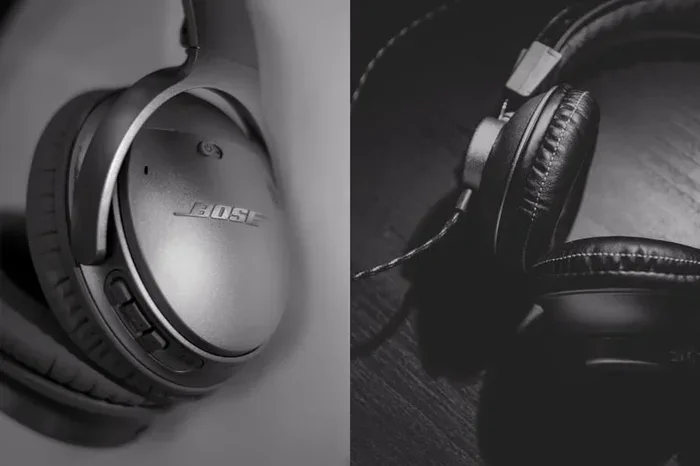
- Bose QuietComfort 45 – Over-ear wireless headphones with Bluetooth 5.1 and great battery life.
- Bose SoundLink Max – A portable Bluetooth speaker that also pairs with headphones for personal listening.
- Bose Sleepbuds II – In-ear sleep aids that use Bluetooth to connect to your phone.
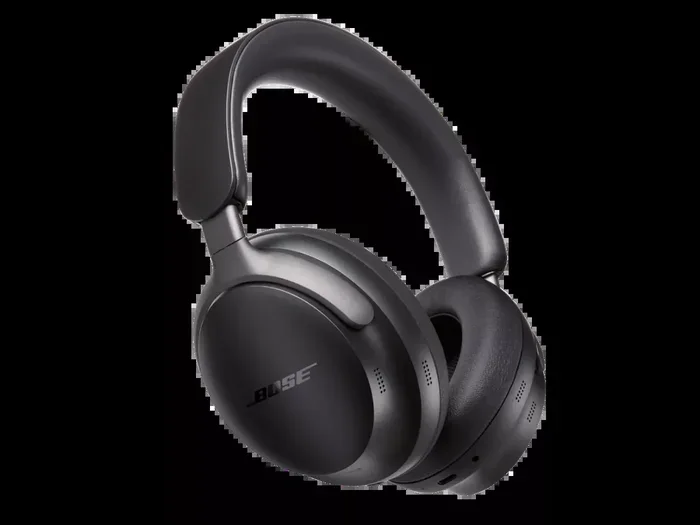
- Bose Ultra Headphones – Premium over-ear headphones with Bluetooth 5.3 and immersive audio.
- Bose Ultra Earbuds – The latest true wireless earbuds with Bluetooth 5.3 support.
All of these models let you enjoy wireless audio without any cables. You can stream music, take calls, and watch videos with ease.
How to Pair Your Bose Headphones With Bluetooth
Once you confirm your Bose headphones have Bluetooth, the next step is pairing. The process is simple and works with most phones, tablets, and laptops. Here is how to do it.
Step-by-Step Pairing Guide
- Turn on your Bose headphones. Make sure they are charged and powered on.
- Enter pairing mode. Most Bose headphones require you to hold the Bluetooth button for a few seconds. You will see a flashing LED light or hear a voice prompt.
- Open Bluetooth settings on your device. Go to Settings > Bluetooth on your phone or computer.
- Find your Bose headphones. They should appear in the list of available devices.
- Tap to connect. Select your Bose headphones from the list. You will hear a confirmation sound.
- Start listening. Your headphones are now connected and ready to use.
That is it! The entire process takes less than a minute. Once paired, your Bose headphones will automatically reconnect to your device the next time you turn them on.
Pairing Tips for Better Results
- Keep your headphones within 3 feet of your device during the first pairing.
- Make sure Bluetooth is turned on and visible on your device.
- Turn off other Bluetooth devices nearby to avoid interference.
- If your headphones do not show up, try turning Bluetooth off and on again.
- For the best experience, keep your device’s software up to date.
Some users also ask about using Bluetooth headphones for gaming. Bose headphones can work with gaming consoles and PCs, though the experience varies by platform. For example, you can pair Bluetooth headphones to Xbox One using specific adapters or methods, but native support depends on the console version.
Understanding Bluetooth Versions and What They Mean
Not all Bluetooth connections are the same. The Bluetooth version on your Bose headphones affects range, audio quality, and battery usage. Here is a quick breakdown of what the different versions mean for your listening experience.
Bluetooth 5.0 and 5.1
Most Bose wireless headphones from the last few years use Bluetooth 5.0 or 5.1. These versions offer a reliable range of about 30 feet. The audio quality is excellent for music, calls, and videos. Bluetooth 5.1 also improves location accuracy, which helps with finding your headphones if you lose them.
Bluetooth 5.2 and 5.3
The newer Bose models, like the Bose Ultra Headphones and Bose Ultra Earbuds, use Bluetooth 5.2 or 5.3. These versions bring several improvements:
- Lower latency: Less delay between audio and video. Great for watching movies.
- Better energy efficiency: Your battery lasts longer on a single charge.
- Stronger connection: Fewer dropouts and interference.
- Higher quality codecs: Support for advanced audio formats like LC3.
If you are choosing between Bose models, the newer Bluetooth versions are worth the upgrade. They make your wireless audio experience smoother and more enjoyable.
Common Bluetooth Issues and How to Fix Them
Even the best wireless headphones can have connection problems sometimes. Here are the most common issues with Bose Bluetooth headphones and how to solve them.
Headphones Will Not Pair
If your Bose headphones will not connect, try these steps:
- Make sure your headphones are in pairing mode.
- Turn Bluetooth off and on on your device.
- Restart your phone or computer.
- Remove the headphones from your device’s Bluetooth memory and try again.
- Check if your headphones are connected to another device nearby.
Audio Cuts Out or Crackles
Interference can cause audio problems. Wi-Fi routers, microwaves, and other Bluetooth devices can all disrupt the signal. Try moving closer to your device or away from other electronics.
Headphones Disconnect Frequently
This is often caused by a low battery or outdated firmware. Charge your headphones fully and check for updates in the Bose app. Keeping your firmware current fixes most disconnection issues.
Call Quality Is Poor
If people on calls say they cannot hear you well, make sure your Bose headphones’ microphones are not blocked. Some models work better as a headset than others. If you want to use your Bose Bluetooth headset as a microphone for calls or streaming, check that your specific model supports microphone input.
Can You Use Bose Headphones for More Than Just Music?
Absolutely. Bluetooth headphones from Bose are incredibly versatile. Here are some of the most popular uses beyond just listening to music:
- Phone calls: Most Bose headphones have built-in microphones for clear voice calls.
- Video calls: Use them with Zoom, Teams, or FaceTime for better audio.
- Gaming: You can use Bluetooth headphones for gaming on PCs and compatible devices.
- Watching TV: Stream audio from your TV to your Bose headphones for private listening.
- Podcasts and audiobooks: Enjoy hands-free listening on long walks or commutes.
- Voice assistants: Many Bose headphones work with Siri, Google Assistant, and Alexa.
The versatility of Bose Bluetooth headphones is one of the biggest reasons people love them. You get one device that handles music, calls, gaming, and more.
How to Get the Best Bluetooth Audio from Your Bose Headphones
Want to squeeze every bit of performance out of your Bose wireless headphones? Here are some practical tips to improve your Bluetooth audio experience.
Keep Firmware Updated
Bose regularly releases firmware updates that improve Bluetooth performance and audio quality. Open the Bose app and check for updates regularly. These updates often fix bugs and add new features.
Stay Within Range
Bluetooth works best within about 30 feet of your device. Walls, furniture, and other obstacles can weaken the signal. Try to keep your phone or laptop in the same room as your headphones for the best connection.
Reduce Interference
Other wireless devices can cause interference. If your audio sounds choppy, try turning off nearby Wi-Fi devices or moving away from crowded Bluetooth environments like airports or malls.
Use High-Quality Audio Sources
Bluetooth can only transmit audio as well as the source allows. Stream music from high-quality services like Spotify, Apple Music, or Tidal for the best results. Low-quality audio files will sound worse no matter how good your headphones are.
Charge Your Headphones Regularly
A low battery can affect Bluetooth performance. Bose headphones may reduce audio quality or disconnect when the battery is low. Keep them charged for consistent wireless audio.
Bose Bluetooth Headphones vs. Wired Bose Headphones
Some people prefer wired headphones for their simplicity. Others love the freedom of wireless. Here is a quick comparison to help you decide which is right for you.
| Feature | Bose Bluetooth Headphones | Wired Bose Headphones |
|---|---|---|
| Connectivity | Wireless Bluetooth | 3.5mm audio cable |
| Convenience | No cables needed | Cable can be annoying |
| Battery Life | 10-30 hours depending on model | No battery needed |
| Audio Quality | Excellent with modern codecs | Consistent and reliable |
| Portability | Very portable | Cable adds bulk |
| Price | Usually higher | Often more affordable |
Most people today prefer Bluetooth headphones for the freedom and convenience they offer. But if you do not mind cables and want zero battery worries, wired Bose headphones still have their place.
Final Thoughts
Bose headphones are some of the best wireless audio devices on the market. The vast majority of Bose headphone models come with Bluetooth connectivity built in. From the QuietComfort series to the SoundLink line, you get reliable wireless audio, great battery life, and excellent sound quality.
If you are still unsure about your specific model, check the product name, the Bose app, or the original packaging. And if you run into any connection issues, the troubleshooting tips above should help you get back on track quickly.
Bluetooth technology has come a long way. With modern versions like Bluetooth 5.3, you get faster connections, better range, and higher audio quality than ever before. Bose has embraced these advances fully, making their headphones a great choice for anyone who values wireless audio.
Now that you know the answer to the question “does my Bose headphones have Bluetooth,” you can confidently connect, stream, and enjoy your favorite content without any wires. Happy listening.