Does August Smart Lock Have A Camera You Need To Know
The August Smart Lock does not include a built-in camera. It is a smart lock focused on keyless entry and remote access, but it lacks any integrated camera or video feature. If you are looking for a smart lock with a camera, you will need to pair the August Lock with a separate video doorbell or security camera to get full visual monitoring of your door.
Smart locks have changed the way we think about home security. They offer convenience, remote access, and peace of mind all in one device. But when people start shopping for smart locks, one question comes up a lot: does August Smart Lock have a camera? The short answer is no. The August Smart Lock is a smart lock, not a smart lock with a camera. But the full story is more interesting than that. There is a lot to know about what the August Smart Lock does offer, what it does not, and how you can build a complete security system around it.
If you are considering the August Smart Lock for your home, you need to understand its features, limitations, and what you can pair it with. This guide covers everything you need to know. We will look at the lock itself, what makes it different from camera-equipped alternatives, and how you can still get visual security even without a built-in camera. Let us dive in.
Key Takeaways
- No Built-In Camera: The August Smart Lock does not have a camera. It is purely a lock mechanism with smart connectivity features.
- Works With Other Devices: You can pair the August Lock with third-party cameras and video doorbells for a complete security setup.
- Keyless Entry Is Its Strength: The lock excels at remote access, auto-unlock, and guest access without needing a physical key.
- Easy Installation: It installs on your existing deadbolt and fits most standard door hardware without major modifications.
- Privacy Focused: Since there is no camera, there is no risk of a built-in camera being hacked or recording without your knowledge.
- Smart Home Compatible: It works with Alexa, Google Assistant, and Apple HomeKit for full smart home integration.
📑 Table of Contents
- What Is the August Smart Lock?
- Does August Smart Lock Have A Camera?
- How to Add Camera Functionality to Your August Smart Lock Setup
- How the August Smart Lock Compares to Camera-Equipped Smart Locks
- Setting Up Your August Smart Lock for Maximum Security
- Who Should Choose the August Smart Lock?
- Common Mistakes People Make With the August Smart Lock
- The Future of Smart Locks and Home Security
- Final Thoughts
What Is the August Smart Lock?
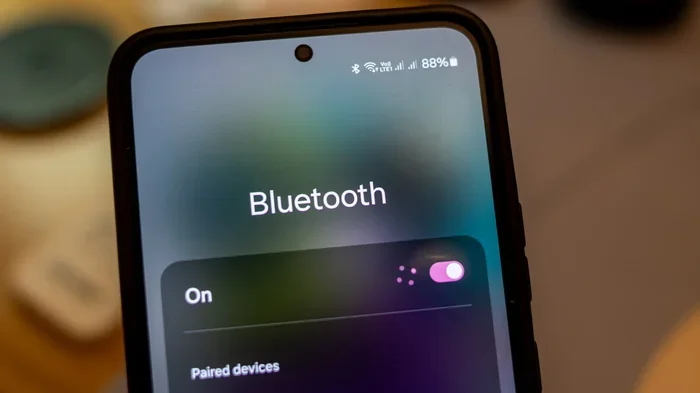
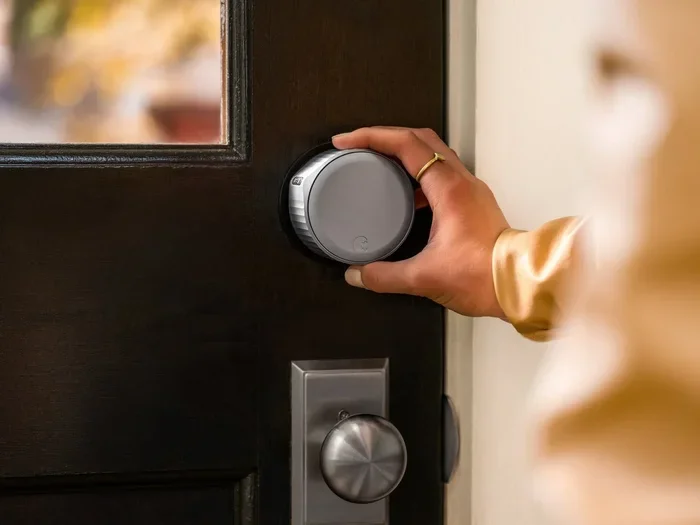
The August Smart Lock is one of the most popular smart locks on the market. It replaces your existing deadbolt lock and connects to your phone through Bluetooth and Wi-Fi. This means you can lock and unlock your door from anywhere using the August mobile app. You can also grant access to guests, set schedules, and monitor who comes and goes.
What makes the August Smart Lock stand out is its simplicity. It does not replace your entire lock. It fits right over your existing deadbolt. You keep your physical key as a backup, but you gain smart features like auto-unlock, which detects when your phone is nearby and unlocks the door for you. It is a clean, minimalist design that works with most standard doors.
Key Features of the August Smart Lock
- Keyless Entry: Use your phone to lock and unlock your door. No keys needed.
- Auto-Unlock: The lock detects your phone and unlocks automatically when you approach.
- Remote Access: Control your lock from anywhere using the August app.
- Guest Access: Send temporary access codes to visitors, cleaners, or dog walkers.
- Activity Log: See a history of who locked and unlocked your door and when.
- Smart Home Integration: Works with Alexa, Google Assistant, and Apple HomeKit.
- Easy Installation: Installs in minutes over your existing deadbolt.
Does August Smart Lock Have A Camera?
Here is the direct answer: the August Smart Lock does not have a camera. It is not designed to record video or capture images. The lock focuses entirely on access control. Its job is to manage who can enter your home, not to watch who is at your door.
This might be disappointing if you were hoping for an all-in-one device. But there is a good reason for this. Adding a camera to a smart lock would make it bulkier, more expensive, and more power-hungry. The August Smart Lock is designed to be slim, sleek, and easy to install. It keeps its focus on what it does best: secure, convenient access.
Why No Camera Is Actually a Good Thing
You might be surprised to learn that not having a camera is actually a benefit for many users. Here is why:
- Privacy: A camera on your lock means it is always watching. Some people are uncomfortable with that. The August Smart Lock respects your privacy by not recording anything.
- Less Data to Manage: No camera means no video storage, no cloud subscriptions, and no worrying about footage being hacked.
- Lower Power Consumption: Cameras use a lot of battery. The August Smart Lock runs on standard batteries that last for months.
- Simpler Setup: Without a camera, the lock is easier to install and maintain.
- Lower Cost: You pay for what you need. A smart lock without a camera costs less than a smart lock with one built in.
So while the August Smart Lock will not show you who is at your door, it gives you something arguably more important: reliable, secure, and private access control.
How to Add Camera Functionality to Your August Smart Lock Setup
Just because the August Smart Lock does not have a camera does not mean you cannot have visual security. You can easily pair the lock with a separate camera or video doorbell to create a complete front door security system. Here are some great options.
Pair With a Video Doorbell
A video doorbell is the perfect companion for the August Smart Lock. When someone rings your doorbell, you can see who it is on your phone. Many video doorbells also work with smart home platforms like Alexa and Google Home, so they integrate smoothly with your August Lock.
Popular options include the Ring Video Doorbell, the Nest Hello, and the Arlo Video Doorbell. These devices give you a live video feed, motion alerts, and two-way audio. You can see and talk to visitors even when you are not home.
Add a Security Camera Above Your Door
If a video doorbell is not your style, you can mount a security camera above your front door. Many wireless security cameras are easy to install and connect to your phone via Wi-Fi. You can check the live feed anytime and receive alerts when motion is detected.
Brands like Wyze, Arlo, and Blink offer affordable options that work well with smart home setups. Place the camera at eye level above your door, and you will have a clear view of anyone approaching your home.
Create a Unified Smart Home System
The real power comes when you connect your August Smart Lock with a camera and other smart devices. For example, you can set up a routine where your porch light turns on when the lock is unlocked, and your camera starts recording. This creates a seamless security experience.
If you already use a smart speaker in your home, you can link everything together. A smart speaker can announce when someone unlocks your door or when motion is detected by your camera. It makes your home feel truly connected and responsive.
How the August Smart Lock Compares to Camera-Equipped Smart Locks
The market has several smart locks that include cameras. These are sometimes called “smart lock and camera combos.” Let us look at how the August Smart Lock stacks up against these options.
| Feature | August Smart Lock | Smart Lock with Camera |
|---|---|---|
| Built-In Camera | No | Yes |
| Video Recording | No | Yes |
| Keyless Entry | Yes | Yes |
| Remote Access | Yes | Yes |
| Price Range | Lower | Higher |
| Battery Life | Longer (no camera drain) | Shorter (camera uses power) |
| Privacy Level | Higher (no video recording) | Lower (always recording) |
| Installation Complexity | Simple | More complex |
As you can see, the August Smart Lock wins on simplicity, privacy, and battery life. Camera-equipped smart locks offer more visual features but come with trade-offs. The right choice depends on your priorities. If you want a clean, reliable lock without the extra cost and complexity of a camera, the August Smart Lock is an excellent choice.
Setting Up Your August Smart Lock for Maximum Security
Getting the most out of your August Smart Lock is easy when you follow a few best practices. Here is how to set it up for the best experience.
Step-by-Step Installation
- Remove your existing deadbolt and exterior thumbturn.
- Slide the August Lock into the door cavity where your deadbolt was.
- Reattach the exterior thumbturn and interior trim.
- Download the August app and follow the on-screen setup.
- Connect the lock to your Wi-Fi using the August Wi-Fi Bridge if needed.
- Test the lock by locking and unlocking from the app.
Tips for Best Performance
- Keep your firmware updated: The August app will notify you when updates are available. Always install them for the best security.
- Use strong passwords: Protect your August account with a strong, unique password.
- Enable two-factor authentication: This adds an extra layer of security to your account.
- Check battery levels regularly: The app shows battery status. Replace batteries before they run out completely.
- Place your Wi-Fi Bridge close to the lock: This ensures a stable connection for remote access.
Who Should Choose the August Smart Lock?
The August Smart Lock is a great fit for many people. Here are some scenarios where it shines:
- Families: Grant temporary access to babysitters, grandparents, or teens coming home from school.
- Rental Property Owners: Manage access for tenants without handing out physical keys.
- Frequent Travelers: Lock and check on your door from anywhere in the world.
- Tech Enthusiasts: Build a smart home ecosystem with seamless device integration.
- Privacy-Conscious Users: Want smart access without a camera watching your every move.
If you value simplicity, reliability, and privacy, the August Smart Lock delivers on all fronts. It is one of the best smart locks available for people who want the essentials done right.
Common Mistakes People Make With the August Smart Lock
Even though the August Smart Lock is user-friendly, some common mistakes can cause frustration. Here are a few to avoid.
- Skipping the Wi-Fi Bridge: Without the bridge, you lose remote access. If you want to control your lock from outside your home, the bridge is essential.
- Not Setting Up Auto-Unlock: Auto-unlock is one of the best features. Many users leave it off and miss out on the convenience.
- Ignoring Firmware Updates: Outdated firmware can cause connectivity issues and security vulnerabilities.
- Using Weak Wi-Fi Signals: If your door is far from your router, the connection may be unstable. Consider moving your router or using a mesh network.
- Forgetting to Set Guest Access Expiry: If you give someone temporary access, always set an expiration date so the access does not linger.
Avoiding these mistakes will keep your August Smart Lock running smoothly and securely for years to come.
The Future of Smart Locks and Home Security
The smart home industry is evolving fast. We are seeing more devices that work together seamlessly. Smart locks are becoming more integrated with security cameras, sensors, and voice assistants. The August Smart Lock is already part of this ecosystem, and future updates may bring even more features.
While the August Smart Lock does not have a camera today, the way it connects with other devices means your security setup can grow with time. You can start with just the lock and add cameras, sensors, and smart speakers as your needs change.
Companies like August continue to push the boundaries of what smart locks can do. The focus remains on making homes more secure and convenient without overwhelming users with unnecessary features. This philosophy is why the August Smart Lock remains a top choice for millions of homeowners.
Whether you are upgrading your current setup or building a smart home from scratch, the August Smart Lock is a solid foundation. It handles the core job of secure access brilliantly, and when paired with the right camera or video doorbell, you get a complete home security solution.
Final Thoughts
The August Smart Lock is a fantastic device for anyone who wants keyless entry, remote access, and smart home integration. But it does not come with a camera, and that is by design. The lock focuses on what it does best: secure, convenient access to your home. If you want visual monitoring, you can pair the lock with a video doorbell or security camera to build a complete system.
Understanding what the August Smart Lock offers and what it does not is the first step toward making the right choice for your home. It is a privacy-friendly, easy-to-use, and reliable smart lock that fits most doors and most budgets. Whether you are a tech enthusiast or someone just getting started with smart home devices, the August Smart Lock delivers real value without the fluff.
Take the time to set it up properly, pair it with a camera if you need one, and enjoy the peace of mind that comes with a truly smart home. Your front door is the first line of defense, and the August Smart Lock makes it smarter.
Frequently Asked Questions
Does the August Smart Lock record video?
No, the August Smart Lock does not record video. It is a smart lock without any camera or video recording capability. Its focus is on access control and keyless entry.
Can I see who is at my door with the August Smart Lock?
Not directly. The August Smart Lock does not have a camera or doorbell camera. However, you can pair it with a video doorbell or security camera to see who is at your door through a separate device.
Is the August Smart Lock worth buying if I want a camera?
It depends on your needs. If you want a smart lock with a built-in camera, the August Smart Lock is not the right choice. But if you want a reliable smart lock and are willing to add a separate camera, it is an excellent option.
Can I connect the August Smart Lock to my security camera?
Yes, you can connect the August Smart Lock to most smart security cameras through your smart home platform. Both devices can work together in routines and automations for a unified security experience.
How does the August Smart Lock connect to my phone?
The August Smart Lock connects to your phone through Bluetooth for nearby access and through Wi-Fi (using the August Wi-Fi Bridge) for remote access. This gives you full control whether you are at home or away.
Are there any smart locks that have both a lock and a camera built in?
Yes, there are several smart locks on the market that include built-in cameras. Brands like Ring and Yale offer models with integrated cameras. These tend to be more expensive and bulkier than the August Smart Lock.