Do You Need A Transmitter And Receiver For Your Setup
A transmitter and receiver pair sends and receives audio or video signals wirelessly or through cables. You need one if you want to stream content to a second screen, extend HDMI range, or set up a wireless audio system. This guide breaks down when a transmitter and receiver setup makes sense, the different types available, and how to pick the right one for your entertainment needs.
Do you need a transmitter and receiver for your entertainment setup? The short answer is: it depends on what you are trying to do. If you have ever wanted to send audio from your TV to a pair of wireless headphones, extend an HDMI signal across a long room, or stream video from a laptop to a big screen, then a transmitter and receiver combo might be exactly what you need.
These devices work as a pair. The transmitter sends a signal out, and the receiver picks it up and delivers it to your display or speakers. It is a simple concept, but the world of transmitters and receivers has grown a lot more complex in recent years. There are Bluetooth options, Wi-Fi options, HDMI extenders, and even proprietary wireless systems. Each one serves a different purpose.
This guide will walk you through everything you need to know. We will cover what a transmitter and receiver actually does, when you need one, the different types available, and how to choose the right pair for your setup. By the end, you will know exactly whether buying a transmitter and receiver is worth your money.
Key Takeaways
- Not everyone needs one: Many modern devices already have built-in transmitters and receivers, so check what you own first.
- Wireless options offer freedom: Bluetooth and Wi-Fi transmitters let you move around without cable clutter.
- HDMI extenders solve distance problems: If your TV and source device are far apart, an HDMI transmitter and receiver can carry signals over long runs.
- Latency matters for gaming and video: Choose a low-latency transmitter and receiver pair for real-time content.
- Match your devices carefully: Make sure the transmitter output matches the receiver input to avoid compatibility issues.
- Price varies widely: Budget-friendly options exist, but premium units deliver better range and quality.
📑 Table of Contents
- What Is a Transmitter and Receiver?
- When Do You Actually Need a Transmitter and Receiver?
- Types of Transmitter and Receiver Sets
- How to Choose the Right Transmitter and Receiver
- Common Mistakes People Make With Transmitter and Receiver Setups
- Expert Tips for Getting the Most From Your Transmitter and Receiver Setup
- Is Buying a Transmitter and Receiver Worth It?
What Is a Transmitter and Receiver?
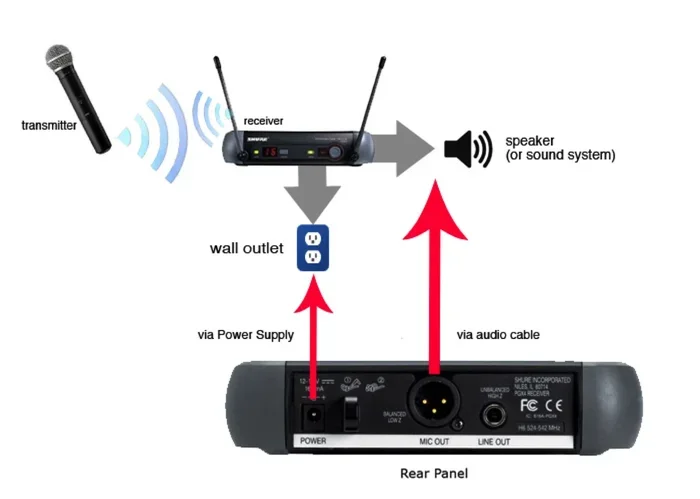
A transmitter is a device that sends out a signal. A receiver is a device that picks up that signal and turns it into something you can see or hear. Together, they form a wireless or wired link between two pieces of equipment.
Think of it like a walkie-talkie. One walkie-talkie sends the message, and the other one hears it. A transmitter and receiver set works the same way, but instead of voice, it sends audio, video, or data signals.
In home entertainment, you will often see transmitter and receiver pairs used for these purposes:
- Sending TV audio to wireless headphones
- Extending HDMI signals from a cable box to a TV across the room
- Streaming a laptop screen to a projector or second monitor
- Connecting a soundbar or speaker system without running long cables
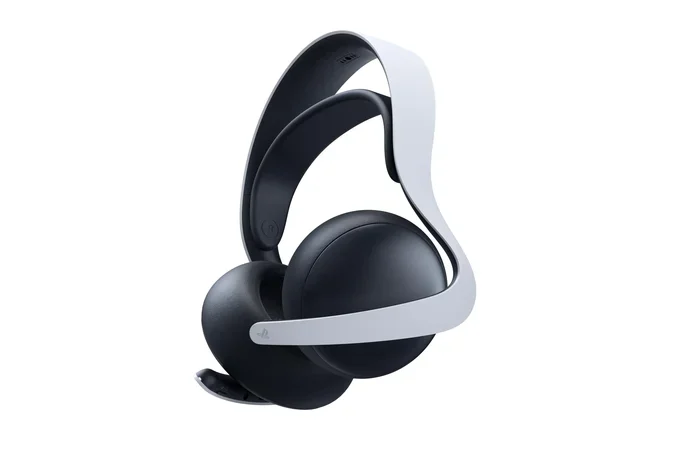
- Sharing audio from a gaming console to a wireless headset
The signal can travel through the air using radio waves, or it can travel through a cable like HDMI or USB. Wireless setups give you more freedom, while wired setups tend to offer a more stable and lag-free experience.
How Do Transmitter and Receiver Pairs Work?
Most transmitter and receiver sets use a simple process. The transmitter takes a signal from your source device, like a TV or computer. It then encodes that signal and sends it out through the air or through a cable. The receiver picks up the encoded signal, decodes it, and sends it to your output device, like a speaker or a second screen.
Some systems use radio frequency waves, while others use infrared or Bluetooth technology. The type of signal affects the range, quality, and reliability of the connection. For example, Bluetooth has a shorter range but is very common and easy to use. Radio frequency systems can reach farther but may need a clear line of sight.
When you are looking at a transmitter and receiver setup, pay attention to the signal range and the latency. Latency is the delay between when the signal is sent and when it arrives. Low latency is critical for gaming and watching fast-moving video. High latency can cause annoying lip-sync issues or lag during gameplay.
When Do You Actually Need a Transmitter and Receiver?
Not everyone needs a transmitter and receiver. Many modern TVs, laptops, and phones already have built-in wireless capabilities. But there are specific situations where adding a transmitter and receiver pair makes a big difference.
You probably need one if any of these scenarios sound familiar:
- You want to watch TV late at night without disturbing anyone. A wireless transmitter and receiver lets you send TV audio to your headphones so you can enjoy late-night shows in peace.
- Your TV and cable box are far apart. If you cannot run a long HDMI cable, an HDMI transmitter and receiver can send the signal wirelessly across the room or even through walls.
- You want to mirror your laptop screen to a projector. A wireless transmitter and receiver makes it easy to present or watch movies on a big screen without fumbling with cables.
- You have a multi-room audio setup. A transmitter can send music from your phone to speakers in different rooms.
- You game on a TV across the room. A low-latency transmitter and receiver lets you game wirelessly with minimal delay.
On the other hand, if you are happy with your current setup and do not have any of these needs, you probably do not need to buy a transmitter and receiver. Keep your money in your pocket.
Transmitter and Receiver vs. Built-In Wireless
Many people wonder why they need a separate transmitter and receiver when their devices already support Bluetooth or Wi-Fi. The answer comes down to range, quality, and purpose.
Built-in Bluetooth on a TV usually has a short range and may not support high-quality audio codecs. A dedicated Bluetooth transmitter and receiver pair often supports better codecs, longer range, and lower latency. Similarly, a TV’s built-in Wi-Fi might not be able to stream video to a second screen smoothly. A dedicated wireless HDMI transmitter and receiver is designed specifically for that task and delivers much better results.
If you want to learn more about using Bluetooth for audio, you might find our article on using a Bluetooth speaker to amplify your voice helpful for understanding Bluetooth audio setups.
Types of Transmitter and Receiver Sets
The market has many different kinds of transmitter and receiver kits. Here is a breakdown of the most common types you will come across.
HDMI Transmitter and Receiver
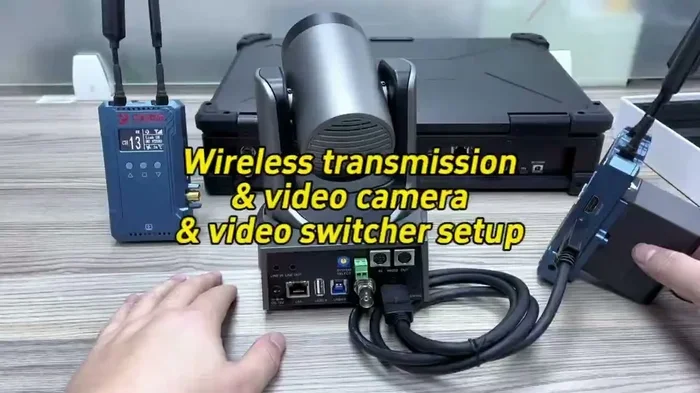
An HDMI transmitter and receiver set sends uncompressed video and audio over a wireless link. These are popular for home theater setups where running a long HDMI cable is impractical. You plug the transmitter into your source device and the receiver into your TV. The signal travels through the air.
HDMI wireless extenders are great for situations where your cable box or gaming console sits far from the TV. Some models claim a range of up to 100 feet or more. They support 4K resolution on the better models, which is important for anyone with a modern television.
One thing to watch out for: some cheaper HDMI transmitter and receiver sets have higher latency. If you plan to use one for gaming, look for models that specifically advertise low latency.
Bluetooth Transmitter and Receiver
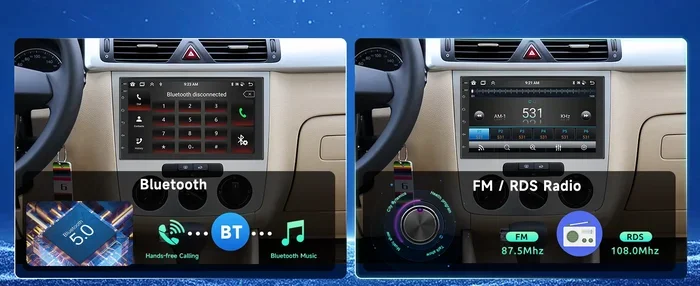
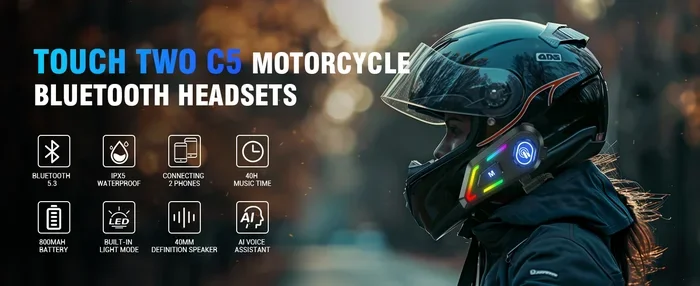
Bluetooth is the most common wireless audio technology. A Bluetooth transmitter sends audio from a device that does not have Bluetooth, like a TV or a desktop computer, to a Bluetooth speaker or headphones. A Bluetooth receiver does the opposite, picking up a Bluetooth signal and sending it to a non-Bluetooth speaker or sound system.
Bluetooth transmitter and receiver pairs are affordable and widely available. You can find decent ones for under $30. They work well for audio-only applications, like listening to music or watching videos with wireless headphones.
The main limitation of Bluetooth is range. Most Bluetooth devices work well within about 30 feet. Beyond that, the signal can weaken or drop out. Also, Bluetooth audio compression can reduce sound quality compared to a wired connection.
Wi-Fi Transmitter and Receiver
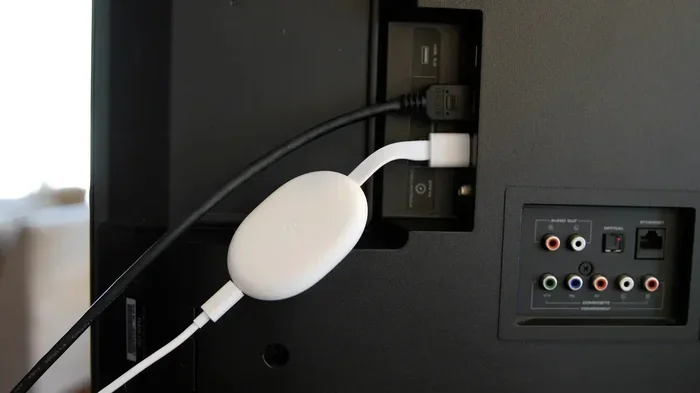
Wi-Fi-based transmitter and receiver systems use your home Wi-Fi network to send audio or video signals. These are often used for streaming content from a phone or tablet to a TV. Apple AirPlay and Google Chromecast are examples of Wi-Fi-based transmission systems.
Wi-Fi systems tend to offer better range than Bluetooth and can handle higher-quality video streams. However, they depend on the strength and stability of your Wi-Fi network. If your Wi-Fi is weak, the stream may buffer or drop.
If you are curious about whether you can use Wi-Fi for specific tasks, check out our article on whether you can use AirDrop on just Wi-Fi for more insights into wireless-only connectivity.
Wireless Audio Transmitter and Receiver for Home Theater
These are dedicated systems designed for home theater use. They often use proprietary wireless technology to send surround sound audio from an AV receiver to wireless speakers. Brands like Sonos, Samsung, and others offer ecosystems where transmitter and receiver modules connect speakers around your home.
These systems tend to be more expensive but offer a seamless experience. They handle pairing, signal compression, and synchronization automatically, so you do not have to fiddle with settings.
How to Choose the Right Transmitter and Receiver
Shopping for a transmitter and receiver can be confusing because there are so many options. Here are the key factors to consider before you buy.
1. Determine Your Use Case
Ask yourself what you want to accomplish. Do you need to send audio to headphones? Do you need to extend an HDMI signal? Do you want to stream video from a laptop to a TV? Your use case will determine the type of transmitter and receiver you need.
2. Check Compatibility
Make sure the transmitter and receiver you choose are compatible with your devices. Check the input and output ports. If your TV has HDMI, you need an HDMI transmitter and receiver. If you want Bluetooth audio, make sure your TV supports Bluetooth or that you have a Bluetooth transmitter that can connect to your TV’s audio output.
3. Consider Range
Range matters a lot. If you want to move freely around your room, look for a transmitter and receiver with a range of at least 30 to 50 feet. For whole-home coverage, consider a Wi-Fi-based system.
4. Pay Attention to Latency
Latency is the delay between sending and receiving a signal. For watching videos, a small amount of latency is usually fine. For gaming, you need a transmitter and receiver with very low latency. Look for products that advertise “game mode” or “low latency” features.
5. Think About Video and Audio Quality
If you are sending video, make sure the transmitter and receiver support the resolution you need. For 4K content, look for 4K-compatible HDMI transmitters. For audio, check if the system supports high-quality codecs like aptX or LDAC for Bluetooth setups.
6. Set a Budget
Transmitter and receiver sets range from about $15 for basic Bluetooth models to over $200 for premium HDMI wireless extenders. Set a budget before you shop and focus on the features that matter most to you.
If you are wondering about connecting different types of ports, our article on connecting HDMI and USB at the same time offers useful tips for managing multiple connections.
Common Mistakes People Make With Transmitter and Receiver Setups
Even with the right transmitter and receiver, people often run into problems because of simple mistakes. Here are the most common ones to avoid.
- Buying the wrong type for your needs. A Bluetooth transmitter will not send video. If you need to extend HDMI, you need an HDMI wireless extender, not a Bluetooth pair.
- Ignoring latency. Many people buy a cheap transmitter and receiver without checking the latency specs. This leads to a frustrating experience, especially for gaming and fast-action video.
- Placing the receiver too far away. Every transmitter and receiver has a maximum range. Going beyond that range causes signal dropouts and quality loss.
- Not updating firmware. Many modern transmitter and receiver devices receive firmware updates that improve performance and fix bugs. Always check for updates after purchase.
- Skipping the pairing process. Some people assume transmitter and receiver pairs will work automatically. Most require a deliberate pairing step. Read the instructions carefully.
- Overlooking power requirements. Some transmitter and receiver sets need to be plugged in at both ends. Make sure you have power outlets near both devices.
If you are setting up a projector and want to know about signal options, our article on doing HDMI over Ethernet explores alternative signal extension methods that might work for your setup.
Expert Tips for Getting the Most From Your Transmitter and Receiver Setup
Once you have your transmitter and receiver set up, a few pro tips can make a big difference in performance and user experience.
Keep line of sight when possible. Wireless transmitters work best when there are no major obstacles between the transmitter and receiver. Walls, furniture, and even large appliances can weaken the signal. If you can place both devices with a clear path between them, you will get a stronger and more reliable connection.
Use high-quality cables on the wired end. Even though the wireless part gets all the attention, the cable connecting your source device to the transmitter matters too. A good HDMI cable or optical audio cable ensures the signal entering the transmitter is clean and strong.
Place the receiver in a central location. If you are using a wireless audio transmitter and receiver, placing the receiver closer to your listening position and away from other electronics reduces interference and improves sound quality.
Test with your actual content. Before settling on a transmitter and receiver, test it with the kind of content you will actually use. A setup that works great for music might struggle with fast-moving video. Test both audio and video to make sure everything performs as expected.
Consider a mesh system for whole-home coverage. If you need wireless signal throughout your entire home, a single transmitter and receiver might not be enough. Look into mesh Wi-Fi systems or multiple relay units to cover larger spaces.
For those interested in expanding their setup further, our article on browsing the internet on a tablet discusses how wireless connectivity works across different devices, which can help you understand signal transmission better.
Is Buying a Transmitter and Receiver Worth It?
The answer comes down to your specific needs and setup. If you have a situation where cables are impractical, where you need wireless audio or video, or where your devices lack built-in wireless capabilities, then yes, a transmitter and receiver is absolutely worth it.
These devices solve real problems. They eliminate cable clutter. They let you place devices where you want them instead of where the cables reach. They enable setups that would otherwise be impossible, like sending TV audio to headphones in a different room or streaming a laptop to a projector in the backyard.
However, if your devices already have the wireless features you need and your current setup works fine, you can skip buying a transmitter and receiver. There is no shame in that. Technology has made many things wireless already, and sometimes that is enough.
The key is to assess your situation honestly. Identify what you want to accomplish, check what your devices already support, and then decide whether a transmitter and receiver fills a gap. If it does, invest in a quality pair that matches your needs and budget.
For more ideas on getting the most out of your devices, you might enjoy our article on playing Minecraft on a laptop, which covers how to optimize your setup for gaming and entertainment.
Frequently Asked Questions
Do I need a transmitter and receiver if my TV has Bluetooth?
It depends on what you want to do. If your TV has Bluetooth and it meets your needs, you may not need a separate transmitter and receiver. But if you want better range, lower latency, or support for multiple devices, a dedicated Bluetooth transmitter and receiver pair is a good investment.
Can a transmitter and receiver work through walls?
Yes, most wireless transmitter and receiver systems can work through walls, especially radio frequency models. However, thick walls or multiple obstacles can weaken the signal and reduce range. For best results, try to keep a clear path between the transmitter and receiver.
What is the difference between a transmitter and a transceiver?
A transmitter only sends signals, while a receiver only receives them. A transceiver can both send and receive. Most consumer transmitter and receiver sets are separate devices that work together as a pair.
How far can a wireless transmitter and receiver reach?
Range varies by type. Bluetooth transmitter and receiver pairs typically reach 10 to 30 feet. HDMI wireless extenders can reach 50 to 100 feet or more, depending on the model and environment. Wi-Fi-based systems can reach across an entire home if your network supports it.
Do transmitter and receiver setups add latency?
Yes, all wireless transmitter and receiver systems add some latency. The amount varies. Bluetooth systems tend to have higher latency than dedicated RF or HDMI wireless systems. For gaming and fast video, look for low-latency models that advertise minimal delay.
Can I use one transmitter with multiple receivers?
Some transmitter and receiver systems support multiple receivers, especially in audio setups. This allows you to send the same audio signal to speakers in different rooms. Check the product specifications to confirm whether the model you are considering supports multi-receiver operation.
=== CONCLUSION ===
A transmitter and receiver can transform your entertainment setup in ways you might not expect. Whether you want wireless audio, extended HDMI range, or the freedom to stream content to any screen in your home, the right transmitter and receiver pair makes it happen. The key is understanding your needs, choosing the right type, and avoiding common setup mistakes.
Start by identifying what you want to accomplish. Then match that goal to the right transmitter and receiver type. Check compatibility, consider range and latency, and set a realistic budget. With the right setup, you will enjoy a cleaner, more flexible entertainment experience that makes the most of your devices and space.